⌨️ Elevate your iPad game—type smarter, protect better, and never miss a beat.
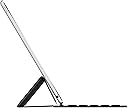
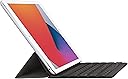
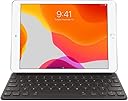
The Apple Smart Keyboard is a foldable, ergonomic keyboard and protective cover designed for iPad Pro 10.5-inch, iPad Air (3rd Gen), and iPad (7th-9th Gen). It connects magnetically via the Smart Connector, requiring no charging or pairing, delivering a comfortable typing experience with a slim, durable design that doubles as a front cover.
| Brand | Apple |
| Compatible Devices | iPad (7th Generation), iPad (8th Generation), iPad (9th Generation), iPad Air (3rd Generation), iPad Pro 10.5-inch Compatible Devices iPad (7th Generation), iPad (8th Generation), iPad (9th Generation), iPad Air (3rd Generation), iPad Pro 10.5-inch See more |
| Connectivity Technology | Magnetic , Smart Connector |
| Keyboard Description | Multi Functional |
| Special Feature | Ergonomic, Foldable |
S**N
Nearly Perfect Typing Companion/laptop replacement
I recently got the Apple Smart Keyboard for my iPad, and I have to say, it's been a game-changer for me. As someone who writes a lot, I was looking for something that could potentially replace my laptop. And guess what? This keyboard has done just that. First off, the feel of this keyboard is fantastic. The keys have just the right amount of responsiveness. Every tap is like the keyboard is reading my mind, making typing feel effortless and smooth. It's a real joy to use, especially for long writing sessions. But here's the catch – it's not backlit. I often find myself working late into the night, and not having that backlight is a bit of a letdown. It's like having a sports car without headlights – it's great, but you can't fully enjoy it when it gets dark. Despite that, I'm still really pleased with this keyboard. It's slim, it's sleek, and it attaches to the iPad like they're two peas in a pod. Since I've started using it, my laptop has been collecting dust. The convenience of just popping my iPad into this keyboard and getting down to business is unbeatable. So, if you're considering the Apple Smart Keyboard for your iPad and you're a daytime writer or you've got a good lamp, I'd say go for it. It's a solid, well-performing keyboard that might just make you forget about your laptop. Just keep in mind the lack of backlighting if you're a night owl like me.
E**I
Worth it! Way better than other’s cheap alternatives
Tried a couple of other brands, but nothing was good as Apple’s Smart Keyboard. Should have never tried to go cheaper and get generic, because I they were a waste of money. Apple’s keyboard is super quality and last the longest, and I love never having to fiddle with Bluetooth connection. Never trying to go cheaper again!
A**R
Connects to My iPad Pro 2nd Gen (Released in 2017)
I bought this because the description says: "This Smart Keyboard is designed to work seamlessly with iPad (7th, 8th, and 9th generation), iPad Air (3rd generation), and iPad Pro 10.5‑inch, providing a comfortable typing experience on the go." This keyboard looks and feels like an OEM Apple keyboard and it works fine on my 2017 Release iPad Pro, which I use every day and still works fantastically well.
S**O
Great keyboard for older iPads
I have a 2017 iPad Pro 10.5” and this is the perfect keyboard for it. It’s not backlit, but I’m a touch typist, so that’s not a big deal for me. The keyboard has to be one of the lightest that was made, and I love the fact that it gets its power from the iPad - there’s no charging required ever! The keyboard is amazingly comfortable to use, despite it being so thin. It’s got a type of waterproof fabric covering it that feels good on the fingers. It’s a very responsive keyboard and I can type blazingly fast on it - as fast as any full-size keyboard. If you have an older iPad, you have to consider this gem of a keyboard!
C**.
A Real Keyboard for my IPad 8
I got this because I use my iPad almost exclusively now - I rarely use my PC. There are times when you are actually typing something like this review and you want a real keyboard. its not perfect but its good for what I usually use it for. It's really surprising how well this keyboard magnetically sticks to the iPad. It runs off the iPad's power - No charging of the keyboard required and I haven't noticed that it noticeably decreased the iPad battery life. When you fold it out like the picture on Amazon it knows you are using the keyboard. When you fold over the keyboard so it's hidden into the top cover it knows you will be using the onscreen keyboard. Two things that may not be obvious; (1)When folded into 'travel' position the keyboard/cover only covers the front of the iPad. The back of the ipad is unprotected. If you're like me you will need to get A back cover that is compatible with the keyboard (it requires a slot at the bottom where the keyboard docks). (2) The keyboard is NOT illuminated and in the dark you won't see the keys very well (I am a two finger typist and I need to see the keys). On the whole, this keyboard seems well made and works perfectly with my iPad 8. I turns the iPad into the equivalent of a laptop. By the way if you use it in your lap you'll probably want to get or make a lap board about the sized of a standard clip board. I wish I had thought more carefully about getting a version with an illuminated keyboard - But that requires more power of course and more battery drain...
R**Z
Easy to Use
Well i have to say I love this keyboard that is what I am using right now to do these Amazon reviews. So convenient if I don’t feel like going on desktop and small enough where i can put my little couch desk up and connect my keyboard to my tablet and off I go. Very easy to use and easy to use the keyboard. I would recommend this keyboard for anyone. You will love it I am sure.
I**H
Great product
I bought this ipad cover for me brand new iPad, and I am thrilled with the way it operates as cover, but also the keyboard is extremely tactile and responsive. Takes all the irritation out of pounding the touch screen with your finger. And the dual design that lets you flip easily from screening to typing is brilliant. Only negative is that, because it is the”face” of the iPad, it takes a beating, and could be a little sturdier. But this is a minor objection.
M**N
Love this keyboard! Well designed, sealed keyboard by Apple
I started out with a 3rd party keyboard because of its features and ended up disappointed by its flaws. The Apple Smart Keyboard is great!! According to Apple, this Apple Smart Keyboard is covered under the iPad's Apple Care+, if you purchased it. While not a full folio, the Apple Smart keyboard offers many benefits: 1. Compact a. It easily connects and disconnects via the quick connect magnets on the iPad Air 3rd gen b. Seamless signal connection, no Bluetooth to pair, no batteries required, powered from the iPad. c. Easy to pack up and throw in a back pack, attached or unattached to your iPad. 2. Keyboard Shortcuts a. The shortcuts will spoil you and make you more productive. Very useful! b. Besides all the usual cmd key shortcuts, there’s a group of Tab key shortcuts, too! c. Customizable keyboard shortcuts via the iPad Settings d. Great for foreign language typing as well as native language typing. 3. The Smart Keyboard as a folio/stand/holder a. Makes a nice viewing angle when used as a stand in landscape mode b. Magnetic, so it sticks to metal surfaces and does NOT slide around! c. Does NOT provide full protection for the iPad, leading to “d.” below. d. I plan on getting some kind of full case to hold and protect both the iPad and Smart Keyboard, Then I will transport them attached together and toss the unit in a backpack or carrying bag. e. The entire keyboard and folio are fully sealed to keep out dirt, dust, and liquids. f. When folded up, the keys never come in contact with the screen. Finally, if you combine the keyboard with a mouse your productivity and ease of use will go up even more. And, you’ll keep your fingerprints, skin oil and dirt from ever contacting the screen. With the keyboard and mouse, it’s extremely rare I ever touch the screen now. FYI, the Apple Magic Mouse accommodates screen/trackpad gestures right on the mouse.
Trustpilot
2 days ago
2 months ago