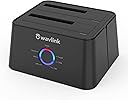
![WAVLINK USB 3.0 and USB C to SATA Dual-Bay External Hard Drive Docking Station for 2.5/3.5 Inch HDD/SSD with UASP (6Gbps), Support Offline Clone/Duplicator Function [16TB X2 ]-Black](https://m.media-amazon.com/images/I/51jp4vxjVJL._AC_SL3840_.jpg)
Desertcart purchases this item on your behalf and handles shipping, customs, and support to Argentina.
🚀 Double your storage hustle with WAVLINK’s dual-bay docking station!
The WAVLINK USB 3.0 & USB-C Dual-Bay External Hard Drive Docking Station supports 2.5" and 3.5" SATA HDDs/SSDs with blazing 6Gbps UASP transfer speeds. Featuring offline cloning, tool-free installation, and broad OS compatibility, it’s designed for professionals needing fast, reliable, and versatile data access and backup solutions.


| Asin | B018FTE87S |
| Best Sellers Rank | #6 in Hard Drive Docking Stations |
| Brand | WAVLINK |
| Color | SATA HDD Dock |
| Compatible Devices | Desktop, Laptop, Television |
| Connectivity Technology | usb |
| Customer Reviews | 4.4 4.4 out of 5 stars (4,497) 4.4 out of 5 stars |
| Data Transfer Rate | 300 megabits_per_second |
| Enclosure Material | Metal |
| Hard Disk Form Factor | 3.5 inches |
| Hardware Interface | USB 3.0 |
| Hardware Platform | Windows 7, 8, 10, Mac OS X, and Linux / Unix |
| Item Dimensions L X W X H | 6.5"L x 5.04"W x 5.2"H |
| Item Weight | 330 g |
| Manufacturer | WAVLINK |
| Memory Storage Capacity | 16 TB |
| Mfr Part Number | WL-ST334UA |
| Model Number | WL-ST334UA |
| Number Of Items | 1 |
| Number Of Packs | 1 |
| Supported Devices Quantity | 2 |
User
One of Those Tools I Didn’t Think I’d Use This Much
I’ve mostly been using it for old HDDs and SSDs I’ve collected over time—pulling files off drives, checking SMART data, cloning systems, and testing disks before adding them to my server. The offline clone feature is honestly really nice too. I didn’t expect to care about it much, but being able to duplicate a drive without messing with software ended up being super convenient.I also like that it supports both USB-C and regular USB 3.0. I’ve moved it between my desktop and laptop without having to think about adapters or compatibility.One thing I noticed pretty quickly is that it handles large drives without issues. Some older docks get weird with higher-capacity disks, but this one recognized everything I threw at it.It’s definitely more of a “utility” product than something exciting, but it’s one of those devices that quietly makes life easier if you work with storage often.Overall, it’s been reliable, easy to use, and way more useful than I expected when I bought it.
User
Original unit's disk clone function failed / Replacement unit worked perfectly
The docking function works well enough, appears to operate at full USB 3.0 speed, but the original unit's disk clone function failed to work out of the box after repeated trials. The included manual was little help, and the vendor's website had no useful information. Returned the WAVLINK unit the day after receiving it.The vendor, WAVLINK, then contacted me through Amazon, and asked to send a new unit for me to re-retry the disk cloning function. I received the unit and once again attempted to clone a clone a 1TB (WD Blue) disk to a 2TB (Seagate FireCuda) disk. They were very clear that the following directions had to be followed in order:"Hard Drive Duplicator Function:Don't plug USB to a computer when using the Clone function. Ensure the Target HDD is the same capacity of the Source HDD or larger.1, Ensure the Power Switch on the rear is in the OFF Position and plugged in properly.2, Insert the Source HDD in the rear near the power plug and insert the Target HDD in the front.3, Power on the Dock and wait until the blue lights labeled Source and Target on the front of the unit are both on solid.4, Press the button until both the blue Source and Target HDD lights flash. Then release the button. (Cloning is now ready) 5, Press the button again to start the cloning process. The progress will be shown on the front panel.6, When all the progress lights turn off the cloning process is complete.7, Turn off the power button and then remove the drives.Note:The new drives need one more step to make the drive useable.First open disk management--> on the bottom select the partition that is called unallocated partition---> right click the unallocated partition and click extended volume and follow the procedure and remember to select the volume format as NTFS."(This information was also presented in another review, and was the process I originally followed.) I followed the WAVLINK directions with the new unit and it worked as advertised. The clone function worked well, worked quickly, and kept me informed through the front panel lights as to its progress. All of the testing I have done indicates that the data on the 2TB Firecuda is an exact copy of the 1TB WD Blue disk, with an additional partition that needed to be activated via Win10's disk manager. Based on my experience I can only assume that the original unit was electrically defective, or had faulty firmware. The new unit simply worked as advertised.I do not know how it will work over time, but the unit sent by WAVLINK appears very solid. I recommend the unit.
User
Very happy with my WAVLINK
Excellent device, easy to use, results are always as expected. I ordered this one because a similar device I had used for years suddenly quit working. Amazon came through with unbelievably quick delivery.
User
It's a great and convenient dock for the price, but that's it.
The WavLink USB 3.0 Dual-Bay Docking Station, for it's price, is a handy device to have around the office. It's sturdy and stable with a convenient and small footprint. As a dock, it's pretty decent. I ran a test, copying a large file over USB (using a 3.0 port) with the WavLink, and then copying the same file with the same hard drive (freshly formatted) but connected directly to the computer - the difference in transfer times was was less than 30 seconds which is negligible for the convenience. I also tried running a standalone game (Guild Wars 2) directly from the docked hard drive and there was no noticeable lag or difference in loading times. Both slots can be used at the same time for dual-docking, although you need to be sure the drives are properly set up. If your drive isn't showing up on Windows, you may need to open the "Disk Management" tool and make it into a new Simple Volume (Warning: this will format/erase the drive.) I never had a problem mounting a drive in Linux, so if you're stuck and don't want to lose the data, just load up a Linux Live USB and transfer the data from there first. I did not test booting an operating system from the drive, so no comment on that.As a disk cloning tool, it's less than great and I would generally not suggest using this function. It works alright if you are making a 1:1 copy (as in, both drives are the exact same size) but can cause problems with missing partition tables and duplicated drive signatures. If the target drive is larger, it will make the source copy over as a partition, which is absolutely not ideal. It will not copy at all if the target drive is smaller than the source, even if the data on the smaller drive is less than the bigger drive. This style of cloning is maybe fine in an office setting where you need to produce pre-installed staff computers which all use the same hardware en-mass and network installing is not an option, but this is a very specific scenario and I can't see the cloning tool as-is advisable for your regular user - it's certainly not a selling point.I will also comment about the customer service - I had a small issue and it took a bit of running around with WavLink directly to get an answer. In the end, the issue got solved, but I could tell initially I was getting responses that did not regard the status of my order (for example, I was told to please be patient with shipping due to COVID-19 when the item had already arrived.) My suggestion to WavLink is to be sure of the actual status of the order and issue before replying, and my suggestion to anyone having an issue is to be patient and clear - there is a bit of a language barrier but the representatives will help you if you can work with them.Here are the measurements in case someone needs them:Base Size: 5x5"(depth) 4.75"(width) 2.75"(height)Power Cable Length: 56" (not including the power brick)USB Cable Length: 29"
User
works well with a couple of tips for first time users
i got this because my years old sdd was beginning to fail. the last time i had to replace my hard drive, years ago with the sdd that was failing, i reinstalled everything which took almost an entire day to reinstall everything and get it set back up. the idea of being able to do it quicker and easier was well worth $30 to try. and it worked as advertised...with a slight learning curve.first, the videos i watched all said directly cloning the hard drive would create an exact clone, meaning the newer, larger sdd i bought would only show the same size as the sdd i was cloning. so i was prepared for that and used free software called AOMEI Partition Assistant to be able to use the entire drive. you CAN use windows disk management to increase the size of the c drive partition. the problem i had was there was a recovery partition between 2 unallocated spaces and disk management would only let me increase the size by the first space. i didnt want to delete the recovery partition and AOMEI allows you to move the recovery partition to the end so i could access both unallocated spaces. it was a very small hassle, nothing that would change my mind that buying this was well worth it.the 2nd issue was more frustrating and isnt a problem with the unit, though i initially thought it was. people who have experience cloning c drives may already know this, but this was my first time and i didnt. i took my old ssd out of my desktop and directly cloned it with this unit. it seemed to be pretty fast. i started it, took a shower and by the time i was done, so was the new sdd. i put it in my desktop, turned the power on...and then got a message that my desktop didnt find a boot disc. after checking connections and getting the same message, i thought maybe the cloning hadnt worked. so i reformatted and tried again...only to get the same result. at that point i decided to try and use the AEOMI software on my laptop to try and clone the sdd using the unit plugged into the laptop. and while searching for the best way to do that, one of the several results i read had instructions to go into the bios and set the boot order to the new disc. so i did that and voila, it booted up perfectly. as i said, many people might already know that, but as this was my first time doing this, i didnt. and i didnt see it mentioned in the instructions or any of the video reviews i watched. so if youre brand new to this, like me, remember to go into BIOS and set the boot order to the new disc.
User
Very Effectt
Works like magic. Instructions included are a little sparse. Use YouTube for support.
User
Failed to duplicate 3 out of 3 disks, wasted days of effort
I have been using a StarTech disk duplicator similar to this one for years. I prefer to do a direct duplication without using a PC at all, but that's not always possible and the StarTech is only USB 2.0 though, so I felt that it was time to upgrade. Over the past few days I have tried to duplicate 4 different source disks - a 500GB, a 1 TB and a 3 TB. - with consistently horrible results:For the 500 GB disk, I did a direct (no PC) copy to a new 500GB disk. The duplicator refused to start the copying, even though the LEDs indicated that the drives were being read just fine. No matter what I tried, it simply never started. The Wavlink website had no helpful information in troubleshooting this. I gave up and used the older duplicator and it had no problem duplicating the disk for me.For the 1 TB disk, I did a direct (no PC) copy to a new 1TB disk. It appeared to duplicate successfully, but the PC failed to boot from it. I then mounted the duplicated drive into another running system and Windows immediately warned me that the filesystems on both of the duplicated partitions were corrupt. Just to make sure, I then mounted the original drive in this same system, and there were no such corruption issues on the source disk. I can see there is some data on the duplicated disk, but corruption has obviously been introduced so none of the data can be considered reliable. I used the old duplicator instead at this point, it copied my disk perfectly, and the PC that the disk went into booted and ran fine as it should have when I had initially used this Wavlink duplicator.For the 3 TB disk, I did a direct (no PC) copy to a new 3 TB disk. The disk duplication appeared to begin properly, initially flashing the 25% progress LED like it should. 27 hours later, it was still flashing just the 25% progress light. Copying a 3TB disk takes a while, but there is no way it should take this long, so I stopped it. I put the target disk into another system so I could see if this was just a really slow duplicator and some data was there, or if there was some other problem. What I found was that the disk was still completely unpartitioned. I then used my older duplicator and was able to copy this 3 TB disk in a few hours with no issues at all.I gave this thing a more-than-fair shot, and it did nothing but let me down. In the end, it cost me far more in lost time and prodcutivity than I would have paid for absolutely any other product of this type. It is about to be returned, and I will actively avoid Wavlink products in the future.
User
Solid Docking Station
Excellent docking station that does exactly what it says. It looks sleek as well and it produces no noise outside of the HDDs running. Overall, it feel durable and the cables are nice and a good length for a desk. I had no issues with connectivity. Installing the driver was as easy as could be and my PC had no issues recognizing the docked HDDs.
User
Surpassed Expectations
Initially when ordering, I really had low expectations for but they've been unexpectedly exceeded.Let's talk about packaging first though, either Amazon or the seller should use more protective packaging, otherwise there are chances of it getting damaged.Product is perfect. I mainly bought it as a drive bay and it's read and write speed are quite well. Got 120mb/s on my HDD.They've given a USB to USB C adaptor as well which is made of metal.The product doesn't feel like made of low quality as well.It has some paddings which makes it stick to the surface you put it on, which is a plus too.I'd say it's quite good.
User
Excelente, fácil de usar, con solo un botón clona el disco
Excelente, con un solo botón comienza el proceso de clonación de disco, puedes conectarlo a la computadora o puedes no hacerlo, tiene esa función y es muy útil, son usuario medio, por lo que cometí un error que no es imputable al producto, puse a clonar un HDD de 500 en un SSD de 1Tb y al clonarlo, ahora el PS4 lo lee como si fuese un disco de 500 cuando en realidad es de 1TB, pero fue error mío pues lo cloné con el botón automático y no haciéndolo con software en la lap. muy bien hecho y sirve perfecto para lo que es
User
Exactly what I needed
I had some old hard drives that we hadn't touched in years. They had some pretty important family files and pictures on them and I wanted to make sure I got the files off and backed up onto another drive safely. I found this dock for a really good price.And it worked exactly the way I needed it to. The transfer speeds were fast. Considering the drives were old and didn't spin very fast and I was able to download everything really quickly. Considering its size, it's easy just to keep in the office drawer and pull out when necessary. The lights and labels on the front of the unit make it easy to read and understand what it's doing when you need it to. I think if you're looking for a cheap and effective solution for downloading or uploading to an external drive or making duplicates of drives, this is a great and cost effective solution. It would be great if it had a raid feature to facilitate duplicating to a drive as you download... or maybe it does, and I just don't realize? Either way great dock.
User
Better then expectations.
No issue. Read/write Speed as it should be.
User
迷ったらこれ! お勧めです。
動作が安定していてとても使いやすい。説明書も丁寧でわかりやすい。尾志々目です。
Trustpilot
1 month ago
2 weeks ago