


Desertcart purchases this item on your behalf and handles shipping, customs, and support to Argentina.
🔋 Stay Powered, Stay Ahead — Never Guess Your Battery Again!
This versatile battery capacity indicator supports a broad voltage range (12V-84V) and multiple battery chemistries including lead-acid and lithium variants. Featuring a large green backlit LCD, it offers dual display modes for voltage and battery percentage, ensuring you always know your power status. Its IP67 waterproof rating and reverse polarity protection make it a durable, safe choice for golf carts, e-bikes, boats, and other electric vehicles. Compact and easy to install, it’s the essential tool for proactive battery management.
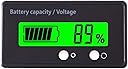


| ASIN | B08BX13TYY |
| Best Sellers Rank | #9,124 in Automotive ( See Top 100 in Automotive ) #16 in Battery Testers |
| Brand | DFCROMI |
| Brand Name | DFCROMI |
| Color | Green |
| Compatible Devices | Golf Cart, Vehicle, Electric Car, Lithium Battery, Lead-Acid Battery |
| Customer Reviews | 4.2 out of 5 stars 1,580 Reviews |
| Item Dimensions | 2 x 1.1 x 0.45 inches |
| Item Weight | 18 g |
| Item dimensions L x W x H | 2 x 1.1 x 0.45 inches |
| Lower Temperature Rating | 10 °C |
| Manufacturer | teseas |
| Measurement Type | Voltmeter |
| Minimum Operating Voltage | 12 |
| Number of Items | 1 |
| Part Number | 102batteryindication001 |
| Power Source | Battery Powered |
| Specification Met | Ip67, Reverse Polarity Protection |
| Style | Voltage Tester |
| Style Name | Voltage Tester |
| UPC | 191868478923 |
| Unit Count | 1 Count |
| Upper Temperature Rating | 50 °C |
R**M
Easy to install
Works great and easy to install and program. Comes with easy step by step instructions
R**Y
Best meter for EZGO Elite RXV Lithium cart
This is the perfect battery meter for a EZGO Elite RXV with the Samsung SDI lithium battery..!!! Programming it up is a snap, all you need to do is connect the meters two leads (+/-) to a 9 volt battery. To program it for the Elite lithium battery, hold down the left button while connecting it to the battery, press button until “L”appears, then press right button until 13 appears, disconnect it from the battery, it will hold its program until installed in your cart. it’s installed your good to go. Simply pick a location to mount meter, then run leads to the positive and negative terminals on the carts battery. Your done ..!
G**G
Works for the most part
This is a plug and play setup. You connect to the negative and positive of the battery and insert the plug in the back and it will automatically adjust to the voltage present. Mine was a 48 volt system. The voltage and percent worked as advertised. My menu button however does not work. Thus the 4 stars.
D**.
Worked well
Looks good
A**R
Doesn’t work..erratic readings
I got this for my golf cart got it hooked up and it shows different readings and will go off and on when it’s supposed to stay on. Very disappointed.
J**S
Works as intended
Works really well once I think I got it set the right way. The instructions were a little confusing, but once I read through it a couple times I figured it out. I installed it at a lake cabin with no power when I installed solar power. I will update it after I go back this weekend and see if it is measuring capacity correctly. Overall, it does exactly what I needed it for, which was a digital representation of battery capacity. Update: after using it for a few weeks, the battery capacity seems to match to my charge controller. I haven't had any issue with reliability or durability, so I would definitely recommend.
J**C
Not accurate
This seemed like a good deal…. It will only indicate voltage to 51 volts max. My unit always reads 87% at full charge with charger still attached. I have #6 new Trojan 8 volt batteries in series producing 52.8 volts when metered. I would not recommend this item based on these factors.
L**E
works perfect
Love it, great to get a better picture of what my battery level is at. I connected to a ground under the dash and the positive coming off the key. I have it set to light up for 10 seconds when I turn the key on then turns off unless I push the button. Reading isn't as accurate as if I went direct to the battery but super easy to install and is good enough for what I need.
J**.
It works fair price
Product seems to work easy insulation just make sure you install it correctly now I can monitor the seven batteries on my golf cart properly
A**R
100%
Slick, use it for trolling motor battery
G**T
Configuration is not simple, but it works fine
Works fine once you figure out how to configure it. To enter the configuration mode, the display needs to be disconnected from the power source and re-power it with the left button pressed. Company suggests to use the connector as an on/off power supply, but once installed, it could be an issue if there is no easy way to de-power the display. So, you may want to configure it before installation, using a 9V battery as a power source. When in configuration mode, you select the battery type, that basically determine the voltage of a single cell when fully charged: P (lead acid 12V), L (Lithium 3.7V) and F (LIPO 3.2V). The right button allows you to set the number of cells your battery system, for example: P01 = Lead 12V * 1 = 12V L07= Lithium 3.7V * 4 = 14.8V F07 = LIPO 3.2V * 4 = 12.8V Configuration will be saved when the display is de-powered. The basic design flaw with this display is that it doesn't have a real on/off button, so the best is to connect the display to the battery via an on/off switch so you can configure it when installed. Also, it prevents the device to draw power when not necessary.
R**Y
Très bon produit
J ai deux car et il en on chacun un
D**E
déçu
pas assez préci
Trustpilot
2 months ago
3 days ago