Desertcart purchases this item on your behalf and handles shipping, customs, and support to Argentina.
🚀 Elevate your display game with flawless 4K precision and unshakable connection!
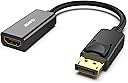
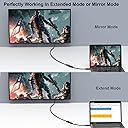
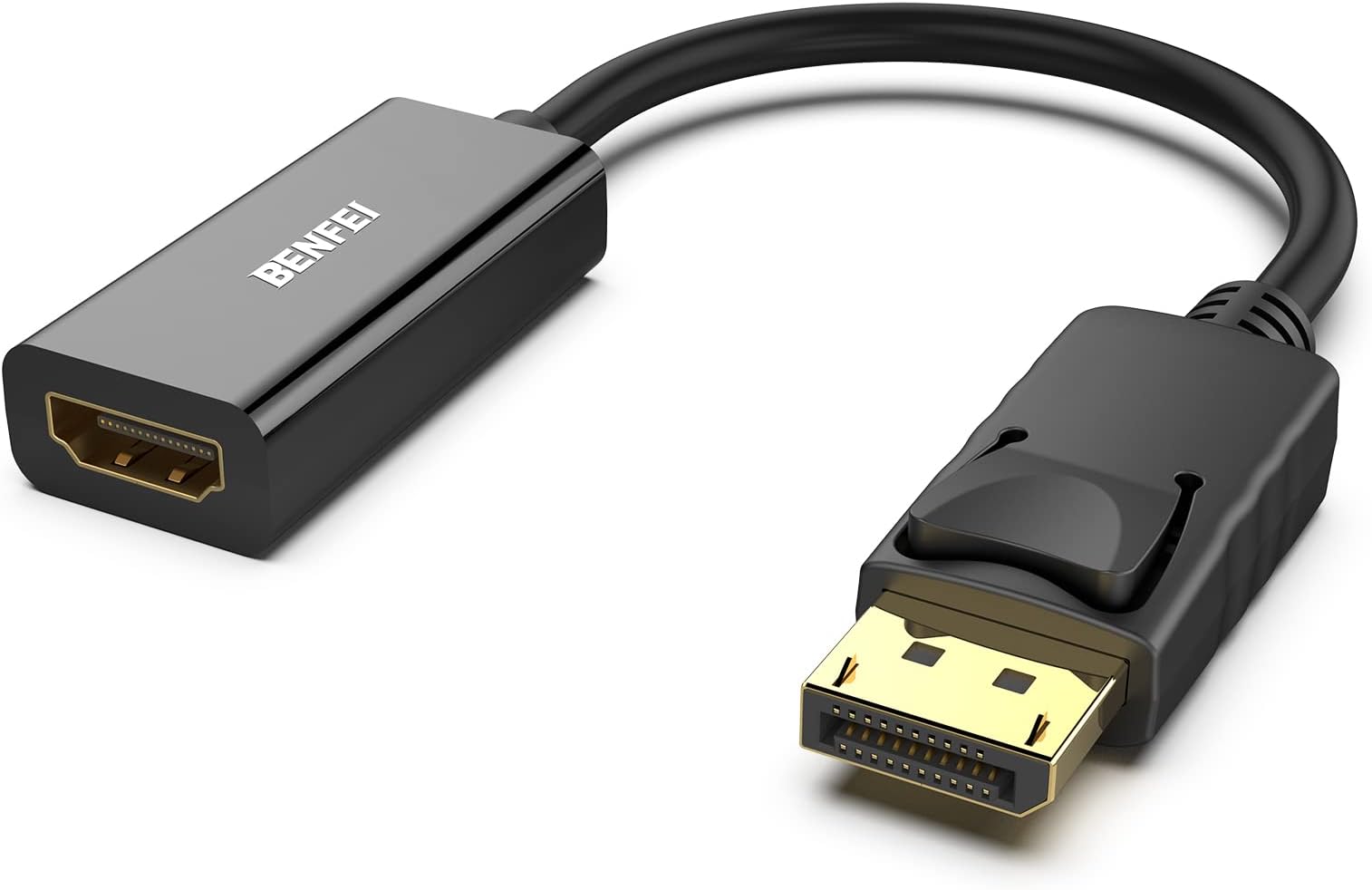
The BENFEI 4K DisplayPort to HDMI Adapter is a uni-directional converter designed to connect DisplayPort-enabled devices to HDMI displays. Supporting up to 3840x2160@30Hz resolution, it features a gold-plated connector for enhanced signal integrity and a secure latch mechanism for stable connections. Compact and lightweight, it’s ideal for professionals needing reliable, plug-and-play video extension with an 18-month warranty ensuring long-term peace of mind.


| ASIN | B017Q8ZVWK |
| Best Sellers Rank | #9 in Computer Cable Adapters |
| Brand | BENFEI |
| Color | Black |
| Compatible Devices | Computers, Laptops, Monitors, Projectors, TVs |
| Connector Type | DisplayPort HDMI |
| Current Rating | 1 A |
| Customer Reviews | 4.5 out of 5 stars 68,722 Reviews |
| EU Spare Part Availability Duration | 18 months |
| External Testing Certification | 177202201739 |
| Finish | Gold,Hdmi,Projector |
| Input Voltage | 12 volts |
| Item Dimensions | 0.39 x 0.39 x 0.39 inches |
| Item Weight | 27.22 g |
| Item dimensions L x W x H | 0.39 x 0.39 x 0.39 inches |
| Manufacturer | BENFEI |
| Mfr Part Number | 601393861980 |
| Model Number | 000095black |
| Nominal Power | 12 watts |
| Number of Items | 1 |
| Number of Ports | 2 |
| Package Quantity | 1 |
| Power Plug Type | No Plug |
| Specific Uses For Product | Monitor,Projector,Tv |
| UPC | 601393861980 |
| Unit Count | 1 Count |
| Warranty Description | 18 MONTH WARRANTY - Exclusive BENFEI Unconditional 18-month Warranty ensures long-time protection of your purchase; Friendly and easy-to-reach customer service to solve your problems timely |
| Warranty Type | Limited |
J**Y
Simple, Reliable DisplayPort-to-HDMI Adapter for Workstations and Displays
I’ve had a good experience with this BENFEI DisplayPort-to-HDMI adapter. It provides a straightforward way to connect a computer with a DisplayPort output to a monitor, television, projector, or other HDMI-equipped display without having to replace existing cables or equipment. Setup was essentially plug-and-play. I connected the DisplayPort side to the computer and an HDMI cable to the display, and the system detected the monitor without requiring any additional software or complicated configuration. Picture quality has been clear and stable during normal use with no noticeable flickering or intermittent connection problems. For IT work, adapters like this are particularly useful when deploying refurbished business desktops or working with systems that have DisplayPort outputs while the available monitors or televisions only support HDMI. Keeping a few of these available can save considerable time during workstation installations and troubleshooting. One important detail is that this is a uni-directional adapter. It is designed to convert a DisplayPort source to an HDMI display, not the other way around. Buyers should verify the direction of their connection before ordering, since an HDMI computer output cannot simply be converted to a DisplayPort monitor using this adapter. The adapter is compact, easy to carry in a technician bag, and eliminates the need for a larger converter when the equipment supports this type of connection. Overall, it has been a dependable adapter that performs exactly as intended. For connecting DisplayPort-equipped computers to HDMI displays, it’s a useful and inexpensive accessory to keep available.
I**E
Works Great!
I needed an adapter to connect my DisplayPort computer to an HDMI display, and this worked perfectly. Easy to set up just plug it in and it worked right away. The connection is stable, and the picture quality is excellent with no flickering or signal loss. I connected to a 75Ft HDMI cable, I was worried the distance would affect the signal, but no problems so far. Exactly what I needed and a great solution for the price. Very happy with the purchase! Great quality. Highly recommended!
R**T
Worked as expected!
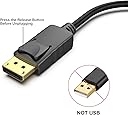
The review: The adapter seems to be made well. It was in a plastic bag rather than a box, but it did have a protective cap on the male DisplayPort end, and a plastic wrap on the housing of the HDMI end. It plugged in solidly, and I tested the release with no issues. I wonder if some of the people who had issues with it breaking off when trying to remove didn't realize that DP has an active retention mechanism that has to be depressed to remove. Seamlessly transferred both video to my TV and audio to my surround sound, as expected (or at least hoped). I always like to put my personal experience in my reviews too because I search questions and reviews for information, so I feel like this can help others: Active versus passive adapters: I'm using a Lenovo M83 Tiny PC as my home theater PC, which has a DisplayPort++ output. As others have stated, this is a passive adapter and MAY not work with your output unless it is labeled DP++. The DP++ stands for "DisplayPort Dual-Mode", and simply means that the port automatically recognizes if an HDMI or DVI adapter is attached, and sends the appropriate signals rather than the DP signals. Now it is important to realize that most modern DP ports are dual mode, whether the DP++ logo is present or not. As such, you should do the research before hand to find out if your device has a dual mode port, or risk finding out the hard way. Audio through adapter: My primary concern with this adapter was whether or not it would carry audio from the DP to the HDMI cable going into my surround sound receiver. To clarify, my setup is, PC Display Port > this adapter > HDMI cable > Receiver > HDMI cable > TV. When I initially booted the computer (first boot after installing Windows 10 Pro), Windows immediately displayed video on my TV, however no sound was playing on the surround sound speakers (I was clicking the Windows volume slider and listening for the "ding"). Through Control Panel (not the garbage Windows 10 Settings app, what was wrong with the Control Panel, Microsoft?!), I went into the Sounds options. Under playback devices, there was only one item listed, "Speakers". However, almost immediately while I was in the sound options, another device showed up with the name being the model number of my receiver. Windows automatically set it as the default device. I went ahead and disabled the other "Speakers" device just to be safe. After rebooting, all settings remained and sound continued to work properly. If you are using a surround sound receiver, you should also click on the playback device and select Configure. In here, I was able to specify that I have 5.1 surround, but there were also other options such as stereo and 7.1, so make sure you pick the right one. If you are running this directly into a TV, stereo is the default setting, which is what you want. It does send a test sound to each speaker individually, so I was able to verify that the 5.1 signal was actually making it through the adapter. Now whether this is an uncompressed PCM signal or some sort of compressed audio stream is yet to be determined; but this may depend on the source media/application that is providing the audio. Edit from future me: This does support 4K as well. I saw somebody else say it doesn't, but they must be having issues with other parts of their system (source, or receiver not supporting 4K passthrough, etc.). I have slightly changed my setup listed above, and am now running the HDMI cable directly to the TV. I upgraded to a 4K TV, but my receiver does not have 4K passthrough, so I had to bypass it. Now the HDMI cable plugged into this adapter runs to the TV, carrying both video and audio to the TV. TV is receiving 4K from the PC, no problem. I can listen to the sound through the TV speakers, but I don't as I am using a TOSLINK cable to carry the sound back to the receiver. I need to upgrade my receiver to one with 4K passthrough and audio return channel to simplify my life but that costs money and would only potentially reduce the number of cables I need by one. However, I already have to return audio from the TV to the receiver via TOSLINK because I want the TV app audio to come through my surround sound speakers too, so in the end it's all the same.
P**H
Worked great for quite a while
Worked well for about 3 years then crapped the bed. Replaced with a full cord instead of an adapter and back in business. Worked fine up until now so can't complain much for a few years of working at a cheap price.
A**R
Great buy!
Easy to connect and worked right away. The picture is clear and stable, and I haven’t had any connection issues. It does exactly what I needed it to do.
B**S
Good product
Works as intended
B**I
Awesome Customer Service
I am writing the review solely for the superb customer service from 'mike' on 11/7/2018. For my case, they offered a full refund when the adapter did not work as I needed it to. I much later figured out that I needed an 4K UHD adapter (this one is 1920x1200). I was given a refund regardless. These guys are real. Here's the long and legendary response trying to troubleshoot my problem from mike: """" Dear Nice to meet you and i'm mike from benfei service team. and we deeply apologize for all the inconvenince and late response. All your benfit is wel protected here, we support Amazon 30 days money back protection and 1 year product warranty. For the item doesn't work, i suppose there are several cause, we will work with you to fix the issue and find how to fix it. 1): product defect, our product is defect and doesn't work, we will submit the refund without return for you, it will avoid the return hassle. 2): wrong purchase, you are using docking station or the monitor's slot is the displayport slot. The item in your order is used to connect the laptop with displayport output, the monitor with hdmi input, it could not work in the opposite direction. The appropriate item should be https://www.amazon.com/dp/B0752D33PJ The Displayport and HDMI is different protocol, the DisplayPort is based on the Packet Switch and the HDMI signal is based on the TMDS signal, there is no appropriate convertor bi-directional due incredible cost. If you are using docking station, the active dp to hdmi is required, the appropriate item should be https://www.amazon.com/dp/B01M5DX296 If it's the wrong purchase, the following are options that we could assist you. If you don't need the item, just submit the return and refund request on Amazon website, Amazon will arrange the refund and pickup service. If you need the above item, please make the order and we submit the partial refund for the price gap. We will afford the previous item cost, it doesn't need the item return. Anyway, anything you need, please don't hesitate to contact us. We will work with you to fix the issue. Thank you Best Regards Mike """"
P**G
Garbage adapter
I bought this adapter for my new Dell computer. We run dual screens and only had one HDMI port for monitors. The other was a display port. I only had HDMI cables so I ordered this. My second screen would sometimes come on but mostly would not. I assumed since it.was.a.new.adapter, that the computer was at fault. Got online with tech support and they had me send computer back to replace motherboard. Got.it.back and all was well for a couple weeks. Called again and to stop this long story, after 3 months off headache, I ordered a new display port to HDMI cable and eliminated the adapter. No more issue. I would not purchase this adapter as it has been bad right out of the package.
A**H
ممتاااز
ممتااااز
C**N
Simple, efficace et parfaitement fonctionnel
Très bon petit adaptateur BENFEI DisplayPort vers HDMI. Je l’utilise pour connecter un écran HDMI à une sortie DisplayPort et il remplit parfaitement son rôle. L’installation est immédiate : on branche, et ça fonctionne sans configuration particulière. L’image est stable et la qualité est conforme à ce qui est annoncé, avec une prise en charge jusqu’en 4K à 30 Hz. La finition est correcte et l’adaptateur paraît suffisamment solide pour une utilisation quotidienne. Un produit simple mais efficace, avec un très bon rapport qualité-prix. Si vous avez besoin de convertir une sortie DisplayPort vers HDMI sans vous compliquer la vie, je le recommande.
S**S
جيد
جيد جدا
S**V
Very good product
Very good product. Working well. I had procured one from local shop for the same price, but it did not work. This is a good item
A**O
Adaptador cable dp to hdmi
Gracias por el adaptador de cable, ahora funciona correctamente el monitor
Trustpilot
3 days ago
2 months ago