

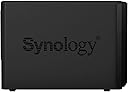

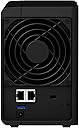
DS220+
Product ID: 210374683
Details
- BrandSynology
- ColorBlack
- MaterialMetal
- Product Dimensions9.14"D x x
- SizeDS220+
⚡Intel dual-core CPU w/ AES-NI encryption
🌐Dual 1GbE LAN ports w/ Link Aggregation
🔄RAID 1 disk mirroring for data protection
Desertcart purchases this item on your behalf and handles shipping, customs, and support to Argentina.
🚀 Elevate your data game with Synology DS220+ — where speed meets security in sleek style.
The Synology DiskStation DS220+ is a compact, high-performance 2-bay NAS designed for professionals who demand fast, secure, and reliable network storage. Featuring an Intel dual-core processor with AES-NI encryption, dual 1GbE LAN ports supporting Link Aggregation for blazing transfer speeds, and RAID 1 for data redundancy, it ensures your files are safe and accessible across multiple platforms. With expandable DDR4 memory and ultra-quiet operation, it’s the perfect blend of power and subtlety for modern data management.

| ASIN | B087ZCBWFH |
| Best Sellers Rank | #55 in Network Attached Storage (NAS) Enclosures |
| Brand | Synology |
| Built-In Media | AC Power Adapter X 1, AC Power Cord X 1, Accessory Pack X 1, Main Unit X 1, Quick Installation Guide X 1, RJ-45 LAN Cable X 2 |
| Color | Black |
| Compatible Devices | Smartphone,Television,Laptop,Desktop,Camera |
| Customer Reviews | 4.7 out of 5 stars 3,875 Reviews |
| Enclosure Material | Metal |
| Item Dimensions D x W x H | 9.14"D x 4.25"W x 6.5"H |
| Item Type Name | Network Attached Storage |
| Item Weight | 1.3 kg |
| Manufacturer | Synology |
| Material | Metal |
| Mfr Part Number | DS220+ |
| Model Number | DS220+ |
| Mounting Type | rack mount, wall mount |
| Number of Items | 1 |
| Product Dimensions | 9.14"D x 4.25"W x 6.5"H |
| Size | DS220+ |
| UPC | 846504003471 |
| Unit Count | 1 Count |
| Warranty Description | 2 year |
O**T
Excellent NAS drive, good performance, large app library
I needed to replace my aging WD NAS, which was struggling to keep up with my needs. After quite a bit of research and product comparisons, I decided to go with the market leader, and bought a NAS that seemed likely to be able to support my needs for several years, and offered some options for expanding the ways I use a NAS. For context, I mainly use my NAS as "network-attached storage": I back up files, and I share files for use on our multiple home computers. I don't use it for remote access (security concern: I'd rather use cloud storage services for that), and I don't use it as a repository for a media server, or anything else like that. I decided to use WD "Red" drives for this unit: based on specs and user and professional reviews, they seemed most likely to run reliably for as long as I needed. My previous experience with WD black, blue, and red drives has been consistently positive, whereas other vendors have let me down. Installation and setup was very easy: I had the unit up and running within a few minutes. Copying files over from my old NAS took some time, but the performance of this Synology unit exceeded my expectations. I was also pleased with how much faster my backup jobs were. I was especially pleased when apps that use network files began running much faster: so clearly both read and write performance were much improved in comparion with the old system. I also set up a USB backup. It took a little bit of reading in the Synology KB to learn how to do it right, but after that it was a breeze. I plugged in a USB hard drive in the back port (the front port can be configured for use with the USB Copy button), opened up the Hyper Backup app, and ran the initial backup to copy the entire NAS contents to the USB drive. Then I scheduled it to run incremental jobs every day, so now my paranoid backup demon is happy. (I save backup drives in a secure location to provide "disaster recovery"; overkill perhaps, but it buys peace of mind.) One criticism: the unit came with only 2GB memory, which seems cheesy. And what makes is super-cheesy is the way they price their branded "compatible memory" at ridiculous multiples of the market price. I was able to buy a 4GB Samsung memory card for under $15, and it worked just fine. You can do a web search and see that others have upgraded using larger memory cards. The Synology KB website is very good: it's well written and comprehensive. There's also an active user community, so there is a ton of information easily available. Overall I'm very happy with my Synology purchase, and would buy their NAS products again without hesitation.
J**S
The DS220+ is a rock solid device well worth the money
Ever since Apple discontinued the Time Capsule a few years ago I have been looking for a worthy successor to handle backups for my Macbooks. The Time Capsule just worked, and although it did little else but Time Machine backups, it did them well and with little effort on my part. First I tried building one with an old computer and FreeNAS. It was a FrankenNAS assembled from the corpses of PCs past, and although it worked okay, I wanted something more compact and with better components. When I originally started shopping for a NAS I had quickly narrowed it down to two devices, IIRC, the Synology DS218 and the Buffalo Link Station. I made the mistake of trying to save a few bucks and went with the cheaper Link Station. I limped along for about a year or so. It needed to be reset on a near daily basis and it would always drop connections in the middle of backups. On the occasions that I could get a backup to save, it took all damn day and I felt like I had to babysit it constantly. In short, it just wasn’t working out for me. Fast forward to 2022 and I have a new Macbook coming. My preference is to use my Time Machine backup to perform the migration from the old Macbook, so I was already placing a renewed scrutiny on the Link Station. Fed up and frustrated with an oft-failing device, I happened to see the DS220+ at a rather steep discount during the Prime Day sale. It was a no-brainer purchase. The difference was night and day. Every aspect of the DS220+ was an improvement on the LInk Station. Where the DS220+ really shines though is a software suite that Synology has developed called DSM (DiskStation Management). It’s an OS in it’s own right, including a web interface and various mobile apps. It has SSH terminal access if you absolutely need a command line, but honestly, DSM makes that entirely unnecessary. The feature set on this is beyond anything that I will ever fully utilize, and this device would be equally at home in a multi-user business setting. There are numerous pros, and I have yet to really encounter a con yet. * It has a package manger to install third party software. There are servers for days; mail servers, web servers, media servers, chat servers, etc. Like web development, install LAMP with Docker. * Security is covered. It has virus scanners and has it’s own firewall. Just run the security scanner and it tells you where you need to shore up protection. It even supports MFA for those admin accounts you want to keep locked down. * Did I mention Docker? You can run VMs on it. * It is very well documented, with a robust support system to match. I haven’t even scratched the surface with all that it can do. It’s an impressive device, and probably a bit more than I’ll realistically need, but it just works and so far it does everything I need it to well. It was well worth the money and I would wholeheartedly recommend this NAS to anyone in the market for one.
B**H
Bingo
If you are looking at this product, you are probably looking at NAS from synology and QNAP. First, I recommend that you go with synology. Synology software is more secure, feature rich and easier to use. QNAP has a history of security vulnerabilities. Nothing can redeem a device that loses all of your data to ransomware. Synology software is fairly slick and just works. It does everything you need and is simple enough for lost if us to use. Second, I recommend this entry level business synology for most consumers and small businesses. It supports raid. That makes data more secure and makes recovery a snap if one drive fails. It also makes upgrading hard drive size a snap. Just put one new, larger drive in, let it replicate, then install the 2nd larger drive. Upgrading to a new NAS is much easier when you have a raid pair, too. This is also the cheapest synology to support active backup for business. That is a free backup client that can backup all of your connected macs and pc’s. That alone can pay for this device. Synoligy C2 online backuo is affordable and easy to use with this. It makes for simple backup. At my home I also use DS video to store all of our videos. No looking for dvds or blu rays. All of our home videos are easily accessible as well. We can also connect to our movies from anywhere. When we go out of town, we just bring our chromecast and can watch our entire movie library. We also store our surveillance cam footage on this too. You get two free licenses, but have to pay about $50 each for additional cameras. The surveliimce software works adequately, but it is probably the weakest feature that I use. You can set up a VPN, which works well and is easy time use. We use synology drive which is kind of a private Dropbox, for remote access and sharing of files. The iOS client works well. It alsi has a cloud sync client so you can sync your NAS to things like Dropbox, Google drive and OneDrive. This is an easy, affordable, secure, robust file server that lets you do so much more. I recommend.
W**E
An amazing little NAS, updated again (and again)
New update 12/31/24, bought a DS923+ to expand my storage and to move to raid 5. Yet again, totally amazed. While not a plug-and-play box, not that hard to set up if you bother to read instructions. The migration from one of the DS223's was pretty painless. Move the 2 drives over, fire it up. Tells you it's migrating the drives, a few minutes later, done. The only things you have to reset are any static IP setting you might have made. Added new drives to the empty bays, it asks what to do with them. Add to storage pool. Then told it to migrate from raid 1 to raid 5. Click, done. Takes a while, but the system is totally usable while it's doing it. If you want something that has amazing features, you have control over, and are willing to actually read instructions, Synology can't be beat. BTW, I'm currently using it as a calendar host, DHCP backup, DNS backup, PC backup, Docker container host, NFS server, media server, list just keeps growing. And, it all works and is pretty easy to set up. Get one. Oh, and I use Seagate Ironwolf Pro drives in all of mine, never an issue. Update, bought a second one for my wife's office. Still totally amazing, and it's not hard to set up with the latest installer. Just follow the directions. The capabilities keep growing. I totally love it! I'll say up front that if you have no tech knowledge, you won't be able to appreciate all the features of this. But, it's not that hard. There is an amazingly large number of add-on packages you can install that do everything from being a media server to supporting software development. Just about every behavior is configurable, such as password restrictions, power-on behavior, disk hibernation, etc. If you have Linux experience, this is a fully-functional x86 Linux box and full access to Linux via ssh or telnet is supported. I absolutely love it so far. All that said, there are some things that aren't totally obvious, For example, if you want to be able to NFS mount folders, there is a separate set of NFS access permissions you have to also set on mountable folders. For the real tech nuts, it supports Docker, SVN, can be a Git server, a web server, on and on. For the super-uptime people, it even supports primary-secondary redundant replication across multiple boxes. The secondary will take over as primary if there is a failure. What a bargain for all the functionality! Update 2023/06/18 - still totally enamored with these little wonders. I'm now using mine as a slave DNS server for my primary, a second zone DHCP provider, a calendar server, a Docker container provider for some Docker-enabled apps, a media server, just on and on. Nothing else comes close. Flawless performance so far. IronWolf drives installed, expecting it to run forever. But again, you really do need to do some research to fully use the functionality.
J**I
Appears very well made...
I dived in and purchased this Synology NAS to replace an existing WD MyCloud EX2 NAS that was being obsoleted by WD because of technology issues with continued firmware support. And this in light of the fact that whenever I tried to look up "Best NAS devices for Mac OS" the WD line consistently came out on top. My experience with my WD MyCloud over the years I've had it range from the ridiculous to the sublime. It would just lock up at times, and given the WD had no power switch, I would. have to pull the plug. and when it came back up there were always warnings about not being powered down correctly. We will see if the Synology firmware and operational behaviors are any better in this regard. The MyCloud also was my PLEX media server, and though I always kept it on the current version of PLEX, it would frequently just refuse to be "seen" by the PLEX apps I have on my Samsung Smart TV and the ROKU devices I use for streaming. I would have to reset the PLEX server on the WD. Again, we'll see how the Synology PLEX implementation fares. So far, it has been solid in a number of uses, and that is even though the Synology implementation is only in "Beta" according to the Synology "Package Center" (essentially their App Store. But enough of the WD MyCLoud issues. What about this Synology device? Setup has been a mixed bag of tricks. The Synology UI is far more complex than the WD was, but I believe that to be because it offers up an awful lot of features. I struggled with the concept of creating a (personal) secure certificate for the web interface, and eventually gave up on the idea because it was just way too complex! And not explained all that well, IMHO. All the routine operations, like setting up user accounts and file shares was a walk in the park. And I would even go so far as to say that those fundamental operations could be handled pretty well by almost anyone considering such a purchase. (Be aware, however, these devices are NOT for the totally uninitiated in setting up their own home networks, replete with home-based on-line storage such as this - or ANY NAS.) The other issue I had was with CLEARING out the after effects of setting up a user-defined task (Task Scheduler) to monitor Disk Usage. Mind you I was not actually all that interested in the output at this point, but rather in testing the capability, and finding out what the results would look like. Once I determined that I really didn't cate to see a straight line graph every day, I deleted the task, but kept getting the report links in my InBox every day for over a week. It took a Tech Support Ticket to get that sorted out, and thankfully the support staff were able to point me in the correct direction after a couple exchanges of information with their web-based support page. I've only had the Synology NAS in service for just under a month now, so the jury is still out on the long term analysis. But so far, it is performing all my Mac backups (for two MacBook Air laptops), performing nicely as my new PLEX media server, and housing all my Custom written backups via the MACOS terminal scripts I have written. Oh, and when it comes time to reconnect to the file shares (such as after a MAC reboot, or my weekly scheduled Router reboot, etc) the Synology is WAY faster at that than the WD server was. Like an order of magnitude faster! Not that that is a big deal, but it hints of something significantly better in the Synology software implementations over the WD. Hopefully a long time relationship with this device will show it to be a good partner for our home network. Only time will tell, but..., So Far, So Good!
C**B
DS220+ a really wicked screaming cool NAS!
I read a lot of reviews, and chose the 2-bay w/4TB Seagate IronWolf Pro disks. I selected the Pro disks as: 1) not that much more than the standard NAS-quality IronWolfs; 2) 7,200 RPM rather than 5,200 RPM - speed matters. For my use, I found the default 2GB DDR4 RAM to be sufficient. It can go to 6GB, however, don't know who sells 6GB DDR4 RAM... Sure, a 4GB DDR4 RAM stick is $20, but I skipped it. I still get 980Mbps transfers over a 1Gbps LAN switch (see more below). If needed, you can always do the upgrade when you need it. The other reviews really flesh out why this is a great NAS. At least one reviewer mentioned YouTube's MyDooDads videos, incredibly helpful for anyone to get to know this device. Short how-to videos for beginners to advance IT users. Just watch them, well worth it. I'm an IT infrastructure consultant, and have architected and designed Tier 1 providers networks. I'm not a SAN/NAS expert however I do know a lot. Each vendors' NAS O/S is different, and worth learning how to get the most out them. The one thing I found was the network speed: I'm using the 2x1Gbps bonded connection (simple set-up in Control Panel -> Connectivity -> Network -> Network Interface). I have a one year old Lenovo X390 ThinkPad with a 1Gbps UTP connection to a 1Gbps Netgear switch. When running backups using GoodSync, I routinely get 980Mbps throughput (my 7 year old WDC NAS would vary from 98Mbps to 230Mbps) - this is wicked fast like a colonoscopy prep (TMI?). My laptop and DS220+ connect to the same LAN switch that then connects to my router for ISP access. For backups, I prefer a wired 1Gbps connect over wireless. SHR (Synology Hybrid RAID) looks like a good choice if you think you'll want to upgrade disk size - I think for the vast majority of users this will be a good no-brainer choice. I started with 2x4TB disks, I'm only using 17% and no plans for the need for a lot of storage at this time. In a few years, I will probably want to replace the drives and will go larger as prices will drop. I can take out one 4TB drive and replace it with a larger drive. Once it is sync'ed. I'll swap out the other 4TB drive with a matching-sized disk (probably 8TB or 12TB, we'll see). Pretty straight forward as long as the chassis is healthy. I will refer to the MyDooDads video when it is time to replace disks to make sure don't hose my data. Other RAID options are available, I just felt like SHR is what I needed. Nothing exotic, I just need a reliable NAS for backups, and eventually a place to host videos I moved from VHS & Hi8 to DVD so i can get rid of the DVD media. I don't play music in the house. My wife likes music like "Air Supply" (or as I call it "sappy chick songs") and I like R&B, Motown and Cool/Bebop Jazz (I was a disco DJ for 2 years while in college) - does it get any better than Miles Davis, Dave Brubeck or Kool and the Gang's "Summer Madness" and "Open Sesame" on Klipshorns powered by Mcintosh! You'll enjoy this speed demon and really nice GUI. One more thing: I use static addresses for the 2x1Gbps ports - clean, simple and I don't need to risk a DHCP change to mess with. I use static addresses for printers and NAS stuff.
G**.
Very Easy to Use
This replaced a TerraMaster NAS that quit on me after a few years. I could see it coming and was alert enough to back it up externally. TBH it wasn't that great to begin with. It was basically a drag-and-drop back-up device. The only real additional service I was able to make work was a music server. The apps that TM made available were beyond my ability to use. Most of them required scripting experience which I don't have. The Synology is so much better. All the hard work is done for you. The Synology apps are as easy to use as apps on your phone. Everything you might want in a server, they have it. DNS, DHCP, Media Server, Proxy, Email, chat, RADIUS and more -- some that I don't even know what they are. I had Apple Time Machine backing up my Mac in minutes. There is even a VM (virtual machine) option. You have to add a 4 Gig RAM module to support the VM, but it's a cheap and easy upgrade and very worth it. I installed Mint for my VM and it works like a charm. I don't really even need it, I just wanted to see if it can be done. It was so easy, I almost regret not having used Synology years ago -- then I remembered how weak the processors were in 2017 and that's why I picked the TM. But now the processor is very respectable and the optional RAM upgrade sealed the deal. Now I know how easy and well thought out the Synology is. I would highly recommend it. EDIT: Additional information: It has 2 Ethernet ports and you CAN put them in different networks/subnets. I have 2 ISPs, each with their own WiFi/LAN. I have one port as a client to each and I can access the Synology NAS from either network.
B**S
A Game-Changer for Home Data Management
I recently invested in the Synology 2 bay NAS DiskStation DS220+ (Diskless) and it has completely revolutionized the way I handle my digital life. This compact powerhouse has proven to be an indispensable addition to my home network. Setup was a breeze - the DSM (DiskStation Manager) interface is intuitive and user-friendly. Even for someone like me with limited technical expertise, configuring the NAS was straightforward. The DS220+ comes diskless, which allows you to choose the hard drives that best suit your needs. I opted for a pair of WD Red NAS drives for a seamless experience. The performance of this NAS is exceptional. With a capable Intel Celeron processor and 2GB of RAM (expandable up to 6GB), it handles file transfers, backups, and even media streaming effortlessly. I'm able to stream 4K content without a hitch, and file transfers happen at lightning speed. One standout feature for me is the excellent security provided by Synology. The DSM is regularly updated with the latest security patches, and there are robust options for setting up user accounts, access controls, and even VPN capabilities. This ensures that my data is protected from external threats. The DS220+ truly shines when it comes to its app ecosystem. Synology offers a wide range of applications that cater to various needs - from file sharing and backup solutions to media servers and surveillance tools. It's like having a personal cloud at your fingertips. The integration with third-party services like Google Drive, Dropbox, and more is seamless, making it easy to centralize and manage all my data. Additionally, the Synology community is incredibly active and helpful. The forums and knowledge base have been invaluable in troubleshooting any minor hiccups I encountered along the way. On the downside, it would have been nice if the unit included more RAM out of the box. While 2GB is sufficient for basic operations, power users might benefit from the option to purchase a variant with higher RAM. In conclusion, the Synology 2 bay NAS DiskStation DS220+ (Diskless) is a game-changer for anyone serious about home data management. Its blend of performance, user-friendly interface, robust security features, and extensive app ecosystem make it a standout choice in the NAS market. Whether you're a casual user or a power user, this NAS is sure to exceed your expectations. Highly recommended!
B**O
Perfect NAS Storage for Home!!!!
One of the best 2 Bay NAS station for Home Users. Especially for MAC users who had a limited storage space, this NAS supports BTRFS file format which makes easy to use and configure for multiple platforms(MacOS, Windows, Linux). My only issue with this is that the RAM can only be maxed out at 6GB; 2GB installed 4GB expandable ( you can increase the size by installing a higher memory but do it at your own risk as there is a tendency that it will not boot your NAS if you do so). Aside from that everything is perfect.
J**O
Uno de los modelos NAS más recientes de Synology, que funciona de maravilla.
Éste NAS tiene buena relación calidad-precio, siendo excelente tanto como unidad de almacenamiento externo, como servidor para acceso y streaming remoto. Adquirí este producto el pasado miércoles 01 de Julio de 2020, comparto que me llegó rápido y bien empacado el día 10 del mismo mes y, puedo decir que: para un usuario que va a respaldar información de sus computadoras y dispositivos móviles, almacenar fotos, música, video y COMPARTIRLO tanto en una RED LOCAL (casa, pequeño negocio) como acceder a él desde una red remota sobre todo para trabajar con la información almacenada y usar archivos de medios usando Internet, resulta excelente sobre todo para usuarios hogareños, pequeños y hasta medianos negocios para atender hasta 320 usuarios. A FAVOR: + Fácil es la instalación física y una configuración básica sólo si se va a usar y compartir en una LAN; ya una configuración más avanzada sí requiere conocimientos de redes y sobre todo de seguridad informática, si se piensa usar como servidor conectado siempre a Internet. + Si se conecta a red local (LAN) de 1 gigabit, con cable UTP nivel 7 y con un switch de gama alta, puede alcanzarse buena velocidad de transferencia, en mi caso pude pasar 750 Gigabytes en casi una hora (55 minutos). + Como servidor de archivos tiene buena seguridad al gestionar a los usuarios, sus contraseñas, permisos de acceso local o remoto tanto de forma individual como en grupo, así como designar (si se desea) una cierta cantidad máxima de espacio. También permite asignar varios niveles de permisos por aplicación, grupo de directorios, carpetas individuales y hasta por archivo. + El costo de esta unidad NAS, SÍ desquita por las características de hardware y las aplicaciones que se le pueden instalar. El fabricante Synology proporciona varias aplicaciones muy buenas, para sacar el mayor provecho posible. Entre las más importantes: - Hyper Backup permite tener sincronizado el cotenido de las computadoras conectadas en la red local (LAN) con este dispositivo de almacenamiento; - DS-Audio para escuchar tu colección de música tanto local como remotamente; - Moments, para guardar y compartir todas tus fotos escaneadas, digitales, respalda bien las fotos y videos de smartphones y tabletas; en mi caso en una Smart-TV pude ver fotos en varios formatos; - VideoStation para hacer "streaming" de videos caseros tomados con "HandyCam" en formato MTS, MP4 o tu colección de películas (soporta MKV), igual de forma local (puedes conectar varias "Smar-TV" a tu LAN y ver las películas almacenadas), así como desde internet usando la aplicación DS-Video; - Servidor DHCP para gestión de red LAN; - Servidor DNS para dominios; - Servidor Web HTML "Apache" o "NGINX" - También se puede instalar servidor de PHP desde la versión 7.1 a la 8.0.17), con la posibilidad de hospedar varios sitios web simultáneamente (se pueden instalar gestores de contenido como "Joomla" o "Wordpress"), así como blogs; - Servidor de bases de datos "MariaDB-10" (totalmente compatible con MySQL); - Gestor de bases de datos "phpMyAdmin"; - Surveillance Station para conectar y gestionar videocámaras de tipo IP, grabar y reproducir visualizando directamente lo registrado por ellas a través del explorador Web, VisualStation o dispositivo móvil para supervisión remota; - SMB Service para uso compartido de archivos y carpetas en una red LAN, así los usuarios de Windows, macOS y Linux, pueden acceder a ellos estando almacenados en este NAS; - Servidor VPN para conexión remota desde varios dispositivos (yo lo uso con OpenVPN); - Servidor FTP para subir y descargar archivos; - Servidor WebDAV también para conexión, gestión remota y trabajar con los archivos almacenados en éste NAS ... y otras aplicaciones de terceros: multimedia (Plex), descarga de archivos (Mega), de productividad, para trabajo de oficina y en grupo; también se puede tener tu propio servidor de correo electrónico. EN CONTRA: + Lo único en contra o "malo" y, creo NO es un problema exclusivo de este modelo NAS de Synology, es cuando haces "respaldo de los respaldos", es decir, cuando se hace una copia de seguridad de TODO lo almacenado en un NAS de Synology usado para realizar a su vez respaldos de la información contenida en Laptops, PC's, MAC's, smartphones, tabletas, etc., al usar la aplicación HyperBackup que considero es lenta para realizar respaldos de volúmenes (arreglos de discos) completos. Para alguien obsesivo que desee tener "respaldo de los respaldos" al resguardar TODOS los datos almacenados en un NAS de ésta marca, es necesario que tenga mucha paciencia, sobre todo si tiene más de 8 terabytes en información. CONCLUSIÓN: Fuera de lo lento al respaldar completamente volúmenes en arreglos RAID, TODO lo demás me parece excelente. Conectado tanto en red local como en acceso remoto fuera de donde lo conecté, funciona de maravilla (yo recomiendo una conexión a Internet simétrica); me ha resultado excelente para almacenar toda mi información valiosa (espero no falle pronto). Cuando termine su periodo de vida útil, voy a comprar otro dispositivo similar de Synology. ¡Gracias por su atención!
S**F
the Best NAS
Features rich NAS-ware, upgradable RAM (empty slot) works perfect with APC USB UPS to shut down before battery depleted. exceeding my expectations.
B**A
Ótimo custo/benefício
Essa é a melhor opção custo/benefício da Synology para quem estiver procurando um NAS que realize mais operações bacanas além do compartilhamento de arquivos em si. O fato de poder instalar aplicativos como Plex e Docker e transformar o NAS em um media center poderoso e uma central de containeres faz com que ele já se destaque bem. Há como expandir os 2Gb de memória, o que também faz com que ele consiga rodar mais desses serviços simultaneamente. Ele suporta BTRFS como sistema de arquivos, que torna ainda mais confiável a gravação dos arquivos.
B**L
Excellent product
Due to the immense functionality of the 220+ over the old WD MyCloud it replaced, it took a lot of reading and research to understand, but when you get your head around this unit, it performs excellently. I have contacted Synology support a couple of times over minor issues and have had a fantastic response every time. If you’re in the market for a great 2 bay NAS, do yourself a favour and spend the extra dollars to purchase the Synology 220+.
Trustpilot
2 weeks ago
2 weeks ago