🔗 Connect with confidence, display with distinction!
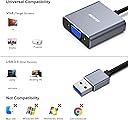
The BENFEI USB 3.0 to VGA Adapter transforms your USB port into a high-definition VGA output, delivering flawless 1080P@60Hz video for Windows devices. Engineered with the advanced Fresico Logic 2000 chip and premium materials, it guarantees stable, lag-free visuals and long-lasting durability. Ideal for professionals needing reliable multi-display setups, it comes with an exclusive 18-month warranty ensuring your investment is protected.


| ASIN | B085KX97QG |
| Best Sellers Rank | #133 in USB-to-VGA Adapters |
| Brand | BENFEI |
| Color | grey |
| Compatible Devices | Projectors, PC, Monitors, Laptops |
| Connector Type | USB, VGA |
| Current Rating | 1 Amps |
| Customer Reviews | 4.2 out of 5 stars 6,923 Reviews |
| Finish | Projector |
| Item Dimensions | 0.39 x 0.39 x 0.39 inches |
| Item Height | 1 centimeters |
| Item Weight | 0.04 Kilograms |
| Manufacturer | BENFEI |
| Model Number | 000293grey |
| Number of Items | 1 |
| Number of Ports | 1 |
| Package Quantity | 1 |
| Power Plug Type | No Plug |
| Specific Uses For Product | Monitor,Projector,Tv |
| Unit Count | 1.0 Count |
| Warranty Type | Unconditional 18-month |
P**T
Quality made
Did the job. Good display from my external monitor. Easy to use.
R**I
Problem solver
I just bought a new PC with a GeForce GPU. To my dismay I discovered that my BenQ monitor was incompatible with all GeForce type Gpu's. I decided to give this dongle a try. It did not work at first because I did not read the instructions which were you have to download the driver from the Benefei website. After doing that this dongle worked FLAWLESSLY! My monitor runs with no problems and no lagging at 1080P. It sure is nice when a product works as advertised.
D**N
Product worked and was easy to use
I bought this as my new laptop did not support video output from the usb c port so I could not use a usb c docking station to add a 2nd monitor. This worked and the driver flash was easy to find when I plugged it into the usb port. The only thing I would point out to anyone buying this that has a relatively new computer is that the output only supported 1680x1050 resolution. I almost thought it didn't work as the screen was black even though the system recognized a third monitor. Once I changed the resolution from 1920x1080 to the next one down of 1680x1050 the picture came on and looks great. I suppose it probably isn't going to work if you are looking for super high resolution gaming or graphic design, but perfect for what I want. Easy to use and the driver is right there in the device when you plug it in. Just click on the driver you want to install (I am running windows 10, so I can't vouch for the Mac driver) in file explorer and restart your computer and then plug in your monitor.
W**L
Accomplished the purpose I bought it for
This was used to add a 4th monitor to my work-from-him setup. I keep my email on it all day, so nothing graphics intensive or too exciting. It works. The only real issues I have are after using it elsewhere, putting it to sleep, and then waking it redocked. The driver freaks out and doesn’t know what to do. Sometimes it reverts to USB 2.0 SVGA mode (800x600), and sometimes it just doesn’t work. Also, I can’t use it with my thunderbolt dock. It must be connected through the USB port right on my laptop, or it has a weird issue with constant blinking.
A**A
Worked well until windows 11 update. fresco logic driver no longer supported. display flickers
Drivers not supported after windows 11 update. screen flickers and blacks out periodically. No update to fresco logic drivers. removed this adapter and Fresco Logic drivers and purchased new adapter wavlink 3.0 to hdmi adapter to work with display link drivers. works much better.
J**R
Plug it in - use your second monitor!
This device comes with instructions along with a little CD with drivers on it. However - - - You do NOT need the CD! Simply plug in the device and then open Windows File Explorer. You'll see a small "drive". Double click on it, and the install files are there! NOTES: 1) Plug this device into a USB 3 socket only! (look for the "SS" next to the socket. If you do not do this, you will be stuck with 800x600 resolution which is terrible). The instructions will tell you this, but not until the end. 2) Open Windows File Explorer and click on the little drive to open the driver. 3) Let the driver install, and then restart your laptop/computer for the changes to take effect. All the above took me 5 minutes and now my Dell Inspiron (i5) laptop is driving 2 Dell 27 inch high def monitors. One screen is connected directly with HDMI. The second screen is connected using this device: USB 3 port on laptop to HDMI plug from monitor. Screen resolution is awesome.
W**W
It works, however, ......
I had to purchase a new desktop months back and ended up getting one that only has a single HDMI port. Well, I run dual monitors so obviously I had to figure something out. My wife has a similar desktop and uses a USB to HDMI adapter (BestBuy adapter) for her second monitor and it works great. Trying to save a few bucks I decided to try this benfei adapter. Does it work? Yes. Do I have to unplug the adapter from the USB port and then plug it back in every time I wake my PC up from sleep? Also, yes. If my monitors are just powered off but my PC isn't asleep, both monitors will turn back on as they should. When I get on my PC first thing in the morning to do some work, only my primary monitor that's plugged into the PC's HDMI port will work. I have to unplug and plug the benfei adapter back in to get the second monitor to work. It's not a huge deal but it is annoying. I haven't noticed any issues while the monitor is working, so that's nice. I can't say that it is worth the few dollars you'll save, but who knows, maybe it will work perfect for you.
D**Y
Does the job!
My Dell XPS8950 computer with integrated Intel UHD graphics came with exactly ONE video output port, a DisplayPort. So, how to support a second monitor to extend my desktop? My premium Dell support wasted 20 minutes and was trying to tell me I needed a Docking station! This device was a solution. It did require downloading a driver installation program from the seller’s web site before it would work, despite both the Amazon product page and Wndows 11 saying the built in driver would work. But the product docs suggested the website address for the download. I’m pissed at Dell for selling a PC like this and not being able to suggest this solution and not offering their version of a solution as a Dell part (I looked hard). I have to admit part of this problem was I purchased monitors that didn’t support DisplayPort “daisy chaining”, which would have required only one cable to handle this.
Trustpilot
3 weeks ago
1 week ago