


Buy anything from 5,000+ international stores. One checkout price. No surprise fees. Join 2M+ shoppers on Desertcart.
Desertcart purchases this item on your behalf and handles shipping, customs, and support to Argentina.
🖥️ Elevate your Raspberry Pi 4 setup with the ultimate cool, control, and class.
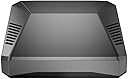
The Argon ONE V2 Aluminum Case for Raspberry Pi 4 combines premium aluminum passive cooling with a 30mm active fan and integrated heatsink to maintain optimal temperatures. Featuring a one-push power button for safe shutdown, dual full-sized HDMI ports, and a smart cable management system, it transforms your Pi 4 into a sleek, efficient workstation. Compatible with Argon ONE M.2 expansion boards, this case extends device longevity while offering seamless control and professional-grade build quality.


| ASIN | B07WP8WC3V |
| Antenna Location | Computer |
| Best Sellers Rank | #103 in Computer Cases |
| Brand | Argon Forty |
| Case Type | Raspberry Pi |
| Color | RPi4_Case ONLY |
| Compatible Devices | Raspberry Pi 4 |
| Cooling Method | Air |
| Customer Reviews | 4.7 out of 5 stars 3,333 Reviews |
| Enclosure Material | Aluminum |
| Fan Size | 30 Millimeters |
| Hard Disk Form Factor | 3.5 Inches |
| Internal Bays Quantity | 1 |
| Item Weight | 0.21 Kilograms |
| Manufacturer | Argon Forty |
| Material | Aluminum |
| Mfr Part Number | AR1_Rpi4_Case Only |
| Model Name | V2 |
| Model Number | B07WP8WC3V |
| Motherboard Compatability | Mini ITX |
| Number of Fans | 2 |
| Other Special Features of the Product | Built-In Fan, Proprietary Power Button Functionality |
| Power Supply Mounting Type | Bottom Mount |
| Recommended Uses For Product | Computer |
| Supported Motherboard | Mini ITX |
| Total USB 2.0 Ports | 2 |
| Total Usb Ports | 2 |
| UPC | 045918091818 |
| Warranty Description | 1 month |
R**O
Clean Design & Great Cooling
Very easy to install and everything lined up perfectly. The aluminum build feels solid and premium. It does a great job keeping the Raspberry Pi cool, even under load. Clean look, good airflow, and no issues so far. Would definitely recommend.
P**6
Wow, the reviews are accurate, this is a well built high quality case!
I gotta be honest, didn't expect a raspberry Pi case to be "premium" but this one surely is. It is heavy, and the case design and supplied A/V and sound board that comes with it to move all the connections to the back is truly a game changer for cases. The case was easy to assemble to the Pi board, save for a slight alignment issue with the two boards mating together, there is a miniscule fraction that the board is crooked on the connection on mine where the power usb-c plug coming out of the case from the Pi board is a tad crooked matching up to the hole in the case for the power port. It says to push the boards together very firmly to allow for firm connection, when I did that, the two boards overlapped one another and one sat on top of the other and the screw holes didn't align up, and it was slightly crooked. I had to pull them apart just slightly to align the screw holes to mount boards to the case. The power plug port on the board is still slightly off when aligning to the power port hole on the case, but it doesn't affect the plug in any way from being able to be plugged into the connection on the board. I haven't turned it on yet, but this is a solid premium case with a great feature that all cases should have anyway, why anyone would want their connections on the front of the case, or the sides is beyond me, it should be like a full size computer cases are with all connections in the back and out of sight, and this case fixes that design error by other manufacturers. I am so impressed with this case, I'll be buying more for my other projects. The only con I would note is the supplied thermal "paste" pads to help with cooling, are pretty much worthless and wouldn't stick to the sections the instructions say to put on the heatsinks on the case, the thin and fragile paste crumbled in my hand when trying to gently apply it to the two sections they advise. It would be fine I think to just leave it off, as the metal case acts as it's own heatsink and allows heat to escape anyway, plus there is a built in fan that comes with the case already, so essentially two ways to cool the board with this case. All in all, this is a fantastic case, I don't imagine there is currently anything on the market that will top it. It does not come with a power supply, so you will have to order one separately, I webt ahead and ordered the matching same brand power supply to be safe. So stop reading these reviews and just buy it already, you will be glad you did.
C**B
The only Pi 4 case you should consider
I don't usually write reviews, however I was so impressed with this enclosure that I felt it was appropriate. I purchased one of these enclosures for testing, as I am building a cluster of Pi's for my homelab and wanted something that would look elegant in my server rack. This is the only case I found that I consider nearly perfect. (More on the "nearly" part later). I was immediately surprised at the size and heft of this case. It is quite a bit smaller than I thought, and also much heavier. Upon picking it up, it instills an immediate feeling of quality. The screws go in smooth as can be, and the tolerances are very tight making everything fit exactly as it should. The labeled and color coded extension of the GPIO pins is incredibly useful and easy to access with the magnetic cover which doubles as the intake for the fan. As for the installation, it couldn't have been smoother. It took about 2 minutes and was as straightforward as can be. I spent longer looking for my screwdriver set than I did actually assembling everything. The instruction manual is printed in high quality full color with detailed instructions, and in fluent English. I did have some trouble getting video output at first, but I eventually found this to be the fault of my Micro HDMI adapters not sticking out far enough to make contact with the connector, not a fault of the enclosure. A quick job of cutting the rubber covering on the adapter back about 0.5mm with a razor fixed this problem. Once booted, I installed the power button/fan control software and it worked perfectly right away. The power button functions exactly as stated in the manual, and it is more useful than you might think. One unexpected thing about the enclosure that I liked is that the indicator lights on the Pi are able to shine through the acrylic on the front of the enclosure for a quick status check. My absolute favorite thing about this case is that it routes all of the connections to the back using an extension board. This makes for an extremely clean setup and easy cable management, and makes it look like a real desktop similar to an Intel NUC. Now for that "nearly perfect" part I mentioned earlier. I do wish Argon40 would've taken the opportunity to convert the micro HDMI to full HDMI internally, eliminating the need for adapters. Even if this came at the small expense of size and cost, the convenience would've been well worth it. My other suggestion would've been to eliminate the USB-C power delivery issue that has plagued the Pi4, since it is powering through GPIO instead of the integrated USB-C connector on the Pi. As far as I can tell, the issue still exists and will not power up with "e-marked" USB-C power adapters, or at least not with the power adapter for my Lenovo X1 Carbon. Not a big deal considering the official Raspberry Pi adapters are relatively cheap, but I feel it is a missed opportunity as type C chargers become more ubiquitous. There may be a technical reason for this that I'm not aware of, so I am not knocking any points. My only real complaint? As of this writing on 10/18/19, this case can only be purchased on Amazon as a bundle with a power adapter or with a Pi 4 whereas I bought it on its own without any accessories. I plan to buy a few more of these, but I already have Pi's and power adapters and would rather save a few bucks by buying the case only. TL;DR This case is amazing and you should definitely buy it. In fact, I'll go as far to say that it is the ONLY Pi 4 case you should consider if you don't need to use hat's. I know I'll be picking up a few more.
A**R
Summary - I love it! Best case I've ever seen.
Simply put, the best Raspberry Pi case I've ever seen and purchased. One big pet peeve I have always had with the RPI is the fact the connectors are on all sides of the board, most importantly, that the power and ethernet are on two different sides. For many of my applications this makes for awkward cabling and more complicated positioning. The Argon40 brings all the connectors to the back! Yay!! Finally!! Another pet peeve is that I have to pull out my phone to power down the system... the Argon40 adds a power button to gracefully shut down the system! Yay!! Finally!! Many cases with fans are loud... The Argon40 incorporates two very effective cooling methods... one is using the enclosure as a massive heatsink, and the other is a speed controlled fan. This equals SILENT OPERATION. Yay!! Finally!! My only disappointment was that I could not use a POE board as the case connects to all of the 40 GPIO pins. To get around this, I purchased a POE splitter that has ethernet and USB C cables of equal length coming out of it. Given the Argon40 has both of those connectors on the back, this results in a clean installation! The only caution I have for people is to be careful when inserting the connectors of the board that brings the connectors to the back as it takes some force and it would not be too hard to cause irreparable damage. The case is clearly designed to be built up for the long term and left as is. That is what I plan on doing. The particular system I used the Argon40 in is my primary (I have 2) PiHole / Unbound DNS server. It is headless and is powered by a Unifi switch via POE. Summary - I love it! Best case I've ever seen. EDIT: One potential issue those using this for headless 24/7 systems is that you must press the power button to turn it back on after a power outage. This is obviously a big issue in my case as a power outage or even simple switch reboot can leave me without DNS, and VPN (well not 100% true as I have 2 systems for redundancy.... but... you get the point). I'll see if I can hack this awesome product to make it power on by itself upon power restore while retaining the graceful power off by pressing the button.
D**J
Good case, but with caveats (Also Fix for black/blank screen on bootup in review)
The Argon One V2 case for the Raspberry Pi 4 model is definitely one of the nicer cases I have used for my Raspberry Pi 4s; the overall design of the case and its build quality seems to be sturdy, as the case is made of full cast aluminum (including the heat sinks which are built into the case itself) and included fan to circulate air through the case. My operating temps were acceptable (generally low to mid 30s c, some high 30s to 40c temps under heavy load) with the included thermal pads and two metal columns that sit on the SoC BCM2711B0 chip and RAM with the fan running quietly the whole time. There are somewhat strong magnets that hold a metal cover on the top of the case that covers the GPIO header from the daughter board (enough to keep it on while lightly shaking the case). I especially like the on-off button feature, which can actually allow you to do a reboot, soft shutdown, or even hard shutdown on the system (depending on the button press combination), all without requiring bash line command inputs. However, if you don't want to use the button, it can be by-passed with jumper settings if needed. With everything said and done however, as the title suggests, there are some things that you have to contend with once everything is put together and I would have recommended it 5 stars if it wasn't for the issues. This case is trickier than most to put together than a typical plastic case (mostly because of the daughter board that plugs into the native mini HDMI and 3.5mm audio ports and move them to the back of the case, along with adding two full size HDMI ports) but even your inexperienced builder can follow the included instructions and get the entire setup put together in under 30 minutes. There is one major issue I've encountered with this case that might cause some issues unless you don't mind doing some tinkering and it involves the daughter board mentioned earlier; for some reason it doesn't seem to play nice with the Raspberry Pi 4 Model B for which it was designed (I've experienced this issue installing it on both the 4 GB and 8 GB models which was fixed the same way both times). For some reason, it seems that the Argon case daughter board is causing some issues with displaying properly via HDMI that needs a hotfix to address (which I found after doing some research; see below). Steps to fix blackout screen when booting up Raspberry Pi 4 (these steps are for a Windows PC): 1.) After installing the Raspian OS to your SD card, plug it back into your computer and open up a window in File Explorer for the "boot" partition of the SD card. If not, you can look for it yourself in File Explorer, open the drive named "boot" under "Devices and drives" after clicking on "This PC" in FE. Inside the boot folder, you should find a file named "config.txt" and open it using your text editor of choice (I recommend Notepad). If you need help finding it, search google for config.txt and read the documentation from the Raspberry Pi Foundation. 2.) After opening the config file with a text editor, there should be a line inside that looks like this: # hdmi_force_hotplug=1 (if you can't find this line, just add the line yourself like below at the bottom of the text file) 3.) Remove the # and space in front of hdmi_force_hotplug to enable this command within the config file; hdmi_force_hotplug=1 4.) Save your changes and plug the card into your Raspberry Pi. If you do this, this should fix the black screen issue that sometimes happens when you first start up this case with the daughter board on your Pi. Please be aware that after you apply the fix above, one of the HDMI ports might have a fixed screen ratio of 1280x720 so it might open a small window in the upper left hand corner of your screen instead of filling up the whole monitor (looks very tiny especially if you have a large monitor); to fix this, plug the cable into the other HDMI port on your case and restart the Pi, afterwards it should hopefully scale up to fit the screen's resolution like normal. Of course this shouldn't be an issue if you SSH into your Raspberry Pi but this is a warning for those that rely on the HDMI output. ------------------------------------------------------------------------------------------------------------------------------------ After addressing the above issue, I haven't had any other major issues with the case and it's been working well since. Overall, I can recommend this case but please be ready to do some troubleshooting as noted above to get it fully working; hopefully my instructions above can help you save time and trouble like I had when first putting everything together.
M**J
EXCELLENT PRODUCT
I've not written a review in a while, but I just had to for this Argon ONE case for the Raspberry Pi 4! The quality of this product is outstanding. Everything fits together perfectly, and the add-on board fits solidly and adds symmetry to the overall look and the pre attached fan board has circuitry to control the speed better than the usual way of just tapping into the pins on the expansion connector (hence, the expansion connector is completely free to use with this case). The power button is of good quality and better than a Pi Switch. Also, the fan is very quiet and is preset to a stay quiet... and, it does, as the case acts as a heat sink (thermal pads included) and works well enough to keep it below the margin such that the fan does not even need to come on (there is software to adjust when the fan comes on -- which I ran, and just left at defaults -- so, after the first second or two of boot, the fan turns off for me). Also, that magnetic over stays on well (I was worried that this cover would fall off all the time and be annoying, but the magnets are very strong and keep it on, so no problem here). Room for improvement? The bottom cover is good quality plastic (a metal bottom would be better), but the rest of the cover is thick good quality cast metal. Would I buy this product again? Not only will I buy this product again, but I will buy one anytime that I purchase a Raspberry Pi 4 in the future.
J**R
Great case!
This case is awesome! I wanted something that would relocate all the ports to the back but still allow good cooling without looking too janky. I was originally going to install an Ice Tower Low Profile cooler, use a port relocation board, and 3D print a custom case. But this is a much nicer solution all around. I'm booting from a cheap msata ssd drive on a USB adapter but plan to install a Geekwork X857 msata expansion board and 3D print the Argon18 case mod from Matt over at NotEnoughTech.com. It expands the bottom of the Argon One to allow room for storage expansion boards and other add-ons. Really good design and he only charges $6.49 for the STL files, and provides them free to Patreon subscribers. The thermal pads that came with the case did not survive when I disassembled the case to change out my Raspberry Pi 4. I was going to order replacement pads, but I had some ARCTIC MX-4 thermal compound and just laid it on thicker than you normally would for a PC cpu. Very much to my surprise it filled the gap and seems to cool just fine. Using the following custom fan settings (I want the fan running all the time to cool other components I'll be installing inside the case, but not at 100% because of noise): 30°=50% 40°=75% 50°=100% My current stable overclock settings in config.txt: over_voltage=6 arm_freq=2100 v3d_freq=600 h264_freq=600 hevc_freq=600 isp_freq=600 My Pi4 doesn't like 2147MHz for some reason. It boots and temps are fine, but it is unstable and locks up randomly. At 2100MHz I have been 100% stable. The newest Pi4 firmware also changed/disabled the old GPU overclocking, so "gpu_freq" no longer works. I'm not sure how much difference setting the other GPU values individually makes, but I can confirm that these settings are at least stable, anything higher on the GPU specific settings causes instability or failure to boot. My Pi idles at around 30°C in a room with a 19°C ambient temperature. I ran a cpuburn-a53 and Stressberry stress tests, both for 30 minutes, and only hit a maximum of 49°C on both, so my fan never even runs faster than 75%. Pretty great results I think! We'll see if the thermal compound holds up or if I will have to eventually replace it with good thermal pads. But for now I'm really happy! Definitely one of the best value enclosures for the Pi4!
R**J
Solid design, very good thermal performance with an RPI4
Effectively everything about the chassis is top marks. Casting is fantastic, supplied board/fan interface- works great (allows I2C speed control over fan). Even in Arizona summer heat, where ambient is 85-90F, the CPU reads < 110 with the fan at 33% or less. In cooler air, I expect the fan wouldnt need to run unless the RPI was under heavy graphical load etc. I dont know how much impact the case has on internal WiFi/BT, since I under wired ethernet and an external Skyconnect module, but the base of the case is quality plastic- and I expect that for typical orientations, signal is fine. There is one sort of frustrating problem. The system uses a breakout board to allow reorientation of the inputs vs headers pins. Its not at all obvious if the pins are mirrored. Example, if you have a daughtercard- RaspbeeII for example where that sits on the left side (SD card side, not USB side) oriented inwards. But because of the way the top clamshell of the chassis is designed, you have access to the pins via a breakout, and you dont know if the board mentioned remains on the left point inwards, which could cause all sorts of problems with case grounding if the board bottom touched the aluminum housing, or if it connects on the right side rotated 180... Maybe I missed a sticker, or maybe this is commonly known, but given the way the cap for the header area works, its implied this is not mirrored and the boards retain the same orientation relative to the chassis as they did relative to the RPI. So, do some checking on pin IDs or voltage before you short something out. Other gripe is that the fan is WAY out of balance to the point it is probably a fatigue problem for the PCB/RPI. This may not be a QA test- but it should be. No reason a small fan should be so far out of balance it shakes a chassis 100x its mass. Easy fix- replace with a new fan- maybe support would send one- mine may be the one in 10000 that slipped through the cracks. Very effective as a cooling platform, and more elegant to have on a bench or desk etc than most...
O**T
Top notch quality and style!
I was suprised by the quality of the parts. The top of the case is aluminum which serves as a heatsink and comes with silicone thermal pads. There are two daughter boards that serve to reroute the GPIO and hdmi/audio which seem of very good quality. ( nice components, nice welds without burns or traces of flux ) Also included are four stick-on rubber feet. I had a very small fitment issue where the boards are off by a tiny bit but this doesn't interfere with the port openings it just meant i had to squeze a bit until i had put the screws in. I belive this is the cause for the second very small problem, that the case doesn't sit flush and has a slight wobble. These small issues aren't enough for me to remove a star from this product. 9.9/10 Would definitely reccomend.
B**N
Impressive and neat little case!
I had in my mind that this case would be somewhat bigger than it actually is. Perfect well made little case and everything fitted together nicely. Just beware of the pins used by the case for the power button and fan control as the power button uses the same GPIO as the default 1-Wire GPIO pin and the fan uses the I2C bus. The 1-Wire pin can be changed in the Pi’s boot configuration and the I2C bus supports multiple devices so it wasn’t a deal breaker. The Pi runs much cooler now due to the heatsink being integrated into the case which makes for a larger cooling area and I find it is running some 8-10 degrees cooler even without the fan running. Beats any of those stick on heat sinks hands down. My setup is running Docker with Portainer that is running multiple containers of Node-Red and Grafana. It’s yet to break a sweat and have the fan kick in which starts at a default setting of 50C.
D**X
Ucuz değil ama kaliteli
Çok memnunun. Öneririm.
G**I
Case di qualità!
Ho un piccolo server acceso 24/7 su un raspberry pi 4, da quando l'ho installato in questo case ho risolto tutti i miei problemi di temperatura! Il case in se dissipa tutto il calore passivamente e la ventolina aiuta nei momenti di maggior carico!
N**R
(Fast) perfektes case für Raspberry pi 4
Vorteile: - Einzigartiges, sehr gut durchdachtes Konzept. - Sehr gute Verarbeitung der Metallteile. - Einfache Montage trotz aufwändigem Innenleben (u.a. separate Platine für die Umlenkung der Ausgänge, siehe Produktfoto mit Explosionszeichnung). - Gute Kühlung (für den Pi4 wichtig!) mit mehrstufig frei konfigurierbarem Lüfterverhalten (bei Normalbetrieb reicht die Wärmeabgabe über den Aluminiumdeckel meistens aus). - Alle Anschlüsse an die Rückseite geführt. - Das Gehäuse schützt den Pi perfekt, ist auch sehr gut transportabel. - GPIOs trotzdem vollständig zugänglich (und auf dem Gehäuse super beschriftet). - Bei Nichtgebrauch deckt die magnetische Klappe die GPIOs staubfrei ab, ist aber mit einem Griff wieder entfernt. - Sieht sehr gut und wertig aus. Hübscher Ersatz für einen Desktop-Rechner (wenn man im Leistungsrahmen des Pi4 bleibt) Relative Nachteile: - Größer als die Pi-Platine selbst (unumgänglich wegen des Konzepts, alle Anschlüsse auf der Rückseite zu vereinen), deshalb (für einen Pi) recht "wuchtig" ;-) - Spaltmaß der Kunststoff-Basisplatte nicht perfekt. Diese ist sicher auch nicht ganz so robust wie das Oberteil aus Metall. Hier wäre ein Aluminiumteil konsequenter gewesen. - Preis (relativ) hoch, aber Konzept und Ausführung aufwändig - in meinen Augen insgesamt gutes Preis/Leistungs-Verhältnis Weitere Bemerkungen: - Ich habe keine Probleme mit dem WiFi-Empfang über zwei Stockwerke, aber manche Leute haben wohl bei schwachem WiFi geringeren Empfang als mit Kunststoffgehäusen
Trustpilot
3 weeks ago
5 days ago