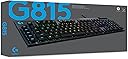
🎮 Elevate your game with speed, style, and unstoppable control!
The Logitech G815 LIGHTSYNC RGB is a premium wired mechanical gaming keyboard featuring low-profile GL-Clicky switches for rapid, precise keystrokes. It boasts advanced LIGHTSYNC RGB technology with 16.8 million customizable colors, a durable aircraft-grade aluminum-magnesium alloy frame, five programmable G-keys for personalized macros, dedicated media controls, and a USB passthrough port for enhanced connectivity. Designed for professionals and gamers seeking performance and style in a sleek UK QWERTY layout.


| ASIN | B07W8NTYNY |
| Antenna Location | Gaming |
| Best Sellers Rank | 26,709 in PC & Video Games ( See Top 100 in PC & Video Games ) 1,041 in PC Gaming Keyboards |
| Box Contents | USB Cable |
| Brand | Logitech G |
| Brand Name | Logitech G |
| Button Quantity | 19 |
| Colour | Carbon |
| Compatible Devices | Mac, PC |
| Compatible Operating System Family | Windows |
| Compatible devices | Mac, PC |
| Connectivity Technology | USB 2.0 |
| Connectivity technology | USB 2.0 |
| Customer Reviews | 4.4 out of 5 stars 789 Reviews |
| Enclosure Material | Aluminium |
| Hand Orientation | Ambidextrous |
| Item Dimensions L x W x H | 14.9L x 47.5W x 2.2H centimetres |
| Item Type Name | Keyboard Mouse Combo |
| Keyboard Description | QWERTY |
| Keyboard Layout | QWERTY |
| Keyboard description | QWERTY |
| Manufacturer | Logitech |
| Manufacturer Part Number | 920-009093 |
| Mechanical Keyboard Switch Model | GL Clicky Switch |
| Model Name | Logitech G815 LIGHTSYNC RGB Mechanical Gaming Keyboard – GL Clicky |
| Model Number | 920-009093 |
| Number of Keys | 104 |
| Power Source | USB power |
| Product Features | Backlit |
| Product Warranty | 2 Years |
| Recommended uses for product | Gaming |
| Special feature | Backlit |
| Style Name | Clicky Switches |
| Switch Type | Clicky |
| Theme | RGB |
| Unit Count | 1.0 count |
M**N
I've found the perfect keyboard!
I usually don't like to write reviews, but for this product, I just really wanted to! :) Firstly, I did a lot of research before ending up with this one. My primary targets were mechanical keyboards, as I will use the keyboard for programming, gaming, music, which is a lot of typing. So if you are looking for your perfect keyboard, I would recommend to first understand what's the difference between the switches and the profiles. With this, I've recently found out about low profile mechanical keyboards. If you have ever used a Mac keyboard or a laptop keyboard, you know how low profile feels and how great it is. So I definitely wanted that, as it's very comfortable and gives a great feel to typing. But I knew some of the advantages of the mechanical keyboards and I didn't wanna end up with a cheaper edition of a Mac keyboard for Windows. So I found low profile mechanical keyboards, which seemed a very very interesting combination of these properties. I had a red switch corsair and I must say my hands started to really hurt because you have to press the keys entirely for them to take effect. As I've learnt there are 3 (or more) types of low profile switches: clicky, tactile and linear. As far as I understood linear was no go for me, as it's very similar to red switches. Clicky then felt waaay too laptop-ish (and I say this as watching videos on YouTube, reading articles, listening to the sounds again and again - not testing them in person), and clicky just felt too... cheap? Not sure... But then tactile... It's just the best thing to type on this thing. The sound, the feel, the confidence if I pressed a key or not. The gentle feedback a key was pressed. This is a new world for me... And of course, this keyboard has a lot of additional features which are just brilliant! You can set color profiles for each application you are using the most (great to switch between work and gaming). And then the macros of course. There only 2 downsides of this keyboard: 1) You cannot set the color of the M1, M2, M3, and MR keys. They are always going to be yellow. 2) The secondary letters on the keys are not transparent, thus they don't have light. The latter is more annoying as it's hard to find sometimes some special characters so I have to find them by memory. But in general, this keyboard is perfect, typing on it is heaven.
M**C
Delicate keycaps
Long-time Logitech user. I generally love the keyboard. It's super slick, looks and feels quite premium. Now, to the details. Pros: Bright, even and very clear yet toned lighting. Keycaps are well designed and they don't leak light. No unnecessary fireworks which I really appreciate. Feels a bit pastel, but not too much. Metal housing throughout is really sturdy, quite heavy to be honest, which only enhances keyboard's stability. It's really thin, even in the elevated position, using the "legs". Lower option great for writing, higher for gaming. For mechanical keyboard, it's surprisingly quiet and writing on it is really a pleasure. Keys are low-profiled yet the soft click is still very present. Recording macros using built-in keys is dope! Brightness control button is pretty handy. No need to mess with the software when you go AFK and don't need the light show. Volume control roll is one of the reasons I chose this model. I love it. It's super smooth and it feels really premium. USB pass through will charge your phone, power your vape and you can quickly plug in USB stick to transfer content. No issues here. Cons/things to remember: Keycaps are quite delicate. I accidentally broke off one of them during the routine cleaning, where I consider myself to be a really careful user. Fortunately, I was able to glue the loose part of the cap back together. The key works as nothing happened. Remember, keycaps are not warranted. It takes time to get used to the G keys column, situated on the far left of the product. For about a week I was constantly pressing G5 instead of CTRL. Because of that G column, the keyboard is considerably wider than the regular one so mind that if you're tight on space on your desk. It's also slightly deeper than the normal one, thanks to Macro keys row and the Volume Control roll. In short: Heavy, sleek, well-designed, bit fragile, with great lighting and lots of customisation options using software. Highly recommended.
M**N
Excellent
An excellent keyboard, though a bit pricey. I justified the purchase partly because I am a software engineer so it will see a lot of use, but also because my wife is a fashion designer, and keeps justifying her ridiculously priced clothes designs and purchases (not that she has to) on the "pound per wear" idea and this can, rather conveniently, also be applied to other things: yes, it's expensive but will last, unlike cheaper alternatives which will quickly fall apart and need replacing, negating any initial savings. I'm not very fond of loud clacky keys, but appreciate consistent and robust mechanical ones, and this fit the bill. There are a lot of features that are nice, like customisable, bright (if that's what you're after), independent key colours, and assignable macro keys. One thing I am still not totally happy with are the G keys to the left; they've messed me up a little because of their positioning, and it has taken a while to get used to - muscle memory has made me accidentally mash them instead of intended keys such as shift and it has forced me to offset to the right. Not a big problem. Logitech's G HUB is sufficiently deep, and owning a mouse by them as well has stopped me from uninstalling it immediately after the first setup. It's a bit heavy, and on macOS it's a little annoying, but its positives outweigh the negatives. In conclusion, this keyboard is one of the better ones I've used, and I don't regret spending the money on it. Well built, lots of features, and robust.
P**X
Great keyboard with a bit of a lighting issue
I spent a long time looking for keyboards based on my typing style and finally settled on this one. Unfortunately the stock situation is pretty slim pickings at the minute but one went up on Amazon Warehouse as used - like new mentioning only that the packaging would be damaged so I bought it. When it arrived, I opened it and it was definitely more used than new as there was a lot of dust and grime under the keycaps and it smells very strongly of musty cigarettes. I have also noticed that 3 of the keys have already got faulty blue LEDs. This is apparently a common issue but not one I expected to see in what was listed as essentially a brand new keyboard, nor was the state of it. Anyway, I cleaned it up (it still smells bad but no more grime at least). The typing experience is everything I wanted - low profiles keys, no mechanical clicking but nice feedback of mechanical keys and an all around wonderful and satisfying typing experience. Logitech have really thought about things by adding stabilisers to longer keys such as the two enter keys and the space bar so there is no wobble or instability to them and wherever you press on the key it will register. G-Hub is also a great piece of software for assigning lighting profiles (to the keys that have working LEDs!) and also managing the macro keys. I didn't think I would use them at all but I have already filled up one set of 5 of them! I love the design and the concept of this keyboard, and the media controls are nice albeit they are membrane keys but this doesn't bother me. All in all a great keyboard but for the price I would expect better long term LED functionality and for the listing description, I didn't think I was going to receive a well used smoke-smelling, grime filled keyboard.
A**Y
In love with Logitech!!!
Since getting the Logitech G502 Hero mouse, I was very pleased by Logitech and I wanted to get a matching keyboard with my mouse. I found the G815 and even though I could of got myself the G915, i was concerned about wireless gaming as I am very competitive when I come to my gaming and always trusted the wire. The unpacking is nice experience and the keyboard itself is amazing. The low profile design is wonderful for typing, gaming and puts less strain on your wrist as the keycaps are much lower. You can choose three different versions of the G815 and the G915, which change the keyswitches on the keyboard. You can get tactile, linear or clicky switches. I went with clicky switches and my ears love them as well as the feel. However, depending on how you like your switches is up to you and you should do some research beforehand. Overall i love this product, both keyboard and mouse fit perfectly with each other. You can also sync up the rgb with any other logitech gear that you have.
N**B
Superb quality and outstanding performance
I was in two minds if I should go for the wired or wireless version, and after watching many reviews on YouTube, I decided that the wired version was more than adequate for my needs. This keyboard is very compact; however, this is great as it fits comfortably on my desk and looks superb. I love the clicky keys, and they are so responsive, and this makes typing highly accurate and fast, the response time is second to none and by far the best I have ever used. The slim profile is brilliant, and I am so impressed with how Logitech has managed to pull this off without compromising performance and functionality. The sound control is genius as is the adjustable lighting and built-in media controls, this is by far my best keyboard to date, and I would recommend it.
F**7
Best keyboard I've ever used
The G815 is a brilliant keyboard. It's very comfortable and satisfying to type on. The build quality is superb and the lighting and macro keys are highly programmable and customisable using the freely available GHUB software. I love the low profile mechanical keys, but they can take some getting used to. The only issues I have with it are that the round rubber keys don't feel as premium as the rest of the board. Also, as some other reviewers have highlighted, keys that have multiple functions (for example /? and 5%) only have one of the characters lit. This can make finding some characters a little harder than it should be when the room is dark. However, once you have used the keyboard for a while you learn where everything is anyway. For me, its a minor niggle on an amazing - if pricy keyboard.
S**E
Close to perfection - ruined by gimmicks and poor support.
You take the board out of the box, it's got a nice weight to it, a beautiful finish. Feels good. Absolute joy to type on; very satisfying, just the right amount of travel. Feels well planted on your desk. The volume control is amazing when you get used to it. They have not messed with the standard key layout in any way... which is just amazing, not enough of this. Even the USB extension is fantastic; it's well shielded and gives you a great connection to mobiles, etc at a distance. But then the issues. Out of the box it flashes this rainbow RGB at you... there's no default "shut up" setting without the software. There's a great big "G" logo in the top left event blinding you or it being 100% off (where you can't see the markings) The extra buttons are just awful - there's no tactile feedback so you must just mash them till it registers. It feels like a toy. A great big flash shiny toy for streamers, and not particularly conducive to getting stuff done. "Okay" you think to yourself, it'll be fine when I install the software. The software's bad. - it's incredibly bloated - it's a giant advert - It's not remotely intuitive - it uses nonstandard widgets so you're often not sure where to cick. - when it asks if you want to share your data with logitech, there's no close button unless you opt in - on my pc it just about works. on my mac it doesn't see the board, so it RGB's *constantly* - When you contact support it asks for your G Hub version, mine says "Version: " (no number) - There is *NO* way to uninstall the software. Not hyperbole. There is no uninstaller. - Logi support are spectacularly unhelpful btw. Found a construction flaw in a mouse preventing it from being usable due to unclipped component legs and all I got was "thanks, we'll forward that to the engineers" - no refund. Your profile isn't stored on the keyboard btw, if you switch over to mac or whatever, you need the software to actually work. If you reinstall, time to re-make everything. Plug it into your laptop or xbox? Gotta do it again. Lame effort. The G keys get in your way. If you're doing a lot of 3D work you rest your hand near WASD, but on the desk. Can't do that here. I had to remove mine. It looks awful, but the board is usable. Every so often it starts typing to itsself. If they'd made a version that wasn't for kids, it'd be my favourite keyboard ever. - Lose the G keys: we have hundreds of others from which to make combos - make the media keys tactile - *remove* the rgb entirely, or at least default to something less annoying. On mac my options are "rgb at you constantly" or "can't see the keys because it's not painted on, it's a dark transparent window" Feels like someone at the company set out to make a fantastic device. Then it was ruined by committee "Oh hey, 12% of users want obnoxious RGB, so add that as the default so it looks annoying in shops" "our users are kids, so we can go to town making the G Hub non GDPR compliant" "let's add extra media keys like it's 1997 again, people love when extra keys get in the way" I wouldn't care if it wasn't so close to perfection. Avoid.
Z**O
good value for money
Ist great, not too loud, and not too bright.
N**L
all
excellent
C**E
Clavier gaming
J'ai reçu le clavier en une semaine sa été rapide :-) il fonctionne très bien Je recommanderai sur ce site encore merci
C**Y
Clavier
Produit conforme. Attention à l'intitulé. Ce clavier est un QWERTY.
I**N
Alles was ich mir gewünscht hab
Ich habe nach einem Upgrade für meine g810 gesucht und wollte auf eine englische Tastatur umsteigen. Die g815 ist ein ferfektes Upgrade, das Tastengefühl ist Top, die extra G Reihe links lässt sich nutzvoll belegen und das Volume-Rad ist immer noch da. Empfehle ich weiter!
Trustpilot
1 month ago
3 weeks ago