📞 Stay connected, wirelessly and worry-free — because your home deserves smarter calls.
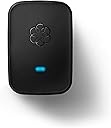
The Ooma Linx is a wireless phone jack designed exclusively for Ooma Telo and Office VoIP systems, enabling seamless wireless connection of phones and fax machines throughout your home. Utilizing advanced DECT technology on a licensed spectrum, it delivers superior range and security without interfering with Wi-Fi or other electronics. Lightweight and portable, it offers flexible phone placement and supports advanced telephony features, especially when paired with Ooma Premier service.


| ASIN | B00A35WSEI |
| Date First Available | November 15, 2012 |
| Is Discontinued By Manufacturer | No |
| Item Weight | 5.6 ounces |
| Item model number | OOMA Linx |
| Manufacturer | D&H |
| Product Dimensions | 7.3 x 4.6 x 2.2 inches |
B**2
Linx and Ooma. Finally a VoIP service that works WELL with a fax and costs less than others
As a current user of multiple Ooma Telos, and multiple Linx units, I'm very satisfied with the Linx performance. For years, I've been forced to keep a traditional land-line available for use with a fax machine. Ooma Linx is a game changer for me with that respect. More on that in my review. First things First - A Linx REQUIRES that you purchase an Ooma Telo and use the Ooma Phone Service. The Linx ties to the Telo,and uses the phone service from Ooma. Because it's wireless, you don't need to run phone lines everywhere. Because it's digital-wireless, you get very good noiseless audio from the system. The Like the Ooma, the Linx has a phone jack which allows you to use traditional land-line type phones with it. These items can be answering machines, fax machines, corded phones, wireless phones, caller ID boxes, and possibly (although I have not tested this) devices like DirectTV boxes or TiVo boxes. In a nutshell, the Linx provides a remote wireless phone jack for your Ooma system. Pros: 1. Wireless. Linx lets you have a phone jack virtually anywhere in your house without running cables. 2. Digital. the wireless communication between the Linx and the Telo is digital, meaning less noise, better range, better security. 3. Encrypted. While some equipment may be "digital", not all equipment is encrypted. Linx uses DECT6.0 encryption. This means nobody can snoop or listen in on any of your calls. 4. Status light on unit. If it's glowing blue, you are good to go, if not, you can determine what's up by the color. 5. Fax machines WORK with Linx. There is a configuration - but they work great! 6. Existing traditional phone equipment works with the Linx. 7. VERY flexible configurations. I could go on and on about what Oomas benefits are but this is a review for the Linx! Cons. 1. If you lose power,you lose your phone line. Ooma & Linx (and your internet as well) require power unlike traditional phone lines. I recommend connecting your internet equipment & ooma to a UPS (uninterruptable power supply). 2. In the pros, I list that a fax machine will work, and that is absolutely true. However, like modems, fax transmissions have evolved to take advantage of better phone lines and can now utilize faster phone line connection speeds than older fax machines could. When using a VoIP service such as Ooma or Vonage, you will not be able to use your fax machine at the fastest possible settings. It's not a bad thing but it is something I should mention. I have had zero issues sending and receiving faxes using a newer type fax machine with Ooma, Just remember this if you are expecting the absolute highest speed from your fax. (If you want/need that, then stick with a traditional land-line - or use a service) In a nutshell, I recommend the Ooma, the Linx, and the service for anyone who wants reliable, inexpensive, and flexible phone service without a traditional land line.
D**.
Made In China, But................
.................works just fine. I usually do not have high praise for products made in China because my experience has been that many, if not most, of the stuff I have purchased that was made in China is pure junk. Not all, but most. However I find no fault with this Ooma Linx so in the spirit of fairness I must give it 5 stars. My main phone for many years stopped working when I switched from AT&T landline to U-verse voice and then to Ooma. The U-verse system put a loud hum on my home phone wiring which I cannot eliminate without eliminating other U-verse service. I really have missed that phone because of its excellent voice quality so when I spotted this Linx I decided to give it a shot even though it is quite pricey. As usual, Amazon had this shipped in two days. The contents included the Linx and quite possibly the best Quick Start Guide I have ever seen. It is easy to read, right to the point, and contains superior illustrations. Those are the only two items that were in the box. No cable was included but my phone had a cable which worked perfectly so an additional cable was not necessary. The initial step was to plug the Linx into a power outlet in order to link it to my Ooma Telo. After being plugged in the Linx started blinking with an amber color. I then pushed the "Page" key on my Telo and the Telo told me that it was linking. In a short time the Linx started blinking both amber and blue which meant that it was doing a software update. This took only a minute or two and the indicator turned a solid blue indicating that the Linx was all linked and ready for action. I moved the Linx to a power outlet near my old phone and plugged the phone cord into the phone jack on the Linx. The Linx did a couple of blinks and turned solid blue. I tried out the phone and it worked flawlessly. The whole setup from unpacking to verifying the phone usage was just a matter of a few minutes, maybe 5 or so at the most. This is one fine gadget and although, as I mentioned previously, it is on the pricey side I am glad I made the purchase. Some day if the price comes down I will buy additional units but for now I am happy with what I have. Update: 2/19/2013 This unit has died after just a couple of days so I changed the rating to one star. I am waiting to hear from Ooma and will update again when I do hear from them. Update: 2/27/2013 I never received a reply from Ooma but Amazon came through as they always do. They sent a replacement immediately at no cost to me. I have installed the replacement and it is working perfectly so I changed the rating back to 5 stars.
I**I
Works great with Ooma Telo II! Simply Plug it in in wall outlet near base Press registration button for 3 seconds Ooma will tall "Registration mode is activated" Then will tell registration is complete and one LED will turn blue second LED will blink orange or red for a while (do not unplug it until both LEDS are blue.. Simple and easy as it can be. Check that both devices have dial tone.. if one does not or both at the same time (if you have Premier Subscription you will have 2 phone numbers - I use one as Main which I ported from Vonage and one as fax number. Reboot base station it should work On fax machine Turn off ECM mode and decrease bound rate to lowest possible (on my fax machine it was 0) Switch to Auto-answer Test your fax for sending and receiving by faxing Print test page to HP fax testing number 1-888-473-2963 You should receive fax back in a few minutes and receive fax back from HP. I have no idea why so many people complaining that it doesn't work when it does. You get free fax features for 9.99 a months.. other VOIP companies charge from 12.95 to 29,99 months.. Why you guys complain so much when in reality you should say thank you
B**A
A snap to setup and connect to Ooma base station. Plug, play and forget about it! Works seamlessly.
B**N
I have this set for my fax machine - works perfectly! Since we have the Premier service, I have a second number from OOMA - I use that as a separate fax line. I designated that # to only go to the Linx and it to ignore the main house line - so now I have a dedicated fax machine and fax line.
B**Y
No need to read any directions, it just worked right away. I rarely use a fax any more, so I put the fax on the same line as my home office line. Now, I have my fax working with a dedicated office line. I was using Rogers One Number and a bluetooth headset, but that was a real hassle. I now have a real phone to answer, I have a phone hooked into the back of the fax, as well as an Ooma HD2 handset on the same line. I also get unlimited North American calling because I am on the premier subscription. I was a little hesitant reading some of the other negative reviews, but this works flawlessly and solved my problems. Very happy and would highly recommend.
I**.
The lower rating is really for the cost, and fact that this is even needed in the first place. Based on their website, they imply that using Fax/All-in-One would work with the extra expensive package that Ooma sold us. However, if you have a standanlone AIO fax, such as in your laser printer/copier, you need this Linx box, and Ooma will reward you with another over-priced piece of hardware, that could /should have easily been integrated in the main box. Once purchased, like other Ooma processes, it was not working out of the box, and required support calls, to agents who didn't even really know what this was, what it was for, or how to get it working. Escalating to higher lever support worked, and they had to resolve on their end for it to work. If you need it, you need it. But be warned, and do so when your blood pressure is normal.
Trustpilot
2 months ago
1 week ago