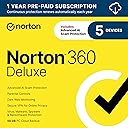
![Norton 360 Deluxe 2026 Ready, Antivirus software for 5 Devices with Auto-Renewal – Includes Advanced AI Scam Protection, VPN, Dark Web Monitoring & PC Cloud Backup [Download]](https://m.media-amazon.com/images/I/71dIA+61J2L._AC_SL3840_.jpg)





Buy anything from 5,000+ international stores. One checkout price. No surprise fees. Join 2M+ shoppers on Desertcart.
Desertcart purchases this item on your behalf and handles shipping, customs, and support to Argentina.
🛡️ Norton 360 Deluxe: Your all-in-one digital fortress for 5 devices—because peace of mind is the ultimate power move.
Norton 360 Deluxe 2026 offers robust antivirus protection for up to 5 devices, integrating advanced AI scam detection, a secure VPN, dark web monitoring, and 50 GB of cloud backup. Designed for seamless installation and continuous auto-renewal, it delivers real-time defense against malware, ransomware, and phishing threats while safeguarding your digital identity and data privacy.


| ASIN | B07Q33SJDW |
| Best Sellers Rank | #7 in Software ( See Top 100 in Software ) #1 in Antivirus #3 in Internet Security Suites |
| Customer Reviews | 3.9 3.9 out of 5 stars (20,734) |
| Date First Available | March 27, 2019 |
| Manufacturer | NortonLifeLock |
| Package Dimensions | 8.07 x 5.51 x 0.75 inches; 0.04 ounces |
R**Y
ships fast, is very easy to install, you must create an account.
Great price and I sent a physical folder which contained the download code and instructions. The online security offered required in some instances you giving Norton permission to see all your browsing and all your URLs. It also requires that you use a NORTON page as your browser homepage. It can appear somewhat invasive, but perhaps that is what is technically needed to provided online security.
P**N
The Best Protection
This world's better than Avast. For the one price, you get everything covered, and it gives far more protection. Plus, it's easy to use. Most highly recommended.
S**N
Gotta keep your eye on Norton
I have used Norton for years and ultimately feel that when you have a subscription Norton relentlessly advertises to you. It feels like more of a scam than the scammers one wishes to block with an antivirus. I tried to cancel my subscription, but it did not go well. My experience is that Norton requires you to have a renewal credit card number in your account even if you do not wish to renew. I tried to remove the credit card number but when I tried, I was unable to "save" the change. So my card number was in the account and Norton automatically renewed my subscription when I did not wish to renew it, at a very steep price that I feel is excessive for the services provided. Please understand, I am not an attorney and cannot accuse Norton of anything unlawful. But I am a human being and I have feelings, and I feel that Norton made what I consider to be an unauthorized charge to my credit card because Norton did not allow me to remove the credit card number when I tried prior to subscription renewal time. Yes, like everybody I agreed to Norton's terms and conditions--who has time to read pages and pages of terms and conditions? So from a legal standpoint maybe Norton was within their rights. However, my perspective is that I don't want an antivirus provider who feels like a scammer. I don't want to have to stay on my toes all the time to avoid a charge to my card that I do not want. I should be able to remove my card number from the account to prevent a charge that I do not wish to authorize. Instead, I want an antivirus that I trust and that protects me from scammers, and one that does not use my subscription as a platform for continuous marketing for their other services. so just to reiterate, I am truthfully sharing my own experience and feelings as a one-time user of Norton, but I am not asserting any misconduct or wrongdoing on the part of Norton, or calling Norton any names, because I may have set myself up for my unpleasant experience with Norton by agreeing to their terms and conditions.
F**D
good price
Works well my system.
S**N
Still a good -- but marketing oriented -- product, but was even better before
Still a very good product in terms of protection, but Norton was better before its focus went from product to marketing. This had already started before they merged with the Czech company Avast, but the up-selling focus kicked into high gear at that point, and the nice old Norton 360 interface was replaced with one that is similar to the paid version of Avast's product. But -- definitely on the plus side -- it appears 360 has kept "Original" Norton's industry-leading "Smart Firewall," which is powerful and unobtrusive, but does not require any user intervention (unless you're into that sort of thing, in which case there are plenty of options for adjustments). The app is sometimes sort of buggy, but the bugs are largely related to minor settings-interface options that the average user won't even see. E.g., sometimes the security history can get overloaded with repetitive entries; or you might be told to save your settings even though -- as of this writing -- 360 doesn't even offer a way to do that. But a lot of those kinks are being addressed little by little with the product updates (which are installed automatically). While you do have to have a credit card on file to use 360, if desired you can make sure auto-renew is turned off for your account in the website. (I did so, and that's why, as shown in the pic, it gives me an option to enable auto-renewal.) Then continue to buy it far cheaper on Amazon or elsewhere each year, and activate via the Product Key provided when you purchase. (Hint: If you do it this way, you will lose any days left on the prior key after you enter a new one, so have it on hand but don't enter it until shortly before your current subscription is near expiration. You can see how many days are left in the current subscription -- that's what they call it even if auto-renewal is turned off -- by clicking on the account symbol near the top right, even if you're not signed into your account.) You do lose a feature or two by not using auto-renewal, but they are ones I don't want, anyway (I think cloud backup may be one). As for the marketing push, this can be via popups, bloatware features (steer clear of SmartScan!), email, or messages in Settings. E.g, in Settings I have a warning (big exclamation point in orange circle) that says "Privacy Monitor is not Activated" But if you do enable it, you'll find out it will cost another $110. A couple things that help alleviate the marketing popups include (1) Going to Settings -> Notifications tab -> Ensure "Send me promotional notifications" is turned off. (I also turn off "send me non-critical app activity alerts."); and, (2) when you do get any marketing popups in the system tray, look for a 3-dot menu in the corner where you can sometimes choose options to silence that kind of notification. In fact, my 360 has been quite unobtrusive lately, and it doesn't seem to affect system performance, except in a few infrequent cases. EDIT Nov 25, 2525: As of late, the promotional popups have started to become more obtrusive, including some large ones in the middle of the screen. This is despite my disabling promotional notifications in settings. Maybe it's just a holiday sales push, but if the trend continues I'm going to lower my rating to 3 stars.
N**E
Great Program, but do not auto-renew!!
I've been using Norton for years on my Mac, Macbook Pro, and family's PC laptops. The interface is pretty straight forward and I trust that my systems are protected. I especially like the password vault and VPN that are included. Combined, it is a great value, enough so that I purchase my annual licenses, over using the anti-virus software provided for free by my ISP. That said, the software key purchase is a great deal, only costing me $2 and change a month for 5 computers, however, the cost of "auto-renew" is a crime, coming in at 5-6 times the cost of the initial key purchase. It is simple to turn off the auto renew setting, once you find it, (click support and look through the list). A chat box will come up, but just close it and it will allow you to proceed with turning off auto renew in a single click. If you cancel the auto renew, you do lose access to their system optimizer (PC only) but its not really a game changer. If you would like to use it, just remember to set a reminder for around 5 weeks before it is due to renew so you are sure to turn it off, then come here and purchase a new subscription, enter the key in your account settings, and your good to go. I write these details as I have seen other say it is a huge hassle to cancel auto renew, and you won't get updates if you turn it off- neither are true (I literally JUST did it). Bottom line tho-I personally think its the best anti-virus and password vault out there, its easy to use and keeps my computer safe. Its just not worth paying multiple time more for the concenience of auto-renew. Thankfully, there's an easy work around.
K**.
Cancel Auto Renewal After Purchase
I have used Norton for twenty years and I do believe their service is the best option for antivirus software. I use Norton on my computer as well as for two cell phones, so I choose the multiple device version. I have noticed a huge increase in pop-ups from Norton on my computer since I installed it this past year (2022-2023). These pop-ups are usually information pertaining to my Norton subscription, such as software I have installed that might be slowing down my computer, or a notice about a company's data breach that might affect me. These pop-ups are similar to the pop-up ads you get by going to certain websites and I find the Norton pop-ups to be just as annoying as the ads. I spend most of the time closing the pop-ups, because they continually appear throughout the time I am using my computer. They appear without warning, and if I am doing anything of importance, the pop-ups appear right on top of everything and have to be closed out. Sometimes, these pop-ups slow down my computer or interfere with other software that is running when they appear. I have not been able to find a feature on Norton to turn these annoying pop-ups off. Norton also has the subscription auto-renewal feature built into their newer software. This used to be optional and you could buy Norton for one year without auto-renewal. Now that auto-renewal is required, I make my Norton purchase and go through the process to cancel auto-renewal as soon as possible after purchase: 1. Log into the Norton website and hover over "My Account" in the upper right hand corner. 2. A drop-down menu will appear. Click on "My Subscriptions." 3. Your most recent Norton subscription will appear at the top of the screen. Under the title of your Norton product, there is a selection that says "Manage Renewal." 4. Click on "Manage Renewal" and select the option to "Cancel Renewal." 5. When you click on "Cancel Renewal," the next page will ask you why you are unsubscribing and give you a list of options. Choose your reason for cancelling and click Next to the right of the page. 6. Norton will usually provide a couple of options to try and keep you on the auto-renewal. Note that if you choose these options, your auto-renewal will stay active. 7. Select "Unsubscribe." A confirmation email will be sent to your e-mail address on file. 8. You will be taken back to "My Subscriptions." There is a selection of tabs on the "My Subscriptions" page that includes "Billing Information." When you select this tab, it will show you the billing information that you entered when you signed up for auto-renewal. Click on the option to delete the billing information on file. 9. If you used PayPal as the billing option for auto-renewal, you will also need to go to the Paypal website and manage automatic billing options to remove Norton from the list of subscriptions on auto-pay. I perform this process every year, because Norton has surprise charged me in the past. Last year, I performed this process, but I failed to delete the billing information on file with Norton. I was sent a receipt by email saying that Norton had charged my account $113 to renew my subscription over a month BEFORE my subscription was set to expire. I was given no warning that this charge was coming, and there was no notice given as to why it was renewed so much earlier than it needed to be. I attempted to contest this charge, but I was given a response from Norton and my account holder stating that because I was on Norton's auto-renewal program, it was a "pre-approved" and valid charge. I will NEVER use Norton's auto-renewal plan after this incident. When it comes to downloading Norton, there is an option to download Norton directly from their site (best for computers), have the download link sent to your email or text the link to your cell phone. Norton is easiest to update if you have the app downloaded on your phone. Open the app and the Norton menu will give you the option to "Renew My Subscription." When you click on "Renew," there is an option to purchase a subscription, or to redeem a subscription. If you have already paid for a subscription, you can click on "Redeem a Subscription" and enter the Norton product key that you were given when you purchased the software. The key is fairly long, but once you have entered it, the app will update itself automatically or show you a menu option where you can choose the correct subscription. This is the easiest way I have found to update Norton on my cell phone. When I try the download email link or text link, I cannot get it to renew itself properly. One of the cell phones that I use Norton on is a slightly older version of Android and the only way to get Norton to work on it is to manually enter the product key on the app, because the links will not work.
P**O
Reasonably pticed
Easy to install stall
F**O
Buen Producto
Buen producto es original muy recomendable.
O**G
Norton 360 deluxe (please note the country of purchase)
Couldn’t use it in Singapore as it states that it is not supported in the country. Error message such as this is stopping the registration: This Product Key is not supported for the country registered to your Norton account. Believe it is only applicable for USA. Hope I still can initiate a return even though the return date has lapsed.
M**.
Perfecto
Llegó a tiempo buen producto
B**S
No es para México
Aunque no lo especifica ni el empaque ni la descripción solo es válido en USA. Ni soporte de norton me resolvió gran cosa, terminé pagando otro dinero para una clave nueva con descuento y desecharon esta.
J**N
Product did not work in Singapore
After the product was delivered, I had problems installing it. I contacted Norton Support and they told me i could not use the product in Singapore but was designed for US market. I bought this from Amazon.sg. So how can it not work in Singapore. The product description only said the features around Dark Web Monitoring will not work outside of US. It did not say the whole product will not work outside US. After many hours of working with Norton Support, they provided me with a different Norton product key. They even mentioned not to buy Norton products outside of Norton websites (which includes Amazon) and i think that is not the right approach. Very disappointed that i had to spend so much time troubleshooting and working with Norton support to get it working.
Trustpilot
3 days ago
2 weeks ago