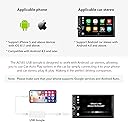
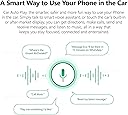
Description
Method 1:
1. Download the APK to USB.
2. Insert the USB into your car stereo’s USB slot, install the APK and turn it on.
Method 2:
After networking, enter the APK link to download it on your Android car stereo, and install it.
iPhone Connection
1. Connect the dongle to the car stereo’s USB slot.
2. Connect the other end of dongle to your iPhone via iPhone charging cable.
3. Allow CarPlay with “Eplay” while phone is locked.
4. Connection completed.
Android Phone Connection
1. Download the Android Auto app at Google Play Store on your phone.
2. Connect the dongle to the car stereo’s USB slot.
3. Connect the other end of dongle to your Android phone via charging cable.
4. Enter to Settings -> System -> Developer options of your phone.
5. Turn on USB debugging.
6. Connection completed.
What’s in the Box
USB Dongle *1
User Manual *1