๐ Elevate your video presenceโbecause your image deserves the spotlight!
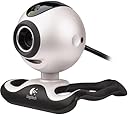
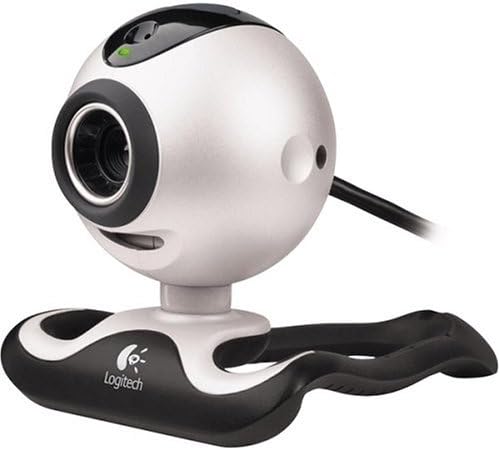
The Logitech QuickCam Pro 4000 is a versatile webcam delivering 1.3 megapixel photos and VGA-quality video at 30fps, equipped with a built-in microphone and advanced software for editing, animation, and live video streaming. Compatible with both Mac and PC, it offers easy plug-and-play setup, privacy features, and broad messaging platform support, making it ideal for professional video calls, creative projects, and online auctions.
| ASIN | B00006HMPK |
| Antenna Location | personal use, video recording |
| Are Batteries Included | No |
| Best Sellers Rank | #3,018 in Webcams |
| Brand | Logitech |
| Camcorder Type | Video Camera |
| Connectivity Technology | USB |
| Customer Reviews | 3.9 out of 5 stars 177 Reviews |
| Display Resolution Maximum | 1280 x 960 |
| Effective Still Resolution | 1.3 MP |
| Exposure Control Type | Automatic |
| Features | Low Light |
| File Format | vga |
| Flash Memory Type | Micro SD |
| Form Factor | Compact |
| Global Trade Identification Number | 00097855014597 |
| Has Image Stabilization | No |
| Image Aspect Ratio | 16:9 |
| Image Capture Speed | 30 fps |
| Image stabilization | Digital |
| Item Weight | 0.75 Pounds |
| Lens Type | Zoom |
| Manufacturer | Logitech |
| Maximum Aperture | 2 f |
| Model Name | quickcam |
| Model Number | 961239-0403 |
| Photo Sensor Technology | CCD |
| Screen Size | 2.7 Inches |
| Sensor Type | CCD |
| Shooting Modes | Low Light |
| Style Name | [INF] Modern |
| Supported Image Format | VGA |
| UPC | 097855014603 097855014597 |
| Video Capture Resolution | 1280 x 960 |
| Video Resolution | 1280 x 960 |
| Water Resistance Level | Not Water Resistant |
| White Balance Settings | Auto |
| Zoom | Digital |
K**C
Easy to install, very good image quality, solid software
I'm using a webcam for an industrial application. I though I'd need a higher end IP camera. I tested a few webcams first, and the image quality of the Logitech QC Pro 4000 was good enough that I didn't need to move to a several hundred dollar device. None of the others were. I'm impressed that they've been able to get this quality of image in so inexpensive a device. Pros: - Image quality, as stated. Very good, clear, crisp. Videos I've taken with this are great for a webcam. Comparing to other webcams, others were much more grainy. - Installation couldn't be easier. I'm using win xp and this is plug and play. Once it's installed, you can just open MyComputer and the webcam is there to be doubleclicked, just like one of your hard drives. - The software that comes bundled with it is flexible and easy to use. - The new base is more solid and holds the camera better -- the model from a few months ago was a little loose. - Nice long ubs cable... so you won't need an extension Cons: - Only one, and it probably won't effect most people's use. I need to use two of these at once for my application, and the software can't zoom on both of them -- only one can be zoomed and the other stays fixed. But if you're using this as a conventional single camera this won't be a problem for you. Highly recommend.
M**R
I think I'll keep it.
My first webcam was a logitech quickcam, a long, long time ago, a parallel port version. Since then, I've bought probably 3 other webcams trying to find one I liked, all were USB, and all I returned to the store for bad performance or flakiness. I think I'll be keeping this one, even though it does have some drawbacks. The image quality is great; best I've seen, and still looks good in low light. The build-in microphone is also surprisingly good. It picks up sound very well, without having to yell into it. The drawbacks to this QuickCam 4000 Pro: The Logitech software that is makes you install is a bit much. Several programs are put in your registry's "run" section, so they start automatically each time you start windows. I have removed these from the registry, and everything still works fine. Logitech, quit making this bloatware! If it doesn't need to be run to work the product, quit making it run automatically! I haven't been successful getting this camera to run when plugged into a USB hub; windows recognizes the camera for what it is, but "fails to initialize device driver". If I then start one of the webcam's pieces of software, it will instantly reboot my pc. These problems go away when I just plug the camera directly into the pc. Also, the "motion capture" software that claims to come with this product, does not (anymore). But, you can still download it for free from logitech, but you have to know what it is. It is part of the "Image Studio version 7.3.0". (That was a pain to find out, so consider yourself lucky, with me having done your hard work for you). The motion capture sofware works pretty well, but has very few options. I can't even find where to tell it to let me pick where to store the videos it creates; it stores them all in a predetermined folder, and I don't think that can be changed. Also, the mo-cap only seems to record video; no sound. In all, I'm keeping it. With the rebate (assuming I get my check), the price was very good, and the picture quality is very good. But, the bloated software, not working through a hub (for me, at least), and not including the mo-cap software with the product, I can only give it 4 stars. I would give it 3.5, if I could.
H**N
nice cam
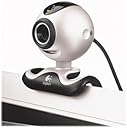
I had a really old Kensington camera which worked only with Win 95/98 and after few years I decided to use a webcam for general conference calls and for fun too. I basically compared this model with Creative labs Webcam NX Ultra and found this model has had lot of upgrades and been on the market for quite sometime. So I went ahead anh bought it. - Very easy to setup - have used with windows messenger and MSN messenger - software for video and picture recordings - good microphone quality - I like the Face Track feature where the camera follows the face and zooms in accordingly. You need to have it on the zoom in mode so that it can pan automatically with in the field of sight. I've used this for many conference calls within US and outside US also and now I've ordered the 5 pack (ASIN: B00007FS0C) for everyone in my group at work. Really worth the value and friends also like the quality of audio/video with the chat. It does come with the flat panel clip as advertised in the product and I've never seen the other error about "imgstud.exe" as "Mary Foster Cox" suggested.
S**I
Logitech quick cam pro 4000 " Sucks"
I've reinstalled this web cam for almost six times since whenever i restart my computer and i plug in the USB for the web cam i get a message that a file "vfwwdm32.dll" is needed for this cam to work properly. I even downloaded another new version of an installation software for this camera; however, it did not work. This web cam sucks. Eventually, i called the customer support to seek the help of a technician to solve this problem. Interestingly enough, i have been waiting on the line for almost an hour every time i call without no response. My experience reagrding using this product was basically awful. So, if you're looking for a web cam ; you better look for another product that is worth your money and time. N.B: if anybody has experienced the same problem and succedeed in getting this web cam work, please let me know how you did that by emailing me at [email protected] . Thank you for taking the time to read this review.
J**N
Workable but very poor optics, weak to useless bundled s/w
This is a workable little device, but I wish Logitech had put in better optics. It has very crude optics, but there's a manual focusing ring. I couldn't find mention of that feature anywhere, so you've learned something here already! It needs a lot of light to provide a clear image, so if you're trying to use it for work you need to either have a big bright window or setup special lighting arrangements. The problem, though, is the supporting infrastructure. Logitech partners with a vendor who provides web cam support, but this partner focuses "adult recreation" and unsurprisingly isn't the most honorable of vendors. Every visitor to your site is invited to install some oddball spyware program; and you can be sure many will. That's not going to make friends! So the supporting web site is unusable. I tried corporate video conferencing using AT&T's WebEx to see if I could do [inexpensive] desktop vc across firewalls. The image you see is very small (resolution is limited in this mode to 640x480 and the picture is smaller than 640x480 pixels -- I don't understand that one yet!). Unsurprisingly, when you think about it a bit, WebEx couldn't keep up at all. So forget use across firewalls without some custom firewall configuration. I tested point-to-point video across a corporate WAN using Yahoo messenger (no firewalls). That worked better and might be feasible if there's no firewall. Image is only 640x480, the software supports 800x600 ONLY for video capture, not for video conferencing). ConquerCam is a [$$$] shareware package that does work well with this device. For sharing a whiteboard I use ConquerCam to acquire one image a second and ftp/transfer the image to an accessible server. This would work much better if the optics in this thing were improved; the optics are not the equal of the effective resolution (native lens resolution plus any on-device lossy compression). To get even barely useable results the device must be perpendicular to the viewed surface, this is hard in the absence of a tripod mount. In summary, poor optics, light sensor adequate, poor bundled software. I'd happily pay twice as much if they would use USB 2 or Firewire (to get adequate throughput -- USB 1 is barely up to transferring 1-2 XGA images a second), better optics, and include a tripod mount.
C**T
Poor software, marginal optics
I wish I'd weighted jfaughnan's evaluation more before purchasing this camera... 1. Software = useless for webcam image uploading. For additional software from a third party, Logitech points to a website that hasn't worked since 2003. Logitech's technical support is extremely poor: incomplete and incorrect responses to basic questions appear to be standard. 2. Very low picture quality in low light. I am not sure what some other reviewers were raving about; this camera does not perform well in anything but a very highly lit room. Compared side-by-side to my very old Intel CS430, the Logitech had distorted color and an overall poor quality image (regardless of endless tweaking of calibration tools). 3. Motion-tracked video capture is very poor. I originally thought that I finally had something worth considering keeping the camera for until opening a saved clip. At first, the video appears well-lit, then almost instantly the video becomes 80% darker. Again, no setting adjustments overcome this flaw. Very odd. 4. If you still think you'll test the camera yourself, don't buy from Amazon. You'll end up being out the shipping cost to send it back. Do yourself a favor and buy it from a local store. I used to love Amazon until this purchase.
Y**O
The best WebCam for NetMeeting
I used to own a Kodak DVC325 WebCam and I thought it has good quality. Well, it was true until I start using NetMeeting with my brother in Taiwan. My brother owned a Logitech Pro 3000 which delivered great quality across half of the globe to us in the USA. That became the trigger for me to spend [more] to buy the Logitech Pro 4000. After I installed it, I can't believe my eye because the quality is as good as my Sony Digital Camcorder attached by firewire (IEEE 1394) to my computer. This WebCam comes with software that allows you to set it up as a motion detector. It also has Logitech IM Companion that allows your friends to see you from Yahoo or MSN Messenger. For Netmeeting, it deliver very stable image signal without large Mosaic. Though the price isn't [inexpensive], it does do a good job compared to other model. However, when I use it for capturing live video, it is not as good as the video that I captured using a Sony Digital Camcorder and Firewire card. Nevertheless, if you are looking for a WebCam and wonder about whether you should spent the [extra money] or not, wondering no more. It will server you well. A NetMeeting won't be good without your friends/family seeing you clearly on the other end. Hope this review helps you justify the price.
T**N
Works well with XP
I figured I should review this item because the reviews seem so mixed. Some people report problems, others say it installed in a snap. Well, it installed in a snap on my machine and my mother's. We are both running Windows XP sp2. Before installing, I made sure to do Windows update, and installed all non-critical updates and driver updates, as well as the critical updates. I'm wondering if people who are experiencing problems are running older versions of MS Windows, or if they haven't done the latest updates from Microsoft. My mother lives 2000 miles away, and is technically challenged. We used XP's Remote Assistance feature so that I could remotely go into her machine and do all the updates. I downloaded the latest Logitech software for the camera from their site, and also loaded that on my mother's machine. After the reboot, mom was on her own to plug in the camera and follow the screen directions. Okay, I was actually on the phone with her while she did it, but it went okay with no problems. I'm having a little problem with my HP All In One scanner/copier/printer since installing the Logitech camera and MSN Messenger 6.2 -- sometimes my computer would freeze when I try to print. I don't know which is causing the conflict (camera software or MSN Messenger) and have temporarily stopped using that printer until I have time to look into it. My other HP printer, a LaserJet, is working perfectly. Mom has an HP photo printer and hers is working perfectly as well. The microphone is very sensitive, so we have to use headphones when we have an audio conversation or else there is feedback. Moving the speakers to point away from the microphone did not help. The microphone is great, though. I had an audio conversation with a friend using another brand of microphone, and the first syllable of almost every sentence he said was lost. Not so with the microphone in this camera. The sound is really good. Mom and I chat on Messenger almost every day, and we use the web camera about once a week. For the past 40 years, she and I have always lived less than 20 miles apart. This web camera is making a big difference in helping us make the adjustment to being so far apart. I highly recommend it. Phone calls are great, but nothing can replace seeing the smile and laughter of a loved one in real time.
Trustpilot
1 month ago
1 day ago