Desertcart purchases this item on your behalf and handles shipping, customs, and support to Argentina.
🚀 Unlock your legacy data with lightning speed and effortless style!
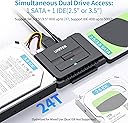
The Unitek USB 3.0 IDE/SATA Adapter is a versatile dual-drive solution enabling simultaneous connection of one IDE and one SATA drive. Supporting 2.5" and 3.5" HDDs, SSDs, and optical drives, it delivers up to 6Gbps transfer speeds via USB 3.0 and SATA III. Featuring plug-and-play setup, hot-swapping, and a stable 12V/2A power supply, this adapter is perfect for professionals needing fast, reliable data migration and backup without the fuss.


| ASIN | B00EHDTRJ6 |
| Best Sellers Rank | #4 in SATA Cables |
| Brand | Unitek |
| Color | USB A |
| Compatible Devices | Desktop, Laptop, PC |
| Connector Type | USB Type A |
| Current Rating | 2 A |
| Customer Reviews | 4.4 out of 5 stars 9,097 Reviews |
| Finish | Hdmi |
| Finish Type | Hdmi |
| Input Voltage | 12 volts |
| Item Dimensions | 3.8 x 2.7 x 0.63 inches |
| Item Weight | 7.2 ounces |
| Item dimensions L x W x H | 3.8 x 2.7 x 0.63 inches |
| Manufacturer | Unitek |
| Mfr Part Number | FBA_Y-3322 |
| Model Number | Y-3322A |
| Number of Items | 1 |
| Number of Ports | 3 |
| Package Quantity | 1 |
| Power Plug Type | Type A - 2 pin (North American) |
| Unit Count | 1 Count |
P**N
Absolutely love it
I bought this Unitek adapter to rescue files from a couple of ancient IDE drives I found in storage. Setup was incredibly easy, just plug and play. The one-touch backup button is a handy bonus, but I mostly used it for straight data transfers. I was really glad the kit includes a 12V power adapter, because 3.5 inch drives absolutely need it. It also worked flawlessly with a modern SATA SSD. Speeds were solid, and it recognized every drive instantly. Build quality feels decent for the price. I would recommend this to anyone who needs to access old hard drives or quickly clone a drive without opening their PC. A simple, effective tool that does exactly what it promises.
W**M
Easy to use
Product worked as advertised. I had 2 older interface drives that were not compatible with current tech...an IDE and one of the older SATA drives. Was able to access all the old files off of each and transfer them to my new system. No drivers needed for this device. Completely plug and play
L**Z
Inexpensive way to save an old HDD that seems to have stopped working
It works. I had an 8TB Seagate HDD die on me. The Seagate tools didn't seem to do anything and when they did they showed nothing wrong but the drive wouldn't mount. I didn't throw it away but it wasn't working. Then I came upon an add for something similar to this device and thought I'd give it a try. I broke the HHD out of the case and plugged it directly into the drive, connected it to my computer, and then connected a new drive to the computer. The 8TB broke drive booted up immediately and popped up on the computer. No issues. I was able to move everything over to a new drive. Now I have to decide if I want to keep this old 8TB and put it in a new case, since it still works! I recommend this as an inexpensive/last ditch way to save an old drive. I was told by a tech friend that hard drives are more reliable than we think and that the weak link is frequently the connection boards shorting out.
E**O
Works on 3.5" IDE, 2.5" IDE, and 2.5" SATA not 3.5" SATA
Giving it only 4 stars because it doesn't do 3.5 inch sata drives, it does to 3.5 inch IDE drives and it allowed me to recover songs and photos I thought I was never going to get back from a very old PC that crashed on me years ago. That's all I really needed it for so I'm glad I was capable of getting that back.
D**Y
Great product! (Just rescued me -- for a third time!)
I purchased this back in 2020, and have used it three times in my small business. The first time was on a desktop that suddenly quit due to what Windows diagnostics reported as a "catastrophic disk failure." No on-board utilities were able to successfully complete a backup or recovery process, meaning everything saved on the hard drive was potentially lost. This device was quick and easy to use. I connected it directly to the SATA port on the problem drive, with an external hard drive connected to the device's USB port. Powered it up as instructed, and it was "plug and play" exactly as advertised. All of my folders and files were transferred from the "damaged" drive to the external unit in less than an hour -- which I then connected to the replacement computer and copied to that unit's hard drive. Additional Note: I did NOT use the software/CD provided with the device or utilize a computer in the process. I made a direct connection: damaged computer's hard drive input to this device and output to an external drive.) I used it again in the same way after a lightning strike fried not only a computer, but the UPS system it was plugged into. Same outcome -- this device allowed me to transfer all the files from dead computer to an external drive and then onto a new computer. I just used it this afternoon on another desktop computer (prompting this updated review). Same scenario as the first, and again, everything appears to have been transferred successfully. If you run a small business with multiple computers containing hard drives, and especially if you have a team member (or family member in your household) who isn't always all that diligent about creating backups, you might want to have one of these on hand just in case. (Sort of like a toilet plunger -- you hope you don't ever need it, but if you do, you want to already have it.)
R**1
Works Perfectly! A God-send for Crashed Computers.
The Unitek USB to IDE and Sata Converter is a life-saver! The device works perfectly and with zero complications to retrieve data from a hard drive--a task that might cost hundreds of dollars if performed professionally. What a great value! Caution: this device will not fix a hard drive that is itself damaged. It is for use if the hard drive is intact but the computer motherboard is damaged or fried and the computer will not boot. No instructions come with the Converter but they aren't really necessary. In order to make using the device easier, I recommend removing the hard drive from your desktop or laptop first. It's difficult if not impossible to attach the device to the hard drive if the drive is still installed in the computer. For a desktop, the removal of the drive is easy. Most desktop hard drives are mounted in a cage in the case. Simply detach the screws holding the cage to the case and then push down on a lever holding the cage to the case at the wall. The cage pops right out. There are many videos on YouTube that show how to do this. Takes about 30 seconds to accomplish. No need to remove the hard drive from the cage. Laptops can be a little more time-consuming. You probably will have to remove the back of the laptop--8 or 10 screws--to access the hard drive. Once it is exposed it simply needs to be disconnected and pulled out. Once you have the hard drive out, find the appropriate connector on the converter (there are 3 available) and plug it into the IDE or SATA port of the hard drive. Attach the power cord to the converter and plug it in. Turn on the power switch on the back of the converter. A blue light will go on. Now attach the included USB cable to the converter and plug the other end into a working computer. The old hard drive will show up on the working computer as a new external drive. Select it and it will open a File Explorer window. Generally, you will browse down to Users and find the user whose files are to be rescued. You will see all of the standard folders--Desktop, Documents, Pictures, Music--exactly as you would on the original computer's File Explorer. Copy and paste any or all folders or files you want to rescue to the new computer . That is all there is to it! I have even used the Unitek converter to transfer files from a Windows formatted hard drive to a Mac. Worked like a charm! Note that the Unitek website doesn't provide much help unless you are fluent in Korean. But documentation help is not really necessary. This is a really easy DIY project that will rescue your data and potentially save time, money and grief. Extremely simply and effective! So happy that I bought the Unitek converter!
B**M
Didn’t work for my use case
Not sure who needs to hear this, but this device won’t detect locked IDE hard drives. You will need a 2.0 IDE adapter for something like that. Works great for other uses, though.
J**S
Worked well
This works as advertised. I have attached a couple of different styles of drives to it, and they have all shown up on my current computer to move files over.
M**J
Saved the day!
Brilliant, easy to use, saved the day when the computer self destructed. Quick and easy to recover the contents of the hard drive to another computer. It’s nice and compact to keep now in the draw incase we ever need to use again, and wasn’t overly expensive considering the fact it saved all the data off the computer without having to pay a computer shop to try recover it.
G**E
Muy buen producto
Funciona de maravilla, aunque no he probado la función de auto respaldo todavía. Lo que si me deja un poquito insatisfecho es que el material se siente un poquito delicado, entiendase, no es de uso rudo, hay que tratarlo con cuiado, pero tampoco es que se vaya a romper en cualquier momento.
M**E
A life saver
My very old DELL Windows XP computer refused to start up, and I was convinced that all was lost. In a desperate last attempt, I decided to use this adapter kit to connect the IDE HD to my new Windows 11 computer via a USB cable. To my absolute amazement, the old hard drive that had been sitting idle on my counter sprang back to life. While I can't speak for the cloning feature since I haven't tried it yet, this adapter kit has proved to be nothing short of amazing. It has given my ancient hard drive a new lease on life and allowed me to access all the valuable data stored on it.
い**ー
これ一台で殆どのHDDに対応してくれるので便利です
Z**B
Good Product
As Advertised.
Trustpilot
3 weeks ago
1 month ago