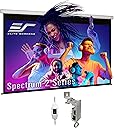
🎬 Elevate your space with Elite clarity and effortless style!
The Elite Screens Spectrum 2 Electric Motorized Projector Screen offers a 100-inch diagonal viewing area in a sleek 16:9 format, featuring MaxWhite FG fiberglass-backed matte white material optimized for 4K/8K UHD and HDR content. Its whisper-quiet tubular motor ensures smooth, reliable operation, while flexible mounting brackets and a 12-inch adjustable drop provide versatile installation options. Designed for professionals and enthusiasts seeking premium image quality and easy control, this screen combines affordability with Elite Screens’ trusted 2-year warranty and lifetime support.


| ASIN | B00C6HEZB0 |
| Best Sellers Rank | #177 in Projection Screens |
| Brand | Elite Screens |
| Built-In Media | Does not apply |
| Color | MaxWhite FG / White Housing |
| Customer Reviews | 4.2 out of 5 stars 262 Reviews |
| Display Dimensions | 49.0" H x 87.2" W |
| Enclosure Material | MAXWHITE FG |
| Global Trade Identification Number | 00848448005337 |
| Item Dimensions W x H | 94.8"W x 67.2"H |
| Item Weight | 25.3 Pounds |
| Manufacturer | Elite Screens Inc. |
| Material | MAXWHITE FG |
| Mfr Part Number | SPM100H-E12 |
| Model Number | SPM100H-E12 |
| Mounting Type | Ceiling,Wall |
| Operation Mode | Automatic |
| Product Dimensions | 94.8"W x 67.2"H |
| Screen Dimensions | 49.0" H x 87.2" W |
| Screen Finish | Matte White - 1.1 Gain, Front Projection with black backing/fiberglass reinforced -Standard Throw Projectors |
| Screen Surface Description | Matte White - 1.1 Gain, Front Projection with black backing/fiberglass reinforced -Standard Throw Projectors Screen Surface Description Matte White - 1.1 Gain, Front Projection with black backing/fiberglass reinforced -Standard Throw Projectors See more |
| UPC | 073582804830 848448005337 |
| Unit Count | 1.0 Count |
| Viewing Angle | 180 Degrees |
| Warranty Description | 2-year parts & labor warranty |
G**N
Rather impressed and highly recommend!
For a budget friendly screen. I have to say I’m rather impressed. I’ve been done the road of some pretty crappy electric screens. My studio has an elite screen Tripp’s screen which is nice and has held up very well despite its numerous Uses over the last couple years. So I’ve always had elite screens in mind. I’ve looked at the more expensive models and the basic spectrum screen. One thing I don’t get is the use of the cheap and very slow moving “synchronous motor”. Even in the higher end tab tension screens of larger sizes this motor is so slow that watching ice melt is more entertaining. By the time the screen is down the movie is over. Just look at the many any reviews of the spectrum series on YouTube. But when the spectrum 2 model came out it was a game changer. Finally a screen with a tubular somfy motor that extends and retracts the screen much more efficiently and smoothly. It’s has a much nice sleeker case versus the typically hexagonal case of it’s cheaper counterpart. And it even comes with brackets that not only make hanging the screen easy, but also allow a much nicer finish cause they are basically hidden from sight. No end cap mounting options which limit the centering of the screen if there’s not a stud or ceiling joist in the proper location. You can slide the screen case along the hidden brackets for optimal centering of the screen even if the mounting point of off center. Freaking brilliant! I also like the inline wall switch it’s simple and effective. And it’s also detachable! So if you want to add an optional remote system. You can. And either configuration can be done by a 6 year old. No hard wiring diagrams and all that like some much expensive screen options. The case is very study. It’s a heavy screen but not overly so that a novice would have difficulty. It got a 12 inch black drop and two inc black borders along the other three sides for great framing ability of the picture. My screen hangs very nicely with no ripples or waves. And even thought it’s not tab tensioned the screen has remained almost perfectly flat with only very very very minimal curling of the edges. I also like that this screen is very low odor when it’s first unrollled. Many screens both cheap and expensive have a very strong inflatable poo toy or air mattress smell to them that lasts and lasts. Not this one. Only very faint smell the first couple times and after just a few days the Ames was gone completely. Elite screens doesn’t mention how to do this but there are up and down limit options on the model as well. It come standard with a 12 max drop that it is pre set at. And sadly a sticker over the down limit states that warranty will be voided if removed. But if you know how to use the limit switches properly you can adjust the drop and rise limits of the screen. Beware that this screens lower bar does not rest the full into the case like other such as the da lite cosmopolitan or Draper targa. But instead the weighted rod comes to a stop in like a special cradle or groove right at the opening of the case. So be careful not to adjust the up limit switch too far should you run into any slack when the screen stops at the top. I had to make a very small adjustment on mine as it hung just a mere eights of an inch short of the dowell rod resting point. Unit runs smoothly and quietly when in operation with no hesitations, skipping, jutters, or unnecessary vibrations from the motor or roller. Just flawless up and down motion. I highly recommend this screen to anyone from a novice to pro video guy that is seeking a more affordable option but still wants great quality features and reliability. This is also a great option when a ceiling recessed screen isn’t an option. Elite screens Spectrum 2 series is the way to go. Don’t settle for their regular spectrum with the “synchronous motor” go for the spectrum 2 for that great tubular Somfy motor!
J**B
The room has a lot of ambient light and despite having a very good projector (Epson 3500) it does require shades to be ...
For the money, this screen has done well. I do not have a dedicated home theater room, so this is installed in our family room on the same wall as our 50" plasma. The room has a lot of ambient light and despite having a very good projector (Epson 3500) it does require shades to be drawn during the middle of the day. Of course this isn't an ambient light rejecting screen, but I didn't see the value in that when testing the samples ordered from Elite. I chose this screen model over the other elites because of how clean and thin the case is. That comes at a loss of integrated remote and trigger capabilities however. The screen does have the advantage of the mounting brackets that can slide along the case anywhere needed to hit studs or trusses in the ceiling (I needed that due to some dropped beams on the ceiling I hung this from). The power cord has a 3-way toggle switch on it that throws AC power to 2 different legs of the motor (one for up and one for down). I plan on hard wiring a switch in the wall and cutting the cord so its not handing down the wall now. The motor has stops built in so you can leave the switch in the up or down pole position and it will stop at its limits. The screen does allow you to adjust the screen drop on it. It has 12" of black screen at the top which worked well for getting the screen down low in our room (based on mounting it on a 8' high ceiling). I wanted it to be right above a Sonos soundbar we have mounted on the wall below the plasma. The 12" of drop was too much so I contacted Elite on how to adjust (you must do this for them to send instructions and not to void the warranty). Here is where I ran into the only problem with this product. On the case (left side when looking at the screen), there are two allen head screws on the motor assembly that you can adjust the upper and lower stops on the screen. ****Remember, don't do anything until you contact Elite on how to do this***** The lower stop limiter is supposed to be under a sticker on the case that says something like 'void if removed'. The instructions talk about this and so did the CSR from elite. When I removed that sticker there was no hole!?!?! I chatted back to tech support on their webpage the guy was somewhat dismissive and suggested I could reach it from the screen opening. I had to send him pictures showing how that was not possible. His suggestion was 'you can drill a hole at your own risk'. After suggesting that was not a solution and absurd for him to state that he said he could transfer my info to their warranty department so they can figure out a solution. Not wanting to return this to Amazon to only get another and find the same manufacturing defect on the case, nor wanting to deal with Elite's warranty department (which I heard stories of being extremely long winded) I opted to whip out the drip and carefully measure/eyeball/etc. to put a new hole in the case where I thought it would give me access. Luckily the hole was pretty close, enough that I could get the allen tool in and do the adjustments. The screen has held its adjustment and comes down in the same spot each time which is good. At night viewing, with the overhead can lights (in line of the projection image) turned off, the screen image is phenominal. The epson 3500 and this material work well once some calibration is done. 3d viewing is pretty phenominal, however I do not use 3d that much to eye discomfort it causes. I did try Avatar in 3d and my wife and I said it felt as good, maybe better, than what we saw in the theater back in 2009 on its release. The screen is surprisingly quick both raising and lowering and not noisy by any means. Elite sells an accessory box/kit to plug into the power cable/connector that gives you a remote control and 'remote trigger' capabilities for your projector to raise/lower it. That is a spendy item and I can't justify it for a $200 screen so a wall mounted switch assembly seems more logical. There is just a 'slight' cupping on the left and right sides of the image midway down. The screen is just ever so slightly bending in towards the viewer. It is so minimal however that I don't really notice it with any test images on the screen (geometry). I have no defects in the screen and there were no creases/etc. that others mentioned having the first time they dropped it. There was a pretty 'chemically' smell coming from the screen. I actually hung it in my garage for a few days to try and air/heat it out. It was still there when installing in the living room, but that is decreasing each time we use it. Definitely not overbearing like it was new.
S**Y
Very nice screen...
I think this is a very good quality screen at this price point. There is a slight curl at the edges, but I just left it down for several days and it is flattening out nicely. It is not noticeable with the projected image. There was no remote with this screen, but I knew that when I ordered it. The one star for the remote is that it is not included, the option is overpriced and it is not available at this time. I have purchased similar screens at this price point that included a remote but did not have mounting hardware that was this well thought out. I really liked the hardware that came with the screen, which allows you to mount it to the wall where the studs are and then just snap the screen into place. A lot of screens just have attachment points at the ends which may or may not line up with your studs. I'm not fan of plastic anchors in drywall. This is a large screen and I was able to snap it into place myself with no problem. The clips snap into a channel on the back of the case so you can slide the screen left and right once it is mounted (if you don't place the clips right at the ends). I installed a new projector that used the same mount as the old projector, but the lens was in the center of the projector and the old one was on the right side of the projector. This meant that the new projected picture was a little to the left of the position of the old screen. Because these screen clips let you slide the screen horizontally, I was able to just slide it a little to the left to line up with the projector rather than having to do a lot of electronic manipulation of the image to make it line up with the borders of the screen or having to mount the screen to the wall where there were no studs. All in all I am very pleased with this purchase, but would have liked to see a remote included.
C**.
Does everything well at a reasonable price, NOT ABLE TO READ DISCLAIMERS BEFORE PURCHASE!
Elite Screens did a good job making a well-rounded screen for most home applications at a reasonable price. The motors are quiet but not whisper quiet like other reviews state. The screen material is white with 1.1 gain, which is basic. They have other screens with cinema grey and better gains but you have to really jump in price range to get those screens. From my research, this white screen is pretty basic. I am thinking of buying screen material from "Carl's Place" and replacing the basic white screen with higher grade material while reusing the frame and motors of the Elite Screen. I was furious with Elite screens when I opened the packaging and the first thing I saw was multiple one-page disclosures and disclaimers of problems you may experience with the screen that is "normal". Wrinkles, not compatible with Short Throw Projectors!! none of those disclaimers are available on their listing. The listing is littered with marketing fluff and specs mixed in. Intentionally confusing the buyer. In the end, it did work with my short throw Projector and you can see the images on this review. Projector: Viewsonic X10-4k I would recommend this screen but they need to be more transparent with their specs and limitations of the screen.
J**J
Solid screen and family approved.
Got this in on the scheduled day. The package was sturdy. The installation was a breeze. The connectors that come along can be installed first and the projector screen snaps in, need two people to hold to hang. My wife and I handled it ourselves. The motor is quite, drops and folds in about 30 seconds. The tubing is very sturdy. The screen has about 12 inches drop and 2 inches border on side. The screen does have a smell of plastic but it's decreasing, it's been less than 24 hours that the screen was up. The electric inbuilt switch hangs out on the left, I need to hide it through the wall. I had specific requirements for an 120" screen with casing not being more than 115" in length. Of all the screens that I saw, all of them had over 115" in length for the outer cae. Only this fit in for my needs. The only gripe I have is that I don't know if there is a way to control the 12" drop, would love to reduce it to 8". The other elite screens seem to have have this feature but I couldn't figure out for this series. Minor inconvenience but not a big deal to me. Overall though, the huge black drop does have an immersing feel and a certain wow factor. The screen has a solid feel, definitely a step up over manual screen. No visible waves. Few more dollars than other screens but money well spent.
D**T
Simply Disappointing
This screen has been a disappointment, both in the actual screen and the customer service received. My screen has always had some waviness along the left and bottom side, in addition to the sides curling inwards. Hoping that this would subside with the screen being left down over time, I waited a couple months to see improvement. That did not happen and seems to have gotten worse. Upon submitting photos and a brief video to Elite screens showing the side curling and waves their immediate reply did not actually address any of that, but blamed it on the projector I was using. The screen is listed as non compatible with ultra/short throw projectors, and their contention is that my Anker Nebula X1, ceiling mounted 10 ft away from the screen, is being used as a short throw projector. I disagree. This became their primary focus however, lecturing me on projectors, requesting that I test it with another projector (because most people own 2?) and continuously avoiding addressing the actual condition of the screen. Bottom line is the screen is wavy with both sides curling inwards, and this is visible in images that feature horizontal lines. I was told that the pictures and video that I sent them show a screen that is up to spec from Elite Screen's standpoint and that "small curling or waves along the edges are normal", and that if I was just using the correct projector you'd never see them. You be the judge if it's something you would buy. I would return mine if I could. Elite Screens includes a slip of paper that instructs you not to do returns with Amazon and just contact them with any issues. I wish I had just returned it to Amazon initially. If you do give it a chance and receive something you don't think is acceptable, return it to Amazon within the window, as their process seems designed to give you the run around, blame your projector, and ultimately leave you with a screen you're unhappy with. Their website for the MaxWhite FG material used to read "the flattest possible surface a non-tensioned screen can offer" and "the fiber glass backing eliminates any side curling non-tensioned materials are susceptible to." The second statement seems to have been recently removed from the product page, as the word "eliminates" doesn't work well when customer service has to tell you that "small curling or waves along the edges are normal". I would go with something else from a company more interested in your satisfaction with an expensive purchase.
J**O
Excellent Screen
Very happy with this purchase.
G**K
Not recommended for all-in-one (universal) remotes
This review is for the Spectrum 2, 110-inch 16:9 motorized screen. Be sure to read reviews that are specific to your product. This is a decent screen, if you want just a screen to view video on, particularly given the price point of 360 bucks. However, if you're looking to integrate this into a universal remore (like a Harmon), this is not the screen you want. First, let's go over the basics. The screen comes extremely well packaged. This may be an upgrade from previous versions, since many people complained about their screens beat up during shipping. This one came with two foam end caps and five square donut spacers. The box would really have to get crushed to cause damage. In the shipping box comes the well-packed screen, and mounting hardware (two brackets). The screen has a power cord that is about 11 feet long. Five feet down the cord, from the screen, is a in-line momentary switch to raise and lower the screen. On to mounting. The mounting hardware box has two mounting brackets, two adapter plates, four plastic anchors, four 2-inch wood screws, and four bracket-to-plate machine screws/nuts. The screen can be mounted to the wall, to the ceiling, or from a ledge. To mount to the wall, use the wall anchors and run the screws through the back of the bracket. To mount to the ceiling, use the wall anchors and run through screws through the top of the brackt. To mount from a ledge, attach the plate adapters to the brakets using the small machine screws and nuts, and then attach the adapter plate to the overhanging ledge. Snap the screen in place and you're almost ready. One nice thing about this mounting system is that even after you've mounted the screen, you can slide the screen left/right for small adjustments. This where the problems start if your power outlet is located near your mounting location. The power cord, with it's in-line switch, is meant to plug into an outlet near your floor (based on the UP/DOWN switch). If you plug it in to an outlet located up on your wall or ceiling, you cannot reach the in-line switch. As well, when plugged in to a low outlet (so that you can reach the switch), to lower the screen you press what you would think is the UP (upper) button. To raise the screen you press the lower button. As one reviewer mentioned, this is backwards and would take some getting used to. Unfortunately, the screen has no built-in sensor for a remote. To get wireless remote functionality, you'll need to purchase the ZPM-RT Optional Remote Kit (110 additional bucks). The ZPM-RT is an add-on box that you'll need to mount somewhere near your screen. As well, there is no way to adjust the drop of the screen if you're using a wireless remote (other than hitting the stop button). This means if you are using an universal remote, the screen gets the GO signal from your remote and the screen drops all the way down to one preset position. This means you'll have to adjust the height of where you mount the screen or adjust your projector base on where the screen stops. Some remotes may allow you to send a stop signal during startup. Pros: - mounting system is easy - reasonable price Cons: - in-line up/down switch is upside down - remote is an add-on module at additional cost - no limit setting for screen drop
ア**ー
値段はお手頃で高画質スクリーン。
電動プロジェクタースクリーンはやはり良いですね。 価格も他より2万円近く安かったので とても満足です。
K**O
Excellent product for cost
Had this for few months now and no complaints, quality and durability is great. No noticeable changes after being left in open position for a long period of time. Picture quality is very good. Has some minor waving in it, but no effect on overall image quality, for cost of screen i can't really complain. Customer service was excellent, very fast to respond and went above and beyond to make sure i was a happy camper. I would have no hesitation to purchase from Elite again.
A**S
Good product
I received the screen, installation was rather easy,although it would be a good idea to have held,I am glad with the not to mount as a curtain.I have yet to mount the projector ,so I cannot talk about picture quality. Also when mounting the screen,you should hear an audible click when it locks onto the brackets
B**R
Great
Great screen.. easy to used and setup.
D**C
Great product, arrived very securely packaged
Great product, arrived very securely packaged. Picture quality is nice and clear. As this unit is motorized I needed assistance on how to change the stop point when the screen comes down. Contacted support and they were very helpful and responded almost instantly.
Trustpilot
2 weeks ago
5 days ago