Desertcart purchases this item on your behalf and handles shipping, customs, and support to Argentina.
🚀 Upgrade your desktop’s USB game — speed, power, and compatibility in one sleek red card!
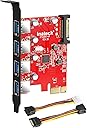
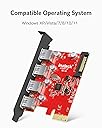
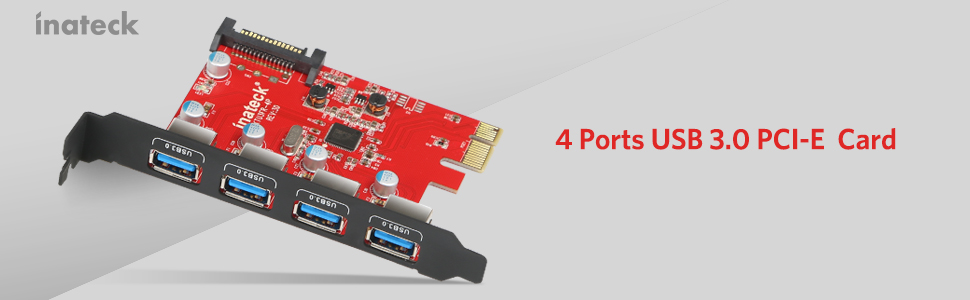
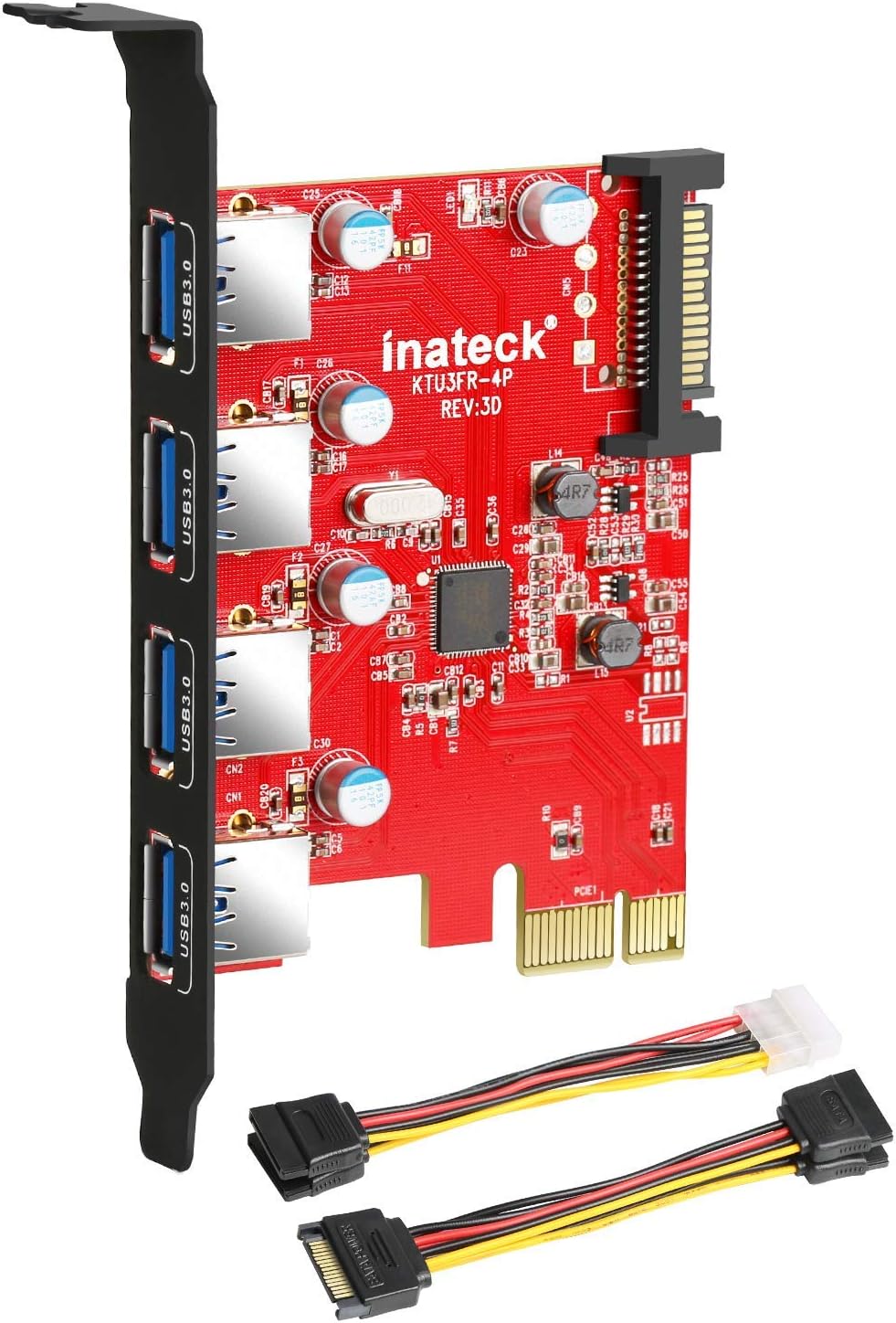
The Inateck PCI-e to USB 3.0 expansion card adds four SuperSpeed USB 3.0 ports to your desktop via a PCI Express x4 slot, delivering up to 5Gbps transfer rates. Equipped with a 15-pin SATA power connector, it ensures stable power for connected devices. Compatible with Windows XP and above, as well as Mac OS 10.8+, it supports plug & play installation and backward compatibility with USB 2.0/1.1 devices, making it an essential upgrade for professionals seeking faster data access and expanded connectivity.


| ASIN | B00B6ZCNGM |
| Best Sellers Rank | #186 in Internal USB Port Cards |
| Brand | Inateck |
| Built-In Media | 1x 15pin to 2x 15pin SATA Y-cable, 1x 4pin to 2x15pin cable, 1x CD Driver, 1x Mounting screw, 1x USB3.0 PCI-E expansion card, 1x User Manual |
| Compatible Devices | Desktop |
| Customer Reviews | 4.3 out of 5 stars 4,456 Reviews |
| Global Trade Identification Number | 06957599305020, 06957599311274 |
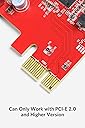
| Hardware Interface | PCI Express x4 |
| Item Type Name | USB 3.0 PCIe Card |
| Item Weight | 1.76 ounces |
| Manufacturer | Inateck |
| Mfr Part Number | KT4001 |
| Model Number | KTU3FR-4P |
| Number of Items | 1 |
| Operating System | Windows 7, Windows 8 |
| Style | With Power |
| Style Name | With Power |
| Warranty Description | 1 year warranty |
A**S
Works Great on a Mac Pro
I purchased the Inateck 4-Port USB 3.0 PCIe card for my Mac Pro. Yes, for a Mac. Nothing on the product description indicated that it would work on a Mac but I had seen a YouTube video using the Inateck card on a Mac Pro and figured it was the same and would work. The Inateck card was cheaper than some of the other options (which had more reviews) and what convinced me to get the Inateck was the fact that it CAME WITH CABLES. No need to purchase additional cables since they're provided in the box. Unlike the YouTube video, Inateck listened to the reviewers comments and provided 2 separate, short cables, that don't have all the clunky extra connectors on them. (For the record, you don't actually NEED to connect this card to a Power Source in the computer ... technically it needs it to be able to provide power the specified power to the USB device, however, most USB devices that you're connecting this to will have their OWN power source (like a Powered Hub or a Powered External USB hard-drive). So for those of you nervous about connecting the card to a power source, don't worry. Installation in the Mac Pro was a breeze. I had an open SATA hard-drive bay inside my Mac Pro and an open PCIe port. Inateck included 2 cables with the USB card ... a SATA to 4-pin Molex connector (the "old school" connectors that go to a power supply ... or to a DVD bay) and SATA "Y-cable" (SATA to SATA). For the Mac Pro I used the Y-cable. Note that you will need to connect this SATA cable to an open SATA port on the motherboard. The Mac Pro has 4 easy to install Hard-Drive bays. Normally you'd slide a hard-drive into the bay and it would mate with the SATA connector but for this installation you'll need to use one of these open SATA ports. I plugged the Inateck card into an open SATA port in my 4th hard-drive bay. Note that the SATA connector for a hard-drive is basically broken into 2 sections: POWER and DATA. The only part of the connector you need here is the 15-pin POWER section. Inateck provided a cable with the POWER section. *However*, you need to know that the cable provided by Inateck will NOT fit properly out of the package. You need to modify the cable slightly. I was a bit apprehensive to do this at first but once I did it, I laughed at how simple it is. The Y cable with SATA on all ends will need to be modified. Take the end of it that has only 1 connector, this is the side that goes onto the motherboard (either one of the "Y" ends will plug into the Inateck card). The connector has a plastic nub on either end, so it would fit in a normal SATA Power connector, however you'll have to cut one of these ends off to fit on the Mac Pro. You're not cutting the connector, its pins, or its wires, you're simple cutting off the plastic nub so the connector will fit onto the Mac Pro's motherboard. First, make note of which orientation the connector must mate. You'll see that one side of the connector meets the edge of the connector in your computer. The other end would normally have the DATA section of the cable but the Inateck cable doesn't have the data section and instead it has a square end of plastic. You need to cut this part of plastic off so that the SATA cable will mate on the motherboard of the Mac Pro. I used a pair of scissors and a file to get the plastic end cut off. Once you've done this simple modification you can use the cable for installation. To install in the Mac Pro: 1) Unplug the computer and touch something metal to ground yourself. 2) Unlock the case and take off the side door. 3) Lay the computer down. 4) There are 2 spring-loaded finger screws covering the available PCIe slots. Remove the 2 screws and take off the lock holding down the open PCIe cards. 5) Insert the Inateck USB card into an available PCIe slot (I used slot 3, for example). Make sure it's nice and snug in the PCIe slot NOTE 1: The Inateck card doesn't use the entire length of the PCIe connector. Don't worry, it still fits. NOTE 2: For some reason the 4th PCIe slot on the Mac Pro won't work. The computer will recognize the card but no power will be provided to your devices. This is a known issue and I found multiple references online to this. DON'T plug the card into the 4th PCIe slot. 6) Take one end of the SATA "Y-Connector", the side that has the "Y" with 2 of the same connector, and plug one of those into the Inateck card. 7) Take the other end of the SATA connector, the side that you cut the plastic off, and connect it to an available SATA POWER port in your Mac Pro (available hard-drive bay). 8) Put the PCIe cover back up using the spring-loaded finger screws. 9) Close up your computer 10) Power on and Enjoy. I ran a speed test using a Seagate 3 TB drive I picked up at Costco and was very impressed with the speeds. The "Disk Speed Test" I ran (by Blackmagicdesign) clocked read and write speeds in the 150-170mb/sec range (averaged around 160mb/sec). Pretty impressive! Glad it works on the mac, even if it's not advertised to. I did NOT need any drivers to make this work on the Mac. I'm using Mac OS X 10.9.1 (Mavericks) and the drivers are built into the computer. USB 3.0 drivers are included in Mac OS X 10.8.2+.
R**T
Great product to get your CPU up to date
I received this expansion card 3 days ago for install in a ten year old Gateway CPU still running Windows XP. I considered the model with the two internal 3.0 ports, but was unable to find any 3.0 ports to replace the existing 2.0 ports on the front of my tower. Radio Shack may have the ports but their prices are a little high, so I bought this model, plus two one meter extension cables. This setup will work for now, I can always buy a 3.0 hub at a later date. Install was very easy for this card, it took more time to disconnect and reconnect all cables running to the CPU than it did to install the card. My CPU is tens years old and I was able to use the supplied 1x15 Pin to 2x15 Pin SATA Power Cable, so I think that everyone would be able to use the same power connector. Do not install the card in the case first. You should connect the cards power cable to your CPU power supply cable first, than connect the SATA/Power to the card, than install the card. This order of install will prevent you from trying to connect the cables in tight quarters. Youtube has videos of UK reviewers running speed test programs to show how fast the cards 3.0 ports are. This means nothing to me because it does not tell me how long it would take to transfer big files. I installed the drivers and ran real world tests. I copied six files with a total size of 5.54 GB from a USB 2.0 to a 2.0 drive, with a 23:17 min. transfer time. I copied the same files from the cards 3.0 port with a one meter 3.0 extension cable to a 3.0 drive, with a 2:10 min. transfer time. I transferred a 97.1 GB file with the same 3.0 setup with a 47:37 min. transfer time. This was in preparation for moving from Windows XP to Windows 7, which I did the following day. The card does have one problem. It did not show that my new 3.0 drive was connected, so I plugged the drive into a 2.0 port and it was now listed on my computer as being drive J. I then plugged back into the 3.0 port and the portable drive was now on my computer but listed as being the 2.0 drive J. I can not power down the drive to properly disconnect the drive, I have to shut down the computer first and then remove the drive. I hoped that this was just a quirk with XP, but it is still a problem after I installed Windows 7 with the most current drivers. I will contact Inateck support to see if they have a solution for this problem and post an update. I am very pleased with this cards performance and suggest that everyone make the 3.0 upgrade, this is the system that current products are using and it will make your life easier. March 17, 2014 update What I thought was a problem is not really a problem. My computer still lists the 3.0 ports as being drive J, but after clicking Safely Remove Hardware and eject media at the lower right part of the task bar, you are given the option to disable the drive even if it is labeled incorrectly. Clicking the listed drive seems to disable the drive, it is no longer listed as an available drive and a message tells you that you can safely remove the drive now. It does not shut off the power light on the drive like it did in XP and this still gives me some concern. I did like the added reassurance of the power light going out to let me know that I could remove the drive.
H**R
it worked great immediately after boot up
After reading in other reviews that this works well with older Mac Pros, I purchased one to install in my 2008 Mac Pro. Installing the KT4001 in my computer was difficult because I had to take out my fan unit and run some molex extension cables from the DVD drive in order to provide power to this card. In hindsight, I wish I purchased the KT4004 model which doesn't require power. I didn't know about the KT4004 at the time of purchase. If you're getting one of these for an older Mac Pro, you might want to take my advice and just get the KT4004 instead! Despite the installation difficulties, it worked great immediately after boot up. There was no need for any driver installation. I should add, I'm using an older operating system, Mountain Lion, due to having old software which requires it. I was happy to find out that this card works even with the old OS. After a week of use, my computer stopped recognizing the card. I contacted Inateck support who had me do some troubleshooting and determined that the card was at fault. Their support team was very understanding and shipped me a new card free of charge and didn't require that I ship the broken card back to them. The replacement has been working fine for a few days now. If there is any trouble with it I will be sure to update my review. For now, it's working great and this was a quick and easy way to add USB 3.0 to my older computer. I'm enjoying the fast speed for doing backups and transferring large files.
A**D
Still works for an OG Oculus Rift in Windows 10
I bought this card for my Ryzen 5 3600 B550 system, which only has 2x USB 3.0 controllers on it (despite a whopping 8x 3.0 ports). I still have the original Oculus Rift, but with 3x sensors to improve tracking. I only had to move one of my sensors onto this card to make the Oculus software happy with the connection (Headset and 2 front sensors on USB 3.0, my rear sensor on 2.0). The card installed and booted up into Windows 10 with no issues, no manual driver install needed. There were only 2 minor disappointments I have with this card: 1) The included SATA power adapters (while thoughtful to include for the price) use the parallel molded plastic form factor instead of perpendicular crimped wire. You can do your own research on how, while any wired connector can fail from poor contact/air gap, that type of connector tends to fail SPECTACULARLY, with sparks, melted plastic, and dead parts in the aftermath. I would advise either plugging the SATA port directly into your power supply like I did, or getting a different adapter, just to be safe. 2) I use my farthest sensor with the 10m (32.8ft) Cable Matters Active USB extension cable. On one other computer of mine (an Intel Z370 chipset), that cable was able to run passively with the rift sensor because the USB port from the motherboard actually provided enough power. Unfortunately, I found that my current AMD motherboard couldn't handle that. I was hoping this card (with its direct connection to my power supply) would be able to handle it as well, but the sensor would eventually throw errors until I borrowed my cell phone charger to plug into the active cable. THIS IS NOT THE FAULT OF THIS USB ADAPTER (as that configuration is out of spec for USB connections), but I was still hoping it would work. Windows never drops the connection to the sensor now that I have the active extension cable plugged in, and I have no issues with the sensor's connection when the computer goes to sleep and wakes up. I'm giving 5/5 stars because it does exactly what I needed at a good price. I'm concerned about it's longevity based on other reviews, but it just needs to stay alive long enough to last until I cave and upgrade my VR setup. Considering how much more I spent on USB/HDMI extension cables than this adapter for my VR setup, it's a fantastic value.
K**E
The replacement is working very well
Worked for a little while in my Windows 7 PC, then broke after a few months. It was great while it was working. I transferred it into another computer, just to see if the problem was with my PC. It did not work there either. I downloaded and tried to install the Windows 10 driver for the second PC (that has Windows 10), but the installation was terminated with a message "Fresco Logic USB3 Host Controller is not found!" A green LED indicates on the card that it is getting power, but that's it. 10/14/2016 UPDATE: Today I received a replacement of the card that was well beyond the warranty period!! This shows how much the manufacturer cares about their customers, and they have confidence in their products. My first purchase must have been an unlucky lemon. I tested this replacement card, and it was immediately recognized by my Windows 10 PC. I measured in excess of 140 MBytes/s write performance that is quite phenomenal!! This card will be a part of my Storage Spaces RFS drive pool, and will be in heavy usage as part of an 8 terabytes storage backup system, updated continuously. I'll come back here for an updated review in about a month. 11/30.2016 UPDATE: No problems. There are two of these kind of cards in my PC (the other one is of another manufacturer). Each card has two external USB 3.0 hard drives attached to it, and form a 4-drive, 8 TB Storage Spaces pool. This receives daily file backups from an office file server via the internet, and therefore are under continuous, sometimes heavy usage, 24/7. I'll come back for an update in a few months.
C**K
LEAVE ME ALONE!-beware this company!!
I left the review at the bottom below of this product a few weeks ago, giving it three stars; as I said it worked eventually, but it needed to be updated. Ever since then every few days I get this email from Ianteck: "Dear xxxx (me), Sorry to trouble you. It's my duty to follow up. I know you bought our product because you believe us, but we failed you. I'm sorry for that. I wonder if you could do me a favor to adjust the star level of the review a little bit, considering the overall quality of the product is fine. I'm waiting for your reply. Have a nice day. Best Regards, Felicity. " I've received a half dozen of these emails, all copied to where the trail keeps growing on the thread. Look, I get it that "Felicity" is living a meager existence in a Shanty or back of a brothel in India somewhere and hates life knowing she has to do this crap, BUT I did not leave a negative review-I left a completely honest and helpful review. I don't wish to change it, they give you no option on their email to unsubscribe or answer them directly, and frankly I'm furious that Amazon somehow gave them my email address to even beg me to reconsider. So I did reconsider. I'll never buy another product from Inateck again! I am emailing Amazon after this to demand an explanation of WHY AND HOW THEIR VENDOR CONTACTED ME DIRECTLY and hassle me. I'm telling any and all my friends who work on their computers to do the same. Beware of Inatek! My original review: It works fine...once you get it to work. As they "hint" to you will almost certainly have to go online to get "latest" drivers, which makes no sense to me on a Windows 7 Pro comp that's dedicated for Pro Tools audio capture that isn't even connected to the web, hence it's had no other driver updates for almost a year. Other than that seems solidly built-included cables were great as they were needed on my Dell XPS to power up plug in items.
A**T
Inatack Offers Top-Notch Support
About a year ago I bought (from Amazon) and installed the Inateck KT4005 USB 3.0 upgrade PCI-e card. That is the green card that doesn't require a power connection but works directly from the mobo power. It worked OK but it was an onerous task to crawl down behind the computer to plug in a thumb drive each time. So I bought and plugged in a 3.0 hub. It was an improvement over crawling on the floor, but became unreliable as far as thumb drives being recognized by the computer. Two San Disk CZ43 ultra-fit drives couldn't be recognized at all. I think that was the fault of the drive, not the card and I wrote my review of that product here on Amazon. Nevertheless, there were lots of problems with getting enough power to the hub to make every drive work reliably. I spent days on a tech support forum hashing over power requirements for thumb drives and trying to figure how to make the hub reliable. Some days were good, some bad. Finally, after everything seemed to go dead, I complained to Inateck and received some top-notch support. They offered to replace the upgrade card for me, but after some discussion, it was decided that I should get their KTU3FR-4P USB 3.0 card (red one) with a direct connection to the computer's psu. We both came to the same conclusion that there was nothing wrong with their green card, but my power requirements were just a little too much for it to handle in powering a hub at some distance from the computer. I've now installed the power-connected card and it's working like a champ. Even the single remaining balky SanDisk drive springs to life in the hub (I gave the other away to a friend, along with a warning). I can't say enough about Inateck's support in this matter which was really caused by my not getting a powered card from the get-go. The green card will work fine for some configurations but mine just wasn't one of them. Thank you,
Y**G
If you're having OCULUS problems, this is a MUST HAVE!
If you're having random Oculus crashes it may be your USB controllers, not the ports. Since the get go, I loved my Oculus but I get random errors like crashes, sensor drop-off, and loss of audio. It turns out my USB controllers were being overloaded. Oculus hardware moves a lot of data continually, each sensor moves approx ~76mb/s. With two, you are moving around 152mb/s and that's not including the headset! A typical USB 3.0 controller can move a maximum of 400mb/s total. Depending on how many other devices you have hooked on USB 3.0 (headphones, hard drives, peripherals) you may be over the data or power limit of your USB 3.0 controller. Oculus actually RECOMMENDS a maximum of 2 sensors per controller. They recommend using 2 sensors on USB 3.0 and 1 on USB 2.0 because the USB 2.0 is on a separate controller. However with USB 2.0, you are limiting the amount of data transfer as USB 2.0 maxes out around 30mb/s. Hence, this card is recommended by Oculus. This is not JUST extra ports but also has a separate USB 3.0 controller so safely expand your USB 3.0 ports as well expand your maximum data transfer. Installation was easy. Just plug into an empty PCI-E port, attach the power cable (either molex or SATA) and download the newest drivers on the website and restart your computer. With this little card I can use my Oculus at full speed. I can even expand my Oculus by added a third sensor for room-scale tracking and getting rid of the pesky blind spot in the rear!
L**O
Prima USB3.0 Interface Karte mit guter Ausstattung und kompatibel zur Oculus Rift CV!
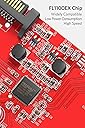
Ausgangslage: Ich besitze einen Rechner (Windows 10) der zwar von seiner Rechenleistung her noch up to date ist, aufgrund eines älteren Motherboards jedoch leider keine USB3.0 Unterstützung bietet. Da ich mir gerade eine Oculus Rift VR Brille geholt habe und diese mindestens 2 USB 3.0 Anschlüsse benötigt, habe ich mich nach geeigneten Erweiterungskarten für meinen Rechner umgeschaut. Diese Karte hier habe ich leider erst in zweiter Instanz entdeckt, zuerst hatte ich mein Problem durch den Kauf zweier!!! USB3.0 Karten der Firma Logilink (Typ PC0054A) geglaubt gelöst zu haben. Grundsätzlich funktionierten auch die Logilink Karten problemlos im Betrieb mit normalen USB 3.0 Geräten. Trotzdem erzählte jedoch die Konfigurationssoftware der Rift mir das die USB Anschlüsse nicht kompatibel seien, bzw. ggf. nicht die maximale Leistung und Geschwindigkeit bereitstellen könnten. Da habe ich dann mal ein wenig genauer nachgeforscht und herausgefunden das die Sensoren der Rift ein spezielles Feature der USB 3.0 Schnittstelle nutzen um Latenzzeiten in der Signalübertragung zu reduzieren. Dieses Feature nennt sich Multiple Transaction Translation(MTT). Der Chipsatz auf der Inateck Karte (Fresco Logic FL1100EX) unterstützt nämlich genau dieses Feature und bietet nebenbei noch einige andere Funktionen die "State of the Art" sind. Lieferumfang: Die Ausstattung ist reichlich, ich würde Sie als vollständig beschreiben. Für den aktuellen Preis der Karte hier auf Amazon (reduziert von 29 auf 19 Euro) ist sie sogar super und über dem Durchschnitt der anderen USB Karten. Lieferumfang: 1 * -Eine Erweiterungskarte PCI-E auf 4 x USB3.0 1 * Treiber-CD, 2* Montageschraube, 1 * Anleitung, 1 * 4pin auf 2x15pin Kabel, 1 * SATA Strom-Y-Kabel SATA Buchse an 2x SATA Stecker Einbau: Der EInbau an sich ging völlig unproblematisch. Die Karte belegt einen freien PCI-E Steckplatz. Der muss natürlich mindestens im Rechner vorhanden sein. Die beiden Logilink Karten mit je 2 USB 3.0 Anschlüssen raus, die Inateck Karte rein. An dieser Stelle seien noch lobend die beiden Adapter und Befestigungsschrauben erwähnt die sich im Lieferumfang befinden. Der der Inateck Adapter unter anderem auch die Battery Charging (BC) Specification Revision 1.2 (Charging Downstream Port (CDP)), und China Charging YD/T 1591-2009 Standards unterstützt, bietet er auf seiner Platinen einen zusätzlichen SATA Powerconnector um die USB Anschlüsse beim LAden von Smartphones, Tablets etc. entsprechend mit Leistung zu unterstützen. Dazu schließt man entweder direkt einen freien SATA Power Connector von seinem Netzteil an die Adapterkarte an. Hat man keinen freien SATA Power Connector mehr, oder nur noch einen, so kann man den entsprechenden, mitgelieferten Y Connector nutzen, der aus einem Anschluss 2 macht. Für die, die nur einen der älteren 4 pol Power-Anschlüsse haben, liegt ein zweiter Adapter bei, der diesen auf 2 x SATA Power konvertiert. Das fidne ich sehr lobenswert,d a viele Installationen manchmal an solchen Kinigkeiten wie fehlenden Adapterkabeln etc, scheitert, die man dann mit viel Geld und Glück einzeln irgendwo nachkaufen muss. Also noch den internen Powerstecker draufgesteckt und fertig ! Die Karte wurde automatisch erkannt und eingerichtet. Die Treiber CD wurde zunächst nicht benötigt. Test: Der Gerätemanager (siehe Fotos) zeigte den Controller an, der zunächst scheinbar mit Microsoft Standardtreibern installiert wurde. Es gab keine unbekannten Geräte mehr im Gerätemanager. Ein erster Test mit externen USB Festplatten und Sticks zeigt auch das der Controller funktionell zur Verfügung stand. Geschwindigkeitstests ergaben das prinzipiell auch normale USB3.0 Übertragungsgeschwindigkeiten für die besagten Geräte zur Verfügung stand. Leider meldete die Geräteverwaltung des Oculus Setups für das Headset und den Camerasensor immer noch ein Problem mit den neuen USB 3.0 Anschlüssen. Diesmal jedoch mit dem interessanten Hinweis das man ggf. mit geupdateten Treiber von Fresco Logic ggf. eine bessere Performance errechen könnte. (Zuerst schaute ich auf der mitgelieferten Treiber CD nach, diese beinhaltete jedoch leider nur Treiber bis maximal Windows 7 64 bit. Schade, und das obwohl Win10 ja nun doch schon einige Tage auf dem Markt ist. Also ab auf die Herstellerseite und nach Windows 10 Treibern gesucht. Ich bin statt auf die Website von Inateck direkt auf die Website des Controllerchipherstellers (Fresco Logic) gegangen, da man dort oft die aktuelleren Treiber bekommt. In diesem Fall war es aber das selbe Treiberpaket in der Revision 3-0.3.6.8.0 welches auch Inateck auf seiner Website anbot: Hier der Downloadlink (Wählt des Paket des USB 3.0 Hostcontrollers) https://support.zoho.com/portal/frescologic/helpcenter/articles/latest-drivers Schritte: 1. Ladet das o.a. Treiberpaket runter und installiert es 2. Entfernt danach die USB 3.0 Controllerkarte aus dem Gerätemanager 3. Startet die neue Hardwareerkennung neu, oder startet alternativ den Rechner neu Dann wird der Controller nämlich mit den Herstellertreibern installiert und kann dann scheinbar mit allen Features arbeiten. Daraufhin gab es keine Meldungen mehr im Oculus Device Center. Alles prima. Als weiteren Test habe ich versucht mein Samsung S6 Edge an einem der USB 3.0 Ports zu laden, gleichzeitig mit einem IPAD2. Funktioniert absolut problemlos und exakt so schnell wie es mit den Ladegeräten ebenfalls dauert. Fast Charge / Quickcharge 2.0/3.0 werden jedoch nicht unterstützt. Das wäre wohl auch zuviel des Guten. Weitere Performancetests und Benchmarkorgien des Controllers möchte ich euch ersparen, da ich nicht weiß ob meine Festplatten/Sticks hier überhaupt das aktuelle Maximum bringen (könnten) oder nicht. Jedenfalls liefen auch meine USB2.0 Geräte problemlos, sogar eine steinalte Hewlett Packard Digitalkamera mit USB 1.0 wurde ohne Mucken erkannt. Fazit: Ein prima Möglichkeit seinen älteren Rechner (Freien PCI-Express Bus vorausgesetzt) um (weitere) 4 USB 3.0 Ports zu erweitern. Der Lieferumfang mit den beiden Powerdapatern, Treiber CD, Anleitung und zweier Schrauben für die Befestigung ist als sehr gut zu bezeichnen. Im Verhältnis zu dem aktuellen Preis von 19 Euro (29 Euro vorher) ist sie mit 4 Ports sogar verhältnismäßig günstiger als einige anderen Karten. Der verwendete Chipsatz unterstützt die maximale Performance und alle Features der USB 3.0 Spezifikation, unter anderem auch das Multiple Transaction Translation(MTT) das die VR-Brille Oculus Rift für eine optimale Performace der Tracking-Sensoren und der Erfassungskamera benötigt. Alles in allem ein prima Dapter zu einem guten Preis. Leider befanden sich auf der mitgelieferten Treiber CD keine Windows 10 Treiber, die sich aber im Paket über die Inateck/Fresco Logic Seiten problemlos herunterladen ließen. Von einer automatischen Installation von Windows 10 mit Windows Standard Treibern sollte man sich nicht täuschen lassen (siehe Bilder), danach stehen nicht alle Features wie Multiple Transaction Translation(MTT) zur Verfügung. Treiber direkt vom Hersteller besorgen und nachinstallieren !
D**N
Top.
Fait bien le job. Marque connue qui propose en général de bons produits.
T**N
supports PCI passthrough in VMware ESXi
works fine. supports PCI passthrough in VMware ESXi (DELL) server
J**Y
fonctionne parfaitement
Installation facile et connectique multiple bien étudiée. Les 4 ports USB3 fonctionnent bien simultanément et tous mes disques Western Digital de plusieurs To sont reconnus. Les copies et déplacements de fichiers sont très rapides. Ma clé USB Sandisk extrême 64 Go est reconnue. Attention de bien raccorder cette carte PCI-E à l'alimentation par le connecteur SATA 15 broches, le connecteur pouvant sembler être enfoncé mais pouvant se trouver de travers par manque de place dans le PC. Attention aussi de bien télécharger les derniers pilotes en ligne sur le site d'Inateck et de bien choisir la version appropriée à l'installation (64 bits ou seulement 32 bits selon le cas). Je recommande ce produit au prix modéré. Je remercie aussi le service commercial et technique d'Inateck pour son souci de résoudre les problèmes rencontrés par les clients en cas de fonctionnement non satisfaisant, et sa générosité. Je recommande donc cette carte sans restriction.
V**V
Great for Oculus Rift S
Worked well with my pc that needed the 3.0 USB for the Oculus Rift S
Trustpilot
1 month ago
1 month ago