We remain fully operational. Our teams are working around the clock to ensure your deliveries continue safely.

Descargar la aplicación


Servicios al cliente
Sobre nosotros
Copyright © 2025 Desertcart Holdings Limited
Descargar la aplicación





Buy anything from 5,000+ international stores. One checkout price. No surprise fees. Join 2M+ shoppers on Desertcart.
Desertcart purchases this item on your behalf and handles shipping, customs, and support to Argentina.
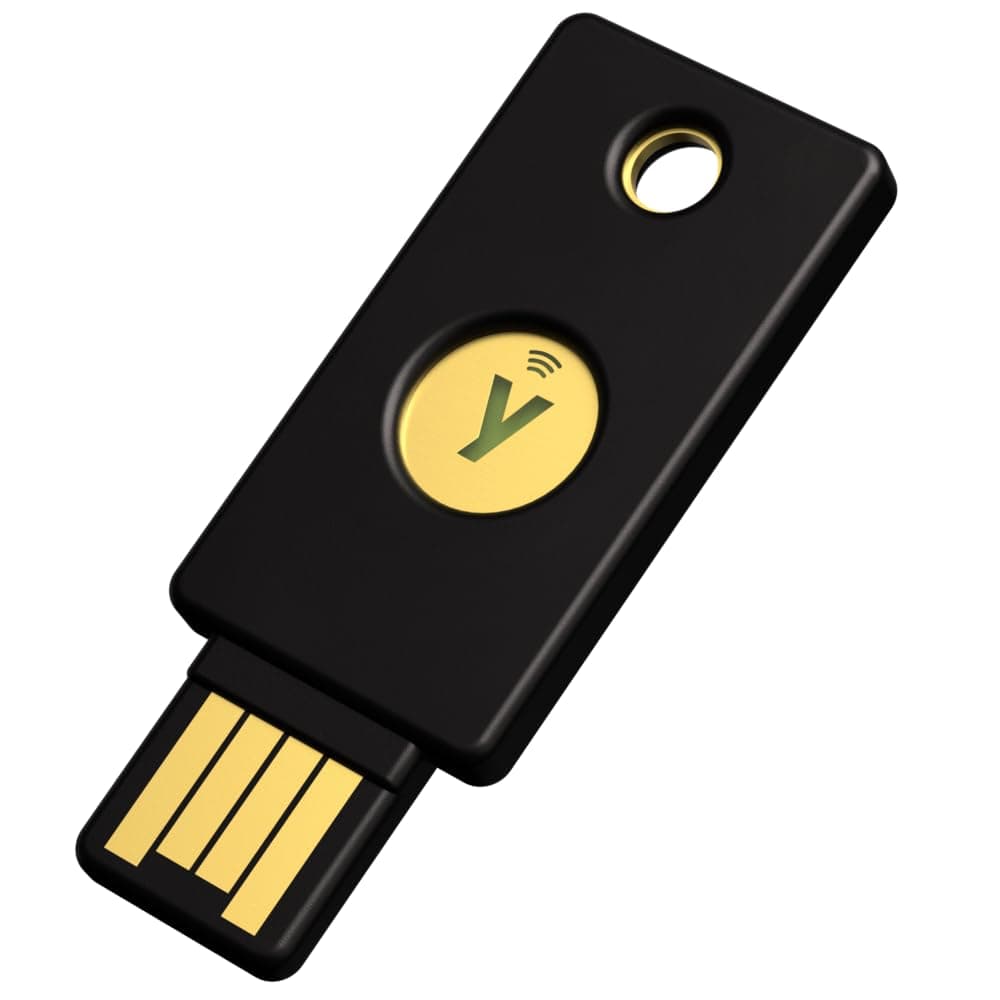
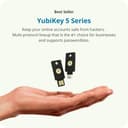
🔑 Unlock elite digital security with YubiKey 5 NFC — because your accounts deserve the best.
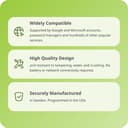
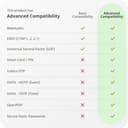
The YubiKey 5 NFC is a compact, ultra-secure hardware authentication device supporting multiple protocols like FIDO2 and OATH-TOTP. It offers dual USB-A and NFC connectivity, is water and crush resistant, and is compatible with major platforms including Google and Microsoft. Designed for professionals who demand seamless, reliable protection, it requires no batteries or network connection and encourages use of a backup key for fail-safe access.


| ASIN | B07HBD71HL |
| Best Sellers Rank | 613 in Computers & Accessories ( See Top 100 in Computers & Accessories ) 1 in USB Gadgets |
| Box Contents | 1 product |
| Brand Name | Yubico |
| Colour | Black |
| Compatible Devices | Mobile, Laptop, Desktop - Connect via USB-A or NFC |
| Compatible Phone Models | Personal Computer,Laptop,Smartphone |
| Customer Reviews | 4.6 4.6 out of 5 stars (12,335) |
| Flash Memory Type | ohne |
| Global Trade Identification Number | 05060408461426 |
| Hardware Interface | USB 2.0 |
| Item Dimensions D x W x H | 10D x 10W x 10H centimetres |
| Item Weight | 0.1 Ounces |
| Manufacturer | Yubico |
| Model Name | Y-237 |
| Model Number | Y-237 |
| Network Connectivity Technology | NFC |
| Product Features | NFC |
| Product Warranty | 2 year manufacturer |
| Unit Count | 1.0 count |
| Write Speed | 10 |
A**Y
Really secure device highly recommend
The YubiKey 5 NFC is top-tier in its class: excellent security, broad compatibility, and great flexibility in connectivity. If you care seriously about protecting your accounts, it’s a very worthwhile investment. The trade-offs — cost, need for backup key(s), setup effort — are real but manageable, and in my view acceptable for the level of protection you gain.
R**S
Recommended
I have been after a security key for a while and I'm sure glad I went for this one. Easy to set up and use and compatible and connectivity across windows device and android phone is a big win for me also the ability to have a back up key made and stored. Quality feels strong and robust and there are plenty of covers available
R**L
Works okay, NFC feature hit-and-miss.
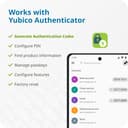
Works great for USB. I use it for Windows logon and for Yubico Authenticator app for sites that have OTP codes. It's also supported by Lastpass and Google. Of course, you'll probably want to get two of these as a backup in case you lose one. I have one permanently at home and the other on my keyring for mobile/laptop use when out and about. The one slight drawback as by design, many sites that support 2FA, only allow you to register one code. Ideally, you would register separately for each Yubikey, rather than having to set up the same on both Yubikeys at the same time, this way, if a Yubikey is lost, you can revoke the 2FA only for the lost key. One small drawback is you'll need both Yubikeys to hand every time you set up or remove a 2FA, to update both, as may sites/apps don't let you see the QR code again once it's been set up. This is perhaps offset by the useful ability to plug the Yubikey into any device, securely use your 2FA/auth, and then unplug it, rather than having to set it all up again for every device. It takes a bit of time to set up and get used to, but you'll be in a much more secure once it's done. The NFC feature never worked on my Huawei/Honor Play phone, despite all sorts of fiddling around with the NFC settings, so I had to use an adapter to USBC to use the YubiKey with this phone, but I just upgraded to a Google Pixel 6 and it works pretty well once you get the technique of how to hold it behind the phone. (doesn't need to physically make contact, just hold quite close to the back) I haven't got SSH/PGP working with it yet as this seems quite complicated to do on Windows and the documentation is somewhat lacking in this area.
J**N
Let down by 3rd parties
The idea behind a security key is a solid idea. To access an account you activate 2FA, enroll your security key and any future logins require your username, password and security key (or backup key). However upon purchasing two keys, I soon discovered that not that many sites allow the use of a security key. I have used 2FA for a few years now. Most sites offer the ability to use an Authenticator app like Authy or Duo. However, some either only allow 2FA via an SMS or the SMS is the ONLY backup option. If you're here and reading this, you probably already know that this is a security flaw or vulnerability. Herein lies the problem with security keys. Firstly, not that many sites allow the use of security keys. The list on Yubico's website include sites that use the Yubico authenticator app. Granted, the Yubico authenticator app is pretty decent and does allow tokens using your Yubico Yubikey but the fact you have to use an authenticator app is defeating the purpose. Secondly, some sites force you to sign up to SMS 2FA backup or download backup codes. I would prefer to avoid both of these methods, hence why I paid for TWO security keys. Personally I would rather use an Authenticator app than SMS codes but I'd rather not use either. Summary; I fully understand that this is out of Yubico's hands. The 2FA security services websites offer, including authenticator apps or SMS codes, is the choice of the website. Whether it's convenience, ease of use for the end user, or not caring about their users security. Yubico's hands are tied. Having said that, they aren't very transparent about that information. Maybe it's my fault, maybe I should have researched more. To close. The Yubico Yubikey is a fantastic piece of idea and security assurance. The Yubico Authenticator app is decent and works well. It's just all let down by lazy non-caring websites. Including Amazon and PayPal. 😲
G**O
Very useful when available
The product is great. I wanted a physical key that I can carry on my keys and the image above highlights how compact and nicely it fits on there. The appearance is simple and straight to the point. The product itself is really great but the availability of uses is limited due to companies not using it very often. It however is a very quick and simple product which saves you time with accessing your information and other websites. By implying taping your device to authenticate. I find some devices like my MacBook struggle with the connectivity or even the app not working at all. Definitely considering buying this product though, if you care about a secure method and physical key that can backup and keep you safe online.
G**S
I have used a YubiKey for authentication at work for the past 3 years and while reviewing hardware MFA security keys did quite a bit of research of the various keys out that and the compatibility of the key with different solutions including the ability to authenticate with Windows Hello login, using passkey instead of BIO authentication and this one is one of the few recommended. Additionally, I liked the idea of using it with my cell phone as well and have setup many sites to use passkey authentication including ones like "login.gov" which supports and advocates for passkeys. Tonight I took the YubiKey out of my laptop and authenticated to a web site I had previously setup from my laptop with my mobile phone. I chose "passkey" for authentication then placed the YubiKey against the back of my cell phone with my finger on the touch pad and it immediately authenticated and logged it successfully. Now I can key from both devices once a key pair is setup for a web site so completely portable. You do have to enable NFC from your phone as it is likely off by default. I would buy this again and it works better and is a much easier and more way to login (authenticate) than passwords which are easily compromised. If I knew it was this easy and worked so well before I would have bought it long ago as the FIDO 2 keys have been available for a long time, it is just that many people do not know much about them.
S**I
I received this this is value for money product I live in Ludhiana build quality is nice it is plastic but strong plastic
F**M
👍
S**E
En tant qu'utilisateur habituel de la double authentification via Authy, je cherchais une solution de sécurité encore plus robuste. C'est là que la YubiKey 5 NFC de Yubico est entrée en jeu, transformant ma manière de sécuriser mes comptes en ligne. L'ajout de la fonctionnalité NFC permet des connexions rapides et sûres, une vraie révolution par rapport à l'authentification classique par application. Bien que j'apprécie grandement la YubiKey pour sa facilité d'utilisation et sa compatibilité avec mon Mac et Ubuntu, je dois noter une limitation. Malheureusement, de nombreux sites web n'ont pas encore adopté la prise en charge des clés de sécurité pour la double authentification. Même si la YubiKey fonctionne parfaitement avec les plateformes qui la prennent en charge, cette limitation réduit un peu la portée de son utilité. Cela dit, pour les services qui acceptent la YubiKey, l'expérience est sans faille. Elle est incroyablement pratique et offre une sécurité de niveau supérieur, surtout comparée aux méthodes traditionnelles de double authentification comme Authy. La portabilité de la YubiKey est un autre grand avantage. Sa petite taille me permet de la garder sur mon porte-clés, toujours à portée de main. Sa conception robuste est également rassurante, sachant qu'elle peut résister à une utilisation quotidienne. En résumé, je recommande la YubiKey 5 NFC à ceux qui cherchent une solution de sécurité avancée, bien qu'il soit important de vérifier la compatibilité avec les sites que vous utilisez régulièrement. Pour les plateformes compatibles, c'est un outil de sécurité inestimable.
A**Y
المنتج ممتاز، مغلف بشكل جيد، توصيل سريع من البائع أقل من الوقت المتوقع شكراً جدا.
Trustpilot
Hace 3 semanas
Hace 2 meses