We remain fully operational. Our teams are working around the clock to ensure your deliveries continue safely.

Descargar la aplicación


Servicios al cliente
Sobre nosotros
Copyright © 2025 Desertcart Holdings Limited
Descargar la aplicación
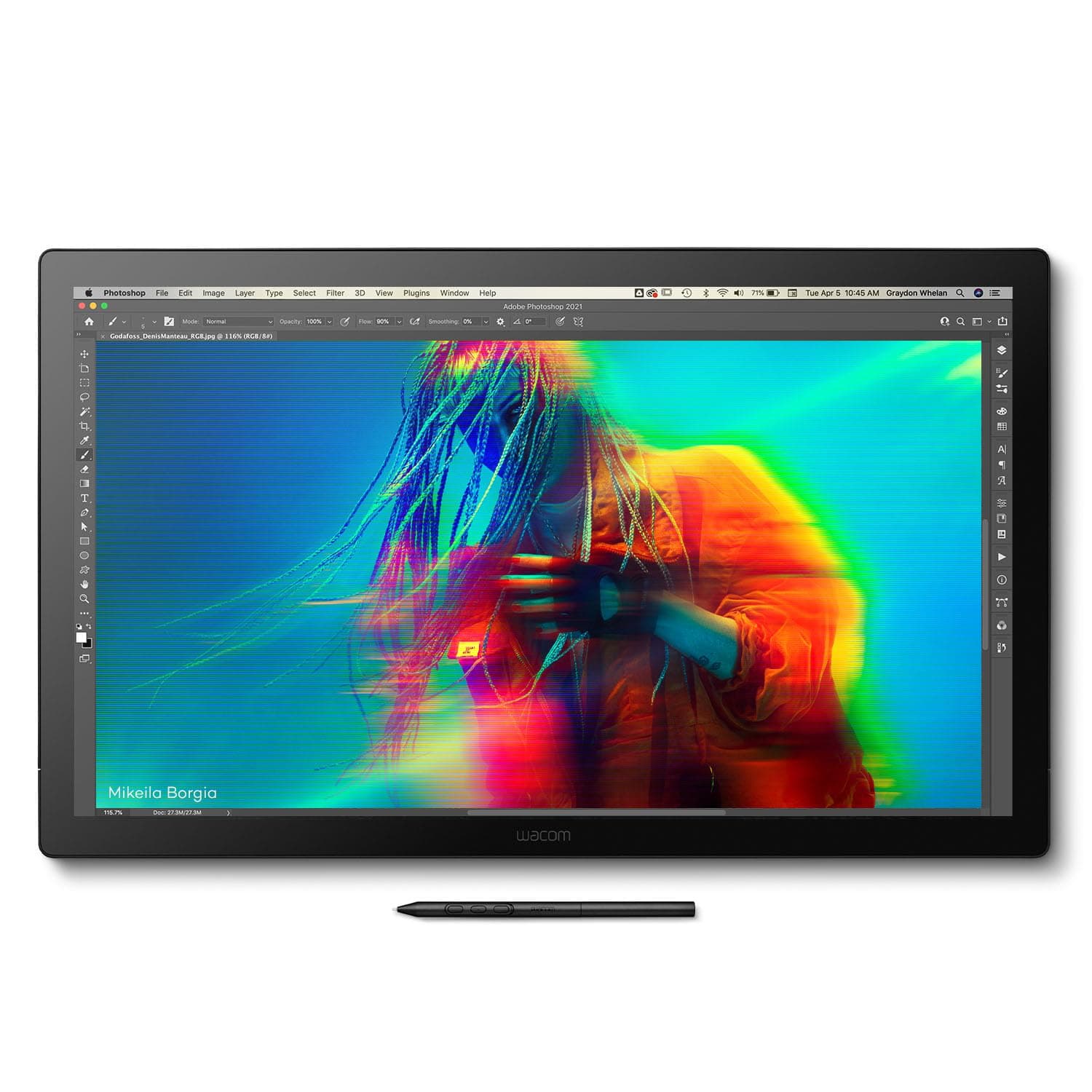
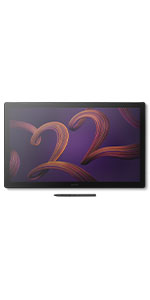
🎨 Elevate Your Artistry with the Ultimate 4K Creative Powerhouse
The Wacom Cintiq Pro 22 is a professional-grade 21.5-inch drawing tablet featuring a stunning Ultra HD 4K touchscreen with Pantone validation, 8192 levels of pen pressure sensitivity via the Pro Pen 3, and a 120Hz refresh rate for near-zero latency. Designed for Windows, macOS, and Linux, it offers customizable ExpressKeys, 10-point multi-touch support, and an ergonomic adjustable stand, making it the go-to tool for graphic designers, illustrators, and digital artists seeking precision, speed, and comfort in their creative workflow.






| ASIN | B0BQ7MQ68J |
| Active Surface Area | 240.625 square inches |
| Best Sellers Rank | 301,589 in Computers & Accessories ( See Top 100 in Computers & Accessories ) 414 in Graphic Tablets |
| Box Contents | Digital Pen, HDMI Cable, Pen Holder, Power Cord, USB Cable |
| Brand Name | Wacom |
| Colour | Black |
| Compatible Devices | Laptop, Desktop |
| Customer Reviews | 4.0 4.0 out of 5 stars (17) |
| Display Type | LCD |
| Item Dimensions L x W | 51.6L x 31.2W centimetres |
| Item Weight | 11 Pounds |
| Manufacturer | Wacom |
| Model Name | Wacom Cintiq Pro 22 |
| Model Number | DTH227K0A |
| Native Resolution | 3840x2160 |
| Network Connectivity Technology | USB |
| Operating System | Windows, macOS, Linux |
| Pressure Sensitivity | 8192 Levels |
| Product Features | 10-point multi-touch |
| Screen Size | 21.5 Inches |
| Specific Uses For Product | 3D Modelling, Animation, Designing |
| Target Audience | Student, Teacher |
| UPC | 753218984258 |
W**Z
I have had this monitor for 3 months now. Before I got this, I had tried Huion and Xencelabs displays. Build Quality The build quality is excellent. The materials and fit and finish on my unit are top notch. The glass feels great underhand. Screen Out of the box color reproduction is within a few percent of what was advertised based on my test with an xrite color calibration sensor. There is a very slight backlight bleed on the right edge of the screen but this is only noticeable against a black background and will be covered up by the UI of any drawing program. The screen is very crisp despite the good anti-glare coating on it. Compared to other 4k drawing tablets with antiglare coatings, this one blows them out of the water in terms of clarity (looking at you, xencelabs 24). There is no point in buying a 4k monitor if the anti glare coating is blurry, and with this monitor you truly do get the benefits of 4k. The touch functions fine but I don't like using touch because I will occasionally accidentally trigger it. This is a problem for me regardless of device, even on iPads, so I wouldn't knock this unit for being overly sensitive. It's nice to have a physical switch to quickly disable touch on the back of the unit so I can use touch on occasion if I want to. The 120 hz is very nice but it is the sort of luxury you take for granted until you have to use a 60 hz screen again. The screen is plenty bright for me at default settings, but there are a multitude of different settings you can adjust for colorspaces, etc. I just leave it on default settings sRGB. Drawing Experience The pen is excellent. It is extremely accurate and all pressure levels are usable. I do not see any line wobble in an unstabilized pen on this display. Other Notes I don't use the trigger buttons but they are there if you want them and the buttons feel quality to press. I currently have the unit on the official Wacom stand for it and I think it is also excellent, very solid and easy to adjust. My particular unit has zero fan noise. The pen holder that comes with the unit sucks. Sorry Wacom, but this pen holder is practically designed to drop your pen at the slightest bump regardless of where you screw it in to the tablet. Just something to be aware of, you might want to store the pen somewhere else. The only true downside is this tablet is $3k and the stand is $500. This is certainly overpriced, but I believe the product is best in class for a 22" tablet. Time will tell what the lifetime of the product is but I expect it will last a long time, especially since the display does not use OLED technology.
C**B
Best investment for an artist/illustrator!
D**L
Wow, pricey, but it is the best drawing tablet out there.
A**R
Setup instructions indicate Cintiq pro 22 cannot be used without a stand and does not come with a stand. Amazon description indicates it comes with an "Easy Stand" however, there was none in the box. Wacom stand is additional $500+. I would write a review about the functionality, but I am advised by Wacom not to use it until I give them an addional $500+ which I do not have. There are better rated stands available for less, however, be aware that you cannot use this tablet as shipped.
J**T
Pros: Finally they updated their Cintiq pro line with better color and resolution. It's about time. Good Job for catching up to this decade. Cons: Windows 10 users, if you turn off your Cintiq your machine will hang and eventually shut down/crash because win struggles with the usb c connection... or the hdmi connection... or the display port connection... I don't know what it is but Wacom will probably update their drivers and bonk everything until Nvidia updates theirs or vice versa. Cons: PRICE ... I could buy a brand new M4 ipad for what I just paid for this thing Cons: multiple connection ports that really seem like one could connect multiple devices to the Cintiq but the onboard ui and connectivity (wacom driver or?) really make this near impossible. Cons: pen caddy mount at the top off the device where all the cords plug in too.... wow that is bad design. I know I can also mount the caddy on either side as well, and in the process make one of the side handles useless... Pros: Better than the last iteration of the cintiq
Trustpilot
Hace 2 semanas
Hace 2 semanas