We remain fully operational. Our teams are working around the clock to ensure your deliveries continue safely.

Descargar la aplicación


Servicios al cliente
Sobre nosotros
Copyright © 2025 Desertcart Holdings Limited
Descargar la aplicación

🎬 Elevate your entertainment hub—3 devices, 1 switch, zero hassle!
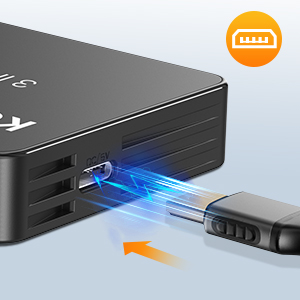
The KOOFIT HDMI Switch 3 In 1 Out is a compact, plug-and-play device that consolidates three HDMI inputs into a single 4K@60Hz UHD output. Featuring smart auto-switching, remote control, and gold-plated connectors for stable 10.2Gbps transmission, it supports a wide range of devices including gaming consoles, streaming sticks, and Blu-ray players. Designed for seamless multi-device management, it eliminates cable swapping and enhances your viewing experience with crisp 4K and 3D support.




| ASIN | B0CZKX3LFM |
| Best Sellers Rank | 1,871 in Electronics & Photo ( See Top 100 in Electronics & Photo ) 10 in Switches |
| Guaranteed software updates until | unknown |
| Manufacturer | KOOFIT |
| Package Dimensions | 16.4 x 13.7 x 2.4 cm; 150 g |
J**P
Does exactly what it should.
Great! So pleased that I bought this. We have an older TV in my art/craft/grandchildren's toy room, where I like to catch up on the TV programmes that my husband really doesn't like while doing a bit of painting or sewing. The kids love the room too as we have one of those open shelving systems with boxes filled with their toys... They love doing a bit of art too, all while watching their favourite programmes. It's not a smart TV and so I've always used it with a Fire Stick, perfect. However, I wanted to add a digital box to be able to watch live terrestrial TV as I hadn't figured out how to do that with the Fire Stick, but the TV (although it has 2 HDMI ports) couldn't recognise both devices. This 3 way HDMI switcher is fantastic. My TV recognises the 1 port being used and with the remote control it is so easy to switch from one device to the other. There is even a spare port so that our son can connect his Xbox when he wants to play Fortnite against my husband, who is on the main TV downstairs. Definitely recommend this device if you need extra HDMI ports.
S**R
A great little device
I have used several different hdmi hubs, with varying degrees of success. This recent purchase is one of the better ones, considering the price paid. I would like to mention a couple of things, that I believe you should be made aware of, if you are considering buying one, they are as follows. You will need to already have a spare hdmi cable, long enough to be able to reach from your tv hdmi socket, to this devices output, as this is not supplied. In my personal opinion, it is best to plug this device into the mains, in order for it to fully function as intended, although not essential, it has been my experience that it's far better to do so, the choice however, is entirely yours. Should you decide to follow suit, then you will need a UK mains adapter that has a USB type C socket and a USB type C to USB type C cable, long enough to reach from the power outlet to this device. If you only have a UK mains adapter that has the larger USB type A socket (common type pre USB type C), then you can certainly still use it, but you will require a long enough cable of USB type A to USB type C (one different size USB on either end). The main reason for using this device with mains electricity is to enable the auto switching, as mentioned previously, this function should work without needing to be plugged in, but on occasions it can be a little temperamental, which is why a remote control is supplied and as a last resort, there is a selector button on the front of the device. I have had no issues with the auto switching function, since using it plugged into the mains, please remember to change between devices being used, you should first power off the device currently in use (standby), wait a brief time, then power on the next device, this allows the hdmi box time to auto switch. A well designed and well made little box, well worth the money.
C**S
Decent switch
overall the unit works well, compatibility and connectivity are decent and it is quick and easy to switch between channels. Loses a star due to the remote range not being the best
A**P
Excellent
Works great 3 items plugged in. Easy to use. Auto switches without use of remote control. Hdmi port and low lag. Recommended arrived on time.
C**E
HDMI switch 3 in 1
The HDMi switch was just what the customer ordered and it’s easy to use and definitely great quality
R**K
Excellent value for money - works as it should.
I have a stupid amount of HDMI devices which I need to connect to my TV which only features three HDMI inputs (in all fairness, most TV’s only have this amount of inputs) so this adapter fits the bill nicely. Note that this does use a USB Type C socket for the power - however it seems to me that power is only needed to enable the switching mechanism and (very useful) remote control - once you have selected the input you require you don’t appear to need power. The output quality doesn’t appear to be affected by this adapter which is good news and this genuinely useful unit offers excellent value for money. Highly recommended - an easy five stars.
K**R
Waste of money
Useless. Ordered 2 and neither of them worked.
S**S
works brilliant
Had this about 2 weeks now and works brilliant so far. Bought this to replace a "u-green" similar product that failed after 4 days, so fingers crossed this is ok
M**E
... funktioniert ohne Probleme
Q**O
Llegó en tiempo y en buenas condiciones. ¡Excelente aparato! Es exactamente lo que necesitaba y es totalmente compatible para expandir el HDMI de una TV LG, para conectar con una PC y la Nintendo switch. Cuando enciendes solo uno de los equipos conectados, automáticamente cambia la salida HDMI. No esperaba eso, porque trae el control remoto para hacerlo manual y es una grata sorpresa que funcione automático. Estoy satisfecho con la compra y recomiendo sin duda este switch HDMI, que te da más opciones de conexión.
A**O
> Tempi di consegna: arrivato in un giorno, e senza Prime! > Imballo: scatoletta di cartone sufficiente a proteggere il prodotto, a patto che il corriere non lo metta sotto a tutto... Il mio è arrivato integro. > Contenuto: Commutatore, Telecomando, Cavetto USB A/USB C per l'alimentazione nonché il Manuale d'istruzioni...senza la lente d'ingrandimento per leggerlo agevolmente :-) > Costruzione: plastica, ma ben fatto. Idem il telecomando. > Stabilità: pesa poco ma è stabile; non è succube dei cavi HDMI di moderata rigidità. > Posizionamento: per vedere i led e soprattutto per telecomandarlo, il frontale dell'apparecchio deve essere a vista. Il Samsung consente di posizionarlo fra i piedini laterali. > Collegamenti video (modificata il 14-04-2025): consiglio di utilizzare cavi HDMI che comunicano anche la condizione di sorgente collegata ma spenta, altrimenti i TV di ultima generazione, come i Samsung, eliminano sistematicamente dalla schermata Home di accesso rapido per la scelta delle sorgenti le icone delle HDMI senza segnale video, poichè con un cavo scarso non riceve la condizione di "apparecchio collegato ma spento", dando per inutilizzata la presa HDMI. Esperienza personale: per un mese ho continuato a configurare l' icona HDMI2 che spariva sistematicamente quando spegnevo il PC, prima di rendermi conto che avevo usato un cavo che non segnalava al TV che il PC era collegato ma spento. Invece l'icona HDMI1 restava al suo posto anche a Mac spento poichè il cavo comunicava la condizione del Mac! Invece per i segnali di ingresso verso il commutatore il cavo non ha troppa importanza, poichè sembra che consideri la presenza del segnale video per eseguire la commutazione automatica. > Prova sul campo: eseguiti i collegamenti fra il Commutatore, il PC e il Mac accendo il TV: sul Commutatore si accende il Led rosso "Power" che segnala che riceve i 5Volt dall'USB (alimentata dal TV, ma è possibile farlo funzionare anche senza detta alimentazione). Commuto il TV sull'ingresso HDMI dove ho collegato il Commutatore, poi accendo il Mac: sul Commutatore si accende il Led verde "1" che conferma il passaggio dei segnali audio e video dall' HDMI 1 del Commutatore al TV. La schermata del Mac compare correttamente. Accendo il PC: si ha la commutazione automatica sull'ingresso "2" nonostante il Mac sia acceso. Anche la schermata del Pc è corretta. L'audio di entrambi i computer viene riprodotto correttamente, perciò OK. Si noti che la logica di funzionamento del Commutatore abilita la visione dell'ultimo apparecchio acceso, che prende il posto di quello finora in visione, e se questo viene spento si ha la commutazione automatica su un eventuale altro apparecchio acceso, con la gerarchia 1, 2 ,3. La commutazione manuale eseguita col tasto posto sul Commutatore, oppure col tasto Mode del telecomando salta l'apparecchio spento. > Telecomando: offre i tasti dedicati per richiamare direttamente la sorgente da visualizzare senza fare il "giro" 1>2>3>1 come avviene con l'unico tasto posto sul Commutatore, più il tasto mode che invece segue la sequenza 1>2>3>1, saltando però gli ingressi dei dispositivi collegati ma spenti. > Velocità di commutazione: la velocità dipende dal tempo che impiega il TV per sincronizzare il segnale dell'apparecchio da visualizzare. Conclusioni: soddisfatto. Soprattutto apprezzo la facilità offerta dal telecomando di commutare fra gli ingressi con la semplice pressione del tasto dedicato, mentre col telecomando del TV bisogna premere il tasto Home per entrare nel menu di scelta, poi col tasto di direzione selezionare l'ingresso corretto, infine premere il tasto OK per confermare la scelta, il triplo del tempo!
J**S
Conforme à la description fonctionne parfaitement, je recommande
C**L
Ça fonctionne du tonnerre, comme dit dans un commentaire précédent, le switch switch automatiquement, j'ai essayé avec la Wii, la switch et la ps5 sur les trois entrées, si les deux autres sont éteints ça switch directement dessus. Si deux sont allumés, c'est à vous de choisir soit sur l'appareil soit avec la télécommande. Personnellement je ne démarre pas deux consoles en même temps, du coup la petite télécommande va rester dans la boîte. Je ne peux que recommander ce produit qui rajoute deux prises HDMI à ma télé sans aucune contrepartie à part qu'il faut l'alimenter via USB.
Trustpilot
Hace 1 mes
Hace 5 días