

Desert Online General Trading LLC
Dubai, United Arab Emirates
Desert Online General Trading LLC
Dubai, United Arab Emirates

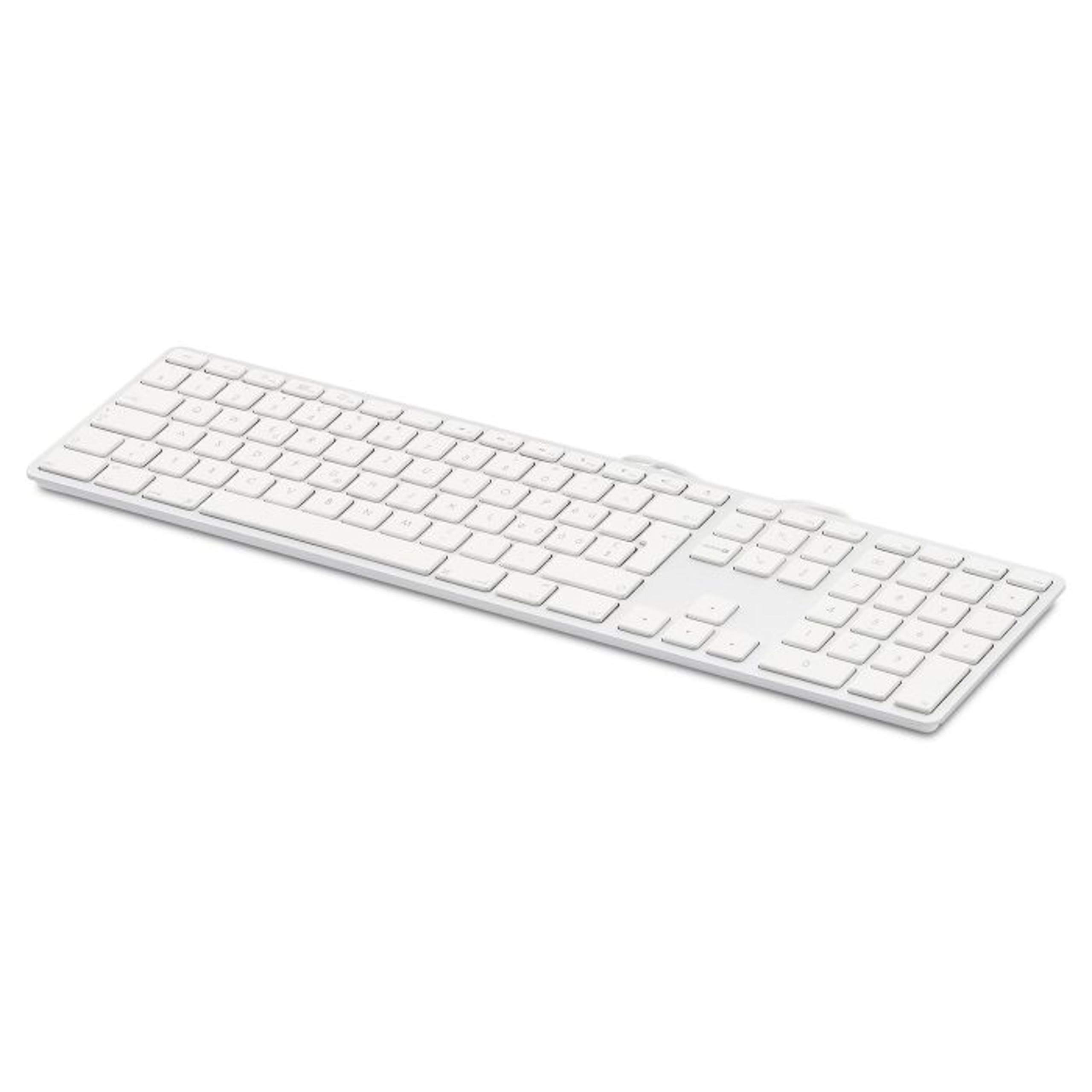
⌨️ Elevate your Mac setup with precision and style!
The LMP USB Keyboard (UK) is a wired, 110-key ISO layout keyboard designed specifically for Mac users. Featuring a robust aluminum upper cover and laser-engraved keycaps, it offers durability and a premium feel. Integrated dual USB 2.0 ports allow easy connection of low-energy peripherals, while broad compatibility with Mac OS X 10.5 and later ensures seamless plug-and-play functionality.
P**F
Doesn't work like the original Apple device
I bought from "MacLeader UK" (an Italian supplier) but fulfilled by Amazon.The keyboard itself looks very close to the original Apple USB keyboard (the original aluminium one not the current Lightning Magic keyboard). The layout is spot on (mine is British UK) and it's difficult to tell it from an original Apple one. The keys have the same characteristic soft short travel feel too, plus two USB sockets underneath for things like a USB mouse or a memory stick.I had high hopes for this as a decent replacement for the Apple USB keyboard which Apple no longer make. Unfortunately it doesn't work as well as it looks and feels.1. Semi-regularly I get double taps on keys (a single push gets the character twice). This doesn't happen on my original Apple keyboard but with this keyboard it happens on multiple computers. It happens regularly enough to be particularly frustrating.2. The keyboard doesn't identify itself correctly to Mac OS (10.11 El Capitan and 10.13 High Sierra) which swaps the ` key (left of Z) and the S symbol to the left of 1. This can be fixed in System preferences, Keyboard, Keyboard, Change keyboard type... but this isn't necessary with an Apple original keyboard and is a complete pain if you can't leave the keyboard plugged in on a regular basis as this needs to be done every time the keyboard is connected.3. The original Apple keyboard can be connected to a Windows machine (Win 7) and works fine (on most functions). This keyboard, when plugged into a windows machine, results in some downright odd mappings e.g. F1 maps to Scroll Lock. I did this in the hope I could make use of it on my Windows machine instead of my Mac.So there something is definitely wrong with the way this keyboard identifies itself to the computer and how it maps the keys.LMP have made a keyboard that looks and feels good but there are some real problems with the implementation that means it just doesn't play nicely with either Mac OS or Windows which is a real disappointment.
A**S
GREAT KEYBOARD!
Having read the other reviews I was a bit worried by the number of people who complained about typing multiple letters and constantly having to correct. I bought it anyway and yes, I quickly noticed the same problem .. but if you go to your Keyboard Preferences in System Preferences, you can either slow down, or turn off 'key repeat' which instantly solved the issue.Other than that minor adjustment, it is a perfect replacement for my much loved Apple keyboard which died on me after about 10 years of use. All the keys are exactly where my fingers are used to finding them. Love it!
J**N
Malfunctioning 5 months after purchase
I unfortunately had to disconnect the keyboard as (i) the keyboard presses keys independently, including the enter key, thereby locking me out of my work IT account, and (ii) I now even can no longer type certain letters, e.g. the capital C, which requires both the Shift and the C button to be pressed.I had no such issues with the original Apple keyboard.The keyboard itself looks okay, but I am disappointed by its functionality.
L**A
Keys did not work
Sadly this product was broken, return and delete keys did not press back up again :-( thankfully ordered another one which is in perfect working order.
E**P
Keyboard for use with a MAC
So far so good-would buy again
R**E
Five Stars
Great at half the `apple price. All works perfectly
Trustpilot
Hace 5 días
Hace 1 semana