We remain fully operational. Our teams are working around the clock to ensure your deliveries continue safely.

Descargar la aplicación


Servicios al cliente
Sobre nosotros
Copyright © 2025 Desertcart Holdings Limited
Descargar la aplicación
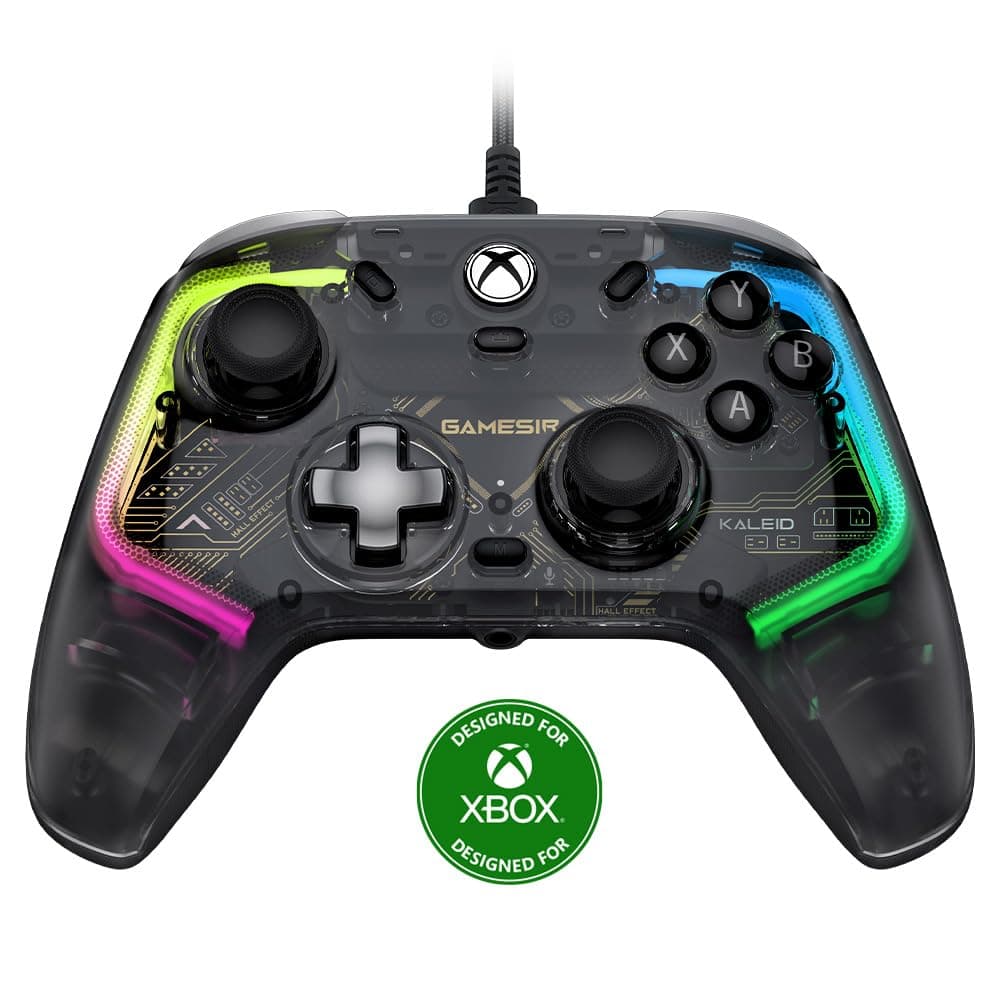
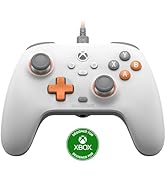
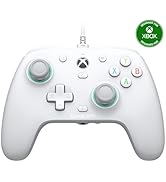
🎮 Game on with precision, power, and style—because your gameplay deserves the Kaleid edge!
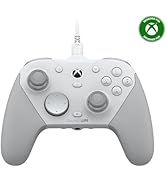
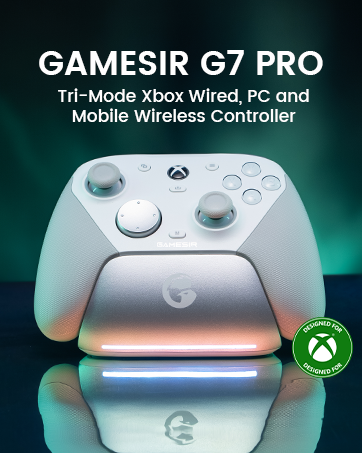
The GameSir Kaleid Wired Controller is a high-performance, wired gamepad designed for Xbox Series X|S, Xbox One, Windows 10/11, and Steam. Featuring Hall Effect joysticks and triggers for anti-drift precision, a detachable 3m USB-C cable for hassle-free connectivity, and four vibration motors for immersive feedback, it combines durability with ergonomic comfort. Customizable RGB lighting and ultra-low input lag (up to 1000Hz polling rate) make it a top-tier choice for serious gamers seeking reliability and style without battery worries.






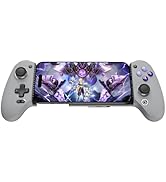

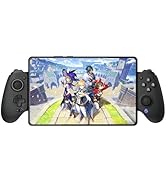

| ASIN | B0CY1PJ2CN |
| Additional Features | Ergonomic |
| Best Sellers Rank | #2,192 in Video Games ( See Top 100 in Video Games ) #25 in Xbox One Gamepads & Standard Controllers #39 in Xbox Accessories #45 in PC Gamepads & Standard Controllers |
| Brand Name | GameSir |
| Button Quantity | 1 |
| Color | Black |
| Compatible Devices | PC, Windows, Xbox One, Xbox Series X |
| Connectivity Technology | USB C |
| Controller Type | Controller |
| Customer Reviews | 4.3 4.3 out of 5 stars (11,432) |
| Hardware Platform | PC, Xbox, Xbox One, Xbox Series X |
| Item Dimensions | 7.87 x 1.97 x 1.97 inches |
| Item Weight | 430 Grams |
| Manufacturer | GameSir |
| Model Name | GameSir Kaleid |
| Package Quantity | 1 |
| Power Source | Corded Electric |
A**.
It's great. I've ordered another one so I can have two.
I've had the GameSir Kaleid since December 2024. I love it. I love the micro-switch face buttons and the Hall Effect sticks. I mostly use it to play third-person shooters and action RPGs. I set my dead zones on the sticks to 0.0 and I have no drift. It's a wired-only controller but I'd rather have a wired controller than deal with batteries and the cord is a nice length. Because I wore the pads off of the thumbsticks on my previous Microsoft Xbox One controller that I used on PC (and my Xbox 360 controllers on Xbox360 before that), I also picked up some GameSir thumbstick caps when I bought this controller so I don't wear out my thumbstick pads. I've never actually used it without the thumbstick caps so I can't speak to how well the thumbstick pads wear. I find the controller very comfortable for long play sessions and so far it has held-up well to the stress I put on it. (I play a lot.) I've been thinking about ordering a second one for awhile--I buy things I like as though they're going out of style--so when I saw yesterday that Amazon had it for a lower price than I paid before, I placed my order for another one. There's nothing wrong with the first one, I just want a spare for the future. Aside from connecting it to a family member's Windows 11 laptop once to update the firmware on the controller when I got it, I've been using the controller on Linux Mint. The below information relates to my experience using the controller on Linux Mint. I'm using it via Steam Input on Linux Mint 22.2 to play Steam games. On Linux I currently have no control of the RGB, but it's fine; I just forget about it most of the time. I didn't buy it for the RGB, I bought it for the Hall Effect sticks and triggers, and the micro-switch buttons and D-pad. After booting my Linux Mint system, the Xbox logo button is not lit-up and the analog sticks on the controller are not detected until I disconnect it and reconnect it. Then the Xbox logo button lights up and the analog sticks are detected until the next reboot. (The other buttons, oddly, continue to work fine whether I re-plug it or not, it's just the analog sticks.) Linux Mint doesn't see the controller inputs outside of Steam (I might be able to fix that but haven't bothered since I don't play any games outside of Steam) but Mint does see the headphone/microphone jack on the controller as a sound device when the controller is plugged in. I often use it as my preferred headphone jack since the controller has a long cord. (Holding the M button while pressing the D-pad up or down adjust volume.) Anyway, it's a great controller so I'm buying a second one.
T**E
GameSir?? YES SIR!!!!
- UPDATE!! The latest firmware and app version allow for setting the polling rate up to 1000hz!! This means the input delay can be shaved down to sub 1ms!! Best value PC gamepad on the market hands down!! - The T4 Kaleid is a great gamepad for many reasons, and not just because that sexy black PCB and clear shell! There are so many great features this gamepad has to offer as well as long lasting components and low input delay for a responsive experience. - The controller is recognized as an Xbox 360 gamepad in Windows 11 (XB1 in Steam) (X360 in reWASD) - 4ms(250hz) consistent input delay in PC mode (8ms gyroscope) - 8ms(125hz) consistent input delay in Switch mode (used reWASD to emulate X360 gamepad to measure) - Overclocking this gamepad did nothing as the jitter is already non-existent and polling rate locked - I did not test the other input modes for the gamepad - The hall effect joysticks in this gamepad are not made by GuliKit but feel very similar to the ones found on the 8-BitDo Ultimate and less like the KingKong 2 Pro - There are no anti-friction rings but the plastic around my joysticks is very smooth not catching at all - Using the software, you have total control over the deadzones of both joysticks - You can set the joysticks to raw mode through the software and completely disable the outer deadzone offering more precision however this will affect the circularity of the joysticks in both PC and Switch mode (PC mode turns from a circle to a circular square and Switch mode turns completely square) - With the outer deadzones capped to 95% I was getting near perfect circularity readings - Face buttons are super long lasting but will be subjective, I wish the plastic was matte, not glossy but I enjoy that they are cushioned and offer a satisfying click much like a mouse (they take getting used to because there is no feeling of bottoming out) - Capture button is only detected when in Switch mode - While I do prefer symmetrical joystick layouts like the DualSense offers, this gamepad is very comfortable for long periods of gaming (very lightweight and ergonomic) - The gamepad is wired only, but for me this was no issue as I grew up in the 90s and offers longevity as well as reduces e-waste - The included cable is very decent quality, thick and braided but keep in mind that the hole on the gamepad where the cable goes will only accept oval shapes - The D-pad is not terrible and for single inputs is very accurate however I still prefer the membrane ones found on the 8-BitDo Ultimate especially for games like Mario and Donkey Kong - The back buttons are limited to being mapped as the other controller buttons which is expected, but they are very easy to change on the fly without the use of software - Lighting effects have presets and brightness levels that can be adjusted on the controller without need for software - Vibration levels can be adjusted without software - ABXY layout can be swapped on the fly without software - You can easily change between input modes by holding the GameSir logo button and ABXY buttons (by default my controller goes into Switch mode when booting into Windows so requires me to manually change it or unplug and re-plug) - Can set hair trigger mode without the use of software (hold M button + L or R trigger for about 4 seconds) however this does not work in Switch mode probably due to Switch using digital triggers - The triggers are also hall effect and feel very smooth and can be completely adjusted using the software - Contrary to other people, I had only 1 issue where the software crashed when I was changing lighting effects on the controller and personally I love that the software is easy to use and not bloated like something you might find by Razer or Logitech - Overall, I just can't think of a better gamepad for this price point. I own a KingKong 2 Pro, 8-Bitdo Ultimate, and have upgraded 3 sets of joy-cons with GuliKit replacement joysticks, and these are the best feeling hall effect sticks on the market right now in my opinion. I've tried to go back to my DualSense Edge a few times since my purchase and I just can't, and for the price of just 2 replacement pot sticks from Sony you could be the proud owner of this masterpiece! Keep up the great work GameSir!
G**A
Connection and Platform Compatibility
I purchased the GameSir T4 Pro because I already had a GameSir G3W and really liked the build quality, but wanted something wireless. I also wanted a full-sized controller with a few extra buttons. The two additional trigger buttons under the controller work well for N64 and Genesis emulation, as well as FPS games. Personally, I wish the controller were a little bigger. I previously purchased a SteelSeries Nimbus I returned almost immediately because it was far too small to fit my hands. Comparatively, the GameSir T4 Pro is more comfortable. Back when I was a teenager, I used to really dislike huge controllers - like the Dreamcast, original Xbox, and Sega Saturn controllers. They all felt like unwieldy platters I'd sooner eat off of than use as game pads, but even back when I had smaller hands, I could get used to them. As an adult, there's no getting used to controllers which are too small; the result is always accidental button presses and impercise control. While the GameSir T4 has required some getting-used-to, inaccuracy hasn't been a problem. Build quality is excellent - just like the G3W. The plastic is thick and the controller doesn't bend under stress. The button action is smooth, analog sticks are solid and don't drift, and the Dpad is very high quality. One thing I've always noticed with most 3rd party controllers is that the buttons generally slide around or stick in place. That's not a problem on Gamesir controllers. My only two gripes are that the RB and LB shoulder buttons are placed a little too high for easy access, and the M1 and M2 buttons underneath the controller are very clicky. Okay, I have one more gripe actually; Compatibility. I purchased the M4 to pair with an Nvidia Shield TV Pro, and while it does connect, it's pretty finicky. While the T4 Pro does list compatibility with Windows, Mac, Android, and Nintendo Switch, each connection is achieved in different ways, which can be a bit complicated. It actually comes with a radio frequency USB dongle that has to be plugged into Android devices to connect. That's not an issue with my Nvidia Shield because it features standard USB ports, but compatibility over Bluetooth will highly depend on which version of Android your device runs, and the included USB dongle may be troublesome for folks wanting to use the T4 Pro with a smartphone running a recent version of Android. I've also noticed that despite a full battery and connection to the RF dongle, disconnects are pretty frequent. If you set the controller down for more than a couple of minutes between game titles, it'll completely disconnect and need to be resynced. That wouldn't be an issue if the controller featured a quick-connect button, but GameSir has opted to use cryptic button combos to turn on the controller and connect it with various platforms. Each platform requires a different button combination, and it's tough to keep those memorized when swapping between Android, Windows, and game consoles like the Nintendo Switch. I think it's pretty rad the T4 Pro is compatible with so many different platforms, but getting the controller connected and keeping it connected are a bit of an annoyance. I've got to say, though - I was surprised when I opened the box and found out the T4 Pro does indeed include a USB-C charging cable. That's one of the many reasons I've returned previous controllers. If I'm spending $35-50 on a game controller, I don't want to make a second trip to the store for an additional $20 charging cable. Kudos, GameSir! Thank you for being considerate! The Gist: All things considered, I think the GameSir T4 Pro is an incredibly well-built controller and features an attention to detail rarely found in other 3rd party game pads. I could easily be fooled into thinking the T4 Pro was manufactured by a 1st party company like Nintendo, Sony, or Microsoft; it feels that good. Connecting the controller could be easier, and it'd be nice if the RF could work across the 5GHz band since 2.4GHz is usually pretty saturated in tech-savvy households, but I can't say I've ever experienced a disconnect mid-game. I have noticed some input lag on specific platforms like Android, but I believe that has more to do with my Android devices then the controller itself. It's neat that the T4 Pro supports built-in button-remapping on specific platforms, but good luck doing that without reading the manual every time. I would suspect most players are going to opt for a software remapping solution instead. I do find it a bit troublesome that there's a potentiality slipping and hitting the wrong combination of buttons while in a game could result in accidental button remapping. What's worse is that once the controller is accidentally reprogrammed, there's no simple button combination to reverse the effect. If you're on-the-fence about a purchase, I would highly recommend GameSir's entire product line; not just the T4 Pro. I've purchased multiple controllers from GameSir, and they've all been a joy to use.
R**N
No regrets. Will buy again if needed.
Totally worth it. Better than console brand controllers in every way. Be sure to download the Gamesir nexus app and update the firmware and you won't have any issues. You can also calibrate the joysticks and triggers easily in the app. My primary use is only on Windows 11 gaming PC. Pros: - Responsive and spam able x,y,a,b buttons. - Triggers and joystick can be calibrated to avoid dead zones via the Gamesir Nexus app - Triggers are accurate as advertised. You can even test it in the app, down to 1% pressure/usage. - Price is better than overpriced console controller - LED's look great - USB cord is long - Great vibrations. Just as good as console controller. No noticeable difference. May even be better. Cons (if any): - I personally don't like buttons behind the controller which I accidentally hit while holding but is an added feature that some people may find use. - Can be a new experience for those used to console controllers. Not sure if these buttons are exactly mechanical but they are as responsive. Some may confuse this with cheap feeling (chiclet style?) x, y, a, b buttons.
N**K
One of the best controllers I’ve ever used, with a few very small issues
This controller is amazing, and I’ve been through pretty much all of the paces as far as controllers for Xbox goes. Elite Series 2, Scuf, Gamesir G7, modded original controllers, and even some PC controllers using an adapter. This beats ALL of them. The Elite Series 2 and Scuf are still the best for the “look and feel”, but as for the function, this controller is the best. The buttons are mechanical, which feel amazing to me. This difference means that instead of the button slowly depressing and then at some point making contact and giving input, a very specific amount of weight will make the button go down immediately, potentially giving you a tiny boost in reaction time. All of the buttons are mechanical, except for the home button, remappable buttons on the back, and the thumbstick buttons. Next, the thumbsticks and triggers. They are next level. The part you’re going to notice most is the thumbsticks, as you’ll be able to lower your dead zone in all games to zero or 1 without getting any drift. That is simply impossible on a normal thumbstick, since the standard margin of error for the dead zone of those style sticks is usually around 7%, meaning you’ll get drift in some direction anywhere under that number. Having no dead zone means every single tiny movement on the thumb stick is very accurate, allowing you to control recoil and aim better. Third, the look and feel of the controller is actually really good! As I said before, it doesn’t beat the Elite 2 or Scuf at all, but the clear plastic is surprisingly thick and has a quality feel. The mobo is on black PCB which looks nice. And the lights are an added touch, with a ton of customization, all the way down to making multiple color “phases” for one lighting profile so you can make all sorts of patterns and stuff. Overall, this controller is going to be the #1 all around controller in my books for a while, probably until Gamesir releases something else or maybe if Microsoft actually decides to make an Elite with hall affect sticks. We shall see There is, however, one critical flaw. On the current firmware, my controller sometimes turns my Xbox back on when I shut it down. It seems to happen intermittently so there may be a specific thing I’m doing that I’m not aware of, but that means it could probably happen to you too. The only way to stop this loop is by unplugging the controller. Furthermore, when the console is successfully turned off, the controller won’t wake the console up from sleep unless you plug it in. Pretty annoying but a price I’m willing to pay for a great controller. I’m hoping this could be fixed with a firmware update, but we’ll have to see.
A**R
Good, but cheap feeling with some design flaws
Compared to the original Xbox controller this thing feels cheap. I haven't had any issues with stick drifting yet though after two months so that is an upside to this controller. I noticed some design flaws, though. One being the left trigger gets stuck sometimes when you press it and you then have to press the side of it to get it unstuck. The first time this happen i heard a cracking sound. So don't know if something broke or what, but the controller works perfectly fine, and there are no cracks that can be seen and it's only done this twice in the two months of owning it, the second time it happen, it didn't make the cracking sound. Once while playing Rocket League a week or so after buying it and then once again while playing Fortnite about 5 days ago. It doesn't happen nearly enough to be something that i worry about, but it does the cheapness of the controller and makes me worry about the longevity of it.. The other design flaw is that there is a huge gap between the sticks and the housing. Allowing hair etc to easily get inside your controller and being a see through controller this is not the best thing. You end up being forced to look at hair inside the controller if you turn on the lights that are inside the controller. So you are pretty much forced to turn them off if you don't wanna look at it anymore. I feel like the sticks and the housing should have less of a gap so that this doesn't happen so easily. That is about all the issues that i've noticed so far after a little over two months. It's a good controller, but held back by a few issues. I wouldn't pay $50 for this controller again to be honest. If you can get it in the $30 range. I would pick it up. Hopefully MS makes a controller with HE sticks as they feel way higher quality, but are not worth the money when they stick drift after a few months.
A**R
Hall Effect, Low latency, Very customizable.
I had two basic requirements. One, have hall effect sensors (for at least the joysticks.) And two, have low latency via USB. Gamepadla shows this controller as one of the fastest USB gaming controllers and so I had to check this one out. I didn't care too much about wireless options because I prefer to play competitively with wired controllers. Customization and calibration via the T4K app from the Microsoft Store is very intuitive, useful, but not required. A lot of the basic customizations and calibrations can be changed via specific button combinations shown in the user manual. But using the app allows you to change the controllers default 250Hz polling rate and bump it up to 500Hz or 1000Hz. I uploaded screenshots of some of the results from Hardware Tester and Gamepadla for reference. Pleasantly surprised how well this controller performs. Gamepadla latency tests speak for itself. Hardware Tester shows the joysticks at an almost perfect zero while at rest. (Try getting a value that close to zero with a brand new Dualsense Edge or Xbox Elite.) When using the default joystick settings (RAW mode disabled), the circularity is almost perfect with a 0.4% error reading. But this makes some games that don't benefit from perfect circularity harder to play, such as Rocket League and possibly some fighting games. Raw mode enabled allows the controller to get a more square deadzone. While the controller doesn't have a premium feel like the Xbox Elite Controller, what makes up for that is the clicky tactile buttons, hall-effect joysticks/triggers, and customizability. Holding the controller did take a little getting used to and did not feel quite right at first compared ot the Xbox Series or Dualsense controllers. But it is starting to feel more natural after using for a few hours. Other than that, this controller is well worth the $40. Would probably have paid a little more than that if I was able to purchase it in store.
N**B
For once listicles and tech articles were right, this is a genuinely great 3rd party controller.
Honestly the best 3rd party controller I've ever used for pc gaming. The customization software is incredible, size isn't too large for my smaller hands, comfortable to hold for long gaming sessions, and the buttons all feel nice to press. My only issue is I keep accidentally pressing the center screenshot button and it causes a lot of gaming interruptions, but thats more of a windows xbox gamebar problem than a problem of the controller or software. If i ever need a new controller i'd look for buying another of this one first.
Trustpilot
Hace 1 mes
Hace 2 semanas