
Descargar la aplicación


Servicios al cliente
Sobre nosotros
Copyright © 2025 Desertcart Holdings Limited
Descargar la aplicación

🚀 Elevate your storage game with speed, space, and silence!
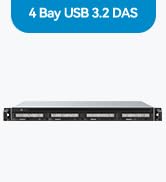
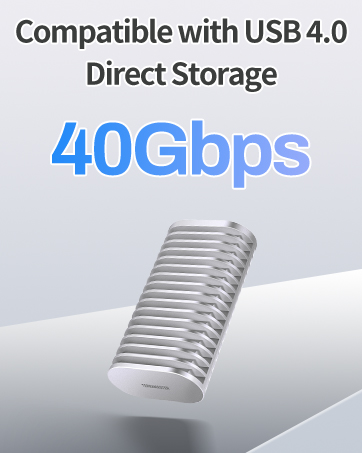
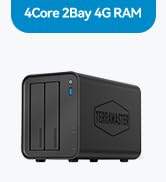
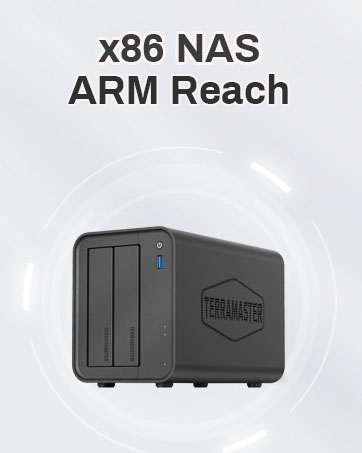
The TERRAMASTER D4-320 is a 4-bay external hard drive enclosure featuring USB 3.2 Gen2 Type-C connectivity delivering up to 10Gbps transfer speeds. It supports up to 120TB total storage with hot-swappable, tool-free drive trays compatible with 3.5" and 2.5" SATA HDDs and SSDs. Designed for professionals seeking high capacity and speed, it offers plug-and-play compatibility across Mac, Windows, and Linux, with intelligent cooling and noise reduction for quiet, efficient operation.









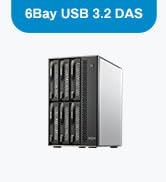
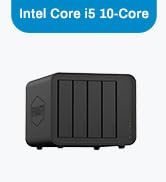

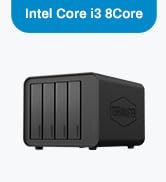



| ASIN | B0CTTL9R7Z |
| Best Sellers Rank | #21 in Enclosures |
| Compatible Devices | Windows, Mac, Linux |
| Customer Reviews | 4.2 4.2 out of 5 stars (450) |
| Data Transfer Rate | 10 Gigabits Per Second |
| Date First Available | February 2, 2024 |
| Global Trade Identification Number | 06939236143790 |
| Hard Disk Form Factor | 3.5 Inches |
| Item Weight | 1.3 pounds |
| Item model number | D4-320 |
| Manufacturer | TERRAMASTER |
| Material | Plastic |
| Max Number of Supported Devices | 4 |
| Product Dimensions | 8.74 x 7.04 x 6.06 inches |
L**N
Now my Mac M4 Mini NAS is good enough to go live.
Exactly what I needed... yes, it's shaped like a NAS.... but it's 1/2 the price while having the same design, I assume. This was replacing an external drive dock that I had which didn't reduce the noise of the two white label disks I had in them. This one doesn't make it fully soundproof but it is noticeably quieter... to the point where it doesn't make a loud annoying beep... but just turns on. No USB-3 B connector... a USB-C cable.... Performance is very good and while it's not 100% quiet, it's far better than the cheap unknown brand I had before. It fits and looks nice on a shelf.... and by default, the unit comes in Single configuration which has each disk as an independent disk... no RAID or JBOD (one logical disk with two disks....) In "single" mode, it worked how I wanted it with two separate mounts to where I could easily swap out 3.5" disks as needed (which I hopefully won't need)... but nice to have the option. So it's basically like a NAS that I would have bought but it's hooked into my Mac Mini M4 which is a far better NAS interface for what I want to do with it.
D**D
Incredible alternative to NAS and super easy to use
Wow, what an incredible alternative to expensive NAS setups. This thing is incredible. Speeds are great and it’s awesome that you can swap out drives in seconds with no hardware. It’s super easy, works great, and the indicator lights on the front are helpful. Stays pretty cool as well. I could see this being very useful for people who need a lot of storage, especially video editors. Honestly might hook it up to my router for cloud storage if I feel like a NAS is necessary without having to buy something more expensive. Save your money, buy this and spend it on hard drives.
V**X
Great DAS enclosure works as intended but has some negatives. See below
This is a new model DAS enclosure that Terramaster recently released that supports USB 3.2 10Gbps compared to the older model which is 3.1 5Gbps It works great as intended but there are a few negatives. First of all I bought it specifically because it supports USB 3.2 but it only came with a USB C to C cable. USB 10Gbps is still supported with USB A so I had to buy a separate USB 3.2 C to A cable separately. They should have included one of each for the money you are spending. The biggest negative for me is that the Power button is located on the BACK of the unit compared to the front on the previous model. Why? So it looks sleeker? I don't want to have it powered on all the time even in 'sleep' mode. They should have kept the power button easily accessible in the front. The SINGLE and JBOD RAID settings are a bit confusing. JBOD (Just a Bunch of Disks) will create a SINGLE volume of both disks combined. SINGLE will have individual volumes (separate disks) Those are my main gripes but here are the positives. Biggest positive is that it works perfectly with both my Enterprise grade drives. A Seagate EXOS and a Western Digital Ultrastar. The Tool-less drive slots are very easy to use and make it very easy to remove or swap. It has big pliable rubber feet with soak up all the vibrations to minimize hard drive noise. The fan is very quiet and provides adequate air flow, and overall the unit looks very sleek. Overall it's a nice unit and does exactly what I needed it for despite the negatives. Hope this review was helpful!
C**R
D2-320 is an excellent value. Fast and quiet
The TERRAMASTER D2-320 is an excellent value. The slide in disk trays are easy to use, and dampen noise from the disks. I'm using mine in RAID0 (striped) mode for speed. I installed a couple of my oldest NAS drives, 1 TB Samsung, into the enclosure and plugged it into my desktop Windows 11 machine. Using it as fast scratch disk while re-organizing my photographs. It works great. It'd be nice if the disk trays could be locked in, but that is not a deal breaker. I'm happy with how quiet and fast the enclosure is.
C**E
Nice DAS. Performs well. Attractively priced.
Bought in July 2024. Still working very well. Great price for a 6 bay DAS. I'm using with Win 11 Storage spaces. Two of the drives are set up in a RAID 1 config. The others are in a single drive config. Performance is very reasonable over USB 4. However don't expect super speed. If you REALLY need high performance use an internal SSD directly connected to the motherboard. I just need plain vanilla storage in a large volume with RAID configuration options and this serves me very well. To date, the drive configs have been stable with no issues. See enclosed benchmarks. I'm driving the Terramaster D6-320 with a Geekom A7 mini PC. I've moved from a tower case with a 750W power supply to the Geekom A7 and the Terramaster D6320 and I'm VERY happy. This config runs at a fraction of the power draw of my tower and is MUCH quieter.
H**R
En la mayoría de artículos este podría decir que se ajusta a muchas de mis necesidades, un adecuado precio y me sirvió como extensión de mi NAS, creando más habías para acoplar mas discos NAS y no tener que cambiar todo mi equipo. Con la conexión USB C logra buenas velocidades y al ser RAID da la posibilidad de acoplar de la mejor manera los discos. Creando un RAID para tenerlos como discos separados o discos unidos y visualizar una sola unidad (aunque con dicha configuración se pierden TB de almacenaje) Lo que me llamo la atención es que hace juego con mi NAS negro en lugar de desentonar el color con los clásicos blancos o grises
A**R
It is exactly as described in the description of product. No second thoughts on buying. Using it as partial RAID and simple storage for homelab. For mounting SSDs, screws are provided, this information is missed out in the product package contents. R/W Speeds match the described information.
C**N
Muy buen producto, agregando discos duros podemos tener bastante almacenamiento
K**N
Well I had 5 external hard drives hooked up to my server, I ran out of electrical outlets so I wanted something to change that. This was seamless, I shucked all the external drives and popped them in. Connected the USB-C and started up the server. All drives remained the same drive letter and I was back in business. I added some foam on the bottom as the hard drives have quite a bit of vibration when spinning (Enterprise drives) and this reduced the noise to nothing. Transfer speeds/read write are limited to what the drives can read/write and not what the controller/interface can handle. Overall great product, solved my needs, simple to setup, and I have a free bay for later expansion. The hot swappable feature is also very nice to have.
J**A
Easy to use. Fan is less noisy.
Trustpilot
Hace 3 días
Hace 2 meses