We remain fully operational. Our teams are working around the clock to ensure your deliveries continue safely.

Descargar la aplicación


Servicios al cliente
Sobre nosotros
Copyright © 2025 Desertcart Holdings Limited
Descargar la aplicación
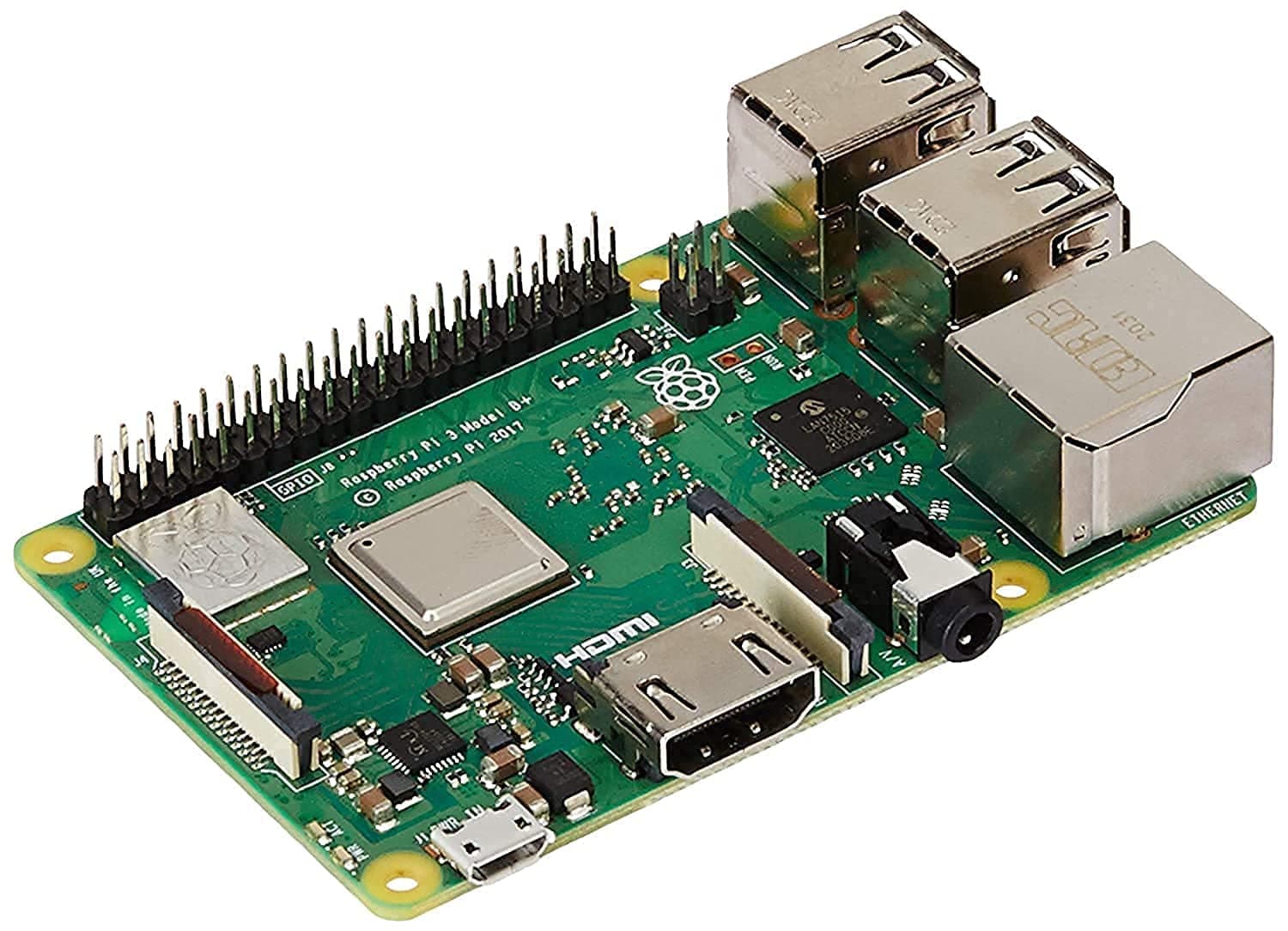
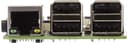
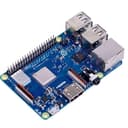
🚀 Unlock your creativity with the ultimate compact computing powerhouse!
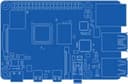
The Raspberry Pi 3 Model B+ is a versatile, compact development board featuring a 1.4GHz 64-bit quad-core Cortex-A53 processor, dual-band 2.4/5GHz WiFi, Bluetooth 4.2, and Gigabit Ethernet with Power-over-Ethernet support. Ideal for embedded design, IoT, media streaming, and networking projects, it offers enhanced performance and connectivity while maintaining compatibility with previous Raspberry Pi 3 models.


| ASIN | B07BDR5PDW |
| Available Memory Slots | 1 |
| Best Sellers Rank | 28,467 in Computers & Accessories ( See Top 100 in Computers & Accessories ) 189 in Motherboards |
| Box Contents | 1 x item |
| Brand | Raspberry Pi |
| Brand Name | Raspberry Pi |
| CPU Model | Cortex |
| CPU socket | Broadcom BCM2837BO 64 bit ARMv8 QUAD Core A53 64bt |
| Chipset Type | Cortex-A53 |
| Chipset type | Cortex-A53 |
| Compatible Devices | Mobile Phone, Personal Computer, Laptop |
| Compatible Processors | Broadcom BCM2837BO, ARMv8 |
| Compatible devices | Mobile Phone, Personal Computer, Laptop |
| Compatible processors | Broadcom BCM2837BO, ARMv8 |
| Customer Reviews | 4.7 out of 5 stars 10,705 Reviews |
| EU Spare Part Availability Duration | 7 Years |
| Global Trade Identification Number | 00713179640259, 04200477656267, 23014572458078 |
| Graphics Card Interface | Integrated |
| Item Dimensions L x W x H | 6L x 2W x 9H centimetres |
| Item Type Name | The Raspberry Pi 3 Model B+ is the latest product in the Raspberry Pi 3 |
| Item Weight | 1 Grams |
| Main Power Connector Type | Micro-USB |
| Manufacturer | CPC Farnell |
| Memory Clock Speed | 1.4 GHz |
| Model Name | Raspberry Pi 3 Model B+ |
| Model Number | Raspberry Pi 3 Model B+ |
| Number of Ethernet Ports | 1 |
| Number of Ports | 4 |
| Platform | Linux |
| Processor Socket | Broadcom BCM2837BO 64 bit ARMv8 QUAD Core A53 64bt |
| Product Warranty | 12 Months |
| RAM Memory Technology | LPDDR2 |
| RAM memory technology | LPDDR2 |
| Ram Memory Maximum Size | 1 GB |
| System Bus Standard Supported | 64-bit system bus |
| Total SATA Ports | 1 |
| Total USB Ports | 4 |
| UPC | 602561998156 713179640259 |
| USB 2.0 | 4 |
| Unit Count | 1.0 count |
A**D
My experience running this as a Pi Hole
Got this to run Pi Hole which turns it into a local DNS server and in turn allows it to act as a network-wide ad blocker, also blocking tracking across the internet, malware domains, software phoning home with “analytics” and “telemetry” (especially useful for any Windows 10 devices on your network), and basically any other domains you want it to block either individually or through lists. You can for example block all known domains associated with Facebook (which when my brother is out of the house, I do!) Now for the hardware itself. It’s light and compact just as the Raspberry Pi has been from the start. And as always it requires a case to be purchased separately - I went for the official white and red one, which I think looks very cool and sets it apart from the usual black ones. I didn’t get one with a fan however. Although I’d read of high running temperatures, I installed Raspbian Lite which is essentially the official server OS for the Pi. It provides only a command line without any GUI (although you can install one if you wish, but I didn’t) and only a minimal number of packages preinstalled so you can choose what software you have running. In my case I use it as a headless server with automated updates so I rarely ever need to even so much as plug in an HDMI cable. Whenever manual management is required I use the web UI of Pi Hole or I simply SSH in. As you can imagine this leads to a low CPU idle. Pi Hole’s web UI happens to measure CPU and RAM use along with running temperature. Right now it shows my Pi is running at 56.4 Celsius with barely any CPU use and 19.7% RAM use for reference. The temperature is pretty much what you’d expect from any regular computer especially considering it’s a hot summer at the moment. So temp is no concern if you aren’t using the Pi for anything heavy in my experience. However if you plan to run your Pi as more of a full-blown computer with a GUI and all the extra software Raspbian includes on the full image expect higher CPU load - in that case you may want the case with the fan. But for my use case I didn’t find it a necessary consideration. Now I’ve had this thing for about a month and in that time I’ve been pleased with it. I have it running not only Pi Hole which in turn runs FTL-DNS as it’s backend (a fork of Dnsmasq) but also Unbound, a separate project which allows me to use my Pi as a local recursive DNS server with DNSSEC enabled. My Pi Hole therefore runs my entire network’s DNS needs using barely any CPU. The best bit? I even have my Raspberry Pi powered by my desktop computer, an Intel NUC. If enabled in the BIOS settings, the front yellow USB port on an NUC will output enough power to run a Raspberry Pi, even when it’s shutdown. This is excellent as throughout the years the Pi has become more picky about the type of power source it will accept as it demands more and more power with each new generation. One note however. If you wish to run a similar setup to me with Pi Hole, Unbound, or another form of DNS server software, and you like me also have a Plex server or any frequently used server running, I recommend you use a different DNS server on that box. When I had my Plex server set to get DNS from DHCP (which served my Pi Hole) the Pi Hole was utterly taken over my Plex traffic. Everything was Plex. It made up about 95% of my network traffic and that’s no exaggeration. As a result it kept crashing. But once I did a clean install on the Pi then set the Plex box to simply use Google’s DNS (choose whatever you prefer) the Pi Hole worked as intended without any reliability issues. Overall I am very happy with this nifty little device. They continue to be as cool and open for experimenting as they’ve always been. Lovely bit of kit perfect for doing whatever little project you need to do. But do keep in mind, if coming from an older model, they do require more power with each new generation so make sure you have a power supply up for the task. If you don’t wish to plug yet another thing into a socket, see what other devices with powered USB ports you have around! I was surprised my NUC was up to the task but thankfully it was. Now I have a computer... powering a computer. Oh 21st century technology.
V**S
Excellent value for a very capable box.
This review is having to be limited in scope due to my very specific needs for this Pi. As I do not use all of its features it would be unfair to comment on them. I use this Pi 3+ as a Kodi box and nothing else. I do use the Milhouse nightly version of Kodi 18 Leia builds and it does work very very well. Previously in the same setup I had the Pi3. I hesitated about changing to this Pi as the differences seemed more incremental and perhaps a waste of money. But the small but noticeable performance jump has meant a more fluid response when navigating through the menus and faster responses when browsing through photos on my media server. I have it connected via Ethernet to my LAN. Also this Pi seems to run much cooler than the previous model. Using this Pi I can play HEVC encoded 720p files with no heat issues. Previously I would get heat warnings, especially when the weather gets warmer. As I still intend to use the other Pi I then added a case to it. I bought the FLIRC case sold here and it fits fine, but using thermal paste as the SOC is raised on this model of the Pi and the thermal pad supplied with the case is too thick. For my particular needs this Pi, with a MCE remote, USB storage, USB sound card with optical out, and USB wireless dongle for a keyboard it works very well. Yes there are limitations but for the money and lots of dev support it makes a great 1080p Kodi box. Very impressed with what this Pi has offered but, as I mentioned, my needs are specific to a Kodi box and I know that the Pi offers so much more. Just to add I did use the BT and the WiFi connections. With both I get excellent connections and I had no issues streaming, test purposes only, 1080p content via WiFi.
A**R
Best computer to work with
For Christmas, I asked for a Raspberry Pi 3B+. After borrowing previous models, I started thinking about a robotics project, and thought “Hey, with the computing power of the Raspberry Pi, and the power of the Arduino (microcontroler), what an awesome robot I could make!” Since then I not only got what I wanted, but also got a second one as a desktop computer. Here are my thoughts: Both times I got my Raspberry Pi, and it looked and worked fine. The board itself is credit card shaped and is easy to hold. All the ports seem to work fine. After using a Raspberry Pi 2B+ v1.1 I was disappointed with the microSD card slot on the 3B+, as it does not feel as satisfying to click into place. All in all, hardware wise, it is great. The GPIO pins are also fully accessible, but I found the lack of reference to the pins annoying. The Pi T-Cobbler fixes this. The thing about having the 3B+ is that literally any software should work. I have used Raspian, Retropie and Ubuntu MATE. Flashing the images was fine (I used Balena Etcher if you are wondering what software to use for that), although it took me a while to get Ubuntu MATE running. I recommend getting Bionic Beaver, not Xenial. All three operating systems that I tried worked just fine. I still have the USB booting to try out. The other thing I like about the Raspberry Pi 3B+, is that you can get cool accessories. I got a Nespi case+, which makes it look just awesome. It’s funny, because the Nespi case+ looks about the same size as a NES mini. It’s probably more worth getting a Raspberry Pi 3B+, than it is getting a NES mini. The power consumption of the Raspberry Pi 3B+ is an issue you have to put up with. You need to spend a good 10 minutes finding the right cable that lets enough power in. Or, of course, you can buy yourself a universal power supply, but I never bought one so I don’t know how good that is. All in all it’s a good product. If you ever feel like the Raspberry Pi 3B+ is being slow, remember that it is only a small board with a DVD player’s processor put onto it. It’s pretty good considering… Hope others who buy this product will enjoy it as much as I did!
J**A
Small, but perfectly formed
Purchased to run Home Assistant as an alternative to an off the shelf home automation system. The raspberry pi itself is well built, albeit feeling a little delicate due to its size. A very versatile bit of kit, plugged in and loaded my chosen software from the SD Card without issue. Plugged into my router via ethernet through a switch, no issues and automatically detected the network. **UPDATE** Running stable since installation, no issues at all. Now in a case so it looks smarter. Would recommend if looking to buy for something similar. The Pi 4 looks tempting, I'll see when the Home Assistant software is updated for the Pi 4 and see if I'm hitting any limits that warrant an upgrade. Probably not though as the pi handles all of the home assistant software. More power intensive tasks are scheduled overnight when no automation's are likely to be running (backup, cloud uploads, etc). It's also running AdGuard for my network, and still no hiccups on a day to day basis.
D**S
Excellent, versatile mini computer for various projects
Let's be honest, if you're looking at this product the chances are you know what a Raspberry Pi is, and have a usage in mind for it, and are just looking for which version you want to buy. I chose the Pi 3B+ because I wanted the extra CPU and RAM, but mostly because I wanted its built-in network booting ability - I configured it to boot over the network so no SD card was required. However, I found it a bit flaky, sometimes booting and sometimes not, and usually not booting from the network at all after a soft reboot. It seems that's a known issue, and it feels like they rushed it out with fairly poor network boot code in ROM, thus the 4 stars. Also, with no SD card in, I was finding poor performance, and seeing kworker kernel processes taking far more CPU than they should. I put in an old small micro SD card with nothing more than a new netboot.bin binary on it, and the problems went away - but not having to have an SD card in it at all was part of the appeal, so it's a shame to have to do that. That said - it's only reading that one file from it on boot and not writing to it, so shouldn't suffer from SD card corruption problems. Pis are excellent, flexible little computers for a wide range of tasks - there's a reason so many millions have been sold! That said, for some projects, you could consider something a lot smaller - an Arduino, or my current favourite ESP8266, which is much smaller, much much cheaper and ideal for simple stuff like temperature probes or relay drivers.
A**M
Raspberry PI 3 Model B+ a great choice for developers and technology enthusiasts
The Raspberry PI 3 Model B+ is one of the most popular and functional minicomputers on the market. This compact, low-power computer provides high performance and flexibility in use, making it an excellent choice for creating a variety of projects. One of the main advantages of the Raspberry PI 3 is its performance. The Broadcom BCM2837B0 processor with 4 Cortex cores and a clock speed of 1.4 GHz provides enough power to solve most tasks. The connectivity options also pleased me. The presence of USB 2.0 and Ethernet ports allowed me to connect the keyboard, mouse and monitor without any problems, which made working with the device as comfortable as possible. In addition, the presence of an HDMI port allows you to output an image to a high-resolution TV or monitor screen, which makes the Raspberry PI 3 an ideal choice for development and training. It comes with a WiFi, which is very convenient for connecting to the Internet without the need for additional cables. Thanks to its flexibility and versatility, I was able to quickly practice new skills in Python or C++. Overall, I am very pleased with my purchase and consider the Raspberry PI 3 Model B+ an excellent choice for both beginners and experienced developers and enthusiasts.
C**N
Great for hobbyist and makers
I have a few Raspberry Pi's so bought a Pi3 to go with my collection and because I needed net booting. It is brilliant and very capable. If you are making a project and need a pi, either go for a Zero or one of these. The Zero is very cheap and has lower power needs but it can struggle with projects other than embedded systems and has limited ports. The Pi4 is more powerful than the Zero but costs more and (for my purposes) doesn't have network booting. This Pi 3 can handle all sorts of things without flinching: media server, retro-gaming, security/wildlife camera. I've had it running thjings like TFTP servers, ad blocker service and even a mail server. Great value for money.
D**8
Great for Retro Emulation
Love these things. I’ve got three now and a rpi 2 I use as an low power torrent box. They are very versatile and adapterable to your needs. Personally use my rpi 3b as retro games console, one on my 50” tv and one in a bar top arcade. Caveats are though that you should be aware of what they are capable of. They are great for old arcade games and consoles up to the n64. Some reviews state that they do run n64 games and some will fun very well, other are not good goldeneye is bad for example, but Mario64 is excellent. Again it emulates PlayStation 1 well but some games don’t play well. For more demanding consoles (PSP, Dreamcast, Naomi GDI) invest a bit more and get an Odroid XU4. Having said that I love my Pi(s) am use them a lot.
Trustpilot
Hace 2 semanas
Hace 2 semanas