We remain fully operational. Our teams are working around the clock to ensure your deliveries continue safely.

Descargar la aplicación


Servicios al cliente
Sobre nosotros
Copyright © 2025 Desertcart Holdings Limited
Descargar la aplicación
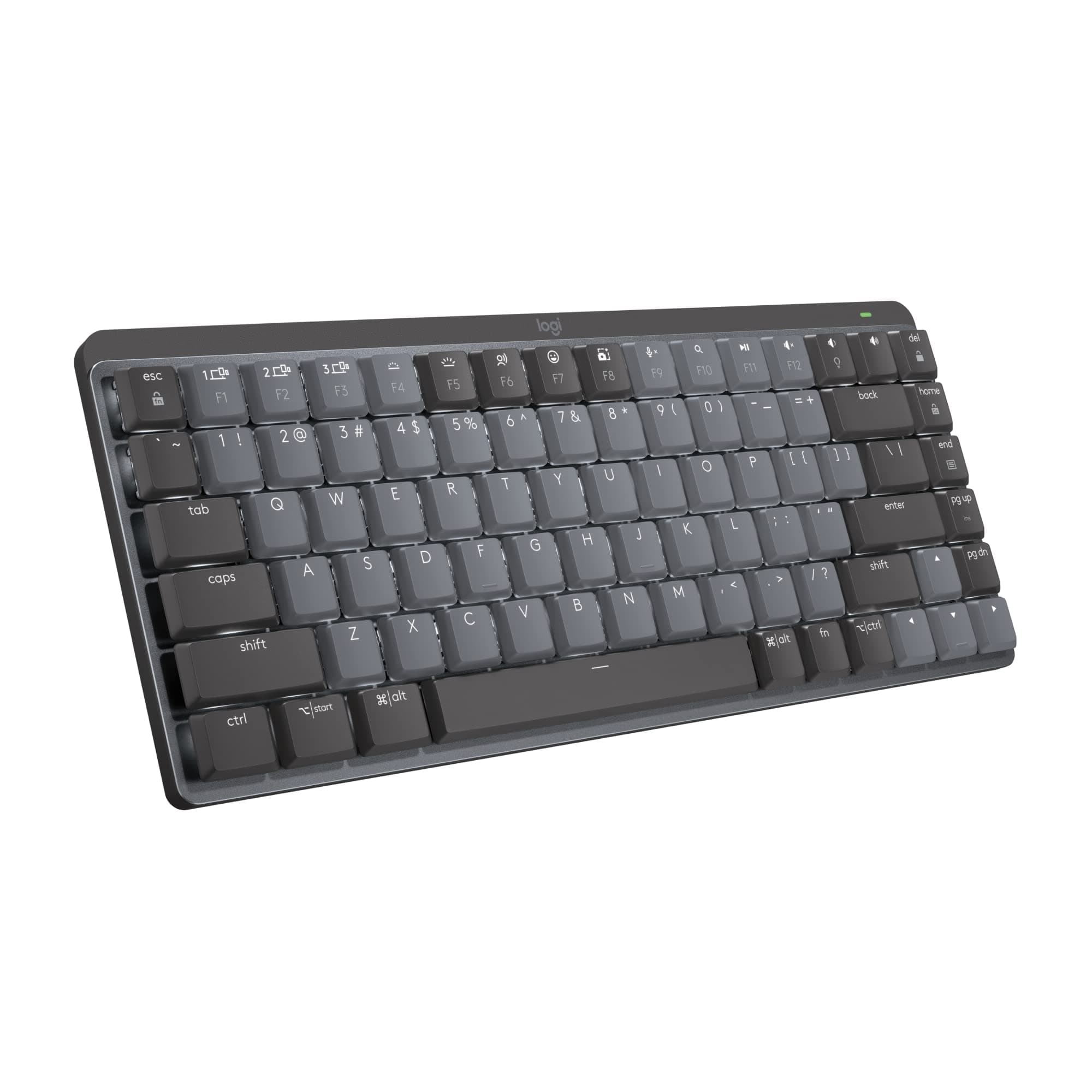



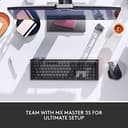
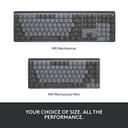
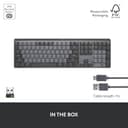
⌨️ Elevate your workspace with precision, power, and style — don’t get left behind!
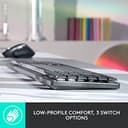
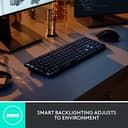
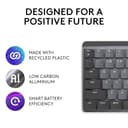
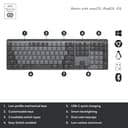
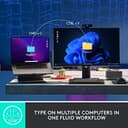
The Logitech MX Mechanical Mini is a compact, wireless mechanical keyboard featuring low-profile tactile quiet switches for ergonomic comfort and precision. It offers smart backlit keys that adapt to your environment, multi-device Bluetooth connectivity with Flow control for seamless workflow, and a long-lasting USB-C rechargeable battery. Compatible across major OS platforms, it combines premium metal construction with eco-friendly materials, making it a top-tier choice for professionals seeking performance and sustainability.


| ASIN | B09LK73VHG |
| Additional Features | Backlit |
| Antenna Location | Office |
| Best Sellers Rank | #5,642 in Computers ( See Top 100 in Computers ) #131 in Computer Keyboards |
| Brand | Logitech |
| Built-In Media | USB Cable |
| Button Quantity | 19 |
| Color | multi |
| Compatible Devices | Laptop |
| Connectivity Technology | USB-C |
| Customer Reviews | 4.4 4.4 out of 5 stars (1,612) |
| Enclosure Material | Metal |
| Global Trade Identification Number | 00097855174680 |
| Hand Orientation | Ambidextrous |
| Item Dimensions L x W x H | 34.5L x 15.2W x 5.8H centimeters |
| Item Type Name | Keyboard |
| Item Weight | 748 g |
| Keyboard Backlighting Color Support | Single Color |
| Keyboard Description | Mechanical |
| Keyboard Layout | QWERTY |
| Manufacturer | Logitech |
| Model Name | MX Mechanical Mini Master |
| Model Number | 920-010550 |
| Number of Batteries Required | 1 |
| Number of Keys | 108 |
| Number of Sections | 1 |
| Power Source | Battery Powered |
| Series Number | 920010550 |
| Style Name | Modern |
| Switch Type | Tactile |
| Theme | keyboards |
| UPC | 097855174680 |
| Unit Count | 1 Count |
| Water Resistance Level | Not Water Resistant |
D**P
Got a keyboard which was not as in the picture
The leftmost “shift” key is smaller and there’s an unexpected key between “shift” and “z” keys, which makes difficult to type fast.
B**M
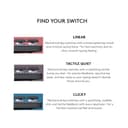
Few things I like about it: 1. Easy connectivity to switch between devices 2. Minimalistic Design 3. Good battery life. 4. Personally, I like the feel of the clicky switches. Switches are ultimately a preference choice. Personally, I tried all three of the switches and these are my recommendation If I were to rank them based on typing feel, it would be Clicky -> Linear -> Tactile Quiet. Clicky: Best typing feel of them all, can accurately feel that I have pressed the button, noise is a bit loud so make sure to check with people around you before you decide to purchase it. Linear: Feels like a normal keyboard, instead of a mechanical one. However, it is very smooth and nice to type as well, noise is the smallest. Tactile Quiet: The weirdest feeling out of them all, this is supposed to be a compromise between the two so maybe that's why it feels weird, it's not mechanical enough that you get that satisfying feel and noise every time you press a key. So sometimes I am not sure if I have pressed it. On the other hand, it is not smooth enough to have a normal keyboard feel.
H**N
Best Bluetooth office keyboard ever. Trust me, long lasting battery life. You can interchange between 3 devices including both window and maxOS keyboard layout. You can still feel little bit of mechanical keyboard yet maintain quiet noisy for office environment. Also it’s super light!!! So you can carry around with your work laptop. However the body is plastic and the space key makes squeaky sound. Price can be little bit considering but I rather buy one nice keyboard than bunch of cheap Bluetooth keyboard that you will never use.
D**N
This keyboard delivers the perfect blend of mechanical key feel, wireless convenience, and premium build quality. The clicky switches are satisfying without being overly loud, and the compact size frees up desk space without sacrificing functionality. Pros: Excellent mechanical switches — tactile, responsive, and consistent. Compact layout saves space while keeping essential keys. Backlit keys with adjustable brightness for low-light use. Multi-device pairing works seamlessly across macOS, Windows, and more. Solid metal top plate adds a premium, sturdy feel. Great value and portability versus other top mechanical keyboards. Cons: None so far — performs exactly as promised. Notes from Use: Paired it with both a MacBook Pro and a Windows desktop — switching between devices was instant. Typing is a joy, with satisfying feedback and no missed keystrokes. The backlighting adapts well to different lighting conditions, and battery life has been excellent even with illumination on. The smaller footprint leaves more room for a mouse, which is great for tight workspaces. Verdict: A top-tier choice for anyone who wants a compact, wireless mechanical keyboard without compromises. Perfect for both productivity and casual use. 5/5 stars. Photos/Videos: Side profile highlighting low-profile switches. Backlit keys in a dim room. Desk setup showing the compact footprint.
A**Y
For my first mechanical keyboard, I went with Logitech since I’ve used their products for years and can trust their versatility and reliability. Yes, other companies have way better options. And yes, Logitech also has other mechanical keyboards like their Gaming Keyboards, that are marketably better. But personally, this keyboard is honestly such a good option and checked all my boxes. I chose the Clicky option, which is Logitech’s version of the blue switch. I preferred the physical “click” of the keys, unlike the red switch or Linear. And wanted an audible sound, unlike their brown switch, Tactile, which is more “thonky” or muted. If that helps anyone in their decision making. From my few days of using this keyboard; My Pros: - The backlighting’s “hand awareness” is such a nice little detail. - Versatility with 3 device options to switch seamlessly to made easy. — Window/Mac compatibility unlike Logitech G keyboards (only windows compatibility), that allow me to use a Windows laptop, MacBook and iPad without issues. (only this model specific, Logitech has an only Mac option!) - Customizable buttons using the Logi Options+, which is free to download via Logitech’s website. My Cons: - It is a fingerprint fiend! The plastic matted keycaps attract so much oil and it is so noticeable. - From my knowledge, you can’t change the keycaps or the switches like other mechanical keyboards. But don’t quote me on that! - Because of the “hand awareness” mentioned in the Pros, the backlighting doesn’t stay on for ambient lighting like other RGB’s. All in all, it’s a great option. But like I said before, there are so many other great options out there too. It’s a big market! Personally, I went with something I’m comfortable with and know that I can rely on. But it took a lot of research on my part. I can’t speak for anyone about their shopping habits or purchases but I do want to say, research your options before buying! And if possible buy it, then return it if it’s not your style.
L**T
I use this keyboard as my main driver every single day for multiple hours and it has never failed me. I charge it once every 2 months and it holds charge very very well in the meantime. The wireless dongle works at lightspeed and the Bluetooth connectivity is very good, especially with the ability to connect to 3 different devices at the same time. Finally, the clicky version has a very satisfying and not annoying clickiness to it that makes typing on it very interesting and enjoyable. Overall a great keyboard which I would recommend to anyone without a doubt.
Trustpilot
Hace 2 días
Hace 1 mes