We remain fully operational. Our teams are working around the clock to ensure your deliveries continue safely.

Descargar la aplicación


Servicios al cliente
Sobre nosotros
Copyright © 2025 Desertcart Holdings Limited
Descargar la aplicación
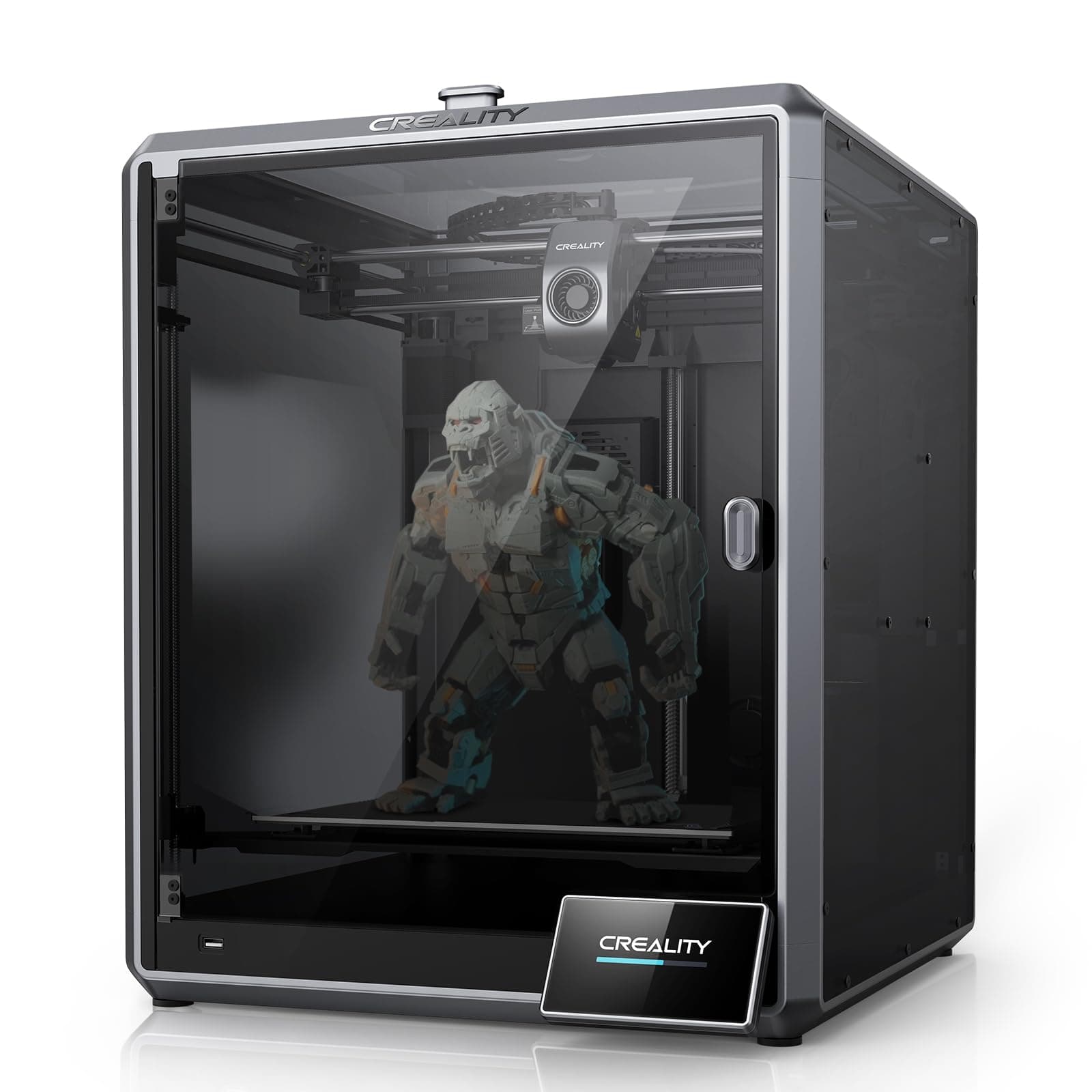
🚀 Elevate your 3D printing game with speed, size, and smart precision!
The Creality K1 MAX is a high-performance 3D printer designed for professionals and enthusiasts alike, featuring an ultra-fast 600mm/s print speed, a large 300×300×300mm build volume, and advanced AI-powered monitoring for flawless prints. Its user-friendly setup with hands-free auto-leveling and rapid heating makes it ideal for those who demand efficiency and quality without compromise.


| ASIN | B0C2T372YW |
| Best Sellers Rank | #73,411 in Industrial & Scientific ( See Top 100 in Industrial & Scientific ) #78 in 3D Printers |
| Customer Reviews | 4.1 4.1 out of 5 stars (2,704) |
| Date First Available | August 31, 2023 |
| Item Weight | 22 pounds |
| Item model number | K1 Max |
| Manufacturer | Creality 3D |
| Product Dimensions | 18.19 x 17.13 x 20.71 inches |
J**1
A good printer for a beginner and daily user
If I were a fresh-faced newbie to the world of 3D printing, this would be a great printer to start out with. This is an excellent printer for not just the price, but for a person who is new to 3D printing, or someone more experienced but wanting a secondary daily driver. The ease of use and the quality of the prints is comparable to many more expensive printers. I'd not think twice about purchasing another if I end up needing another printer. I've owned four printers by different manufacturers since roughly 2015-ish. Being on a budget, I went with printers marketed towards consumers and gradually learned about the use, updating and sometimes repairs, of printers. I joined various Facebook groups to improve my knowledge and experience. I purchased a Creality Ender-2, the ancestor of this model, back in 2019(?). It was a little intimidating to assemble, but the instructions and a few Youtube videos helped me and I was up and running after an hour or two. The Ender-2 was a tinkerers dream. I did upgrades and replacements for various components over time. It served me well. The biggest changes were replacing the cooling fans and the factory board. Those particular upgrades were to make the printer quieter. I didn't know back then that the loud fans it came with were required to move an adequate amount of air for cooling. The silent fans available then (and now) couldn't do the job adequately. Anyway, I replaced the hot end cooling fan with a silent fan, and had annoying clogs from time to time. But hey, the printer was quiet, LOL! The old board couldn't support drivers that would have silenced the stepper motors. The replacement board helped make the printer whisper quiet. But recently the controller board suffered a destructive short (very likely my fault). I was going to replace the board, but dreaded the work of compiling the firmware that it would have required to operate the printer correctly and safely. (I'm not the brightest guy and compiling firmware was a frustrating process). At about the same time, I started hearing about the Ender-2 Pro, an updated model based on the original design. I started investigating. Of particular note were all the design upgrades. All the old flaws of the original Ender-2 were addressed. They made the new model much more compact and portable. The reviews for it were good. The price for this printer was about the same as what I'd paid for the Ender-2. My overall positive experience with the Creality brand, plus what I learned from researching this new printer convinced me to buy it. When it arrived, I was delighted to see that it was like the first time I'd purchased a printer made by Creality. It had all the little extras and was even better packed than the first time. It was easier and faster to assemble than its ancestor. Now for the fly in the pudding. It initially worked great. I used the test g-code file to do an initially test run print and the printer was great. I use Ideamaker for my slicer software as it has more options for fine tuning slicer profiles. I modified an existing profile for the Ender 2 to work with the Ender 2-Pro. It worked flawlessly for a couple of days, then it started throwing out runaway thermal warnings. I'm glad to say that the printer did exactly what it was supposed to do. It warned me with a loud audio tone and shut down all the heaters to prevent a possible fire. That is a safety feature that wasn't common with printers but is becoming more widespread. In my opinion, it is an absolute must for safety. The frustrating thing was that I couldn't figure out what was causing it. I tried to find the answer at the new Facebook group for this model of printer. I did a lot of googling. I asked here on Amazon if any other customers had the same problem and had a solution. I was in a hurry to get back to printing. I didn't want to start blindly replacing stock parts so soon after buying this printer without knowing what the problem was. Happily Amazon let me return the printer without hassle. At the same time I opted to get a replacement at no extra charge. I know that virtually 100% of anything made and built for retail use has a lemon or two that slips past quality control. I've run into it in everything from no-name companies to big brand names. It is an unescapable fact of life. Creality is no exception. After I'd already returned the first printer and received its replacement a representative from Creality reached out to me. Finding out that someone from Creality actively watches the reviews here means they care about the customer experience and satisfaction. I'm impressed by that simple gesture and it reinforces my decision to stick with Creality. The replacement was delivered fast. It was brand new, factory sealed, and was quickly was assembled and running. Everything worked and the test print turned out flawlessly. The printer has been working almost non-stop since. I'm planning on keeping it bone stock for as long as possible. Adding third party parts can add new features and refinements, but for now I'm not interested modifying what works just fine. Well wait. One thing I immediately replaced were the bed springs. The factory springs seem to be a weakness in Creality's printers but are easily and quickly replaced. I used heavy duty yellow springs cited frequently in 3D printing groups and reviews. Those can be found for sale here and elsewhere. They are far more stiff and will not easily deflect like the originals. (I've been hearing about people using silicone spacers but I've not tried that yet). Now I don't have to re-level the bed very often. It helps that I'm using the included removable magnetic bed sheet. When I go to take off finished prints I remove the sheet and I can simply peel them off. Then I put the sheet back on. No muss, no fuss. The worst thing I can say about it is that it has a droning sound that is noticeable. The best comparison I can make is that it sounds like an average microwave humming. Not deafening or excessively loud, but enough to be noticed if it is in the same room with you. It is mostly due to the cooling fans and possibly the controller board. The factory control board that the printer came with might not have the updated firmware drivers that could silence the stepper motors. There were two slightly different controller boards that were used with this model. One of them can have the firmware updated but the other can't. In my case, I got a board that can't be updated. There are different controller boards sold by Creality, Big Tree Tech, etc, that can replace the stock board, but I'm not bothered by the printer noise. As for the fans, that is really inescapable. There doesn't seem to be silent fans in the same size range that can do the job the loud fans do. If the sounds are too much, you can move the printer to another room and close the door. The printer works without complaint. It has been reliable and easy to use. The updated design has made it truly portable. When I've traveled with it, I only had to double check the bed to make sure it was level, then started printing. I can print a bit faster now than I could with the older printer. I've been able to print a multipart four foot/120 centimeter Statue of Liberty in under a month. I think it would have taken at least a month and a half to do the same thing with my previous printer. Aside from the initial hiccup with the faulty first printer, I've not had another problem with the Ender-2 Pro. I wouldn't hesitate for an instant to buy another one. For my needs, it is more than up to the job.
Z**H
Beginner Friendly, Great Value, Impressive Prints, Large Community of Support
= What I Wanted As I am new to 3D printing, I wanted something that: - Easy to setup and get going on - Sufficiently capable to avoid quickly "outgrowing" it - Affordable (<$300) = Why I Choose the Ender 3 Pro I was torn between the Ender 3 and the Ender 3 Pro. I settled on the Pro, as I figured that the Pro represented the best and most refined version out-of-box. The Ender 3 is a tried and true model with it's strengths and weakness well known. There are numerous howtos available on how to address the various short comings of the Ender 3. However, several of the enhancements offered by the Ender 3 Pro are either more difficult or cost - approaching or exceeding the cost differential between the 3 and 3 Pro. For example, the upgraded (sturdier) Y-axis base is more difficult to do on your own and requires significant disassembly and reassembly. The upgraded PSU is nearly the cost difference alone and results in an unused item in your drawer that you paid for. = Out of the Box Experience The printer was easy to assemble and worked well without any modifications. It is critically important to get the bed "level" - not as in bubble level but as in consistent height from the extruder nozzle (I used the paper method). It is also important to make sure that the wheel/track assembles are straight and true with proper tightness. I found several helpful guide videos online for this specific model that do a good job of walking you through it. My device came with the latest FW at the time of writing (1.1.6.2), so I have no experience in FW flashing yet. I do plan on setting up an OctoPi/OctoPrint solution, but for now the including SDcard and adapter has worked fine. I've printed with both PLA and PETG and both come out surprisingly well in my opinion. I've been using the latest version of Ultimaker Cura at the time of writing (4.5.0) for slicing STL files. = Notes on Usage A note on print times. I have no experience from which to base my expectations on print times however, you do need to be patient as many prints can take 5, 10, 15+ *hours*. I haven't tinkered around much with the print settings to see how much of a reduction in time I can achieve and at what quality tradeoffs. Nor have I experimented much to see how print quality and time stacks up when printing multiple parts simultaneously versus multiple prints of singular parts. You should monitor your prints - initially to make sure it lays down a good first layer that adheres well and then periodically check on it to make sure it doesn't go awry. Also, make sure you have enough filament to finish the print and that you plan for the duration. Things like - Are you comfortable with it printing overnight or while you are away? - Will the printer be free from vibrations/bumps/drafts in it's location (e.g. dining room table) from foot traffic, AC vents, etc for the duration of the print? = Final Thoughts Overall, I've been very happy with this purchase and foresee a long service given it's performance, upgradability, and available of spares in case of part failure.
E**R
Don't buy this.
I did get a few nice prints. And I look forward to 3d printing in the future. It just won't be with this unreliable piece of junk. My first issue was that the hot end would regularly clog and kill my prints. I am printing PETG filament at 235c and 70c for the bed. I have tried adjusting the hot end temp with no discernable improvement. Then when that wasn't a problem, the prints would often come unstuck halfway through the job and I would come back to see a pile of spaghetti on my table. So even though I level the bed, and clear the hot end before every print, it didn't seem to matter. So I started using glue stick to help the prints stick, but then I come back to a high pitch alarm indicating thermal runaway protection has been triggered. While I am happy it has this protection, because who wants to burn down their shop, it still results in a failed print. I can't believe this machine is even available for purchase in the US. It has given me extreme highs and lows for a little over a week now, and I have only one recourse now. Return it and put my money towards a legitimate 3d printer. I did a lot of research before buying this. You will see thousands of videos on YouTube showing how popular it is. I thought it was a great value. I was duped. Now I think that those videos were hired by the company marketeers to create positive PR. If you want to get a skeleton 3d printer, and replace a bunch of components because you like to tinker or are into the hobby of printer maintenance, rather than 3d printing and modeling, you might buy this. But if you want a useful tool, I cannot recommend a Creality 3 Pro. Save yourself the AGONY, and a few dollars, so you can afford a printer that is ready for public consumption. So sad. Bryan
M**H
Als absoluter 3D Druckanfänger wollte ich keine Bastelbude, sondern nen Gerät, das direkt funktioniert. Nach Problemen mit der Werkstückhaftung (Druckbett mit Aceton Kleber der Schutzfolie abwischen!) läuft er super, selbst ohne viele Einstellungen (nur Temp 220/65Grad Düse/Bett für PLA angepasst). Durch den gekapselten Bauraum relativ leise und man kann auch ABS und Co drucken. Für mich als Anfänger für ca 500€ Einstieg ok - nutze Ihn viel und gern (Deko und Ersatzteile/Halterungen etc. Tipp: Die Kamera nachrüsten (22-40€) - Kabel etc vorbereitet - nur anstecken und sichern - dann sieht man vom PC aus den Druck.
A**L
Fiyatına göre başarılı buldum. Cihazın alt kısmı montaj yapılmış diğer yerlerin montajı size bırakılmış... Cihazın içinden çıkan usb de kod dönüstürücü bir program, demo yazdırma figürleri ve montaj videosu var. Videoyu izleyerek veya tıpkı lego inşaa eder gibi 12 kareden oluşan katoloğundanda kolayca montajı yapılabilir. Kalibrasyonu çok kolay oldu bir not kağıdı yardımıyla yapılabilir. Kutunun içinden montaj ve yazdırma ile ilgili her aparat çıkıyor, hatta deneme yazdırması için bir miktar filament bile var. Tavsiyem en küçük obje olan kediyi yazdırmanız ( %100 hızda 6 saat sürdü). Diğer objeler baya büyük. Aracı firma Ankara da, baya ilgili ve yardıma açık. Alırken korkmuştum ama sorunsuz bir alışveriş oldu. Başlangıç seviyesi için harika bir cihaz hatta pro cihazlara daha yakın diyebilirim...
R**R
Máquina sensacional! Totalmente automatizada. Qualidade absurda (robustez tremenda). Super recomendo!
C**S
Impressora nota 10, já fiz muita peça para o meu uso próprio e agora estou focando em fazer peças para vender,.
S**E
Printer is good but bed leveling problematic. Bed seems to distort if used a lot in a day, middle of plate when in constant use seems to bow low on the z. The bow makes it difficult to set a constant z offset, this affects quality of first as leaves visible defects. This will not matter unless first layer is not on show though. Creality print can take a while to conect to mobile devices.
Trustpilot
Hace 1 mes
Hace 2 meses