We remain fully operational. Our teams are working around the clock to ensure your deliveries continue safely.

Descargar la aplicación


Servicios al cliente
Sobre nosotros
Copyright © 2025 Desertcart Holdings Limited
Descargar la aplicación

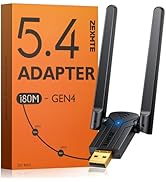
🔗 Unlock seamless Bluetooth power—because your devices deserve to play nice.
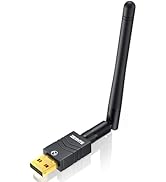
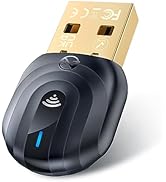
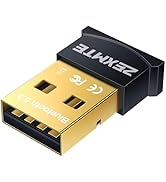
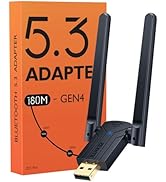
The ZEXMTE 5.4 USB Bluetooth Adapter delivers cutting-edge Bluetooth 5.4 connectivity with dual-mode support, offering up to 30 meters of lag-free wireless range. Its plug-and-play design ensures quick setup on Windows 7 through 11, supporting up to 7 devices simultaneously. Compact and efficient, it’s engineered for professionals seeking reliable, multi-device Bluetooth integration without the fuss.





| ASIN | B0775YF36R |
| Best Sellers Rank | #33 in Bluetooth Network Adapters |
| Customer Reviews | 4.3 4.3 out of 5 stars (19,961) |
| Date First Available | November 4, 2017 |
| Is Discontinued By Manufacturer | No |
| Item Weight | 0.317 ounces |
| Item model number | 0054 |
| Manufacturer | ZEXMTE |
| Product Dimensions | 0.5 x 0.2 x 0.8 inches |
B**0
Reliable plug and play Bluetooth adapter
I bought this adapter to use at work. Not gonna lie, I have tons of idle time at work and I mainly use that time to listen to educational podcasts or to watch lectures on YouTube. Before I bought this, I was using my bluetooth earbuds to listen and watch things on my phone. With this adapter, I can add bluetooth connectivity to our computers at work. It saves my phone battery and looks a lot more like I'm working (which is all my supervisors care about) than having my phone out. I basically bought this adapter on a whim just to see if I could get it to work with the work computers. These computers are maxed out with all of the windows enterprise security functions. None of the wifi adapters I've tried work at all on these computers so I was very skeptical as to whether this would even work. To my surprise, there was almost no setup required and the plug and play functionality proved to be true. I liked the adapter so much that I bought a second one to use with my home computer. This adapter has worked almost flawlessly in every computer I've plugged it into. This includes both Windows 10 and Ubuntu Linux. It even worked in the terrible aftermarket USB 3 card in my server and both the factory usb ports and the Usb 3 expresscard in my Ubuntu laptop. I will mention the 2 problems that I have experienced. After I got the second adapter, I stopped paying attention to which adapter I was using and windows did not like this. If I wasn't using the same adapter as I was using when I paired a device, windows would refuse to connect and it would refuse to delete the device. This was resolved by switching to the other adapter. Another reviewer mentioned terrible audio quality, which I disagree with. The audio quality has been great with every device I've used but one. One of the computers at work does not play nicely with this adapter for some reason. About 50% of the time, the audio ends up being slightly distorted. This I've found not to be a problem with the adapter but with the computer. I have no idea how to fix it but out of the 10+ computers I've used this on, there was one that didn't like it. There may be a way to fix the audio quality on that computer but I don't have administrator privileges on that computer so I basically just avoid using it on that computer. All told, this was one of the best purchases I've made on Amazon. It's not often that I buy more than one of the same product. If you need an easy way to add Bluetooth functionality to any computer, I highly doubt you will end up regretting your purchase.
O**O
Better than name brand
I made the mistake of buying the "TP-Link USB Bluetooth Adapter for PC, Bluetooth 5.0/5.3 Dongle Receiver" (Product title on Amazon). It worked well except it does not pair certain devices like Logitech M240 mouse. I then tested the same mouse on the same computer, swapping only the TP link bluetooth dongle to the ZEXMTE one and the mouse popped right up instantly in the WIn11 bluetooth discovery. I regret not buying this bluetooth dongle instead.
A**R
Go To Their Website to Install Drivers.
The product overall works great for me. Able to connect my keyboard, PS4 controller and wireless headset to my PC with ease. No connectivity issues so far. Will try more than 5 products at once soon. Range? Can hear my music, gameplay, discord, etc... clearly while about 60ft+ away (going to the bathroom) and about 100ft+ if I go downstairs (though it may cut out sometimes but objects/walls can interfere with the signal). Now unless you decide to run a marathon away from the Bluetooth adapter then you should be fine. It comes with a CD to install the drivers. You can install the drivers from their website (just search Zextme and they will have a download section on their website. Quick and easy to setup from there). It is not plug and play, and even says so on their website/details page on Amazon, so reviews rating it low because of that...come on guys. Want a cheap, reliable Bluetooth where you can connect from 3-7 products? Then get this. Now if you want something with more bells and whistles then of course this will not have that. We get what we pay for people.
D**Z
I almost replaced it with another adapter but realized it works perfectly
I bought this adapter a year ago because of a hardware issue with my PC wireless+bluetooth card. It worked ok and then Bluetooth connections started failing a few months ago, it wouldn't connect to new pair of earbuds and today I almost bought a new one thinking this one had failed. But after lots of tweaking I realized the issues were due to Windows 10 drivers conflicts and certain features. Probably a Windows update brought the conflicts. I was able to pair the new earbuds and the connection has stayed and been stable. FYI it worked after uninstalling everything and installing again: * Turn off bluetooth * Unplug the adapter * In windows device manager, select view -> show hidden devices and uninstall everything under the bluetooth group. * It doesn't hurt to reboot at this point * Uninstall all bluetooth devices using the free utility USBDeview * Reboot, maybe twice or three times you never know * Turn on Bluetooth without plugging in the adapter * In device manager, select the bluetooth adapter from the wireless card (mine was "realtek bluetooth adapter"), right click and select "disable". The bluetooth icon will now have a down arrow indicating it is disabled. * Plug in the ZEXMTE adapter to a USB 2.0 port. I read somewhere that 2.0 is enough and with 3.0 you may get lots of interference. * Select the new "generic bluetooth radio" in device manager, right click and select Properties. Go to power management tab and clear the box "allow the computer to turn off this device to save power" * In Windows Bluetooth settings, select "more bluetooth options" and check the box "allow bluetooth to find this pc" * another reboot wouldn't hurt * .... and now follow normal instructions to pair the earbuds. It sucks that it takes technical knowledge to figure out these problems, but it's not ZEXMTE's fault.
C**S
It is plugandplay on Win 10. No driver needed, but those who need one according to their reviews might download it directly from realtek as the dongle uses a realtek chipset.
S**L
Quick connection ,but price is high .
A**A
Perfettamente compatibile con Linux Mint 20, una volta avviato il sistema basta inserire la chiavetta e da menu (l’equivalente dello start in Windows) basta cercare Bluetooth. Una volta fatto, in basso a destra compare l’icona del bluetooth e, dal prossimo avvio, il bluetooth si avvierà automaticamente.
A**S
worked as advertised - thank you
L**.
Verbindet sich sofort ohne ein extra Software oder so. Funktioniert auch mit alten Geräten. Sehr empfehlenswert.
Trustpilot
Hace 3 semanas
Hace 2 meses