We remain fully operational. Our teams are working around the clock to ensure your deliveries continue safely.

Descargar la aplicación


Servicios al cliente
Sobre nosotros
Copyright © 2025 Desertcart Holdings Limited
Descargar la aplicación

🚀 Elevate your workspace with speed, style, and smart sustainability.
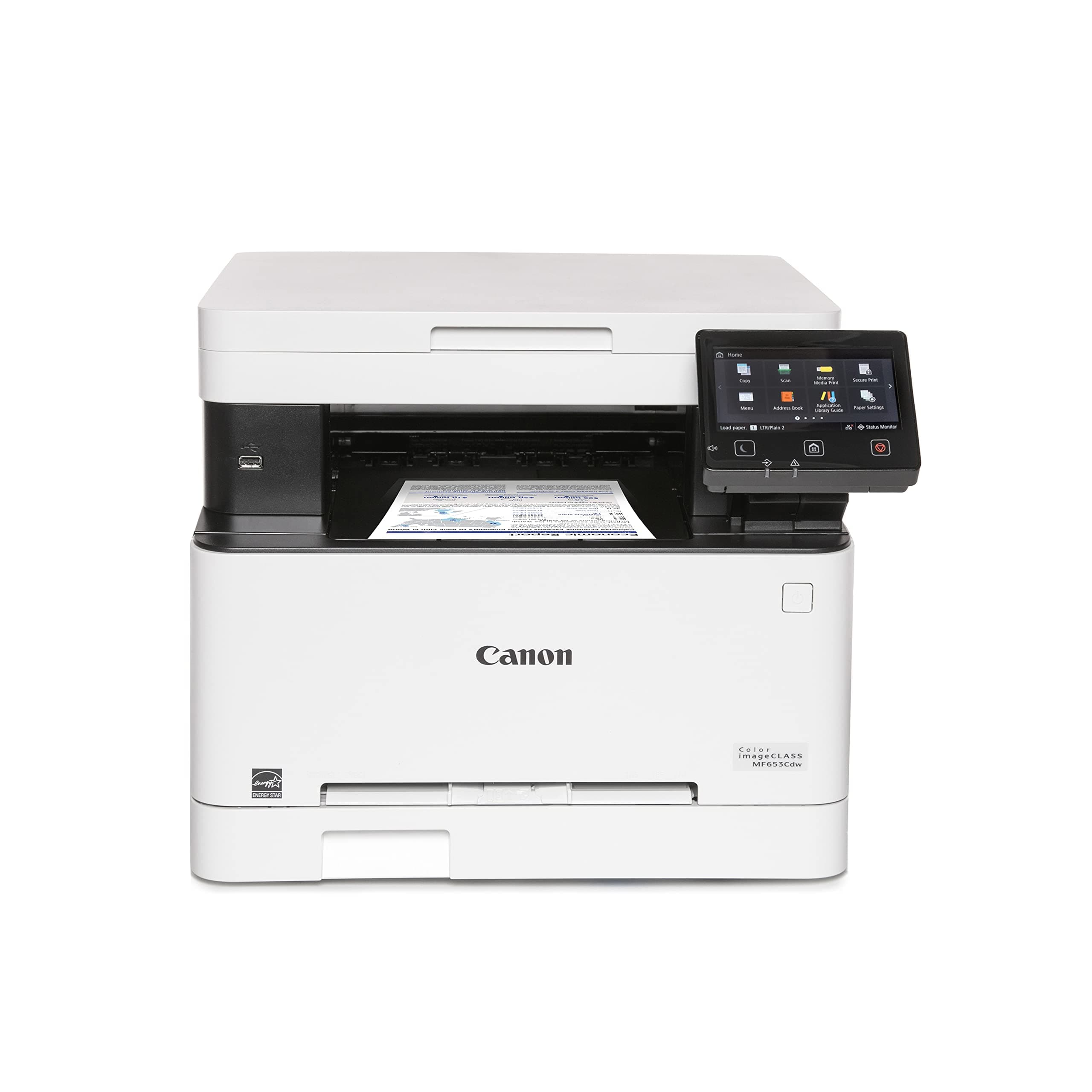
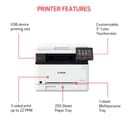
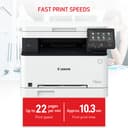
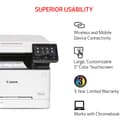
The Canon imageCLASS MF653Cdw is a wireless, multifunction color laser printer designed for small to medium businesses. It delivers fast 22 ppm printing in both color and black & white, supports automatic duplex printing, and offers versatile media handling with a 250-sheet capacity. Featuring a 5" color touchscreen, mobile device compatibility, and energy-efficient certifications, it combines high-quality output with reliable performance, all backed by a 3-year limited warranty.


| ASIN | B0BSN14MKY |
| Additional Printer Functions | Copy, Scan |
| B&W Pages per Minute | 22.0 |
| Best Sellers Rank | #14,254 in Office Products ( See Top 100 in Office Products ) #27 in Laser Computer Printers |
| Brand | Canon |
| Built-In Media | Cartridge 067 CMY: Starter 680 Yield / Black, Standard: 1,350 Yield, Documentation, MF653Cdw Product, Power Cord |
| Color | white |
| Color Depth | Greater than 1 bpp |
| Color Pages per Minute | 22 ppm |
| Compatible Devices | Smartphones |
| Connectivity Technology | USB |
| Control Method | Touch |
| Controller Type | Android |
| Customer Reviews | 4.4 out of 5 stars 217 Reviews |
| Display Type | LCD |
| Dual-sided printing | Yes |
| Duplex | Automatic |
| EU Spare Part Availability Duration | 3 Years |
| Global Trade Identification Number | 00013803342048 |
| Hardware Interface | USB |
| Initial Page Print Time | 10.3 Seconds |
| Ink Color | Multicolored |
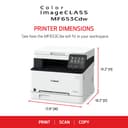
| Item Dimensions D x W x H | 18.2"D x 17.8"W x 14.2"H |
| Item Type Name | Color Laser Printer |
| Item Weight | 39.7 Pounds |
| Manufacturer | Canon |
| Maximum Copies Per Run | 2500 |
| Maximum Copy Resolution Black and White | 1200 x 1200 dpi |
| Maximum Copy Resolution Color | 1200 x 1200 dpi |
| Maximum Copy Speed Black and White | 22 ppm |
| Maximum Media Size | 8.5 x 14 inch |
| Maximum Print Resolution Black and White | 1200 x 1200 dpi |
| Maximum Sheet Capacity | 250 |
| Maximum print Resolution Color | 1200 x 1200 dpi Dots Per Inch |
| Model Name | iC MF653Cdw |
| Model Number | 5158C007 |
| Model Series | MF653Cdw |
| Number of Trays | 2 |
| Other Special Features of the Product | Auto-Duplex, Display Screen, EPEAT Silver, Energy Star, Network-Ready, Touch Screen |
| Output sheet capacity | 250 |
| Paper Size | 3 x 5, 8.5 x 14 Inches |
| Print media | Paper (plain) |
| Printer Connectivity Type | USB |
| Printer Output Type | Color |
| Printer Type | Laser |
| Printing Technology | Laser |
| Processor Count | 1 |
| Resolution | 1200 x 1200 |
| Scanner Type | Sheetfed |
| Series Number | 653 |
| Special Feature | Auto-Duplex , Display Screen, EPEAT Silver, Energy Star, Network-Ready, Touch Screen |
| Specific Uses For Product | Printing |
| Total Usb Ports | 1 |
| UPC | 013803342048 |
| Unit Count | 1.0 Count |
| Warranty Description | 3 year |
| Warranty Type | Limited |
B**E
Great printer, great support
My $99 Epson All-in-one printer served me well for 15 years but cost me a heck of a lot in ink. I was waiting for it to finally break so that I could replace it with something that didn’t go through ink cartridges so fast. And I’m looking for wireless this time around. I researched all the comparable All-in-one ink jet printers with wireless capability and was disappointed to find that reviews for every brand and model were disappointing. Pretty much every printer had 1-star reviews no less than 10%, and combined 1,2,&3-star reviews about 50% of the total reviews. Complaints consisted of printers failing after a short time, using too much ink, connectivity problems, setup difficulties, paper jams, lack of support, etc. Then, I found this Canon model, which is not an ink jet. It’s a laser printer. Reviews are excellent. The only downside I can see is the cost of toner cartridges, which are expensive but last a long time. This may be overkill for a home printer but I wanted an easy to setup printer with virtually no complaints. It comes with a 3-year warranty, but I opted for the better, full featured Asurion warranty through Amazon. I had wireless printing working from my iPhone and Windows PC in about 15 minutes. After registering my printer on the Canon website, I called Canon support, and (after a little wait) connected with a patient and friendly support guy who helped me download and install the scan utility driver on my PC, which saved me a lot of time. I can’t say enough nice things about this printer. It’s not the quietest printer, but output is crisp, colors are bold, and it does automatic duplex printing. Scans are manual. UPDATE: 1 year later I’m still loving this printer. Air Print from my iPhone has worked flawlessly. Sometimes it loses connectivity with my PC, but a simple reboot of the printer resolves it. And, my biggest concern when I bought this printer was the cost of toner. Well, I’m still not ready to buy any. After a year! (Keep in mind that I don’t do a lot of printing). But check out this toner report that I just attached (after a year of use!). At this rate, when I do buy toner, I’m paying for the good stuff from Canon, especially after viewing the reviews on the knockoff toners.
O**6
Fast printing, inkjet, color printer
This is an extremely nice printing and fast printing color printer the quality is really good and the color is great and it’s inkjet so you don’t have that old school liquid that dries up and clogged up the printer head, I love that it works on Wi-Fi no wires and I can print from my iPhone or computer both with Wi-Fi
B**D
Very nice
I had an old Dell color laser that died so I replaced it with this. Even though color lasers aren't great for pictures, I thought the old Dell did a decent job printing pictures. This is way better. Pictures look very good and it does duplex, though it's a bit slow. I have a dedicated scanner so don't use the scanner feature & can't review that.
D**.
Fast and efficient
Print quality is excellent. Fast. Scanner works well, too. Only glitch was trying to get it to communicate wirelessly with my Mac. It wouldn't wake up automatically. Had to push a button on its control screen. But Canon had good customer support and we figured it out. Now it works how we want it to. One set of ink cartridges costs about as much as the printer. But they have lasted us 10 months so far (it is for personal/household use). Unlike our previous ink jet whose nozzles would clog all the time and that wasted ink on purpose. Overall, it will be much cheaper to run for us than the ink jet.
D**N
Best printer I have owned
I have been buying inkjet printers my entire life. I finally pulled the trigger on this and I couldn't be happier, best I have ever owned. The printer was a breeze to setup all my devices connected to it wirelessly with no issues. It's fast, the print quality is amazing, and the toner goes a long way. It is a bit heavy but that's to be expected. This was an excellent value for what it does. Would definitely suggest buying it if you are hesitating.
R**S
Great printer if you like issues
I hate this printer. I constantly have to tell it what paper size which may be fixable but older printers worked better. It makes horrible noises like the gears are going to break. I am just waiting for it to break so I can buy another and stick it in a landfill. The software also is not good; if a print fails it takes forever to clear the queue and you will have to reboot. BTW - I am a software engineer.
D**N
Several months old now. Nice!
This is a great printer. Prints good quality and scans very well. No more drying up cartridges due to lack of use costing me a fortune every time I try to print. If you print daily maybe an ink jet printer will work for you but if you don’t they are a very costly pain. I’m not into hassles trying to print. This prints from my phones IPad and computer without an issue every time.
L**G
Love it!
By far the best printer we've ever owned ,works right out of the box with our iPhones, and with the computer too. The wife likes how crisp the printing is the color is great ,the large green is great ,we are a little older and having that larger screen is a god send. WE bought a cover later for it, I'll put a link to that at the end, Yep we had Inkjet printer era ,like everybody else and never once thought about this laser printer,We had 2 brother printer that worked off and on for 2 years, one finally puked out and we had to junk and the other one went to the Mother-in-law and it works for her and I'm fine with that, I do have a canon mg5220 that I've had for eons and its been passed around ,had a couple of printer heads replaced, and is an all around printer, having said that new to newer computer and canon don't support the software and our mac's won't run the software for the drivers so we had to come up with something that would work for us and we found this one and are very happy with it ,If you're looking for a inject printer and you happen to come across this laser give it a try you won't be disappointed. here's the link for a cover that work's nicely with it (Printer Cover Waterproof Anti-Static Dustproof Heavyweight Printer Protective Cover Case for Canon Color imageCLASS MF656Cdw Printer and Brother HLL3290CDW Printer (20.5 x 20 x 16.1in)
Trustpilot
Hace 3 días
Hace 1 mes