We remain fully operational. Our teams are working around the clock to ensure your deliveries continue safely.

Descargar la aplicación


Servicios al cliente
Sobre nosotros
Copyright © 2025 Desertcart Holdings Limited
Descargar la aplicación


Buy anything from 5,000+ international stores. One checkout price. No surprise fees. Join 2M+ shoppers on Desertcart.
Desertcart purchases this item on your behalf and handles shipping, customs, and support to Argentina.
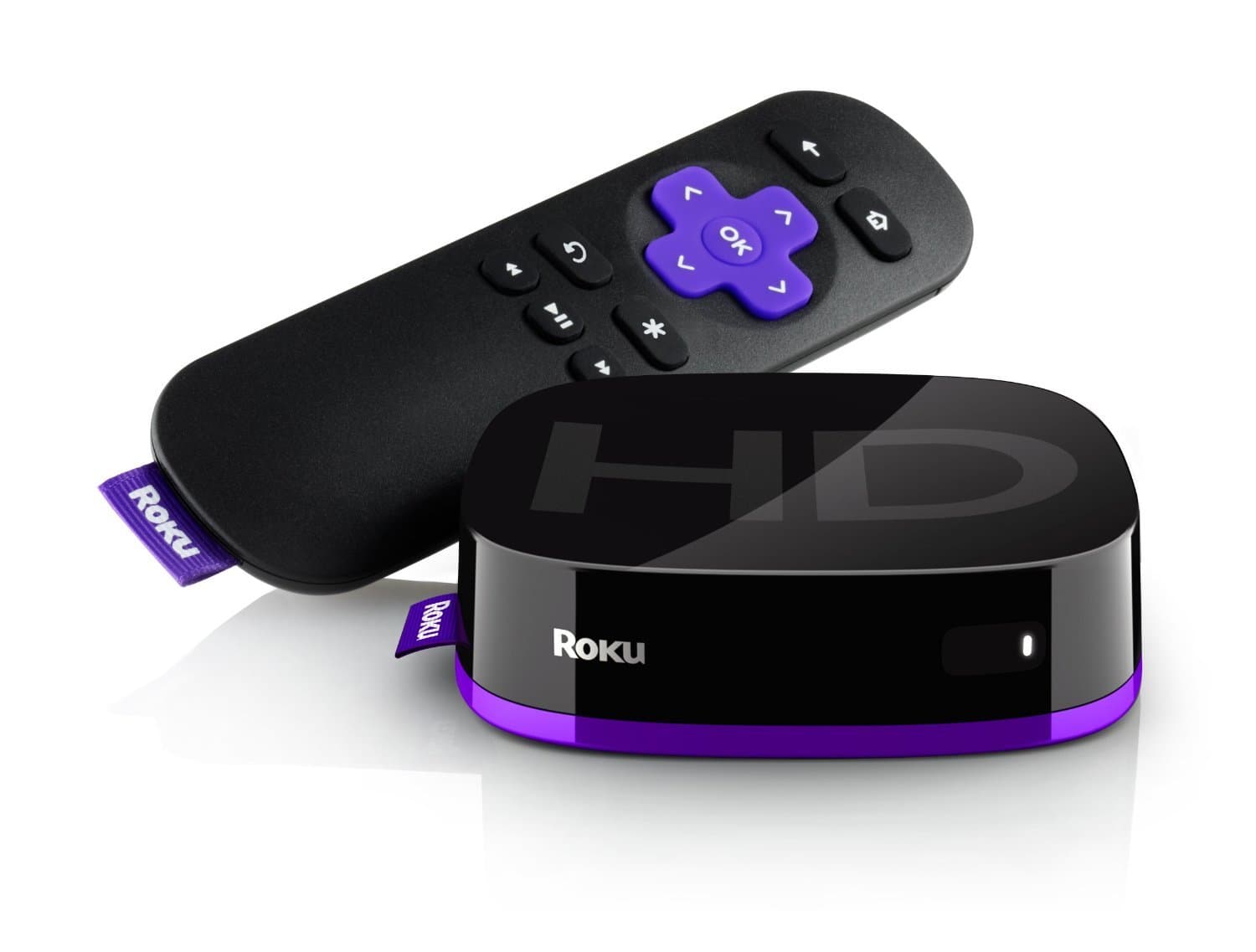
🔥 Stream smarter, not harder with Roku Express!
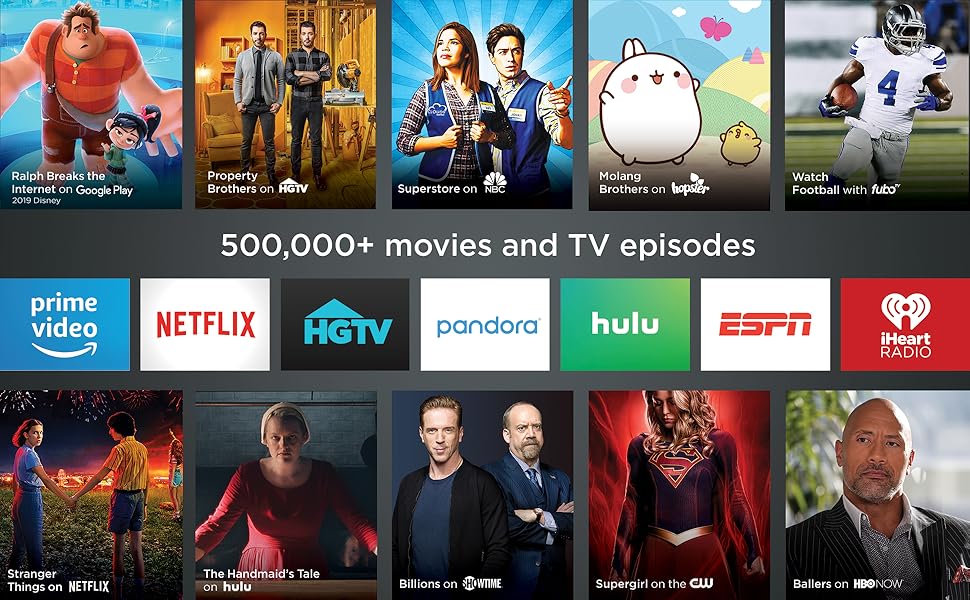
Roku Express (2018) is a compact HD streaming media player delivering crisp 1080p video with 5x improved power. It offers access to over 500,000 movies and TV episodes across 1,000+ channels, including free content on The Roku Channel. Featuring long-range Wi-Fi, an easy-to-use voice remote with TV controls, and a free mobile app for private listening, it’s designed for effortless setup and seamless streaming on any HD TV.




| ASIN | B075XN1NZC |
| Best Sellers Rank | #127,048 in Electronics ( See Top 100 in Electronics ) #551 in Streaming Media Players |
| Brand | Roku |
| Built-In Media | remote control, 2 AAA batteries, high speed HDMI cable, power adapter, USB cable, removable adhesive strip,guide,product information flyer |
| Color | Black |
| Compatible Devices | Television |
| Connectivity Technology | Wi-Fi |
| Connector Type | HDMI |
| Controller Type | amazon_alexa, vera |
| Customer Reviews | 4.6 out of 5 stars 44,362 Reviews |
| Form Factor | TV Box |
| Global Trade Identification Number | 00829610001791 |
| Item Dimensions L x W x H | 3.3"L x 1.4"W x 1"H |
| Item Type Name | media player |
| Item Weight | 1.3 Ounces |
| Manufacturer | roku |
| Memory Storage Capacity | 16 GB |
| Mfr Part Number | 829610001791 |
| Model Name | RokuExpress Media Player |
| Model Number | Roku Express 3900R |
| Other Special Features of the Product | Long-range Wi-Fi, Voice remote with TV controls |
| Resolution | 1080p |
| Special Feature | Long-range Wi-Fi, Voice remote with TV controls |
| Supported Internet Services | Apple TV, HBO, Hulu with Live TV, Netflix, PlayStation Vue, Prime Video, Showtime and Google Play, The Roku Channel Supported Internet Services Apple TV, HBO, Hulu with Live TV, Netflix, PlayStation Vue, Prime Video, Showtime and Google Play, The Roku Channel See more |
| UPC | 043396313613 829610001791 082652982149 |
| Video Codec | H.264 |
| Video Output Resolution | 1920x1080 Pixels |
| Warranty Description | 1 year |
R**Y
What you really need to know...
Fantastic product so far! After the first week, we bought a second one for a family member. First thing: Before you buy, understand what content is free and what is not. Second, in case it's not obvious, the Roku operates over your wifi and internet connection. You have to have an internet connection that is fast enough to stream video. If you can't stream video on your mobile (via wifi) or PC, you won't be able to stream it on the Roku either. Subscription content: Anything that you have to pay for elsewhere (like Netflix, Amazon, Hulu, network TV streaming, etc), you'll still have to have those same subscriptions. But the Roku allows you to access all of those subscriptions (the ones you're paying for) from a single device on your TV, with a nice interface that nearly anyone can use, even if they're technology-illiterate. Worst case, if you get lost somewhere, just press the Home button. (But keep in mind, each 'channel' on Roku is an app written by the individual content provider, so some are a little more complicated than others. I suspect for marketing reasons, it's not always obvious on some of the network TV channels which content is free versus paid until you try to play it. But you'll always be prompted before paying for anything, and you can add a pin-number to prevent accidental purchases). Ad-supported content: There is a lot of ad-supported content, just like watching free over-the-air (OTA) TV stations. For network TV (ABC, NBC, CBS, CW, etc), check each network's website to see what shows you can watch for free directly on their website, and that's generally what you'll be able to watch on Roku, too. After all, the 'channels' on Roku are apps written by each network. For many networks, the free content includes the last 3 to 5 episodes of things that are currently airing, with content being made available a week after the original broadcast date. This is comes in handy if you miss an episode or two of over-the-air TV. Some of the networks also offer free 'throwback' content, where you can watch an entire series of an older show. And there are a few channels like pluto.tv and tubi.tv that provide a wide assortment of ad-supported movies and TV shows. Again, check their corresponding websites to see what content they currently have, and that's what you'll get on Roku. The ones mentioned above offer some relatively recent content, in addition to a lot of older and slightly-older content. Free, without ads: Mostly, you'll find that the ad-free content is extremely old... lots of black-and-white TV and movies, some early color TV/movies, etc. For those who don't like much of what's on TV these days, there's a lot of classy and classic stuff here. And, of course, a lot of b- and c-grade stuff you've never heard of. This newest version of the Roku Express ("5X more powerful") has a very smooth interface, with good response from the remote. Video startup is extremely fast if you have decent internet speed. I tested on a relative's 6mbps DSL internet, and buffering times were never uncomfortable. On my faster internet (100mbps), videos either start instantly, or take no more than about 1 or 2 seconds of buffering. The remote control is great -- simple, strong signal, good range. It's infrared-based, so you have to be in the same room (why would you want to be out of the room??). I generally don't even have to point the remote at the Roku box, because the infrared is strong enough to reflect off of the ceiling or walls and still work. Just be sure your Roku box's front side is unobscured and pointing toward the room. They provide a sticky-tape strip to stick the box somewhere convenient, like the side or top of your TV or media cabinet. The provided HDMI cable is only 2 feet long, though, so it does have to be relatively close to the TV. But you could use a different HDMI cable if you need the remote to be a little farther away. One feature I love about the remote is that pressing the Home button will turn on your TV and switch to the Roku's HDMI input, assuming your TV supports this (I have a Samsung TV which is supported, and a TCL TV which apparently wasn't). You can also use the Roku app on your mobile to control the Roku via wifi. In addition to providing an interface that looks pretty similar to the physical remote, you can also browse for other content while something is already playing. It fact, it's quite a bit easier to navigate if you're searching for something specific, since the physical remote requires using an on-screen keyboard where you select each letter and click OK (normally, I'm not searching for something specific on the physical remote, so it's not a problem). The app also has a headphone feature, which I'm guessing allows you to listen directly from your mobile instead of via the TV... great for watching at night when others are sleeping. Note, the Roku app is NOT designed to watch Roku content directly on your mobile. It simply lets you select the content to watch on the TV. Overall, it's a great experience. My only subscription at the moment is Amazon prime, which doesn't have a lot of content that I really want to watch (sorry, Amazon! I have Prime mostly for the shipping), so I use the Roku mostly for ad-supported TV and movies, and there's more than enough to keep me busy for a long time.
A**N
Best streaming option
Bought this to stream content to a 32" bedroom TV. I already have the Roku Ultra 4K in my theater and a FireStick in my living room. They both do the same thing, but I prefer the UI of Roku a bit more, and for $25, it was a great deal. Had it connected and up and running in about 15mins. The longest part was waiting for all of the apps to download. I run Sling, Hulu, NetFlix, Showtime, YouTube, and Amazon Prime Video, and all work flawlessly and display 1080P video on the TV. I like how small the module is as well, and have it affixed to the bottom of the TV which is wall-mounted about 6ft high. Don't forget to download the Roku remote app on your smartphone to control your Roku right from your phone, especially if you'll be typing any information. It's much easier on a keyboard on your phone than it is to select each letter/number using the Roku remote. Bottom line - if you don't need 4K and want a simple to use, compact streaming solution, this is the best bet and works great. Even comes with an HDMI cable, power cable and USB outlet base (I don't use the base, but instead use the USB out from the TV to power the Roku), and batteries for the remote. Also comes with a double-sided sticky strip to affix the Roku module to your TV.
D**N
1000x better than firestick, no drama
Ok so the only drawback is having a visible target for the remote (you mount a small box to your tv or nearby). I have owned the ancient google chromecast device, the amazon firestick, and now the Roku. The chromecast really worked fine but it was nearly impossible to stream amazon prime, and ours just kinda got old and unreliable (but it lasted a really long time before that). We got a fire stick on a good deal. It was the worst of the 3. For one thing google and amazon are constantly fighting each other. So on the firestick we could access amazon content easily but not YouTube. The remote for the fire was CONSTANTLY chewing through batteries. Like I'm talking quarterly battery changes here. Amazon filled the fire with advertising and it just wasn't a great user experience. The roku is neutral in terms of content. They have their own content but it's pretty poor and not a reason to buy the stick. They work super well with all the major content subscriptions and don't fill your tv with ads. I've been really happy with the remote and with the user interface of the roku. The only thing I miss about fire TV was telling Alexa to pause the tv (and I'm not even sure Roku doesn't work with Alexa I just haven't tried yet). The neutrality of Roku is so worth getting it, plus at full price, it's actually cheaper than the inferior Fire.
W**E
Ezcellent product if you don't need 4k
We bought a new 4k TV with roku built in and loved it so much we wanted to add it to our older 1080p tv in the living room. This little box is very quick and streams 1080p that looks at least as good as cable or DTV. The remote is actually heavier quality than what came with my roku tv too. The box itself feels like it is empty, it's so light, but it works fantastically. The only differences are that it's an IR remote, so you need line of sight to the box, and you have to switch inputs to use it. Both are absolutely no problem at all. It's a little weird that there is no off button, but I can't imagine it's pulling much power and you could just unplug it at night if you are worried about it. There is no volume control on the remote, so if you are someone who constantly turns the TV volume up and down, you might get annoyed at having to grab the tv remote for volume, but even that is not really a big deal for the cost. Super easy to install and set up. I do recommend using either the included sticky strip, or we uaed a commans strip, because it is so light, it's otherwise easy to knock right off the tv stand. We attached it to the side of the tv. The included hdmi cable is pretty short, but I had several longer ones laying around so no biggie. The only thing I'd change is to include a four foot cable instead of a two foot, but as I said, I had an extra cable anyway, so didn't matter to me at all.
A**N
Very affordable, very fast, a great value, recommend!
I've been using Rokus for many years , probably going back to the 2nd or 3rd generation. I've always liked the simple interface that works, but they've always been a little slow for my tastes. Just getting to the channel you want to watch and getting it loaded up seemed to take so long. But not wanting to buy into the Apple landscape, I just sorta lived with it. A few years ago we bought a Fire stick to see if it would alleviate our desire for speed and we were so put off by the buggy nature of it that we went back to our 2013 Roku. It still works, almost 6 years later, but it's definitely on the slow side of things. I finally decided to start looking to see what's out there these days and I found this little unit for a very budget conscious price point and I was intrigued. I was a little worried about the specs because memory wise, it's comparable to our old Roku, but it seemed like the processor would be a little snappier. WOW, I can say this well exceeded my expectations, it's very fast and responsive. The UI is familiar and intuitive, everything just seems to work, and now it's fast to boot! If you're on the fence about this unit due to speed, I can honestly say it works great. I want to put one of these on every TV now! The only reason I gave it 4 stars instead of 5 is because at first pass, the picture quality didn't seem as good as it could be, but it's not bad by any measure. If I could give it 4.5 stars, I would, especially given the price point, I'm not sure what else out there you could possibly get any better for. This is a great little unit, I'm very happy with it.
R**R
Roku--a new TV experience
I'm new to the streaming TV scene and haven't quite made up my mind about it, but it seems to be "so far, so good." At present, I'm looking for some way to cut my ties with AT&T cable services. Tired of being charged for so many channels that I never watch and having to contact them each year to try to get some kind of "deal," I decided to give Roku a try. For the most part, I'm pretty satisfied with it. The picture quality is decent, although it doesn't seem quite as sharp as the image through AT&T. I find it to be a re-training experience: I can't just punch in the channel numbers on my remote and get the station I want (have to go through the Roku Home screen.) I also can't flip between two stations (i.e., when watching football games) which I can easily do with AT&T--or maybe I just haven't figured out how to do it yet. These aren't big issues, but as I said, a bit of re-training is necessary. I don't really care for much of what is on TV nowadays and only watch a handful of TV shows and hardly any movies (I have the ones I like on DVD or digitally through Amazon) so I'm thinking this will be a good way for me to cut down on my monthly AT&T bill. The setup was extremely easy and everything seems pretty intuitive. I'm no computer genius and kind of technically challenged so if I can get this up and running, anyone can. As I said, it has certain drawbacks for me because of what I've been accustomed to using for so many years. But if it's going to save me some money, I can deal with a little inconvenience until I adapt. Sometimes change can be very good. :-) UPDATE 12/27/19: After using this for a year I give it 5+ stars. At first I didn't think the picture quality was as good as cable but I was wrong. Picture quality is excellent. When you access other streaming channels like Hulu you can get a wide range of available shows, movies and sporting events.. I'm hooked. Love it, love it, love it! (I've disconnected my cable receiver but have to keep the basic TV package in order to have high-speed internet.) Highly recommended.
A**Y
Works great
Have had this for a very long time multiple years and still use it to this day.
J**O
Best streaming bang-for-the-buck, best in class universal search
I was looking for the easiest way to get streaming apps on a TV in the kitchen, and the Roku Express fit the bill. It comes with a two-prong USB wall power adapter, but most modern TVs, including mine, have a USB port that can power the Roku directly from the TV. There's even an included velcro tie to keep any excess length in the power cable tidy. The included HDMI cable was long enough to reach but not so long that routing it out of sight was difficult. The included adhesive strip was a nice touch, making mounting it to the underside of the TV quick and easy. The biggest drawback compared to the higher-end Roku devices is that the remote is IR, which means it does require line of sight in order to work, but since sticking it on the TV is so easy it's not an issue. Just know that you can't have it hidden behind the TV or inside a cabinet and still have the included remote work. The best thing about all Rokus is the software. It's dead simple to setup and navigate, and the search is better than the Amazon Fire stick because it doesn't prioritize any service. You can search for a title (or actor, etc) and it will show you results from every service available. This is especially nice for surfacing results from the free apps that I wouldn't think to search otherwise, like Sony Crackle or the Roku channel. There's a "Featured Free" category that's very nice for surfacing content that's available outside of the major streaming players like Netflix and Prime. The remote is small and lightweight, and uses two included AAA batteries. Unlike fancier Rokus, it doesn't have a headphone jack on it, but if you put the Roku app on your phone you can achieve the same thing and listen through headphones. That's particularly handy in the bedroom for late-night viewing that won't bother your partner. The phone app also let's you use your phone as a remote control. Even though the chip in the Express is the least powerful in the Roku line, navigating and starting videos is still responsive. It takes about five seconds for the unit to "boot up" when it first powers on, but after that there aren't any slowdowns or stutters. The value is fantastic. For any secondary, non-4k TV, like in a bedroom, guest room or kitchen, the Express is the best streaming option to get. Everything you need to get up and running is included-- it's nice that on such an inexpensive item they're not nickel and diming you by not including batteries or HDMI cable.
Trustpilot
Hace 3 semanas
Hace 4 días