We remain fully operational. Our teams are working around the clock to ensure your deliveries continue safely.

Descargar la aplicación


Servicios al cliente
Sobre nosotros
Copyright © 2025 Desertcart Holdings Limited
Descargar la aplicación




Buy anything from 5,000+ international stores. One checkout price. No surprise fees. Join 2M+ shoppers on Desertcart.
Desertcart purchases this item on your behalf and handles shipping, customs, and support to Argentina.
🚀 Elevate your desk game—dock smarter, work faster!
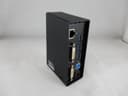
The Lenovo ThinkPad USB 3.0 Docking Station (0A33970) is a versatile productivity hub designed for Lenovo laptops, featuring 7 USB 3.0 ports including one always-on charging port, dual DVI video outputs with a VGA adapter, and a Gigabit Ethernet port. It simplifies connectivity by consolidating peripherals into a single USB 3.0 connection, delivering fast data transfer and reliable wired networking. Ideal for professionals seeking a sleek, efficient docking solution to power multi-monitor setups and high-speed accessories.
| ASIN | B008ABKADI |
| Best Sellers Rank | #105,480 in Computers & Accessories ( See Top 100 in Computers & Accessories ) #2,825 in Laptop Docking Stations |
| Brand | Lenovo |
| Color | Black |
| Compatible Devices | ['Lenovo B Series', 'Lenovo Edge Flex L T W V Yoga models', Y X Z ThinkPad 10 Tablet', 8 M30-70', Miix 2 11''] |
| Customer Reviews | 3.9 3.9 out of 5 stars (258) |
| Global Trade Identification Number | 00882000681638, 00886605472592 |
| Hardware Interface | USB 3.0 |
| Item Weight | 1.6 Pounds |
| Manufacturer | Lenovo |
| Number of Ports | 4 |
| Total Usb Ports | 4 |
| UPC | 012300271363 132017588148 611101341024 168141534423 172302748857 320127560806 021112255454 803982717986 080000450296 163120807840 012098269412 012303249345 807320210542 072090544542 882000681638 886605472592 079532138680 |
J**S
This is Amazing!
This is an amazing product and I give Lenovo and Display Link 5 Stars for their part, but before I start with the review I just don't understand why this product does not have more that 1 to 2 stars on it, I mean this is not a bad product and is actually better than my Targus Docking Station. First of this Thinkpad Dock has 7 USB 3.0 Ports and one is dedicated to charging a USB device (ex. iPad, iPod, iPhone, etc,), it also features 2 DVI ports (note, that one of the DVI ports is DVI-D, meaning, its DVI Digital and can not be used with a DVI to VGA converter as the other DVI port can), also it features a Gigabit Ethernet Port (thanks to USB 3.0 now internet speeds are faster than before), and finally there is a Headphone/Microphone jack in the front for audio purposes. For my testing I wanted to try to put the USB 3.0 to its limits (since my USB 2.0 to VGA connector was the worst product ever) so I ran 2 HD YouTube videos, while transferring a 8.25 GB Torrent, and the dock ran fine with no lag, crash, or errors. So far so good! Furthermore, I wanted to put this dock to its limits (as a test run) so I ran Grand Theft Auto San Andreas Mutiplayer and Combat Arms, and surprisingly it ran with not lag or problems! (Do note, that this is a business dock and this is not really designed for gaming so if you want to buy this for gaming purposes use this money to buy a video card.) Overall, this is a really nice dock and I would give it 3 extra stars if I could for: having a dedicated charging port (in this case for my iPod 4G), a dedicated on and off switch on the top for power saving and turning on the computer from sleep mode, and how the video (that is ran by Display Link) is superb, with no problems or BSOD (as one other reviewer stated). So get this product if you want a nice USB 3.0 Docking Station solution for your laptop! (Note my tests were done using a Lenovo Ideapad S405 laptop with an A6 processor, 8 GB of RAM, and a 500 GB HDD)
K**N
i read reviews so i knew i had to get the latest and greatest drivers right away
Using this with my Yoga 1 and 2 24in Dell monitors that gives me a 3 screen setup (2 ext monitors + the laptop). Also running Windows 8, not 10. After the first time connecting everything together, i read reviews so i knew i had to get the latest and greatest drivers right away. I'm in the IT field so my tech abilities is way above avg, but i would say, any teenager probably could have figure this out and gotten it to work. If you can install a printer on a Win7 or older machine, you shouldnt have a problem connecting this up. As for the actual device and its functionality, so far it has been working like a champ. Been using this for about 7-8 months now and it probably gave me a problem once, which might have also been caused by Windows updates. A reboot corrected my problem. Like mentioned above, i'm running 2 EXT monitors off the dock, ethernet LAN connection, and a few usb devices (mouse dongle, hard drive, usb drive). The fact i just need to plug 1 USB cable from the dock to my laptop every morning instead of each device is where this bad boy shines. No, this is not a true docking station, but i'd prefer unplugging 1 usb cable instead of consistently pressing down on some latch or manual unhinge mechanism. All in all, this thing is GREAT and looks very sleek (similiar to external hard drive). I'm about to buy another one for my home as I only run 1 in my office.
J**A
Gets the Job Done
I have a thinkpad 12.5 Lenovo Twist, for those of you whom are looking to expand the usability and viewable monitors with this notebook. I have been in Information Technology for close to 30 years now, so, maybe this review will hold a little more weight than most...The notebook is solid, so I thought this would be a good platform to expand on. Overall, the docking station works as prescribed. Setup was relatively simple. It was just about plug and play, however, you do need the included CD, which can be annoying considering the notebook doesn't have one, so an external had to be setup. I have two 23 inch higher end monitors connected to it with DVI cables going to the docking station. The USB 3 connection does keep up for the most part, however, you will see screen ghosting and flickering during some applications. Its not a show stopper, however, it can be distracting...another anomaly to mention, some other users have also reported as well, their will also be latency with keyboard and mouse usage. I am using a wireless Logitech mouse and keyboard with the transceiver plugged into the front of the docking station. It works, again, its a little quirky at times. And it is true, the notebook dies have to stay open in order for the docking station to stay awake and accessible. Other than that, the docking station is attractive in appearance, it definitely compliments at least this particular thinkpad notebook model. Hope this review was helpful.
B**S
Disappointed.
I purchased this for a coworker with a new Lenovo X1 Carbon after reading mixed reviews. It works fine as a hub for all of her plugs and dongles, but the biggest downfall is that the power cord doesn't plug into it and there are still a ton of cords on her desk. The best thing that Lenovo could have done with this would be to add a charging port for the laptop's power cord and to make the unit itself a little larger so that it doesn't fall over when everything is plugged into it. It's fine, but it's not as nice as the docking stations for the Thinkpad models. It was simple enough to set up. The X1 Carbon doesn't have an internal CD drive, so after saving the installation CD's contents to a USB drive and running the drivers, it works well. Edit: Extremely disappointed and I'm returning it today. Doesn't respond to new keyboard/mouse combo and screws with the external monitor's resolution too much. Not acceptable.
D**L
The dock works well. I had to download the Windows 10 drivers. No issues!
N**D
Replacement that works as the substituted item
G**T
dalle immagini sembra un docking station imponente, dal vivo è piccolissimo, ma tutto sommato svolto egregiamente quello per il quale è stato creato.
M**A
It does the job it should. Easy to assemble, so far so good
P**N
did not work with my device - now it could be my device, but overall am not satisfied
Trustpilot
Hace 3 semanas
Hace 1 semana