We remain fully operational. Our teams are working around the clock to ensure your deliveries continue safely.

Descargar la aplicación


Servicios al cliente
Sobre nosotros
Copyright © 2025 Desertcart Holdings Limited
Descargar la aplicación



Buy anything from 5,000+ international stores. One checkout price. No surprise fees. Join 2M+ shoppers on Desertcart.
Desertcart purchases this item on your behalf and handles shipping, customs, and support to Argentina.
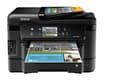
⚡ Work smarter, print faster — the all-in-one powerhouse your office deserves!
The Epson WorkForce WF-3540 is a high-performance wireless all-in-one inkjet printer designed for busy professionals. It delivers the world’s fastest duplex printing speeds, supports a hefty 500-sheet paper capacity, and offers versatile media handling with dual trays and rear feed. Featuring a 3.5-inch touchscreen with gesture navigation, built-in Ethernet and Wi-Fi connectivity, plus mobile printing via Epson Connect and AirPrint, it streamlines office workflows. With up to 40% lower printing costs compared to color lasers and ENERGY STAR certification, it’s an economical and eco-conscious choice for modern workspaces.
| ASIN | B0091DPYDU |
| Additional Printer Functions | Copy |
| B&W Pages per Minute | 15 ppm |
| Best Sellers Rank | #1,074,042 in Office Products ( See Top 100 in Office Products ) #521 in Ink Tank Printers |
| Brand | Epson |
| Color | Black |
| Color Pages per Minute | 9.3 ppm |
| Compatible Devices | Laptops, PC, Smartphones |
| Control Method | Voice |
| Controller Type | Amazon Alexa, Vera |
| Customer Reviews | 4.1 4.1 out of 5 stars (1,921) |
| Display Type | LCD |
| Dual-sided printing | Yes |
| Duplex | Yes |
| Global Trade Identification Number | 00010343900394 |
| Hardware Interface | Ethernet |
| Ink Color | Black |
| Item Dimensions D x W x H | 16.8"D x 17.7"W x 12.1"H |
| Item Weight | 24 Pounds |
| Manufacturer | Epson |
| Maximum Copy Resolution Black and White | 5760 x 1440 dpi |
| Maximum Copy Resolution Color | 5760 x 1440 dpi |
| Maximum Copy Speed Black and White | 15 ppm |
| Maximum Media Size | 8.5 x 11 inch |
| Maximum Print Resolution Black and White | 5760 dots_per_inch |
| Maximum Sheet Capacity | 500 |
| Maximum print Resolution Color | 5760 x 1440 |
| Model Name | WF-3540 |
| Model Number | C11CC31201 |
| Model Series | WorkForce |
| Number of Trays | 3 |
| Other Special Features of the Product | Copying, Fax, scanning |
| Paper Size | 4 inch x 6 Inches, 8.5 inch x 11 Inches |
| Print media | Card stock, Envelopes, Glossy photo paper, Labels |
| Printer Connectivity Type | Wireless;Mobile; Memory Card; USB |
| Printer Output Type | Color |
| Printer Type | Inkjet |
| Resolution | 5760 x 1440 |
| Scanner Type | Sheetfed |
| Specific Uses For Product | business |
| Total Usb Ports | 1 |
| UPC | 010343900394 |
| Warranty Description | 1 year limited |
| Warranty Type | One-Year 100% Quality Satisfaction Product Guarantee |
A**S
Like a Professional Work Printer...
I just got this printer today. Until recently, I had an Epson WorkForce 610. I liked it quite a bit, but due to an usual issue, anything I printed would become jammed really bad. (A glass shelf shattered, and glass fell down inside the printer.) After not being able to fix it...and actually breaking my printer more, I decided on a new one. I chose this one because of the price. A new Epson WorkForce 610 would cost $400.00, but this one was only $129. I've always owned Epson printers, and I've enjoyed them very much. I had a Lexmark once, but I HATED it. Epson printers are wonderful quality, while the problem is the cost of the ink cartridges. But, EBay usually fixes THAT problem. On to the actual product itself. I purchased this product for home use, with occasional work use. I wanted a printer with a scanner, as I'd rather have extras and not need them, than need them and not have them. When I purchased the Epson WorkForce 3540, I was expected it to be about the size of the Epson WorkForce 610. The WF 3540 is about double the size of the WF 610, but mostly due to the two paper trays in the WF 3540. As I said, I just got it today, and I haven't tested it out too much yet, but will update my review after some use. The touchscreen is nice and very responsive. Most people don't understand, touchscreen usually doesn't require too much pressure to work...and I imagine too much pressure may damage it, but not 100% sure on that. Setup is a breeze. Just follow the onscreen instructions when you first turn on the printer, and use the included CD to ensure your printer is connected to your wireless (or wired) network properly and that your firmware is up to date. The two paper trays are adjustable, while only one tray can fit paper than is longer than 8x11 (normal sized paper). I really like how the output tray is above the paper trays. Since my printer is on my floor in the corner of the room, I don't have to worry about accidentally stepping on the output tray. It is easy to push back into the printer itself, as well. I don't have a phone line, so I can't say how the fax capability works. The only complaint I have, and it may be due to any number of reasons (i.e., my network setup, an issue with the printer, an issue with my router, etc.), but I was unable to set up the WF 3540 on my wireless network using either push-button wi-fi protected setup (WPS) or PIN WPS. I was able to enter the wireless network wizard, select my network SSID, and enter my password. Or rather, I would have entered my password but I chose to connect via ethernet cable because my password is a 63 digit random alpha-numeric passkey. My WF 610 had no issues with wireless conectivity to my router ( D-Link DIR-655 N+300 Extreme-N Gigabit Wireless Router ). In all, I'm giving it 5 stars. Being unable to connect wirelessly is a small issue, and I'm not sure what the cause was. If I could prove it was an issue with the printer, and not my setup, I MIGHT give it 4 stars, but probably not. I would definitely recommend the Epson WorkForce 3540 to anyone who is looking for a great, cost effective printer. I've used Epson printers for over 10 years, and I have friends who use only Epson. If you don't mind the somewhat high cost of ink, and as I said EBay often has high quality ink for cheaper than elsewhere. Also, the ability to only purchase the colors you need help with the cost of replacing cartridges. If you only need yellow, then you don't need to replace blue. Again, I will update my review after some use, although I doubt I will find anything negative. UPDATE 3/11/2013: I found out there is a way to print without being on the same network as the printer itself. It's called EpsonConnect, and it could be VERY useful for smartphones that can't connect over WiFi, or at all if your network is wired only, or even if you're not home (although I have not tested this). When you set up EpsonConnect, your printer is assigned an email address. When you send something to the email address, it prints. Since it's through email, I would think it would work if you are on one side of the world, and your printer is on the other side. Also, it prints very fast and very nicely. The speed reminds me of the "draft" option on older printers, but with the quality of the "text" option.
M**.
*UPDATED* Had to send back to Epson right out of the box - Error in first step of set-up
My original review is below. Update: Epson delivered as promised - I had a BRAND NEW printer in 6 days after sending back the faulty one. I have to say, I as impressed with customer service, as they even did a follow-up to make sure that I received my replacement printer and if it was working OK! In addition, even though they had me remove all of the cords and the ink when I sent back, they sent me an additional set of ink (BLACK AND COLOR) with the replacement! In regards to the Setup - it took me 10 minutes to set up beginning to end. I had ZERO problems with the wireless (I have Verizon Wireless and an HP Touchsmart 320 computer). EVERYTHING was ULTRA SIMPLE - in fact - this (next to this computer) was the EASIEST tech equipment I have EVER set up! In regards to the Quality of Printing - The quality of the printing is fantastic! I have not had any issues with jams of quality on standard paper, card stock OR photo paper! The print speed is phenomenal! Overall PROS: * LOVE that the setup is super simple (make sure you have your wireless network information and you are set!) * The individual color ink cartridges is the best! I have always been beyond irritated when I have to replace a whole cartridge simply because one color is running low! * Print quality is great on ALL types of paper (NO JAMS!!!) * Holds an entire ream of paper in the machine - no more 30 pages in the top feed that run out right in the middle of printing! * Price for quality is second-to-none * Had ZERO issues with Customer service - solved the problem with a faulty machine immediately and had me a new machine within a week. ONLY CON: * Machine is quite large - but I wasn't looking for compact - I wanted semi-professional/professional grade quality - and this is it! I have not set up the faxing yet, but I am sure it will not be an issue at all! ORIGINAL REVIEW: I had to send this printer back to Epson right out of the box as the unit was malfunctioning upon first set-up. After plugging in and starting the set-up process, I could not proceed any further than the first step - an Error (Error0x01) started popping up immediately saying there was a paper jam in the ADF (Automatic Document Feeder). All of the packing tabs had been removed and there was no paper in the machine whatsoever (I was on the FIRST step of the set-up process). After inspecting the machine multiple times and following the instructions on the screen, I had to wait until the next day (yesterday) to contact Epson (It was after hours). There was nothing the Epson Tech could do to "troubleshoot', as he stated that sometimes, a machine just "will not work" from the beginning (Um, OK). I will say Epson is great as they gave me the option to either have them send out a new machine immediately and me send back the old one, but that would require a credit card hold to make sure the machine was sent back (No thanks!) or I could send it back with their FedEx account # and upon receipt, they would send a new machine - which I did (Kind of a pain as I had to drive 12 miles to the nearest FedEx store). I was told 5 to 7 days total to receive a new machine. Once I get the replacement, I will do an update on the product (hopefully, I don't get another "bum" unit!) once I get it up and running!
S**S
It really is a workhorse and connects very easily
Trustpilot
Hace 3 semanas
Hace 4 días