We remain fully operational. Our teams are working around the clock to ensure your deliveries continue safely.

Descargar la aplicación


Servicios al cliente
Sobre nosotros
Copyright © 2025 Desertcart Holdings Limited
Descargar la aplicación




Buy anything from 5,000+ international stores. One checkout price. No surprise fees. Join 2M+ shoppers on Desertcart.
Desertcart purchases this item on your behalf and handles shipping, customs, and support to Argentina.
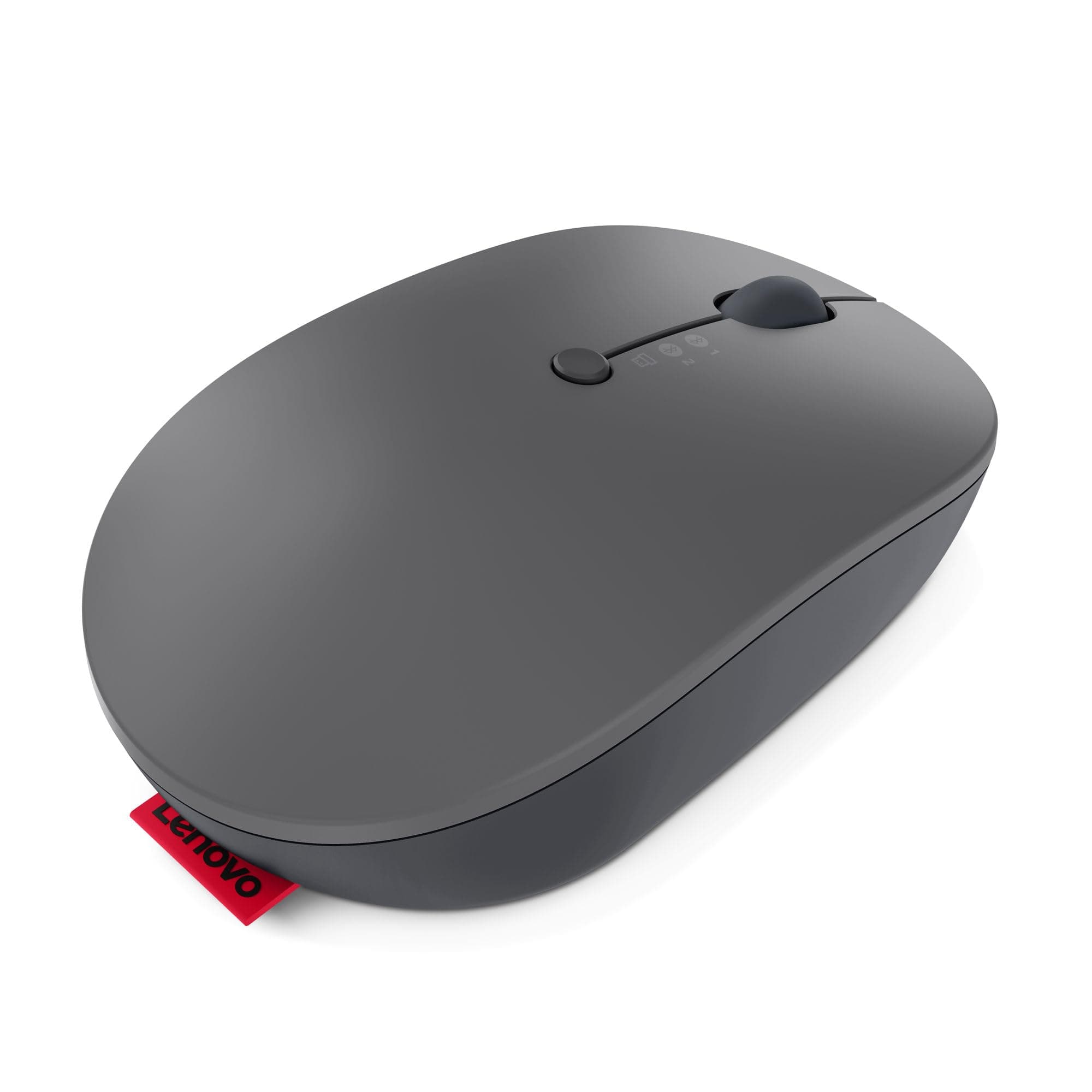
🖱️ Elevate your workspace — one click, three devices, zero compromises.
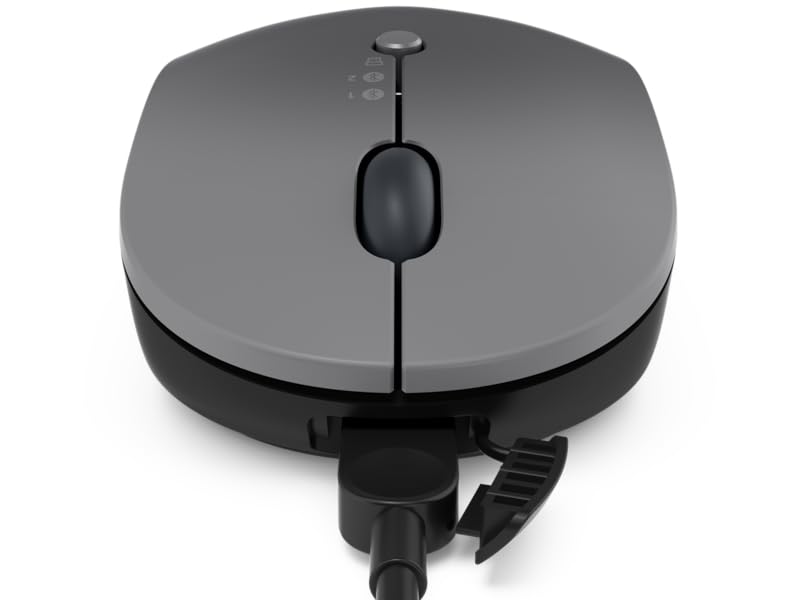
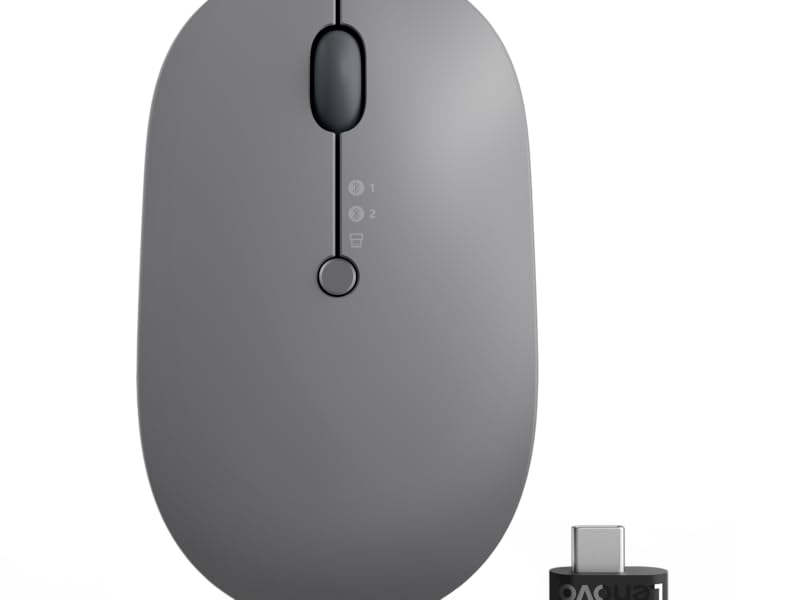
The Lenovo Go Multi-Device Wireless Mouse is a sleek, ambidextrous productivity tool designed for professionals on the move. It supports seamless switching between three devices via USB-C and Bluetooth 5.0, features a long-lasting battery with fast USB-C and Qi wireless charging, and offers adjustable DPI for precise control on nearly any surface. Its compact, silent-click design and programmable utility button make it the ultimate companion for multitasking millennials seeking efficiency and style.
| ASIN | B09DQ3R7GT |
| Additional Features | Lightweight, Programmable Buttons, Rechargeable, Wireless |
| Antenna Location | Office |
| Are Batteries Included | Yes |
| Are Batteries Required | Yes |
| Battery Average Life | 3 months |
| Best Sellers Rank | #111 in Computer Mice |
| Brand | Lenovo |
| Built-In Media | USB-C charging cable, Qi wireless charging cable |
| Button Quantity | 5 |
| Color | Grey |
| Compatible Devices | Laptop, Personal Computer |
| Connectivity Technology | Bluetooth, USB |
| Customer Reviews | 4.2 out of 5 stars 212 Reviews |
| Enclosure Material | High-grade 7075-T6 aluminum |
| Finish | Hard anodized |
| Global Trade Identification Number | 00195477948723 |
| Hand Orientation | Ambidextrous |
| Hardware Platform | PC |
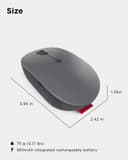
| Item Dimensions L x W | 3.95"L x 2.44"W |
| Item Type Name | Computer Mouse |
| Item Weight | 76 Grams |
| Manufacturer | Lenovo |
| Model Name | GY5MICE |
| Model Number | GY51C21211 |
| Mouse Maximum Sensitivity | 2400 Dots per Inch |
| Movement Detection | Optical |
| Movement Detection Technology | Optical |
| Number of Batteries | 1 Lithium Ion batteries required. (included) |
| Number of Buttons | 5 |
| Operating System | Windows 10 and later, Windows 11 |
| Power Source | Battery Powered |
| Range | 10.0 meters |
| Special Feature | Lightweight, Programmable Buttons, Rechargeable, Wireless |
| Style Name | Multi-Device |
| Theme | Computer Accessory |
| UPC | 195477948723 |
| Unit Count | 1.0 Count |
| Warranty Description | 1 Year Manufacturer |
S**V
Worth the $
I've used this for a few months now, and it's the best wireless mouse I've ever used. It also holds a charge for a very long time.
D**O
Great Product
It's been years, and still solid rock and working good.
A**O
Buy it
Very comfortable, worth the extra $
G**E
good.
standard quality. good function. not a "mini," which might be good or bad. good for me. would buy again for a bluetooth portable mouse ehich i could lose and not cry.
A**R
Works on granite!
The mouse seems to work great on almost any surface without the need for a mouse pad. I’ve used it for several weeks now and haven’t had the need to charge it yet. It also comes with a cord to charge so I don’t need to worry about replacing batteries all the time. I really like the mouse.
A**Y
Description is incomplete
Mouse is light, quiet, lots of buttons, easy to configure specifical for Teams/Zoom/other apps - this is great stuff right here, really well thought out and easy to set up. However, none of the custom and programmable features work when using the mouse via Bluetooth connection to a laptop. The Lenovo app states "Bluetooth connection doesn' t support software setting. Please switch to 2.4G mode for advanced functions." I purposely bought this mouse for 3 reasons: Qi charging (which I have not gotten to work yet), Bluetooth connection, and programmable buttons. I really want to love this mouse, and I do have a USB-C port for the dongle, but my laptop only has 2 and I hate swapping things out (power, mouse, Logitech webcam). This was a bust for me, but get this is if you intend to use it over a 2.4Ghz connection. Otherwise, great mouse.
B**B
Easy Peasy.
I have a company computer for work next to my personal Mac. It doesn’t get any more simple to switch back and forth. The problem with the other L is that you literally need to turn it over and flip the switch back and forth. With Lenovo it’s a button right there on top. Easy peasy.
L**T
Good quality
Well done
Trustpilot
Hace 1 mes
Hace 1 mes