We remain fully operational. Our teams are working around the clock to ensure your deliveries continue safely.

Descargar la aplicación


Servicios al cliente
Sobre nosotros
Copyright © 2025 Desertcart Holdings Limited
Descargar la aplicación
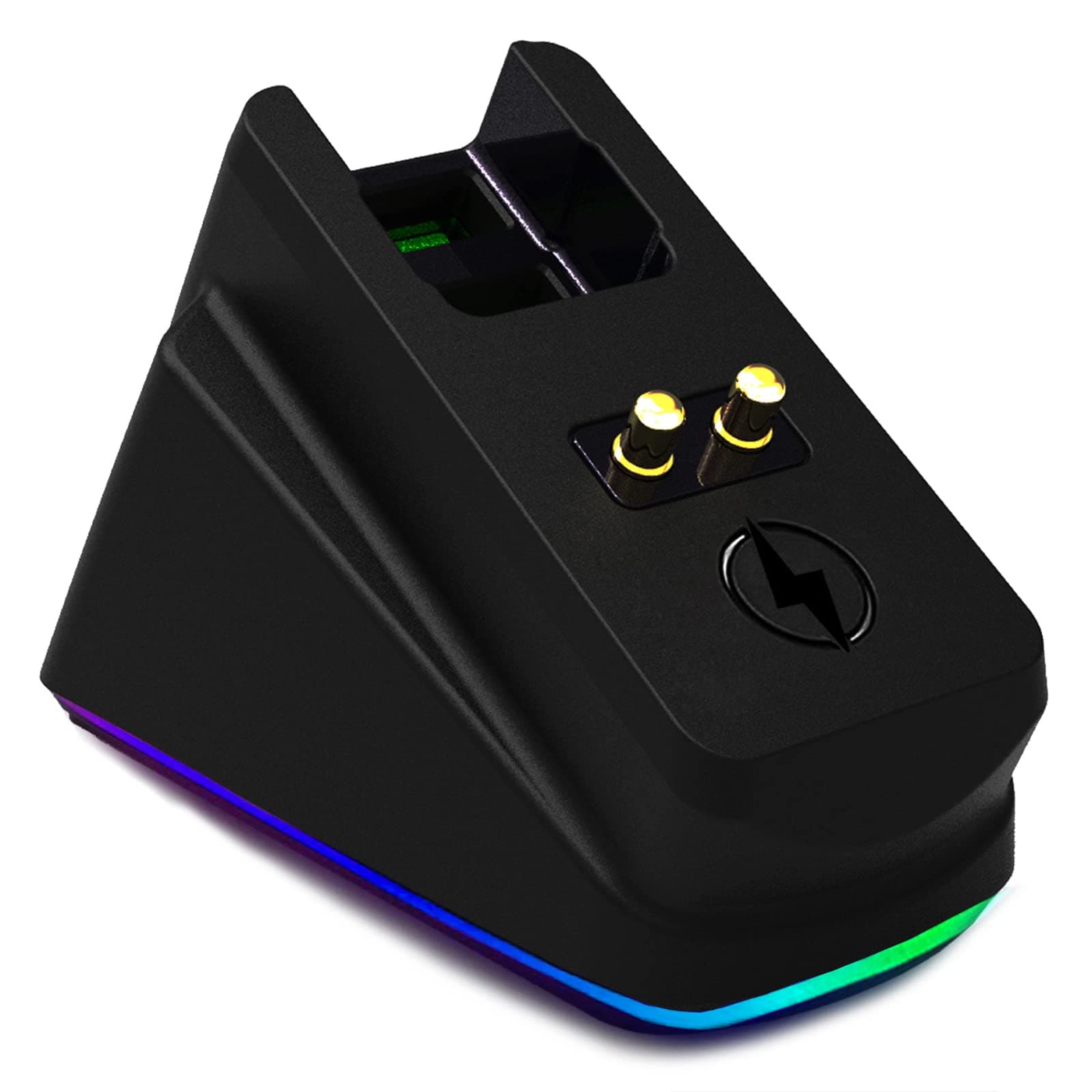
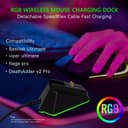


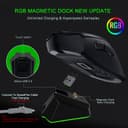

⚡ Power up your play — never miss a charge, never lose your edge!
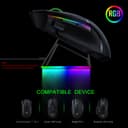
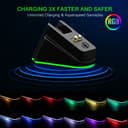
This Mouse Charging Dock is a precision-engineered accessory tailored for Razer’s top-tier gaming mice. Featuring a magnetic charging interface with high-speed USB 2.0 micro-B connectivity, it delivers reliable, uninterrupted power. Its anti-slip gecko feet provide superior desk grip without residue, while RGB status lights offer clear charging feedback. Compact and compatible with DeathAdder V2 Pro, Naga Pro, Viper Ultimate, and Basilisk Ultimate, it’s the essential upgrade for gamers demanding seamless performance and sleek aesthetics.


| ASIN | B09Q6GDD65 |
| Best Sellers Rank | #24,893 in Video Games ( See Top 100 in Video Games ) #921 in PC Gaming Mice |
| Customer Reviews | 4.3 4.3 out of 5 stars (618) |
| Date First Available | April 1, 2021 |
| Item Weight | 1.76 ounces |
| Item model number | GAME-YX-599 |
| Manufacturer | ODIER |
| Package Dimensions | 2.91 x 2.09 x 1.97 inches |
J**N
Great little device!
What an awesome charger stand. It's just simple and that's all you need sometimes. There are a couple things that I like about it and a couple things I don't like about it but I also give it a five star because it does its job, and it was a great price overall. Pros - 1) The price. $14.99 is so much easier than $49.99. Sometimes it is great to get the name brand because you get certain features that you might not get in a cheaper version. That's not necessarily the case here and for the price difference of $35, I chose this one. 2) The Aesthetics. This item is pretty simple, one chord one device two prongs and an LED light. The light turns red when it's charging, the light turns green when it's finished. Cons - 1) I honestly would not mind if there was some kind of switch on this to choose the color when it is in standby mode because I'm not particularly fond of the rainbow LED colors. 2)The rubber on the bottom works well, but it still slides around, so just keep the feet clean and it won't slide, and it definitely sticks better on a glass desk. Overall, I am pleased and would recommend. The Razor brand has really good rubber feet and stays green and does not rotate colors of the rainbow. I think that this is my only real complaint, but I understand they can't copy that brand too much, so if there was a button that switches between the colors then that would be awesome.
S**M
(Mostly) Fixes Charging Issues
Big takeaway is that if you're having issues with the dock that came with the Razer Viper (mine was that the mouse had to be placed with an incredible level of precision to register that it was docked and start charging), this more or less fixes it. Not perfect, but I'm no longer spending 1-2 minutes trying to get the mouse to start charging and it completely stopped the random disconnects. My guess as to why is that the charging prongs on this are longer (5.5mm vs 4.2mm) and have a stiffer spring, improving contact with the points on the mouse. Only real downside to this over the OEM dock is that it does not support RGB customization through the razer app. I cannot confirm if there is some other software that does allow for it.
R**N
Super convenient and works great, but annoying RGB
I’ve been wanting the charging dock from Razer for a long time but couldn’t justify the price so tried one of these alternatives. This has been a game changer and is super convenient to use. I just drop my mouse on the charger whenever I’m not using it and never have to worry about it dying on me again. Since using this, I have never had my mouse die on me a single time or have the red blinking light telling me it’s low battery. The bottom is a rubber(?) material that does a good job at keeping the dock stable and it doesn’t budge too easily. The magnets are also sufficiently strong and you can easily tell when your mouse snaps into position. However, one huge flaw with this product is the obnoxiously bright RGB that you can’t disable at all. It was so bright that it would light up my room at night despite the PC being on the other end of my bedroom. I fixed this issue by wrapping some extra black vinyl I had lying around along the bottom RGB strip and it’s done a great job hiding the RGB. Without the RGB, this would definitely be a 5 star product for its price and functionality, but with the RGB, it is EXTREMELY annoying and bright even when it’s not charging.
T**R
Does The Job
Works great. I have a deathadder v2 pro wireless. The magnet holds it in place and it charges like its supposed to. It dosnt come with the power cable but the wire that comes with the deathadder works just fine.
H**A
Good 3rd party dock for Razer
Does what it says, it has a USB pass-through so you can connect the 2.4 dongle that comes with your Wireless Razor mouse. Synapse can detect your Razer mouse through the pass-through too! This pass-through is very snug and I needed pliers to get the dongle out. Obviously this will not work with the Synapse software and the hardware is not addressable by any other 3rd party software. Small quirk, the dock glows red when your Mouse is docked and otherwise cycles colors. The only way I can get it to stay green is if I unplug and plug the dock back in. It would've been nice to have a few preset colors to cycle through but that would likely add some cost. Ideally the dock could read the battery level of the connected mouse and change colors that way but I think Razer reserves that feature for 1st party. For $20 I can't really complain. It holds the mouse and charges it would needing to constantly plug in the USB
A**Y
This magnet is less than half as big as it should be!
When I got this I was very disappointed, it will hold on to the mouse if you baby it and guide it on there pretty much pick up the mouse and pick up the stand and make them connect in the right place, but that defeats the point of a doc. I wasn't going to send it back and I was curious if there was a magnet in there that was somehow placed wrong or something so I took it apart. First of all, there are four Phillips head screws I removed from under the rubber mat on the bottom of the unit, these Phillips screws were already stripped when I found them my guess is that they really cheaped out on manufactureing and are you using a electric screwdriver where they shouldn't be in order to save time Looking on the inside there's a cavity that's clearly designed to take a rectangular rare Earth magnet in my image it's outlined in red, but they suck a much smaller magnet in there less than half the size of what this is designed for and filled up the rest with hot glue!!!! This is despicable, they probably saved 20 or 30 cents per unit and instead of a product I have E-Waste here sitting on my desk. I'll update if I can find a rare earth magnet that's not too expensive that will fit in here.
J**M
The product works as intended. Great alternative to the original razer charging dock
Trustpilot
Hace 3 semanas
Hace 2 días