
Descargar la aplicación


Servicios al cliente
Sobre nosotros
Copyright © 2025 Desertcart Holdings Limited
Descargar la aplicación

🎮 Elevate your console game with PC precision—because winning waits for no one!
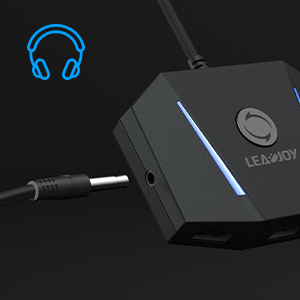
The leadjoy VX2 AimBox is a cutting-edge keyboard and mouse adapter designed for PS4, Xbox One, Xbox Series X/S, and Nintendo Switch. Featuring advanced 1:1 agility translation technology, built-in 3.5mm headset support, and full customization via the Vlead app, it delivers seamless plug-and-play setup and pro-level control for FPS, RTS, and battle royale games. Perfect for gamers craving PC-style precision on consoles.
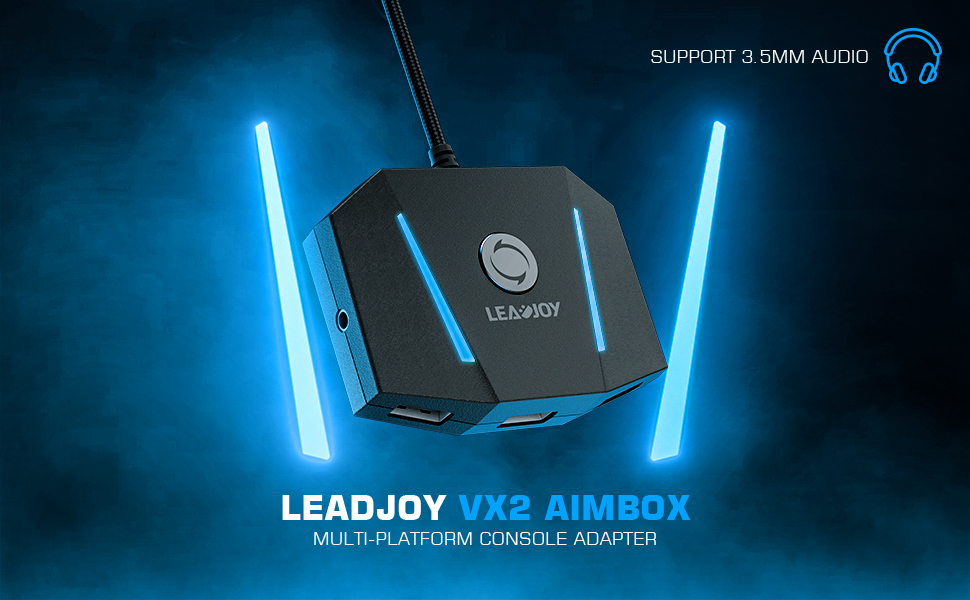




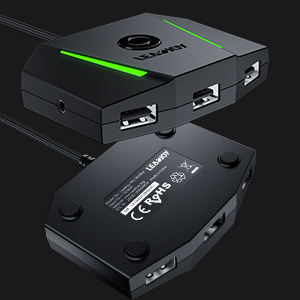
| ASIN | B09M823MFP |
| Best Sellers Rank | #1,069 in Video Games ( See Top 100 in Video Games ) #4 in Xbox One Adapters |
| Customer Reviews | 3.9 3.9 out of 5 stars (1,412) |
| Date First Available | March 2, 2022 |
| Item Weight | 5.9 ounces |
| Item model number | LJVX2AIMBOX01 |
| Manufacturer | leadjoy |
| Product Dimensions | 3.15 x 2.28 x 0.73 inches; 5.93 ounces |
| Type of item | Electronics |
L**S
Worked exactly as I hoped!
I recently bought a used Ps4 just to play the Uncharted trilogy. As a long time Pc player I am used to playing with a keyboard and mouse and this adapter did the trick! However, you MUST use an official Playstation controller; generic controllers will not work. Anyway, I am happy to be able to play the games the way I prefer!
D**E
Dakota
Does what it’s intended to do
K**E
App to connect doesn’t work.
If I could rate this product zero stars I would. The app you use to connect it to your console does not even work. Half of the pages are broken and the pages that are broken are the “help” pages which is even worse! It wouldn’t even let me save my key binds because I had to name them but then it wouldn’t even let me type a name in. Nothing connected and nothing worked. This is the worst f*****g thing anyone could buy. Do not waste your money on this.
W**E
Works exceptionally well, once you understand it.
System Specs: - Xbox Series X w/ standard controller - LG OLED C1 Series 55" (4k@120hz) - Razer Turret for Xbox One KB+M Combo (uses a single, wireless dongle for both devices) Games Tested: - Skyrim Collectors edition (Series S / X Optimized) - Battlefield 2042 (Series S / X Optimized) Reason for Purchase: Bought this device to compliment purchase of my Xbox Series X and LG C1 OLED TV after having made the following assumptions (all of which were inaccurate): 1. Assumed BF 2042 on Xbox had out of box KBM support, like COD: Vanguard. Wrong. 2. Assumed Xbox Series X had some level of native controller -KBM emulation. Wrong. 3. Assumed a $270 keyboard and mouse combo from Razer branded as being made for Xbox One accomplished bullet 2. WRONG!!! Summary Review: - Fantastic input performance out of the box (no app required, which was a plus for me) -Simple set up: 1. plugged in controller, 2. plugged in dongle, 3. plugged Gamesir VX2 into Xbox USB. 4. Turned on Xbox with controller - Zero input lag experienced in BF2042, even with in game aim sensitivity, controller input threshold, and mouse DPI maxed out - Zero input lag experienced when setting mouse to max dpi with reduced aim sensitivity in Skyrim - Slight input lag experienced when both mouse DPI and aim sensitivity were maxed out (to be clear, these settings are beyond impractical, but was impressive to see how fast the camera could spin on the TV). - Instructions come with default controller to key mapping for each platform, which was very helpful - Cheap and cost effective (if you already have a KBM) Full Review: First thing to understand: I DID NOT TEST THIS WITH THE APP WHATSOEVER. The app had serious privacy concerns and I figured any layouts can be customized within the game itself. Second thing to understand: The vendor states in the manual that you need to increase aim sensitivity in game to maximize Gamesir VX2 effectiveness. This is not entirely true and, in fact, will NOT work on its own. Instead, a combination of aim sensitivity and mouse DPI affords for optimal (and dare I say, exceptional) customization. Because of this, the mouse you are using must allow for the dpi to be increased for optimal results (i.e, buttons above / below scroll wheel). Playing each game felt more or less like playing on a PC. In fact, my own personal experience is better on my current setup because my budget gaming PC did not consistently hit 4k @ 120hz on either game (so far, I've never experienced FPS drop below 118 on Xbox Series X). The optimized version of Skyrim looks flat out better on Series X than it did on my PC, which added to the enjoyment of playing with the KBM. It almost makes me want to move the console from my living room to a desk... almost 😁. The default keys did take a couple hours to get used to (I didn't attempt remapping in game because, once I got used to them, they were somewhat intuitive). There is no power button to the Gamesir VX2 and the Xbox does keep the unit powered on, even when it is turned off. There is a reset button, which apparently allows you to resync when things arent working. So far I haven't had to use it, though. All in all, does what it's supposed to do in the simplest form. If you're looking for a review of the app, I recommend viewing it in the app store. I would recommend this product to any PC gamer looking to make a crossover to the latest gen consoles, which are quite powerful and optimized for 4k @120hz
B**S
Finally a great experience on console
This product does as suggested. You must use an official controller to connect to the device. The device utilizes your cell phones Bluetooth along with the app to modify and adjust settings for each game. I recommend going through your library of games periodically and allowing some time solo to make adjustments until it feels right. I’ve found the process is faster and easier moving the sliders in games all the way up and focusing on the settings in app. All in all, this works for the series S and X consoles of this new generation allowing a truly close and near equal PC like experience. Great device and appreciate this gift to myself as it has allowed a more full enjoyment of games without feeling extremely held back. I think we are all pretty confused why in 2024 we are still not getting standard 1:1 KBM (keyboard and mouse) support on all game consoles when 90% are cross platform multiplayer. It’s literally nothing for developers to add but kudos for your business from their negligent laziness.
F**.
Decent kbm to controller input
I mean it does what it advertised, my pc had broke for a while so I bought this in hopes to play my console games on key and mouse. It worked but it doesn't really feel the same as playing on a computer. The app was easy to use though and it did work. Maybe it just isn't for me?
S**Z
Works as advertised
Works great and stood up to the abuse of an angry 14 year old boy playing fortnight.
C**O
Doesn’t work on pc
Haven’t tried it in my Xbox but if your a pc player do it buy does it work on pc
ن**ر
لا يعمل محول
م**ي
جدا ممتازه انا جربته ببلاك اوبس 4 فوق التقييم افضل قطعه تشتريه تريحك با احسن الاعدادات بس لازم تنزل برنامجه موجود ب ios وا الاندرويت
O**U
Kullanımı çok basit. Tak çalıştır mantığı. Ürün ise kaliteli ve şık . Alacak arkadaşlara tavsiye ederim. Tepkime süresi güzel PC de oynuyormuş hissiyati veriyor.
E**A
Okk
C**R
J'ai eu un peu peur au début que ça ne marche pas avec tous les avis négatif, quand je l'est reçu j'ai branché un vieux clavier et ça ne marchais pas , au final avec un autre clavier ( acer) ça marche nickel , c'est vraiment top 👌seul soucis c'est que j'ai l'impression que certaines touche comme la touche shift ne peuvent pas être utilisé, cela viens peut être de mon jeu ( apex legend )
Trustpilot
Hace 5 días
Hace 1 mes