We remain fully operational. Our teams are working around the clock to ensure your deliveries continue safely.

Descargar la aplicación


Servicios al cliente
Sobre nosotros
Copyright © 2025 Desertcart Holdings Limited
Descargar la aplicación


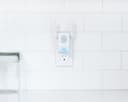


🔔 Never miss a visitor or alert again — amplify your Ring security with Chime Pro!
The Ring Chime Pro is a compact indoor chime and Wi-Fi extender designed exclusively for Ring devices. It boosts 2.4 GHz Wi-Fi signals to eliminate dead zones, ensuring your Ring Video Doorbells and Security Cameras stay reliably connected. With multiple alert tones, mobile volume control, and Do Not Disturb mode, it enhances your home security experience by amplifying notifications. Easy to set up by plugging into any standard outlet, it supports unlimited Ring devices for seamless network expansion.


| ASIN | B01N9EX0YR |
| Customer Reviews | 4.4 4.4 out of 5 stars (10,972) |
| Date First Available | December 7, 2016 |
| Is Discontinued By Manufacturer | Yes |
| Item Weight | 8 ounces |
| Item model number | 88PR000FC000 |
| Manufacturer | Ring |
| Product Dimensions | 1.85 x 1.02 x 2.91 inches |
E**.
Works to make my rear camera receive signal
UPDATED REVIEW: Ok, so I am a person who can admit when I’m wrong. I was wrong about this product. I’ve had it plugged in in my kitchen for a while now & it works well! My home is long and narrow. My front door has the doorbell cam, my modem/router is in the front room and about 4’ from the doorbell, so it always worked fine. The back door is the one that was smashed in the attempted-burglary that is the reason I got this system so of course I had to put a camera on that door. The exterior mounted security cam w/motion light is over the back door. The first few months it worked great... then out of nowhere, no change in service or location of modem/router, it quit receiving signal. So, I got this product and put it in my kitchen, which is in the back third of the house, best mid point between rear cam & modem. It has done the job and the rear cam has worked well using this thing. It has the option to play sounds when doorbell rings, but, the location of the doorbell’s chime is in the kitchen right above where this is plugged in, so the doorbell sound, the sound the phone makes AND this thing making a sound was just too much, so it’s silenced. I recommend it if your cam is too far from your modem. ORIGINAL REVIEW:I plugged in chime pro & set it up on my phone- very easy. Once set-up was complete, I attempted to connect it to my outdoor wired ring security camera. The entire reason for this purchase is: my ring cam is above my back door, which is obviously at the rear of my property. My modem/router is located in the front room, right inside of the wall at the very front of the property (this is the only option due to location of coaxial cable line). The back cam goes on & off line frequently. I got this system after an attempted break in where the window in my back door was smashed in. I have a doorbell cam also, but because there’s an alley behind my home thru which the back door can be approached, completely avoiding the strong wifi signal doorbell cam, the back cam is the valuable one! So, back ti chime pro, plug in set up, great. Attempt to link to back cam 1: from inside the kitchen, midway between modem & back cam: no go, cam can’t connect. Move chime pro to far kichen wall, attempt #2: no go. Attempt 3, chime pro in laundry room where back door is located: no go. Attempt 4, with extension cord, holding chime pro in the window of the back door, pointed at back cam, probably 16” from the cam, NO GO!!! It wouldn’t pick up the camera when it was within 2 feet of it, so, this is going back. I am VERY disappointed.
J**H
They work over time...
Mine are still working!
T**C
I WAS SKEPTICAL AND DUG DEEPER
Normally I try everything to problem solve an issue regarding wireless video transmission in any format, without having to buy additional products. Essentially my Ring doorbell pro worked perfect for a couple of months, then I noticed that the signal strength dropped one day, and I lost connection numerous times. It’s as if the doorbell had a built in timer to decrease WiFi connectivity after a certain time (outside of normal warranty) to cause you to buy a ring chime pro. Now I have read numerous reviews, researched ring forums, and I have spoken to ring users. Having had the opportunity to talk with ring super techs in the past about other things, I didn’t feel the need to bother them about this specific issue as it’s been beat up enough. The deal essentially is my ring doorbell pro always had a -54 connection strength to my WiFi router, which is awesome. A indoor ring can mounted in my garage always had a -53 signal strength. One day the ring doorbell goes to -64 and nothing I did would change that. I tried everything except removing it off the concrete wall, and doing a line of site to the router. It really is convenient to have my router up 7’ on my wall, above my tv in a direct line almost 35’ from my front door. I should have excellent signal strength like I always had. Nope, no matter what I did I couldn’t get it to change. My garage cam, which penetrates 3 sheet rock standard walls still has the same signal strength. Yet the doorbell with only the concrete wall in its way still would not work properly as it always did. My Doorbell is between my front door which is wood, and there is a window on the opposite side. Nope, still wouldn’t work. I thought let’s move the router closer, wait why should I change my location? I get full WiFi out to my mailbox! So I order the chime pro, upon arrival I link it to my account, reset the doorbell, and link it to my chime pro and viola! Instant -53, what the......... Seriously?! So I moved it around and tried three different wall outlets to see if the signal strength would change, and it did. I found that the best place was inside my foyer behind my front door about 5-6’ from the doorbell. Sure moving it to an outlet under the window Which was next to the doorbell had a -55 strength which was less. Go figure that the concrete wall most likely caused this, or? Either way it’s been working great since then. Sure I am skeptical that a $249 doorbell would need this. I didn’t pay that as I got the black Friday deal bundle with the echo 5 show for $179. Both devices for that price made buying the chime pro easier. Sure I was upset but it works fine now, and it solved my issue with no headaches. If your having ring doorbell signal strength issues, you can try several things. 1. Exchange it under the warranty. 2. Move router closer if you have ability. 3. Go to another doorbell brand. 4. Get the ring chime pro.
M**E
A good edition to your Ring security needs
This is obviously a very specific product that is only used for Ring devices. This does only a few things. It extends your WiFi to other Ring products and sends notifications for said products. I purchased this to enhance my WiFi for the Ring 2 Video doorbell. Ring has a spectrum of WiFi strength ranging from -0 to -99, -99 being the worst signal and -0 being the best. My WiFi is in the back of the house so my original WiFi strength was -63. I thought by adding this chime to the setup would boost the signal enough to get a better sound and video quality. While it did boost WiFi strength to -46 (after testing out different outlets) it didn’t much improve the doorbell. Albeit the distance between my doorbell and WiFi was cut in half by the chime addition. Like the Ring, the chime was easy to setup. Less than five minutes using the Ring app. It can be custom controlled meaning you can use it solely for extending WiFi range, or notifications for movement or actual rings, or both. The chime only takes up one outlet and provides plenty of space for the other outlet if you plug it into the top. So, with a little bit of time finding the sweet spot in your house to extend the WiFi, the chime does a decent job boosting that signal. If I get any more Ring security devices I’ll be adding the efficacy of this chime in a later update. I give this product four stars because it does what it says it’s going to do and does so fairly well. Normally I post that if I’m looking for something in the future I wouldn’t do much more research into other products while giving a four star review; however, because this product is Ring specific I’ll be required to purchase this item again.
Trustpilot
Hace 1 mes
Hace 2 semanas