We remain fully operational. Our teams are working around the clock to ensure your deliveries continue safely.

Descargar la aplicación


Servicios al cliente
Sobre nosotros
Copyright © 2025 Desertcart Holdings Limited
Descargar la aplicación


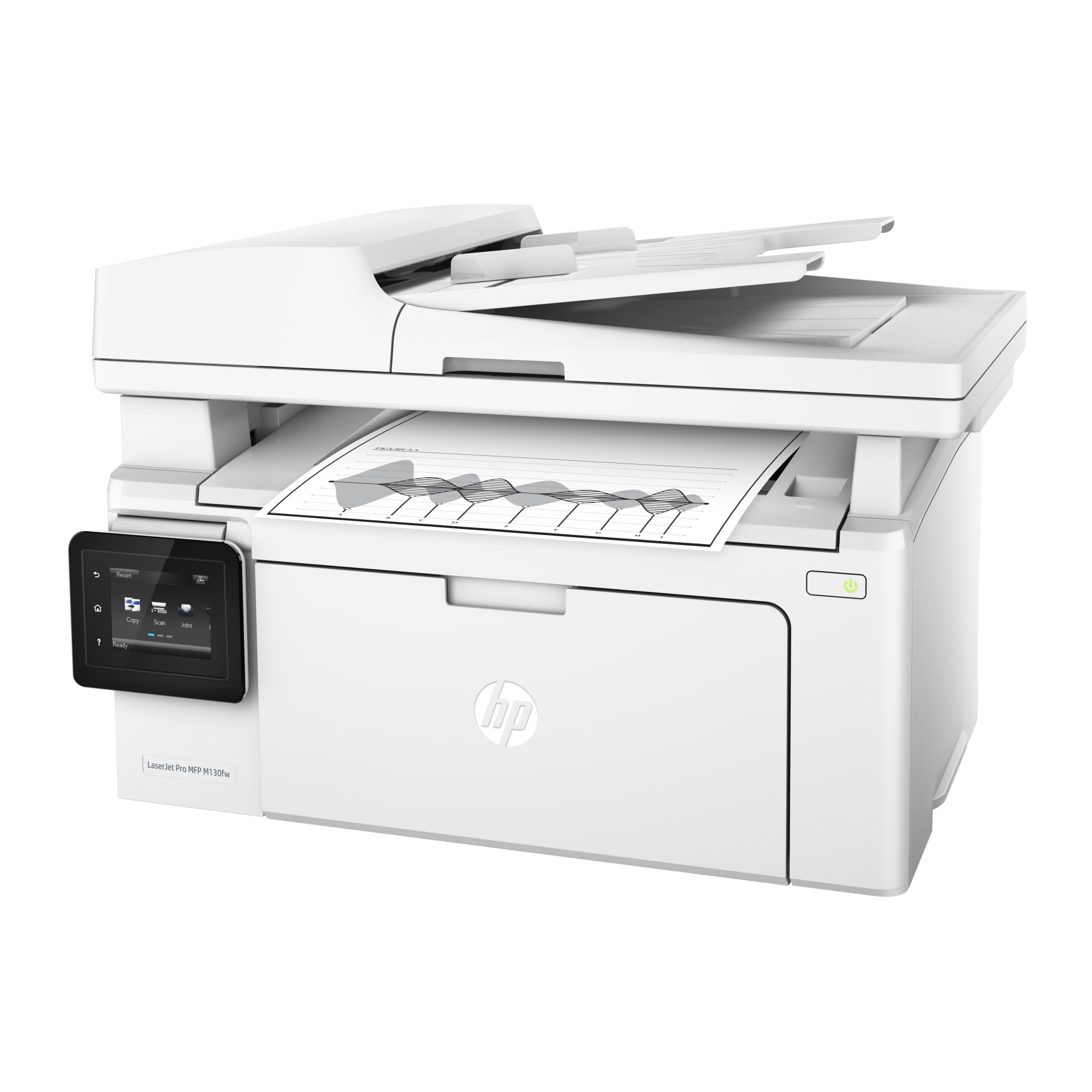

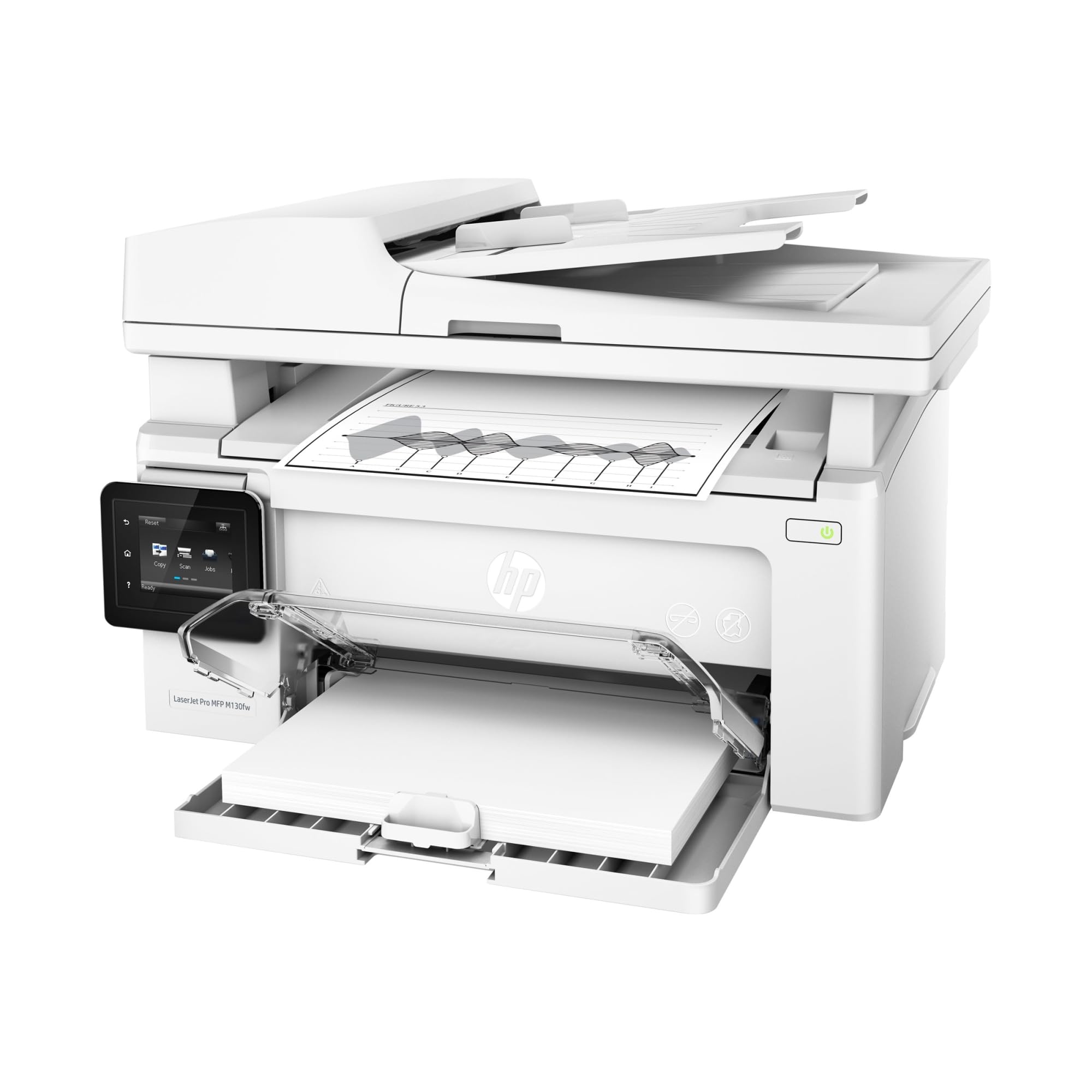

🚀 Elevate your workspace with speed, smarts, and seamless wireless freedom!
The HP LaserJet Pro M130fw is a compact, all-in-one monochrome laser printer designed for home and small business use. It offers fast printing speeds up to 23 ppm, a 4.3-inch color touchscreen for easy control, and versatile wireless printing options including HP ePrint, AirPrint, and Wireless Direct. With multifunction capabilities—print, scan, copy, fax—and energy-efficient Jet Intelligence toner cartridges, it delivers professional-quality documents with reliable performance and smart connectivity.


| ASIN | B01LBWELFK |
| Additional Printer functions | Copy, Fax, Scan |
| Best Sellers Rank | #261,177 in Office Products ( See Top 100 in Office Products ) #382 in Laser Computer Printers |
| Compatible Devices | Laptops, PC, Smartphones |
| Control Method | Voice |
| Controller Type | Amazon Alexa |
| Customer Reviews | 4.3 4.3 out of 5 stars (981) |
| Date First Available | October 1, 2016 |
| Dual-sided printing | Yes |
| Duplex | Manual |
| Global Trade Identification Number | 00725184117305 |
| Hardware Interface | USB |
| Included Components | HP Black LaserJet Toner Cartridge ~700 pages, HP LaserJet Imaging Drum ~12,000 pages, HP LaserJet Pro MFP M130fw, Printer documentation and software on CD-ROM |
| Ink Color | Black |
| Is Discontinued By Manufacturer | No |
| Item Weight | 16.76 pounds |
| Item model number | M130fw |
| Manufacturer | HP |
| Max Copy Speed (Black & White) | 22 ppm |
| Max Input Sheet Capacity | 150 |
| Max copy resolution black-white | 1200 dpi |
| Max copy resolution color | 600 dpi |
| Maximum Black and White Print Resolution | 600 dpi |
| Maximum Color Print Resolution | 1200 dpi |
| Maximum Media Size | 8.5 x 14 inch |
| Maximum copies per run | 100 |
| Memory Storage Capacity | 128 MB |
| Model Series | HP LaserJet Pro |
| Number of Trays | 1 |
| Number of USB 2 Ports | 1 |
| Output sheet capacity | 100 |
| Power Consumption | 255 Watts |
| Print media | Card stock, Envelopes, Glossy photo paper, Labels, Paper (plain) |
| Printer Ink Type | toner |
| Processor Count | 1 |
| Product Dimensions | 11.34"D x 16.66"W x 11"H |
| Scanner Type | Sheetfed |
| Sheet Size | 3 x 5 to 8.5 x 14 |
| Specific Uses For Product | Home, small to medium business |
| Supported Media Sizes | 3 x 5 inches, A4, A5, A6, B5 |
| Total Ethernet Ports | 1 |
| Total USB Ports | 1 |
| UPC | 725184117305 |
| Warranty Type | Limited Warranty |
| Wattage | 225 watts |
N**N
meets our printing and scanning needs; weaknesses reported by others no a problem
This printer/scanner just arrived and I'll update this review as necessary. The printer meets our needs. We rarely need color printing, and so opted for the much cheaper to operate B&W laser. Setup required about 2 hours. The instructions were adequate, but one had to carefully think through steps. The printer works well with our home network, and by direct wi-fi connect. We were pleasantly surprised that it had a feature that allowed us to remotely email a print job to the printer. At first I was dismayed by the apparent poor scanning resolution of 300 DPI, but that is only when using the automatic document feeder (ADF). If one changes the setting to Flatbed, and placing one document at a time, the scan resolution is up to 1200 DPI in color. The scanning software did once fail to reopen after closing. Others have reported this. To remedy, I opened the computer Task Manager, found the scanning software running, and killed it, and then was able to reopen. We have this printer on our home wireless network, and we have not observed any slowing of the wireless network reported by others. We have a Netgear Nighthawk router. We have enabled remote printing by email directly to the printer, and it works perfectly. This is a very nice feature to provide remote printing. We have not observed any problem, as reported by others when the printer goes to sleep. Even after days, once a remote job is sent by email, it wakes up and prints immediately. I'll update as I discover more.
R**T
robust multi-function capabilities in a compact form factor
Of the printers that I hands on tested, for it's price class, this printer had the best build quality by a pronounced margin. The unit is very well designed, offering robust multi-function capabilities in a compact form factor. I did nearly all configuration after initial installation using the web server UI and found it to be effective, comprehensive, and responsive. The touchscreen is well sized, intuitive, and an effective tool for controlling the printer. The HP Smart app is very useful and convenient, and also well designed. So glad to have upgraded to a Pro class printer offering full range networking and user control. It scans to local NAS, email/cloud, and mobile devices effortlessly after initial setup and configuration.
D**B
This is an adequate but not great multifunction printer.
This multi-function device is good value for the money. It was easy to set up for basic use. The printing quality is adequate. It scans & copies adequately. I have not tried the fax function. It is relatively small and moderately quiet. I would recommend this product. It does have some serious problems. The touch screen in front is hard to get to & use. Everything HP does with notices and instructions is in very small font and/or very light font. The screen is difficult to read. The choices are too small for easy use. The printed material with the device is also in very light print. The screen for scanning is tiny & the choices are hard to read. There is no excuse for these deficiencies. While the basic set-up was easy, more sophisticated set-up was very difficult. I never could make the scan to folder function work. The tools for working with the device were difficult to access. The HP website also has very light font and is hard to read. I previously had the P1606 printer and the 5520 scanner, both from HP. These were more expensive and definitely better. Finally, you need to buy #17A cartridges and also #19A drum rollers. This is extra overhead. I do not know if there is a better product for the money. If I had to do it over, I would get the M132, M227, or M148 printer.
A**N
small footprint, quick printing, does what it needs to do
I bought this printer for light home printing and document scanning. It has a very small footprint for a laser printer. It's relatively attractive in white, only ~12" deep, and has adequate printing and scanning abilities. It replaced an AIO brother inkvestment printer and this printer is actually smaller than the inkjet. I had no problems connecting immediately to my mesh network and it's held connection so far (only a day). I didn't use the enclosed driver CD, but rather installed the printer drivers through Win10 after connecting to WiFi on the printer. I then installed the HP smart app through windows for the other functions. Took about 5 minutes. 1st page printing is much faster than my inkjet (~3-4 sec), with quality that is fine for documents. Document feeder accepted a 20 page test run without problems. This is a fine monochrome AIO laser printer for my light needs.
K**1
Easy to use and great printer.
I don't usually write a review of the products that I purchase from Amazon 4 months ago, but I'm so please with this HP printer. In the past, I've had problems with several other brand inkjet printers. Problems in changing cartridges, running out of ink, and the hassle of cartridges not working because of infrequent use of the printer, caused me to get rid of inkjet printers. This laser printer is so much less complicated. Set-up was easy. The printer toner takes care of my printing needs, and as I've been told, lack of use of the printer the toner will not dry out. Printing jobs and copies come out perfectly clear and very fast. I'm completely satisfied with this printer.
M**A
Muito boa
E**E
Trouble to work with windows 10 but easy to connect with macbook pro works perfectly and it takes 2-5 minutes for configuration on macbook pro. Nice copying & scanning even it scans in PDF by phone iphone or computer it works on both perfectly. Absolutely recomanded for macbook and iphones. Poor connection with windows PC
J**M
printing is very fast, but this printer is just a blank ink
I**L
Excelente impresora. La compré a bastante buen precio y está excelente. La configure en Linux y en Windows, en linux no hubo problemas solo que aveces se pierde la conexión, con Windows fue más complicado hacer todo el proceso pero funciona mejor.
M**B
This is my third time getting this. The first two occasions I got the non-wireless version (for 100 dollars, you can't pass on that). This time, the wireless version was cheaper (go figure). I've already written a review for the other model. This is specific to the wireless model. The good: - If you have Windows 8 or more recent, set-up is straightforward. Do not use the disk. I set up mine on Ethernet but it works exactly the same on WLAN. It got recognized instantly (as Fax, Printer and Scanner) by all computers (Windows 10, macOS Sierra). It was ready to use in 10 seconds. - The web control interface (if set up on the Network directly, ie not USB) is great and very comprehensive. You can access it by typing the printer's local IP address. - Printing quality is what you would expect from a standard Laser printer, ie it's good and you'll be satisfied. - The tray-loader, in addition to the flatbed scanner, is great for scanning multiple pages at once (especially useful if the printer is not in the same room). You can also, in this model, initiate a scan from the printer itself and have many options to deliver the files (eg email). - On Windows 10, there is a UWP app to monitor the printer. It gets suggested automatically or you can manually download it from the Windows Store. It makes scanning especially easy. I recommend you install it if you don't want to deal with the Windows scan utility. It also has the ability to save to PDF. The bad: - Scanner is bad. At this price, I can barely complain but it's hardly satisfactory at 300 dpi max. The images also look very unnatural and extremely soft. This is really for strict casual use, in case you need to quickly scan an official document to send electronically or for document archiving purposes. - Drum and toner are separate consumables and this printer's toners are not noticeably cheaper as a result of this. You won't have to replace the drum until 12000 pages but it's something to keep in mind as it is unusual for a home laser printer. - Scanner drivers that come with the printer are awful with Windows. They don't even work actually. Just use the software available on Windows or the app I suggested. Foot notes: - Contrary to many printers out there, this did come with a USB cable. A pleasant surprise! - For 160-ish dollars, there is no better value out there.
Trustpilot
Hace 2 semanas
Hace 2 días