We remain fully operational. Our teams are working around the clock to ensure your deliveries continue safely.

Descargar la aplicación


Servicios al cliente
Sobre nosotros
Copyright © 2025 Desertcart Holdings Limited
Descargar la aplicación


⚡ Power Your Productivity, Dock Like a Pro!
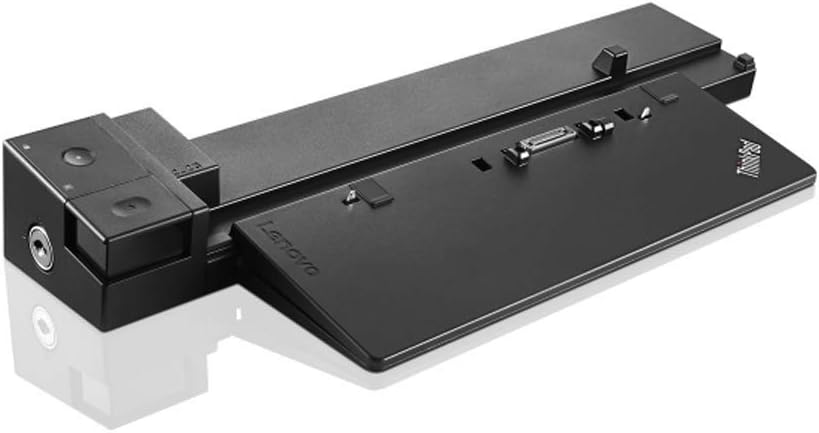
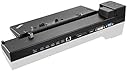
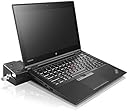
The Lenovo ThinkPad Workstation Dock 230W (40A50230US) is a high-performance docking station designed exclusively for select ThinkPad P-series models. Featuring six USB 3.0 ports (one with always-on charging), multi-display support via DisplayPort, HDMI, DVI-D, and VGA, plus gigabit Ethernet with enterprise manageability, it transforms your laptop into a full-fledged desktop powerhouse. Its compact design and robust connectivity options make it an essential hub for professionals demanding seamless multitasking and reliable network performance.
| ASIN | B019K6ET24 |
| Best Sellers Rank | #39,014 in Computers & Accessories ( See Top 100 in Computers & Accessories ) #1,457 in Laptop Docking Stations |
| Brand | Lenovo |
| Built-In Media | Docking Station^ThinkPad 230W AC Adapter^Power Cord^Publications |
| Color | Black |
| Compatible Devices | Lenovo Thinkpad P50, P51, P70, P71 |
| Customer Reviews | 4.6 out of 5 stars 361 Reviews |
| Global Trade Identification Number | 00779184154433, 00889233920398 |
| Hardware Interface | USB 2.0, VGA |
| Item Type Name | Lenovo Docking Station, Black - 40A50230US |
| Item Weight | 2.16 Pounds |
| Manufacturer | Lenovo |
| Number of Ports | 12 |
| Total Number of HDMI Ports | 1 |
| Total USB Ports | 6 |
| Total Usb Ports | 6 |
| UPC | 779184154433 889233920398 |
| Wattage | 230 watts |
M**N
Worked just fine.
Worked just fine.
J**U
The last one, it will be missed...
Great docking station for ThinkPad P50 and P51... it will be missed. The new models use USB-C ones, which are good, but will never meet the level of comfort, ease of use, and charging speed as this one... times change... good bye, ol' friend.
C**M
It's an oldie but a goody.
It came new in the box with everything wrapped and never used. What else can you ask for at such a great price?
G**X
UPDATED: See my notes as this unit was NOT the problem
I have a P50 and have experienced one situation – on station it will NOT fully boot up, just get a black screen. I have to remove it and once I lift the lid it will boot up and can then put it back on the station. I have tried the following to no avail: - Purchased a new docking station (I bought my P50 last march with a docking station) upon calling Lenovo it was out of warranty - The new dock station has the same problem - on the Lenovo site I found a docking station firmware upgrade but upon loading it the update log stated I already had the latest firmware - Upgraded my BIOS to the latest version - In the BIOS I did the following based on many Internet references to this problem: o Config/Display changed from Hybrid to Discreet and Boot Time to 5 seconds o Main/Security Restored Factory Keys – this actually gave me the LENOVO screen but just sat there making me remove the P50 from the docking station, lifting the lid to finish the boot up and then replacing the P50 onto the docking station o I finally reset back to Hybrid and 0 seconds since this provided no advantage I did call Lenovo and they were kind but simply followed a standard procedure that did not help at all. So I am relegated to simply dismounting the P50, lifting the lid and do a boot up to the lock screen, reinstall the P50 to the docking station and it starts up fine from there. I can honestly say I will never buy another Lenovo product! I give this two stars only because it does work but not as it should. 01/10/2018 UPDATE: I found out that there is NO problem with this unit but rather with USBs attached to it. For me it was my USB Hub - once I unplugged it the unit worked fine. I then replaced the Hub and the new hub works great with this docking station. I have had the old hub for a few years now and I think it just went bad. If you are having the same troubles I had try unplugging one USB device at a time (start with you Hub if you have one attached) reboot and try the next.
J**.
DVI and RGB work fine (except for the annoyance above)
I have no choice since I want a docking for my ThinkPad P50. Problem is that I always must open the computer lid to enter the Bitlocker PIN code. My HP dockstation would show the PIN code screen on the external monitors. This one I must open the notebook lid and enter the Pin Code there. Also, had problems using the HDMI connection. DVI and RGB work fine (except for the annoyance above). UPDATE: After following instructions from a comment left here, I was able to fix the Bitlocker PIN issue. Will update to 4 Stars since I believe things today should be plug and play, and having to go change things in the Bios setup is too last century :0
M**.
The docking station works great. Very easy to use
The docking station works great. Very easy to use. Connection is quick and easy. It was very easy to set up. The only issue that I have with it from time to time is that I loose one of the monitors when I put my laptop back on the docking station. All I have to due is pull the HDMI cord out and put it back in. It is well worth this minor issue though.
D**N
A great companion to my ThinkPad p51
This works really well: After a trip, I can just place my ThinkPad P51 workstation laptop on top of the docking station, snap it into place, and be back in business with my desk's computing setup (mouse, speakers, external drive, and two monitors). It might be a bit pricey, but it was worth the investment. (Note: I understand that Lenovo's newest workstation laptop, the P52, does not have the mechanical workstation connector, so be aware if you're buying the latest incarnation of the ThinkPad "P" series.)
G**Y
Perfect, in every way !
Excellent-quality product. Secure packaging, fast shipping, and great price. I did not expect this 'refurbished' product to be perfectly clean (new?) condition, but it was. Both keys were included. The power supply itself is worth 2x what I paid for this entire order. --> I highly recommend this supplier !
Trustpilot
Hace 3 semanas
Hace 5 días