🖱️ Elevate your game with the lightest, fastest, and most precise wireless mouse ever.
The Logitech G PRO X Superlight is an ultra-lightweight wireless gaming mouse weighing just 63 grams, featuring the advanced Hero 25K sensor with up to 25,600 DPI for exceptional precision. Designed in collaboration with esports pros, it offers a 70-hour battery life and Lightspeed wireless technology for lag-free performance, complemented by large PTFE feet for smooth gliding. Compatible with PC and Mac, it’s engineered to deliver pro-level control and endurance.

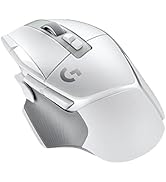

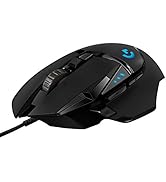

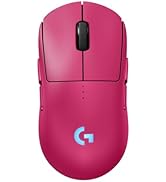


| Average Battery Life (in hours) | 70 Hours |
| Brand | Logitech G |
| Series | G PRO X Superlight |
| Item model number | 910-005878 |
| Hardware Platform | PC |
| Operating System | Windows 8 |
| Item Weight | 2.2 ounces |
| Product Dimensions | 1.57 x 2.5 x 4.92 inches |
| Item Dimensions LxWxH | 1.57 x 2.5 x 4.92 inches |
| Color | Black |
| Power Source | Battery Powered |
| Batteries | 1 Lithium Polymer batteries required. (included) |
| Manufacturer | Logitech |
| ASIN | B087LXCTFJ |
| Date First Available | November 18, 2020 |
T**S
Super lightweight and minimalistic
Honestly, I did not expect to like this mouse as much as I do. When I first picked it up I thought something was missing inside because it’s THAT light. After a few games though, it just feels natural. It’s super easy to flick around, no wrist fatigue, and really smooth on the mousepad. Tracking is spot on, clicks feel clean and satisfying, and I haven’t had any connection issues at all. Battery life has been great too, I charge it way less often than I thought I would, even using it daily.
P**N
Perfect gaming mouse!
This gaming mouse is absolutely fantastic! Super lightweight and the wireless connection is flawless with zero lag. The Hero 25K sensor is incredibly precise and responsive. Battery life is excellent. Perfect for competitive gaming. Couldn't be happier with this purchase!
J**A
Good gaming mouse,ergonomic,light,fast dpi settings.
This mouse is a great high end gaming mouse.Its good for FPS and alot of other games.Its really light like 50g and it helps reduce fatigure during gameplay.The shape is very comfortable with a premium feel.The sensor is extremely accureate and response with no delay. The battery life is really good lasting you up to a couple days of gaming.The sounds are crisp and responsive and the scroll wheel feels good without being to stiff.The logitech g hub is also really good.It comes with this mouse and it makes customizing DPI settings really easy. Overall this is a top tier mouse and I think it proves worthy of the price it holds and if your a serious gamer that games everyday and want a lightweight reliable mouse I recomend this mouse.
T**3
Best gaming mouse for the price
Quite literally the best mouse I’ve ever owned, won’t but anything else after this. The only complaint I have is the side buttons are somewhat small and hard to reach. Other than that, its design is nearly weightless and you experience basically 0 drag or input lag. The wireless is great on it, and you just plug the USB in instead of using Bluetooth. Pretty easy to use and self explanatory. The price for 79 bucks is pretty much worth it.
A**I
Great mouse, but they skimped on the scroll wheel
I've had this mouse for a couple months and use it at least 4 hours a day. This has mostly been gaming and some browsing the web. As a note, I did buy this when it was on sale. So I take that into consideration when I'm writing this review. I'll break down my pros and cons below: Pros: Very light Glides smoothly Recharges very quickly Very long battery life Sturdy left and right click Extremely accurate tracking Easy to modify the DPI Cons: The side mouse buttons are mushy and feel bad The scroll wheel is not durable So I want to talk specifically about the scroll wheel. I use both scrolling (up and down) along with click it (pushing it in) frequently in the games I play. After about 4ish months I started noticing when I would scroll either up or down. The mouse would scroll a click or 2 (basically one scroll wheel unit observed by the computer) in the opposite direction occasionally. This started to happen more frequently, until eventually it was happening every time. Digging through reddit, this seems to be a pretty common issue for people and one that hasn't been addressed by Logitech. I was able to find a solution to help resolve this issue (turn off the mouse, flip upside down, set mouse wheel on flat clean surface, press down lightly and roll the mouse back and forth along the full mouse wheel range for about a minute). But I have to do it everyday, sometimes multiple times a day. For me, this is really annoying and something that I would expect from a mouse marketed as a high end gaming mouse. Overall, I'd say this very good mouse if you don't use your scroll wheel too much. Or really rely on your side buttons. But I would not buy this at full price. Considering the amount of competition in this market you can get a better mouse for the same price (full price) or one of similar quality at a reduced price (about $80-$90) If you see this on sale, I would consider it. Otherwise, I would look elsewhere.
T**G
Great Mouse
The mouse is sooo light. Compared to my other mouse I used to use, it is triple the lightness. The size, comfortability, quality, and design Are all top notch. It's super easy to use, and it can be used for multiple functions. You can also customize it with the extra items that come with it.
J**O
comodo y perfecto para lo que es
L**Y
للأسف الشديد، اشتريت هذا الماوس لابني ليلعب لعبة فولارنت وفورتنايت بكل أمانة أصبح يلعب في البطولات وتأتيه الاضافات من اللاعبين الآخرين كونه ماهر صحيح سعره غالي لكن يستاهل كل فلس فيه
H**R
This is a surprisingly good mouse. I've been using the Mad Catz R.A.T. line of mice for probably 8 years now. I've enjoyed having a thumb rest and I thought I wouldn't be able to use a mouse without one. So I bought the Logitech G502 wireless mouse and was extremely happy! Then I went to a friend's house to troubleshoot his computer. He was using a Glorious Model O Wireless which is another lightweight mouse. I was amazed at just how light it was. So after some research...I decided to buy this mouse. But I bought it expecting to not like its shape. But holy moly is it ever good. I ended up ordering a second one for my work computer. Now...not everything about it is good. Here's the bad: - The mouse does feel a bit cheap. The mouse will flex and bend when you press it. This isn't something you'd really do...but really does indicate just how thin the plastic on it had to be. - No DPI switching. It would have been amazing if it had one extra button on the mouse that you could use as a G-Shift key so you could hold the button and mouse wheel up/down to change DPI. But currently you have to open the app and change it each time. - The back/forward buttons on the side are beyond bad. The buttons themselves feel really cheap and the click is deep into your press and pretty uneven. - The scroll wheel. The grip on it is good. But...they're using some kind of rubber to create resistance against it as you scroll. So it actually takes a decent amount of force to scroll up and down. The good part of that you can safely switch single weapons in FPS games without overdoing it. The downside is that it makes scrolling through webpages very tedious. - The price. This mouse is definitely overpriced. But what did we expect from a company that sells a $330 Logitech G915 Keyboard with 30 hours battery life, low travel, terrible switches, and no wrist-rest which is in all honesty...a completely mediocre keyboard at best. Now on to the good. Or rather...Great qualities of the mouse: - Holy moly lightness. If you remove the little compartment cover on the bottom, the mouse weighs in at just about 59g. It's effortless movement. I tried using my dad's computer earlier today and he has a heavy corsair gaming mouse and I could barely even move that mouse as I've gotten so used to the lightness of the Pro X Superlight. It gives me a ton of confidence and I saw a notable difference in my performance. In gaming. Not in bed. Still haven't figured out how to solve that specific problem... - Battery life. IS FAR BETTER THAN ADVERTISED. I just kept laughing. I got the mouse and out of the box it had like 49%. I did a 3 hour gaming session and expected battery to be down to like 40-45%. But nope....48%. So I thought the battery usage was just incorrect. Tried next day. Played for like 5-6 hours with full 1000Hz polling rate. Battery down to like 46-47%. In fact...after a full week of usage...it's only gone down from the initial 49% to 40%. It probably helps that the Lightspeed receiver is close to the mouse. But overall that is amazing battery life and far better than I could ever have expected. - Wireless connectivity. I think I've had just 1 instance of signal interference. And even that I'm not sure was the wireless connectivity. It may have been a momentary game issue. Other than that it's been flawless and is connected immediately and always. - Battery/power management. The mouse is somehow always on/aware. Even when the computer is asleep, the lightest movement of the mouse sends a signal to turn the computer on. Which is actually bad...because if I put the computer to sleep and slightly hit my desk as I'm getting up to leave...it'll turn back on. It's truly remarkable. - Mouse feet - Super glidey. Although with how little this weighs...I'm not sure if this is more a result of the low weight of the quality of the feed. But on the hard Logitech G mouse mat it slides around like it's on an ice skating rink. To sum it all up....this is a ridiculously expensive mouse. They're charging you more, for giving you less. There's no particular reason for it. And while you are overpaying...you can at least take solace in the fact that it is a damn good mouse despite some of its flaws. And it really can improve your gaming performance, and also give you the ease of use of having a long life wireless mouse. So go ahead. Waste your money. Because this is one of the best mice you could waste your money on.
G**U
Nice gaming mouse, comfortable, fast delivery👍
I**E
Pros: -Very, very light. -Clickity, responsive, & reliable buttons. -Scroll wheel has right-on resistance and it's easy to modulate. -Ergonomic and comfortable. -Fantastic dpi range, up to 25,600! -Long battery life. -Logitech G Hub software is intuitively laid out and easy to use. -Has a stow-away compartment underneath for the USB-A receiver dongle. _____ *Neutral: -Very expensive for a mouse. -Have to open the G Hub app to change the DPI setting. _____ *Cons: -None Although I'm not a pro gamer but a moderate PC gamer, I still appreciate the Logitech G Pro X Superlight very much. Just like its name says, the mouse is super, super light and it felt like an empty and hollowed-out dummy unit for customer display when I first picked it up. It's the lightest mouse I've ever laid my hands on and it took me a little while to get used to its surreal lightness. That's not to say, however, that the mouse feels cheap. Due to Logitech's excellent design, the mouse cups underneath my hand like a second skin, feeling very ergonomic and comfortable. For the type of games I play, which are mostly FPS and third-person action RPGs, the number of buttons provided proved adequate and satisfactory. MMO players, on the other hand, might wish for more. The left and right-click buttons, as well as the two left-side buttons all worked just fine. The scroll wheel, which has good resistance, performed well, with no over-, under- or laggy scrolling. It's tuned perfectly out-of-the-box and I have no complaints. I'm already familiar with Logitech's G Hub software and I'm glad the company is keeping the design and navigation within it simple and elegant. There aren't many customization options for the G Pro X Superlight because it comes with a minimal number of buttons (five) and no LED light colors to change, which is fine by me. But it's in here that you can toggle among the various DPI settings. Thanks to the awesome HERO sensor, the dpi can be set as high as 25K! My reflexes aren't that good so I usually have it set way lower when playing slower-paced third-party action RPGs and I crank it up a bit for FPS games like Cyperpunk 2077. You'll have to play around with the dpi slider until you find the setting that is most comfortable and appropriate for your usage scenario. It's only when I'm not gaming and using the mouse for web browsing and productivity tasks that I wish there was at least one or two more programmable buttons - a dpi-changing button and a general-purpose button underneath the scroll wheel. On my other computer mice with more buttons, I usually set the button underneath the scroll wheel to launch a keyboard shortcut, such as CTRL + W (close tab). If I had a dedicated dpi-changing button, then I could be saving some time by not having to launch G Hub and setting a different dpi value. But all of this is really nitpicking and missing the point since the G Pro X Superlight is specifically tailored for hardcore and pro-level gamers. All in all, I'm more than pleased with the Superlight. It is feather-light, very ergonomic and perfectly suited for hours-long gaming sessions, ultra-precise and accurate, and has really long battery life. The price tag is quite high but I can definitely see this mouse being worth it for both serious and casual gamers alike. It's an absolute 5-star win!
Trustpilot
Hace 2 semanas
Hace 1 semana