We remain fully operational. Our teams are working around the clock to ensure your deliveries continue safely.

Descargar la aplicación


Servicios al cliente
Sobre nosotros
Copyright © 2025 Desertcart Holdings Limited
Descargar la aplicación
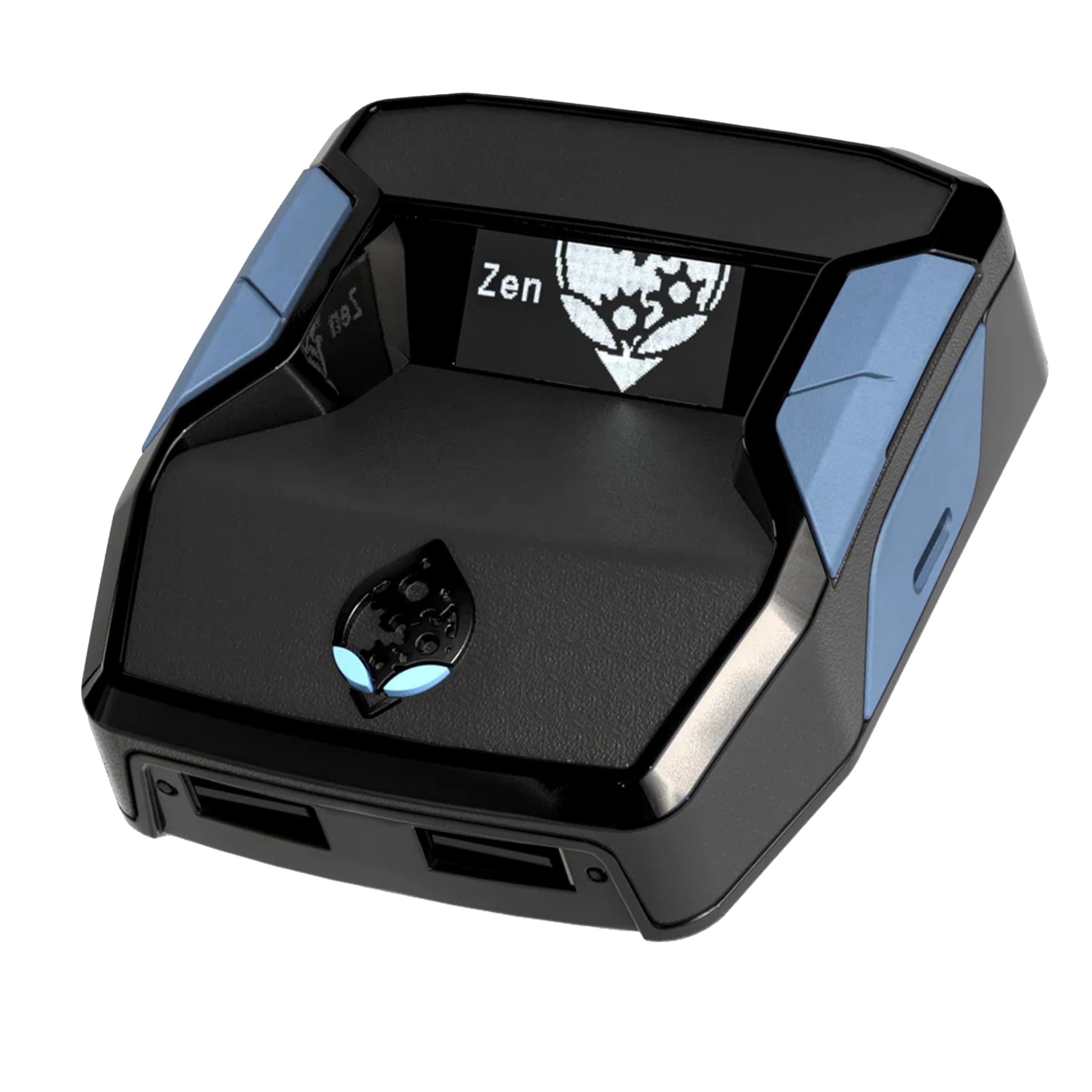
🎯 Dominate Every Platform with One Game-Changing Adapter
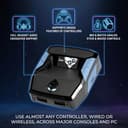
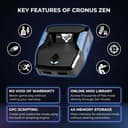
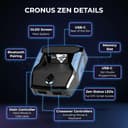
The Collective Minds ‘Cronus Zen’ is a versatile controller adapter that breaks platform barriers, enabling use of nearly any controller on PS4, PS5, Xbox, Switch, and PC. It offers advanced gameplay enhancements like mods, scripts, aim assist, and recoil control, plus seamless mouse and keyboard support for console shooters. With cross-platform audio compatibility and racing wheel integration, it’s the ultimate all-in-one gaming accessory designed for serious gamers seeking precision, customization, and competitive advantage.


| ASIN | B088QTFM46 |
| Batteries | 1 AAA batteries required. |
| Best Sellers Rank | 250 in PC & Video Games ( See Top 100 in PC & Video Games ) 3 in PlayStation 4 Accessory Kits |
| Country of origin | China |
| Customer reviews | 3.8 3.8 out of 5 stars (12,147) |
| Is discontinued by manufacturer | No |
| Item model number | CM00053 |
| Language | English |
| Product Dimensions | 13.6 x 17 x 4 cm; 99.22 g |
| Rated | Not PEGI rated |
| Release date | 12 Nov. 2020 |
J**H
Must have to use
10/10 product but just so you know you will need a pc or laptop that has (windows) otherwise it won't open the zen studio (PS5) After you've got your script do your regular bypass but after loading a game and your controller doesn't work properly with script active just press the button on the back of the zim don't hold only press and soon as you have pressed it make sure you hold ur right arrow key Intill it has stopped spamming then you'll be able to use your controller again
M**K
1 Month setup and usage review.
Purchase was made late November. Item was received quickly through Prime membership. Item is presented in a nice box, that is strong and durable, not you usual flimsy type. Inside you get the actual Cronus Zen, 3 usb cables. (1) short cable for flashing firmware and then connection to device your going to be using it on. Connects to back of Zen (2) Programming cable that is used to connect to a computer to load the actual scripts to the unit. Connects to right side of Zen. (3) long micro usb cable to use in wire mode on controller, or for duping a controller when using another. Connects to left side of Zen. Or front left depending on what configuration your running. Front ports are for mouse&keyboard or wire controller. Flashing firmware is easy, load firmware update program from website and connect to pc via short cable attached to back of Zen and press small button on bottom of Zen to put it in bootloader status and flash. Programming is straight forward, plug into right side of Zen and connect to pc and run the Zen programming software found on the website. You can select a Zen made script or one of the main fan based scripts. Loading each one into the 8 available slots. Then write them to the unit. Switch between each profile by pressing the right blue button. Changing the scripts to suit your needs on the fly is straight forward press left trigger and select, this opens the script up and then you can scroll through what's editable. You need to check each scripts docentaion as each is different. I run this on an Xbox one X, I have used this with a standard wireless joypad and have also used it on a wired joypad. Both work with no issues. I borrowed a series 2 elite controller and have successfully paired and used this. Note** I was unable to get the series 2 Elite controller to work in the Xbox Elite controller app wireless I had to put the usb in the left port of the zen and connect it to joypad. This only needs to be done when you want to map buttons. Once mapped and uploaded, I unplugged the joypad and used it wireless and the joypad worked with the Settings I had programmed it with. As my joypads are wireless I have a Xbox wireless adapter plugged into the front left. I also use a wireless Astro headset so don't use the 3.5mm port in joypad. So, Am I happy with the unit YES. It does need a pc to program it but once done it's flawless, the scripts are free, so don't ever BUY any the ones that are fan based are free and work really well. Installation overall was easy little head scratching at one point but power cycling Xbox to restart fixed the issue. Would I recommend this YES already have and two friends have purchased. It is worth the money YES, for the fact you can use mouse and keyboard and that it gives you some nice perks depending on the scripts. I originally purchased it for mouse and keyboard, being a PC gamer, but been out of the loop for some time. So use to using a joypad I have stuck with this. Muscle memory. There is alot of YouTube video available to set the unit up on Xbox, Pc, PlayStation. Playing with a PlayStation pad on an Xbox and vice versa, or playing with either console pads on a pc. And installing scripts and modifying them on the fly. I am looking at getting a strike pack for my Xbox controller, so will update this review with my findings. Hope this helps...
A**A
Not worth the time, hassle or the money.
My honest review, I own both a gaming PC and Xbox. After spending a long time troubleshooting, and setting the product up. I can honestly say I was disappointed for a few reasons. 1. The scripts I added were very clunky. Difficult to use as you control the zen with the controller which didnt register at all until I changed the output from an xbox to a ps5 controller, and even then it wasnt responsive at all. 2. The scripts would self delete, meaning id have to reinstall them. 3. It would turn itself off mid game However, it did work okay whilst on PC. But this is because it was slightly easier to use with KB&M and when the above points occurred, more convenient to fix but still happened. Because of this, id say the juice is not worth the squeeze
C**F
Helps with aim
⭐️⭐️⭐️⭐️⭐️ Incredible Device – Makes Gaming Smoother and More Precise! I bought the Cronus Zen to use with my Xbox Series X, and I’m seriously impressed. Setup was straightforward, and once connected it worked perfectly right out of the box. The level of customisation is amazing — it lets you fine-tune your controller settings, adjust sensitivity, and create profiles that really improve accuracy and control. I mainly use it for a bit of aim assistance and smoother movement, and it’s made a noticeable difference in competitive games. The response time is instant with no lag, and everything feels natural and consistent. It’s also great that it supports multiple consoles, so I can use it with my other systems too without buying extra gear. The build quality is solid, compact, and looks professional on the setup. Firmware updates and community mods are easy to find and install, which keeps it fresh and flexible. Overall, it’s a brilliant bit of kit for anyone who wants to fine-tune their gaming experience or use one controller across different platforms. Well-built, reliable, and genuinely enhances gameplay – highly recommend!
V**T
Expectations
Complicated to set up on a ps5 some hassle to it but It does what it’s supposed to do gives you the scripts that can help you in game however Paid scripts are better Most likely your expectations for the product won’t match the reality it’s not game changing product at all Slightly enhances your overall game
A**N
Why bother.
Yes it works, yes you kill more people in PVP , but what is the point? Kills only really count in death match games anyway, and as most PVP games are completely one sided as team balancing hardy ever works and it's a lottery as to wether you get put on a good team or a rubbish lazy team there really is no point in this thing anyway. What you really need to ask yourself is do you want to win that badly that you'll actually buy this thing. I did try this on PVP and yes I got more kills but so what as the rest of the team couldn't tell the dangerous end of a gun anyway, if you want to carry a lazy team then by all means buy this thing but as you'll probably still lose why even bother.
A**N
Incredibly Useful!
This is perfect. Coding it is super easy. One tip for anyone, if you program on the display make sure to use a screensaver not a static image to prevent screen burn-in. It has a default screensaver of random dots if you don't do any custom rendering. But making a random dots screensaver or other is easy to do if you want to make your own mod menu.
S**E
Finally joined the dark side...
Some class these devices as cheating and no doubt if you ramp it up you risk getting banned from most FPS games. I brought one after years of coming up against them in Apex mainly and getting beamed cross map with little to no recoil. You just know when someone's using one! The product does as it says but there's a few things to consider that most people will know if you've researched others may not so if you have scroll on if you haven't I'll give you a quick breakdown of things I overlooked; 1) This is not an aimbot. It's essentially a system that will combat horizontal and vertical recoil of weapons in FPS games. I was using on Xbox. 2) It's not plug and play. I mean it is and it isn't. For optimal performance, you need to go onto forums and download profiles for weapons and send them to your zen using a laptop/pc (if using consoles something to consider). Now this isn't difficult and isn't necessary but for OPTIMAL performance you kind of need to. It's that important that some of the best game/weapon profiles people charge for. You can get more than adequate ones for free though. 3) The zen itself has a menu accessed in game, pause and select simultaneously opens it on the Xbox. 4) The anti recoil settings are specific to each gun. I.e on apex a flat line and r301 have different recoil patterns and if you have a 301 selected on the zen and shoot using a flat line this can be an issue. 5) I had issues looting death crates with the game thinking it needed to fit recoil when in crates. Maybe this was the profile I had, maybe anti recoil was too high? I'm not sure. It's not major, more a few milliseconds of inconvenience but enough for me to blame my death on a few times haha! It's an amazing product and some of the above may have been user error I'm aware. But I just want people to be aware that this isn't a crack open the box, plug in and instantly beam everyone. There's a bit of a setup process and it takes some getting used to in-game.
Trustpilot
Hace 1 mes
Hace 1 semana