We remain fully operational. Our teams are working around the clock to ensure your deliveries continue safely.

Descargar la aplicación


Servicios al cliente
Sobre nosotros
Copyright © 2025 Desertcart Holdings Limited
Descargar la aplicación
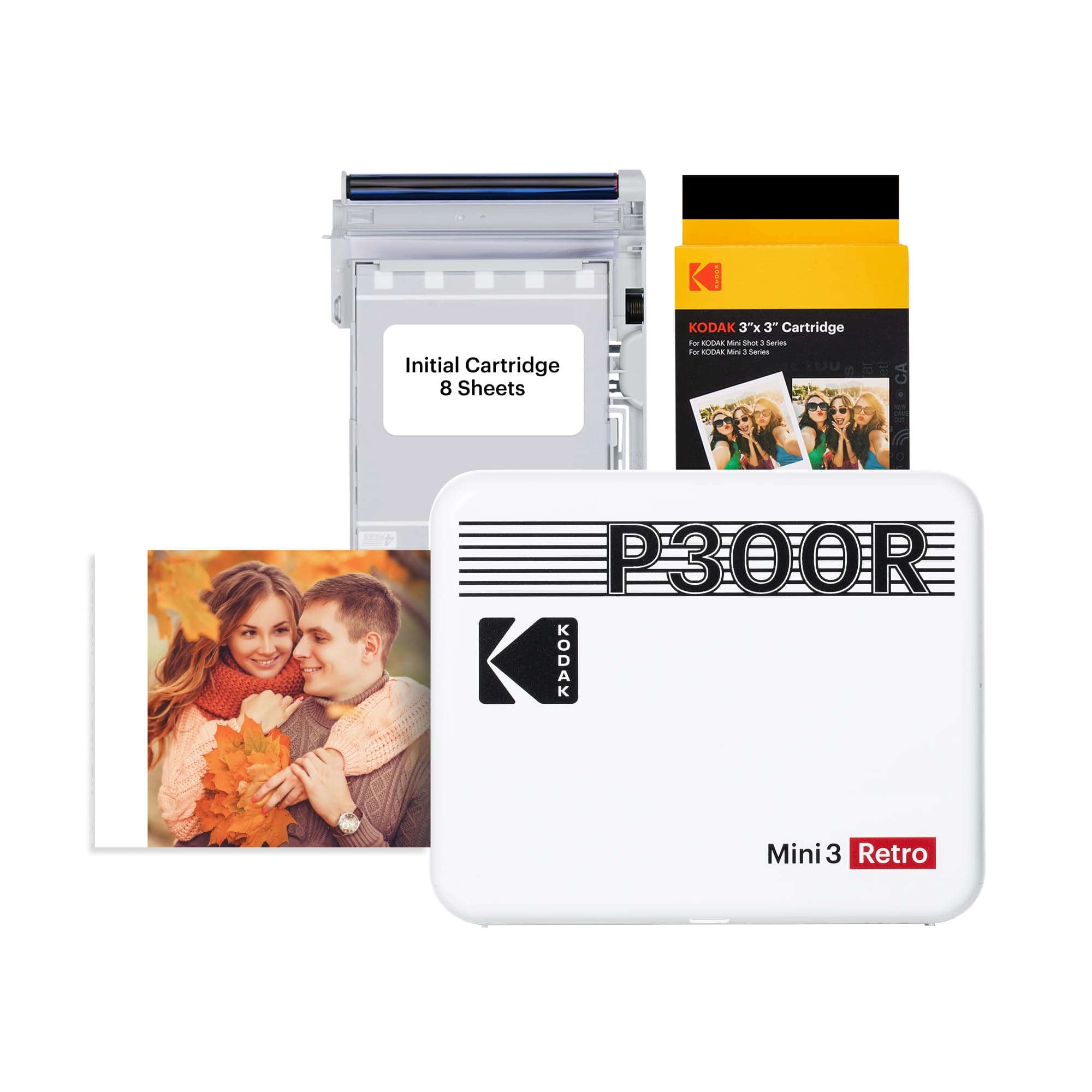



📸 Capture. Print. Share. Anywhere, Anytime.
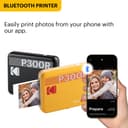
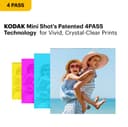
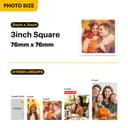
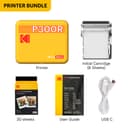
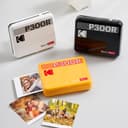
The KODAK Mini 3 Retro is a sleek, portable 3x3'' photo printer that delivers high-resolution, instant color prints via Bluetooth from your smartphone. Utilizing 4PASS dye sublimation technology, it produces durable, water- and fingerprint-resistant photos in about 55 seconds. Lightweight and easy to use with its dedicated app, it’s perfect for millennials who want to preserve and share moments on the go with professional-quality prints.


| ASIN | B08FSTXSNM |
| Additional Printer Functions | Print Only |
| B&W Pages per Minute | 1 ppm |
| Best Sellers Rank | #17,777 in Electronics ( See Top 100 in Electronics ) #38 in Portable Photo Printers |
| Brand | KODAK |
| Built-In Media | 68 Sheets |
| Color | White |
| Color Pages per Minute | 1 ppm |
| Compatible Devices | Smartphones, Tablets |
| Connectivity Technology | Bluetooth |
| Control Method | App |
| Controller Type | Android |
| Customer Reviews | 4.0 out of 5 stars 2,671 Reviews |
| Dual-sided printing | No |
| Duplex | Simplex |
| Global Trade Identification Number | 00192143003397 |
| Hardware Interface | Bluetooth |
| Ink Color | Cyan, Magenta, Yellow, Black |
| Item Dimensions D x W x H | 4"D x 5"W x 1"H |
| Item Weight | 399 Grams |
| Manufacturer | Prinics Co., Ltd. |
| Maximum Copy Resolution Black and White | 1200 x 1200 dpi |
| Maximum Copy Resolution Color | 1200 x 1200 dpi |
| Maximum Copy Speed Black and White | 1 ppm |
| Maximum Media Size | 3x3 inches |
| Maximum Print Resolution Black and White | 1200 x 1200 dpi |
| Maximum Sheet Capacity | 3 |
| Maximum print Resolution Color | 1200 x 1200 dpi |
| Model Name | Mini 3 Retro |
| Model Number | CAR-P300RW |
| Model Series | 3 |
| Other Special Features of the Product | Portable |
| Output sheet capacity | 3 |
| Paper Size | 3 Inches |
| Print media | Glossy photo paper |
| Printer Connectivity Type | Bluetooth |
| Printer Output Type | Color |
| Printer Type | 4PASS |
| Printing Technology | 4PASS |
| Processor Count | 1 |
| Resolution | 1200 x 1200 |
| Scanner Type | Photo, Portable |
| Series Number | 3 |
| Special Feature | Portable |
| UPC | 192143003397 |
| Warranty Description | 1 year manufacturer |
| Warranty Type | limited warranty |
| Wattage | 12 watts |
A**.
Overall happy, but beware first print and purples
Overall, I'm very pleased with this little printer, which I purchased to take on our upcoming vacation for visual journaling. As others have experienced, my first print jammed, then the color film was ripped and the first cartridge that came in the print was a waste. See last image of the mayhem that resulted. That was a helpful experience, however, because it helped me understand how the printer works. Because there was a fragment of film stuck in the rollers, I had a tough time getting the second cartridge installed, but with a lot of care, got it to work. My first print was a batch of purple flowers. The resulting image was very disappointing. The original image is the third one attached, and the print is the fourth image. I tried another image that also had a kind of rose/lavender background on a graphic, which was also a bit disappointing. So I decided to find a color wheel image and test print that. The original color wheel image is the first image attached, and the print is the second image. My conclusion from that test is that this printer will not print red, magenta and purple as well as I would like. That's not a deal-breaker for me, even though it is disappointing. Because dye sublimation is a heat-transfer process, it's possible that color rendering will change over time as the machine is broken in. If I were doing this all again, I would remove the first cartridge that came in the printer and reseat it. My thinking is that the printer may be jarred in transit and slightly misalign the printer. I'll probably wrap my printer in bubble-wrap while transporting in order to avoid that issue again.
E**L
A lot of fun!
I didn't think that given the photo size that this would have much practical use. But I was mistaken! Sure, you have to fiddle with the photo because your phone doesn't take square pictures so you have to crop it so you get printed what you want.. but once you send it to the printer, it just works! I've gone through 3 cartridges so far and it's been flawless. I've given photos to family members and kept some for myself to remind me of fun times!
M**A
Awful! Blurry photos and jams constantly.
I have tried everything to get this printer to work, I have used 4 different cartridges including the one that came in it. The cartridge that came in it would not print at all and would just jam, the second new cartridge did the same thing, the third cartridge had ink like lines throughout the photos and the fourth cartridge everything is just blurry. I have tried reaching out to customer support but have gotten no reply probably due to the holidays. Honestly for the price of the unit and the price of the cartridges I thought it would be amazing compared to other knockoffs but apparently I was mistaken. Also the Bluetooth connection is wonky and constantly disconnects and unit randomly turns off and 1 photo takes about 20% of the battery. If you are looking for a hassle free photo printer this is definitely not a good product and I don't recommend it at all unless you get it for $5.00usd.
C**X
Works GREAT!
I loOooove this mini printer. I read the reviews and was VERY skeptical. But I ordered it anyways. Im so glad that I did! I had no issues with the initial setup. The app is easy-peezy! Im an analog kind of person, and I was able to set it up in under 5 mins. I even reloaded a new cartridge of photo paper without any issues.
C**R
Don't believe all the negative reviews. Just read the directions.
When I bought this printer, I read through a lot of negative reviews that said you would maybe get 2 good pictures out of the 8 that come in a cartridge. And a lot of people were complaining that it's not user friendly and it would repeatedly give you errors with no way to fix them. I was really nervous about potentially buying something that was supposedly a waste of money. But after receiving the product, I am leaning more toward the idea that most of the negative reviews come from people who did not read the directions when setting it up. I did find a few issues with the product & app. First, the directions that come with the printer tell you to install the Kodak Instant Print app. Once you install it, the app will give you a message that a new app, Kodak Photo Printer is needed instead. That is kind of annoying to install one app, only to uninstall it and download another. However, the directions that come with the printer are printed in multiple languages, so I can understand that it's easier to keep the old instructions with the old app and just put the update on the old app rather than rewrite and re-translate the instructions. My first print was a little difficult to get going. My phone connected via Bluetooth just fine. I did get the error about the paper being misaligned. I bought the package that has a cartridge included with the printer plus extra cartridges. At first I tried to make the one that came in the printer work, but then I just tried replacing the cartridge. The replacement cartridge works perfectly on every print. It's a bummer that the first one wasn't working, but I saved it and will try it again to see if it might work later. I read a lot of reviews that said the print quality was terrible, and that they printed super dark. I tried to lighten my first print because of this, and it ended up looking overexposed. When I didn't touch the brightness tools, the prints came out exactly as they appeared on my phone. I wonder if other people had blue light filters and brightness settings on their phones that distorted the image, but the printer couldn't recognize the phones settings, and could only go off the settings from the printer app. The original image quality probably factors into it. So all in all, the printer is a little slow, the app is a little bit finicky, and sometimes it runs into errors, but it is by no means a waste of money. I've printed several prints that all look amazing (I've included examples, the black & white one was taken on an older smartphone camera, so it looks a little grainy, but that's how it looks on the phone, too; don't blame the printer for your bad photos! I knew that photo had bad quality before printing). I love the size and the shape of the prints. I love the perforated bottom edge to give you the option of writing a caption or just having the picture. If you want extraordinary prints, make sure the quality of the images on your device are extraordinary. I do think the printer and app could be more user friendly, but if you read through the instructions while it's charging and re-read them as you're setting it up, it works pretty much as described in the directions. Overall, I'm very happy with this purchase, and I don't trust most of the negative reviews I read.
K**A
On the spot sharing photos
If not tech savvy you’ll need a grandchild to show you how easy. Hardest part was connecting to Bluetooth!
J**1
Love this so far!
So far excellent!!! I did a lot of research, it was very confusing and a lot. I chose the 3 because of the charger, a typical one u have laying around for many different things. The print quality is very good! It also definitely takes less than a minute to print.
K**.
Amazing little printer!
Don’t pay attention to the pictures on here with the messed up colors/prints! Those people probably yanked the picture out before it was done. When you print, it actually goes in and out a few times before you should remove it because it layers colors so you get the best quality photo with the last layer bringing the photo to life. The quality is just as good as the quality of your camera. If you take a fuzzy photo, it will print fuzzy. Watch out for the whitest whites and the darkest darks in your photo before you print. Otherwise, I can’t complain. Very portable and easy to use. What’s not to love?
Trustpilot
Hace 2 semanas
Hace 5 días