
Descargar la aplicación


Servicios al cliente
Sobre nosotros
Copyright © 2025 Desertcart Holdings Limited
Descargar la aplicación
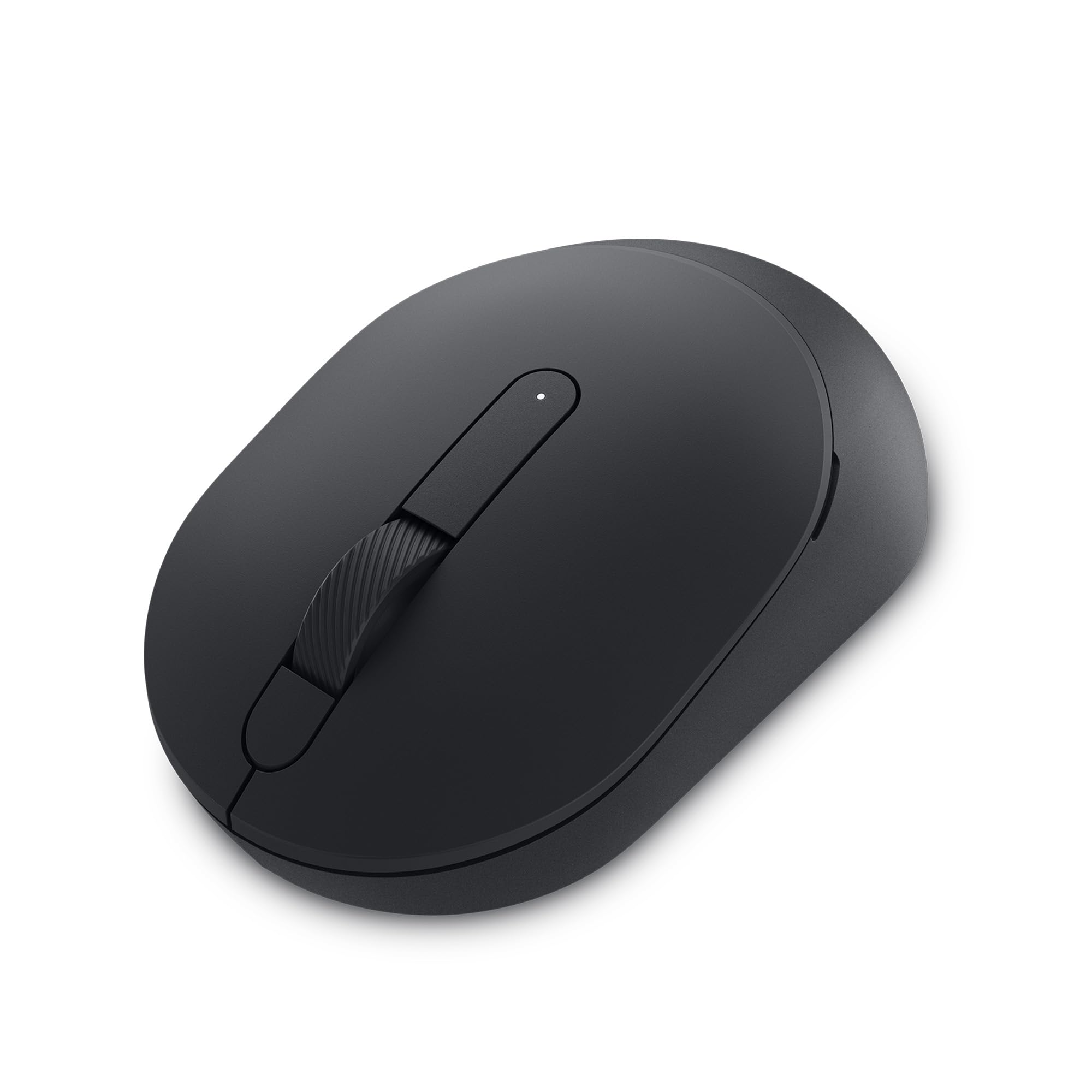
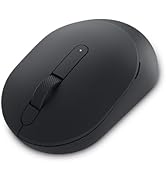
🖱️ Elevate your workspace with the mouse that works as hard as you do.
The Dell MS5120W Mobile Pro Wireless Mouse offers dual-mode connectivity via 2.4GHz wireless and Bluetooth 5.0, ensuring compatibility across Windows, Mac, Linux, and more. Designed for professionals, it boasts an ergonomic symmetrical shape, a high-precision optical sensor, and customizable shortcut buttons managed through Dell Peripheral Manager. With an impressive 36-month battery life on a single AAA battery and a robust build supported by a 3-year warranty and next-day replacement service, this mouse is engineered for seamless, long-lasting productivity.















| ASIN | B083V5NZ4M |
| Average Battery Life (in hours) | 36 months |
| Batteries | 1 AAA batteries required. (included) |
| Best Sellers Rank | #100 in Computer Mice |
| Brand | Dell |
| Color | Black |
| Customer Reviews | 4.5 4.5 out of 5 stars (1,810) |
| Date First Available | January 14, 2020 |
| Hardware Platform | PC |
| Item Dimensions LxWxH | 4.1 x 2.4 x 0.1 inches |
| Item Weight | 2.56 ounces |
| Item model number | MS5120W |
| Manufacturer | DELL |
| Operating System | Linux |
| Power Source | Battery Powered |
| Product Dimensions | 4.1 x 2.4 x 0.1 inches |
| Series | MS5120W - Black |
J**Y
Best wireless mouse.
The Bluetooth mouse I use at work started to disconnect randomly. Cleaning, batteries, remove and reinstall... nothing fixed it. I looked around on Amazon and bought the Tecknet based on reviews. What a mistake! I wrote a review on that one. Terrible mouse. Avoid it. I didn't even waste my time to return it. It felt good to throw it in the trash. I like Dell equipment. My work laptop is Dell. My gaming PC is Dell Alienware. Love them. So, I spent about 30% more on this Dell mouse and I love it. One AA battery so it is not heavy. Slightly beveled sides (wider on the top) so it's easy to pick up if needed. Very comfortable in the hand and is symmetrical so it's great for left handers too. I called it a wireless mouse because it works with an included USB dongle or with your native Bluetooth. The dongle stores inside if not used. Easy to set up - follow the instructions because there is an option to link to Bluetooth or the dongle. You can switch between the two, indicated on the bottom. The power switch is good. I only turn it off when it's in my backpack. On the desk, it sleeps and wakes seemlessly. The optical sensor on the bottom works onall surfaces and there is no red laser to blind you when you look for the switch. You can adjust the dots per inch sensitivity for your needs. This helps me for drawing sketches with the mouse. There are buttons. The usual left, middle, and right. The middle button is a wide scroll wheel, and it works as left and tight tilt, too. Two thumb buttons (for right hand use). All buttons are configurable through the provided application. I'm not using them for anything yet, but it's a nice option. All-in-all I highly recommend this inexpensive wireless mouse for every day use. I have an expensive Alienware wired gaming mouse specificly for gaming use. But for work documentation, occasional CAD use, surfing the web, this is my new favorite. Dell MS5120W.
A**R
Virtually indestructible
Love this mouse. Bought 2 of them. In spite of dropping them at least a dozen times on solid floors - they always work. Will buy again
V**R
Excellent
Good price work great
B**.
Well-design Mouse with Good Functionality, Customization SW Needs Improvement
Decent mouse for the pricepoint. Has a USB-A fob that's stored on the interior, but the cover is only magnetically connected. There's no physical securement of the top cover into the main body of the mouse. Not too big of a deal, but if you travel a lot and this will be bouncing around at the bottom of a backpack, it's something to think about. The clicks are very quiet and well-responsive. The mouse is heavy enough to make it seem premium without carrying too much bulk. It also has a bluetooth function but I haven't used it much, the fob works just fine. There's apparently a Dell plug-in you can install on your Windows device to customize your DPI and shortcuts, but it's not well designed. Very glitchy and hard to use. I don't even know how to get to the tool except when the automated message pops up on my device saying I can customize things. Point of improvement for Dell.
K**R
Best Wireless Mouse I've had
I have been buying cheap wireless mice for years and then wondering why the wheel isn't scrolling in any web browser. I finally tracked it to the wheel sensors in those cheaply made mice including the Logitech I just replaced. Once I installed this mouse the control and function of all the buttons and wheel is so much better and scrolling is no longer an issue. And the best part is the price was just about the same as the supposedly best in class mice that just failed to perform. Great job Dell. BTW I'm not heavy gamer so there are way more expensive mice on the market for those folks. For my uses, this mouse does it all.
I**E
Simple and Performs Flawlessly
Simple and performs flawlessly.
B**B
Connects to Dell Laptop via Bluetooth or remote USB dongle
Good mouse for Dell laptops. Runs on a AA battery. Connects via either Bluetooth or a USB dongle (dongle stored in the mouse). Switches to control which connection and on/off on bottom of mouse. Battery saving timeout switches mouse off after period of non-use. Two buttons and scroll.
R**Z
5-Stars
Excellent mouse. I love it!
A**R
Excelente calidad, diseño, materiales y funcionalidad.
S**N
Best mouse
B**R
Good
K**9
6 months of use and it continually shuts off and has to be reset using the on/off switch. No, the switch is not being accidently turned off during use. So now it's too late to return it, what a waste of money. I've always had good experiences with Dell products over the years, but I guess those days are gone.
T**?
Si recomiendo el producto
Trustpilot
Hace 2 semanas
Hace 1 día