We remain fully operational. Our teams are working around the clock to ensure your deliveries continue safely.

Descargar la aplicación


Servicios al cliente
Sobre nosotros
Copyright © 2025 Desertcart Holdings Limited
Descargar la aplicación
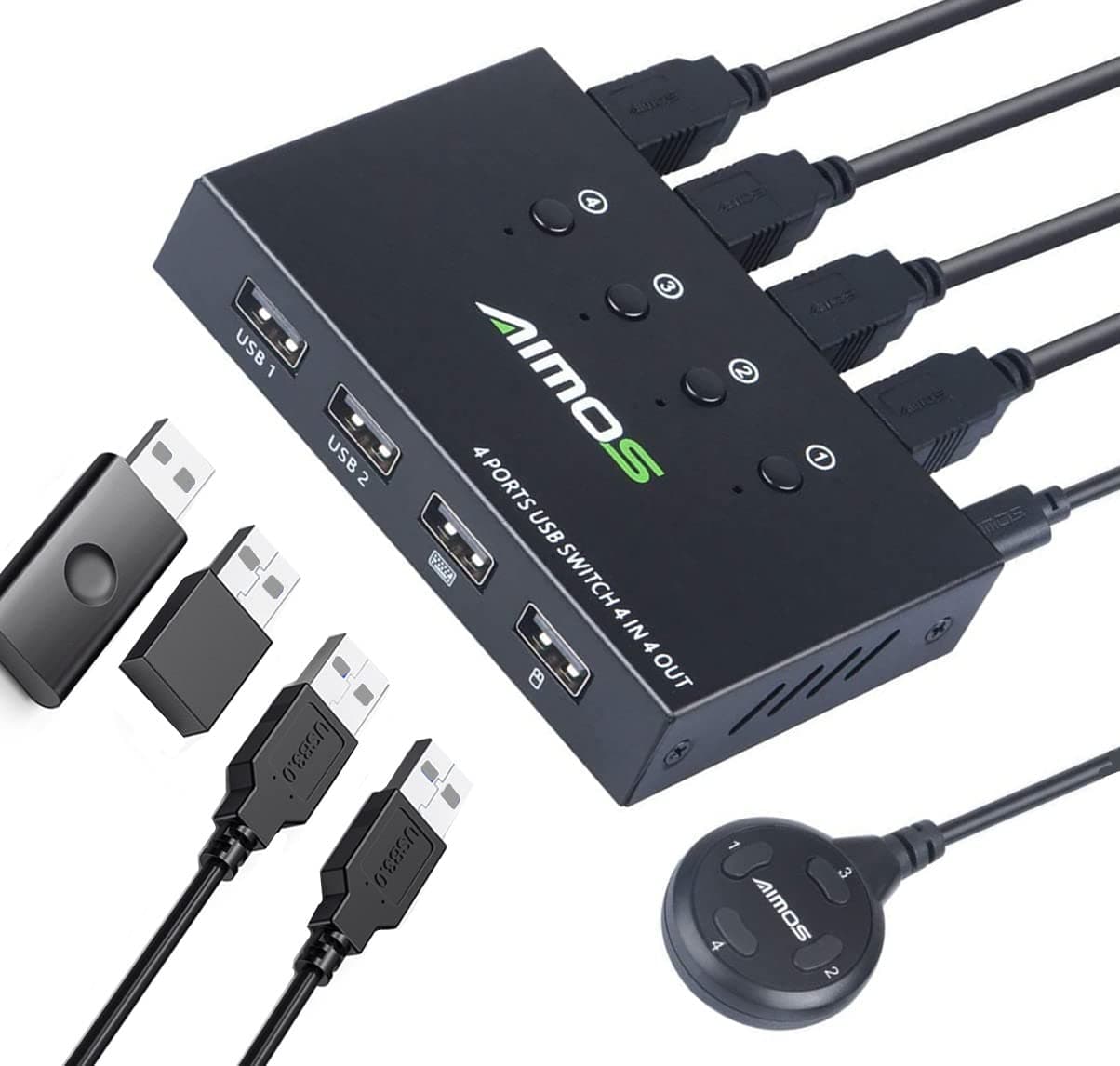

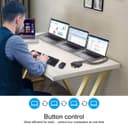
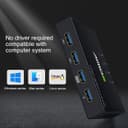
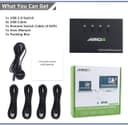
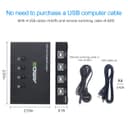
🔄 Master your multi-computer workflow with one click—because efficiency waits for no one!
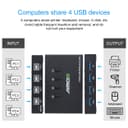
The AIMOS USB KVM Switcher enables four computers to share up to four USB devices effortlessly via a single button press. Featuring a durable metal case, plug-and-play compatibility with Windows and Mac, and high-speed USB 2.0 data transfer up to 480 Mbps, it’s the perfect tool for professionals seeking streamlined device management without cable clutter or complex setups.
| ASIN | B085915CTB |
| Actuator Type | Push Button |
| Best Sellers Rank | #701 in KVM Switches |
| Brand Name | AIMOS |
| Circuit Type | 4-way |
| Color | 4x4 USB sharing Switch |
| Connectivity Protocol | Usb |
| Connector Type | Usb |
| Contact Material | Copper |
| Contact Type | Normally Closed |
| Control Method | Remote |
| Controller Type | Push Button |
| Current Rating | 2 Amps |
| Customer Reviews | 4.0 4.0 out of 5 stars (823) |
| International Protection Rating | IP54 |
| Item Dimensions | 4 x 2.56 x 0.79 inches |
| Item Weight | 0.02 Pounds |
| Manufacturer | AIMOS |
| Material Type | Metal |
| Model | AUB085915CTB |
| Mounting Type | Panel Mount |
| Number of Items | 1 |
| Number of Positions | 4 |
| Operating Voltage | 5 Volts |
| Operation Mode | ON-OFF |
| Specification Met | Ip54 |
| Switch Type | Push Button |
| Terminal | Button |
| UPC | 788125932153 |
| Unit Count | 1 Count |
A**Q
Great little tool: 4 in and 4 out.
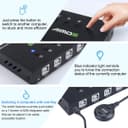
I tried several different options before landing on this device, and I really like this for the following reasons: - Individual input selector This allows you to select directly the computer you need to connect to. Other similar devices only have one button, which forces you to cycle through inputs, and it gets annoying if you have more than 2 computers. Additionally, these buttons are not mechanical, and there is a green LED that indicates which input is selected. Yes there is some "bleeding" of light but not very annoying, and becomes irrelevant if you just use the wired remote on your desk. - Optional wired remote This welcome feature allows you to "tuck away" this device and reduce clutter on your desk. The only small "con" is that this device does not have mounting holes, no big deal. Note that the wired remote is detachable, so you can reduce clutter on your desk if you do not need it. - Four ports available for devices (output) This might seem a minor thing, though I find 4 ports to be the perfect number for all you need. Other similar devices only have 2 ports and will force you to use a USB hub expansion like this one: https://www.amazon.com/gp/product/B00BWF5U0M/ref=ppx_yo_dt_b_search_asin_title?ie=UTF8&psc=1 While this may seem OK to do, it will make a difference if you connect any of the inputs to a docking station. Daisy-chaining USB hubs is never a good idea. - It is a compact device Even if you do not use the wired remote included with this device, it will not use much space The metal casing feel sturdy and does not look cheap. - comes with 4 input cables These are standard USB "printer" cables, and makes this item "ready to go, out of the box" The other devices I tried and used before switching to this one are the following: 4 inputs + 2 outputs, 4 electronic buttons switch: https://www.amazon.com/gp/product/B07L6VSFC8/ref=ppx_yo_dt_b_search_asin_title?ie=UTF8&psc=1 4 inputs + 1 output, 4 mechanical buttons switch: https://www.amazon.com/gp/product/B01M5IXEFJ/ref=ppx_yo_dt_b_search_asin_title?ie=UTF8&psc=1 2 inputs + 4 outputs, 1 electronic button switch: https://www.amazon.com/gp/product/B01MXXQKGM/ref=ppx_yo_dt_b_search_asin_title?ie=UTF8&psc=1 The 1 and 2 output switches in my case required the use of a USB hub to expand to 4 outputs, which created issues with my docked laptop (USB daisy-chain). The 4 output was great but only had 2 inputs, and I needed 3.
A**R
Straight forward, easy to setup, and better than other options out there
I tried another product like this and it was plastic cheap and the button didn't work. This is an aluminum box with a nice bundle of chords to connect and it even comes with the nice little extension remote. One issue I have noticed is if you hit the 1 on the remote thing while it's already on 1 it will cycle to the next number and so on. which could be a feature? but it also can cause some confusion. The easiest way to correct this is to just tap the number button you want on the switch and it's back to normal.
W**L
Great for PC and Mac
The deets: I have a Mac Mini M1 and an Alienware PC. I have a Logitech K860 keyboard and Logitech mouse (using a unified receiver). Switches these easily between these two systems. I've had all 4 systems connected at another time, and works well between all 4 devices. The good: Mounted just under my desk under my mouse. Switching (which isn't very often) is an easy reach, finding one of the four buttons easily by touch only. Switch is pretty fast. The bad: Sometimes I have my Garmin Forerunner watch plugged into the USB port, and I'm not sure what happens but the switch goes dead. It's like maybe the watch (sometimes) draws more power than it should or something. I don't know. However, when this does happen nothing works properly. The only way to fix it is to disconnect ALL wires so that the switcher itself loses all power, then reconnect all wires. This is the main reason it gets a 4 instead of 5.
D**T
4 Port model crashed my PC! Twice!
I started with the 2 port model and all was working great! Able to switch 1 keybd/mouse between work laptop and home PC with a push of a button. I also have a PC on same wall that is a Media Server that I wanted to incorporate into this setup, so I needed the 4 port model. Bought it, easy to install/setup, all worked great. Then the next day I went to boot my home PC and Windows would not boot. I am a Field Tech in IT, this is a PC that I built myself several years ago, watercooled i7 intel ASUS ROG board. Spent several hours troubleshooting, was trying to either reload by older v1607 ver recovery CD of Windows but if failed every time. Once I unplugged the 4 port I was able to reload fine. So I thought maybe I got a back unit, so I returned it and replaced with the same. Hooked it up, PC back up and running....until the next boot, then failed again. I though it couldn't be two bad ones...right? So I started more trouble shooting, removing RAM 1 DIMM at a time, removed all HDD's and SSD's except M2 512GB boot drive. Removed video card, still nothing. put everything back like it was minus the 2nd 4-port switch and boom, loaded again fine. Once I got everything loaded again I put the 2 port back on and have been fine for the last month. Not sure what the conflict is/was or why so much difference in results between the 2 port and the 4 port units...but for now...I'm sticking with the 2 port model. If the manufacturer sees this I'd love to hear from you. Very glad I had my OS on M2 drive and data/apps on separate drives. :)
C**S
La instalación fue fácil, viene con cuatro cables para las cuatro computadoras que se pueden conectar al dispositivo (de momento sólo he utilizado dos pero funcionan correctamente). El teclado y el ratón funcionan bien, tengo un adaptador USB de audio conectado a un tercer puerto y mi computadora (con Linux) lo reconoce, manda el audio correctamente. Lo he probado en una laptop con Windows 10 y una computadora de escritorio con Pop OS Linux 20.04 y en ambas los dispositivos funcionan correctamente. La carcasa es de metal y se siente de buen peso, los cables no desbalancean el concentrador. Der tamaño es bastante compacto. Los focos que indican la computadora activa de repente no se ven bien si no lo ves por encima. El control externo funciona al igual que los botones integrados. En general es un gran producto.
A**A
Aceptable, es una vuelta opción para no tener varios teclados ocupando espacio en el escritorio
O**K
Llego el producto en buen estado, el repartidor lo dejo en el balcón sin avisar, lo encontramos en la noche pero todo a la perfección
C**N
El puerto del mouse se hizo pedazos y el plástico se quedó atascado en el mouse procesando la devolución.
B**Y
It was working for 1 year and now it is frequently losing connections of my keyboard & mouse.
Trustpilot
Hace 1 semana
Hace 3 días