We remain fully operational. Our teams are working around the clock to ensure your deliveries continue safely.

Descargar la aplicación


Servicios al cliente
Sobre nosotros
Copyright © 2025 Desertcart Holdings Limited
Descargar la aplicación
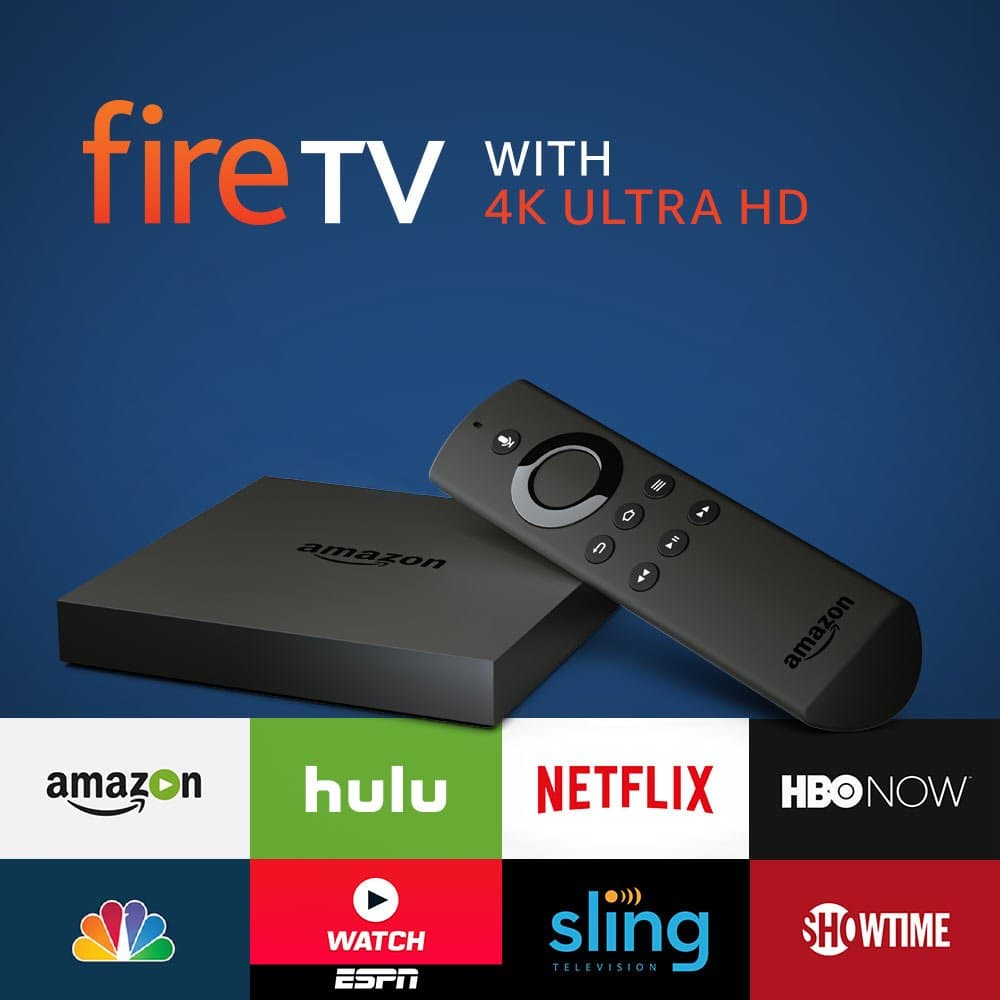
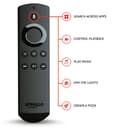
🎉 Elevate Your Viewing Experience with Fire TV!
The Amazon Fire TV with 4K Ultra HD delivers an unparalleled streaming experience, featuring over 15,000 apps and games, voice control via Alexa, and access to live TV without the need for cable. With enhanced processing power and storage options, it's designed for the ultimate entertainment enthusiast.
M**H
Better than I thought… From a techie guy
Better than I thought… From a techie guy...I'm a big geek… I have tons of boxes and electronic toys… I even have several Google TVs which are now outdated. I'm pretty blown away by this box, and the amount of "content apps" available. For instance the unknown "Pluto TV" app has over 100 HD streaming stations. Some of them obviously aren't great, but it's definitely enough to keep you busy. For hours on end. Some of the channels have an hour or two of programming and just loop over and over again, but there's enough content on other channels to keep you busy for days.If you're looking for the end all answer to cut your cable TV service, FireTv does not have things like live CNN, AMC and other cable stations (yet), but you could purchase a subscription for Sling TV (Google it) which has ala-carte live TV services. Something Apple is promising to deliver. If you have a current cable subscription, you can get things like HBO and Netflix streamed to your box if you are already paying for it in your home cable subscription. Your provider "passes through" the HBO, Netflix, etc programming through to this box. So for instants if you had an outdoor TV, TV in an attic or basement, you don't need to add another cable box to watch movies. .It has all the standard bells and whistles like Netflix, Hulu, and those sort of services . The box is fast, does what it's advertised. I have a Ultra HDTV. Although ultra high definition content is scarce these days, this box probably has the most ultra high definition content of any other unit. Granted a lot of those ultra high definition videos are of "Flyovers of nature" type videos. if you have Amazon prime, then you can stream several of their in-house shows in ultra high definition. They do have a large range of very popular movie theater type movies in ultra high definition, but there is no rental availability. And I doubt I'm going to spend $35 to watch Spiderman and ultra high definition. Just not worth it.If you're looking at this to be your end all box, it's pretty close. I'm curious to see what the AppleTV will have to offer, since I have multiple televisions in my household, I plan on having both systems right now . If your TV has a "smart hub feature" that contains all these built in apps, you may be doubling up on some of those popular ones like Netflix, Amazon, and Hulu.I read the reviews on the Live Sling TV service, and they said they're still having a lot of problems with successful streaming, that it still there's quite a bit of buffering and videos just stopping for no reason. But sling TV does offer many stations live like cable for about $25 a month. If this is to be used with a second TV, like bedroom or living room, it's a nice supplement to have for your cable TV box, which you could probably drop down to basic service.Remember… This is all in its infancy. And it will take several years to shake out who the leader is. This is definitely "THE" top-of-the-line box right now. The price is cheap, and you will definitely spend hours, and hours sifting through many obscure and fun channels.UHD TV Note: If you have an ultra high definition television set and want to see content in 4K video, make sure that you check your TV manual or google your sets model number for info online. I have two Samsung 8500 TVs. It drove me crazy during set up, because I did not realize that only one of the four poorly marked inputs on my Samsungs could handle ultra high definition, 4K content thru HDMI. It's quite possible that your set will not handle any 4K content through HDMI, and that your tv only plays 4K content through its internal hub system or a special breakout box. Make sure you check that out first, if 4K is a critical feature for you !You will also need a high-speed HDMI cable, that can carry the band width of 4K content. Your TV set will search for that band with to know that it's there. If you use a standard HDMI cable, even though you're running 4K content, your TV will not switch that feature on.One last critical thing… It would be best to run an ethernet cable from the back of that box, to your router. And then an HDMI 4K cable to the back of your television. If you're streaming bandwidth is not fast enough, or has lots of interference, your set or the box will downshift to standard high definition to deliver you smooth video. This box DOES deliver 4K video. It's up to you to make sure you have the bandwith, the inputs, and a television set that can handle this type of stream of data. The high definition picture on this is quite crisp and clear. And quite honestly, a lot of the 4K video, you probably won't notice much of a difference, and less you're a super geek LOL.Great box, definitely gworth the money. I forgot to mention, it has Amazon's "Alexa" built in… That is Amazon's version of Apple's Siri. Pick up the remote, ask it a question, the weather, pretty much anything, and chances are it will find it for you. I did ask it to find certain kinds of things and it had difficulty. It's a very simple system, pick up the remote, ask it a question, the weather, sports, news, pretty much anything, and chances are it will find it for you. I did ask it to find certain kinds of movies and it had difficult with it, but it did respond that it "wasn't available at this time" which seems to me that they are working to make it an even deeper search engine.This box is tiny… Enjoy!
C**W
Excellent choice for people invested in Amazon with Prime. Fast, responsive, does everything I wanted it to.
When I made this purchase I was torn between this or a Roku. I already had a Roku 2 in the bedroom that I liked well enough despite becoming a bit sluggish lately, but I've been getting invested into the Amazon ecosystem and enjoy some of its other products. I use Prime and Amazon video, I have an Echo and an Echo Dot, and I wanted to kind of stay within the same family. My main hang up was the fact that most tech websites seem to encourage people to buy the Roku 3 or 4, both for its performance and the fact that it is platform agnostic - it doesn't have an interest in promoting it's own services like Amazon does.I needn't have been worried, because the Fire TV performs beyond my expectations, from a technical standpoint, and the "pushing" from Amazon to buy things or try things is for stuff that I would have been either looking at or interested in anyway. I see and look at the same ads and features online whenever I'm here (which is a lot), and I don't mind also seeing some of the same reccomendations or offerings on their streaming device. It's really not as obtrusive as some of the review outlets make it out to seem; many of the companies that review electronics took issue with Amazon pushing it's own content a bit harder than it's competitors, which is reasoning I could agree with if I wasn't clearly and obviously purchasing a device while ALREADY using those services. It doesn't make a difference if they want to show me Prime show because...well I'm there to watch a Prime show.It's quick; the menus and operating system is miles ahead of the Roku 2 I was using, and from what I can tell from seeing a Roku 4 at my Dad's house, just as fast. This is not to say that I don't also like my Roku, just that I liked Fire TV more than I expected. The apps available on Fire TV are generally new, faster, better looking, and less expensive than those on Roku. Not that I use many apps besides the standard video viewing ones, but I have played and the games they are always responsive and play about as well as on my smartphone.Having Alexa integrated was a major selling point, too, because I use the service a lot. When you use the remote you push a button to access Alexa, so you don't need to say the wake word - which is good because I also have an Echo in the nearby kitchen and I can just imagine the mess it would have been if they both were answering everything. When you use the voice search (Alexa) to find movies,keep in mind that it primarily only accesses Amazon assets - it will display and work within Prime Video, but not so much for Netflix. I'm not sure if this is a technical limitation that will be addressed, or a deliberate design choice to make Prime Video more appealing. Either way, be aware of it if watching Netflix is your primary source of streaming.Speaking of Netflix, when I first set the Fire TV up, using Netflix was a nightmare. The app was broken for a few days, and I was really lamenting my choice and wishing I'd gotten a Roku. My child uses Netflix more than we do, and none of the menus were working and the video signal was disjointed and a mess, like old TV static. It updated and corrected itself within a few days after, I think, I forced the firmware update. It's something to keep in mind, but it does seem as though the developers are on top of most of these sorts of issues . I haven't experienced any issues with it since.It's also great for Sling TV and YouTube. I don't get any of the lag when streaming that I get from my older Roku, and I'm sure it's due to optimization and hardware superiority. Honestly, a lot of sites will advise you "if you don't mind it being a bit slower" that you should opt for the older and cheaper Roku 2 instead of a Roku 4 or a Fire TV, but let me tell you it's a load of rubbish. After using the Fire TV regularly, going back to the older and slower Roku 2 can be a painful experience. It's so much slower in all ways; menus stutter, apps hang when loading, video streams buffer. The newer devices have none of these issues and I wholeheartedly encourage you to upgrade if you're thinking about it. Settling for "just okay" seems silly once you've experienced the convenience.After owning and using it for a few months now, I'm happy with the purchase. I'm glad I picked this device, specifically, because it fits in with how I already utilize Amazon and it's services. If you aren't invested in the Amazon ecosystem, it's still a great piece of hardware, but not as compelling of a sale as it is otherwise. It works great for anyone, but it's perfect for regular Amazon users.Also, a lot of people sideload Kodi onto this device, but honestly I've been using the free Plex app instead, and it perfectly streams all my movies from my PC to the Fire TV, and the interface looks just as nice to me. I'm not sure it's worth the trouble of messing around with it when Plex does mostly what I'd use Kodi for in the first place. Just my opinion, though, so take it for what it's worth.
Trustpilot
Hace 1 mes
Hace 4 días