
Descargar la aplicación


Servicios al cliente
Sobre nosotros
Copyright © 2025 Desertcart Holdings Limited
Descargar la aplicación

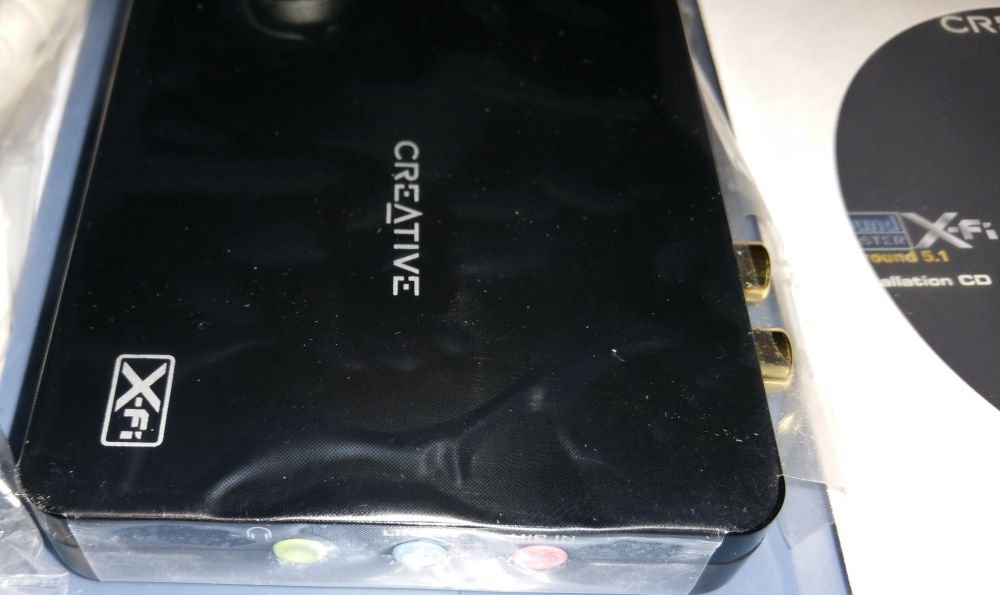
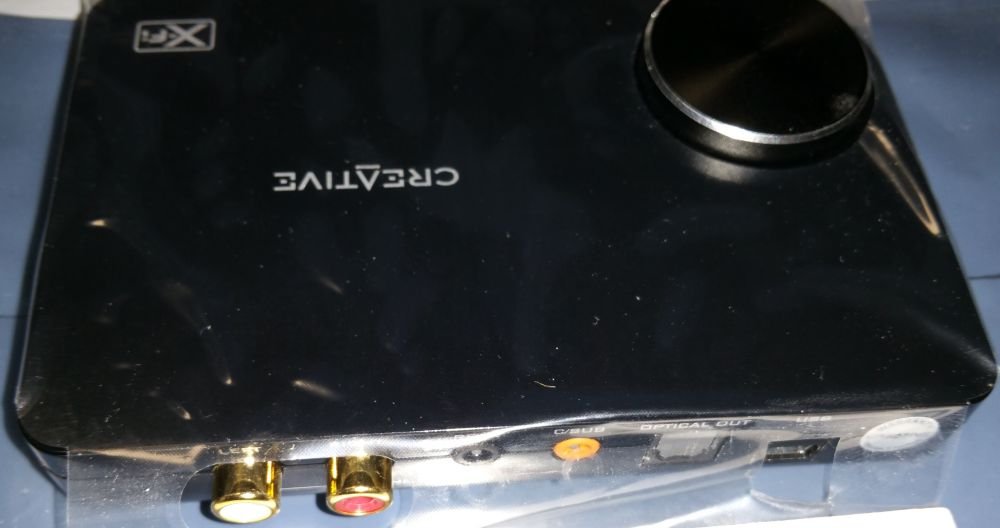
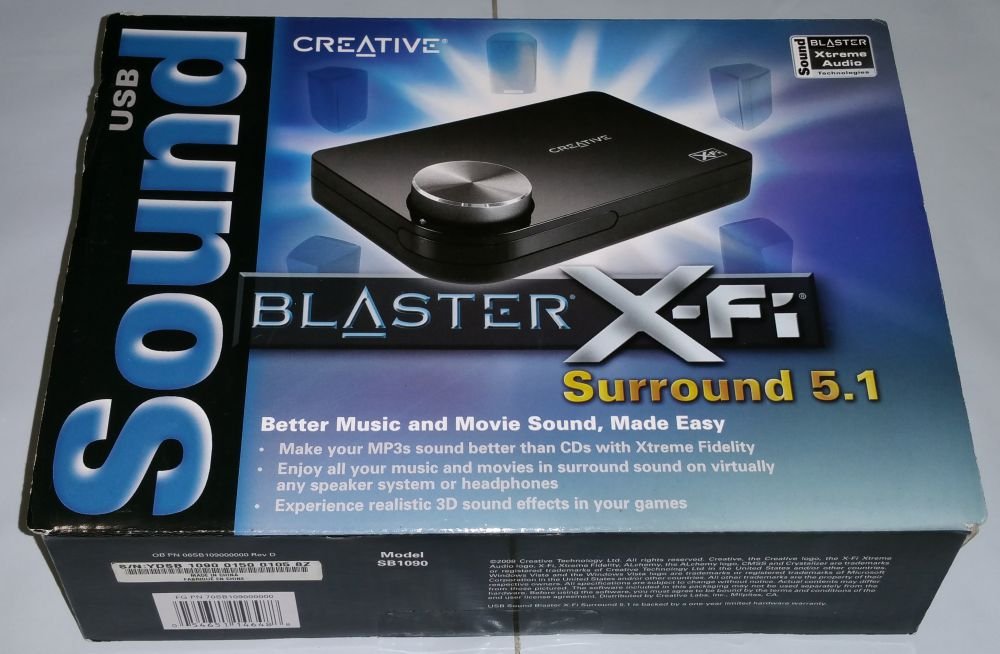
🎶 Elevate your audio game—because your ears deserve the VIP treatment.
The Creative Labs USB Sound Blaster X-Fi Surround 5.1 Audio System SB1090 delivers professional-grade 5.1 surround sound via USB 2.0, featuring X-Fi CMSS-3D virtual surround for headphones, X-Fi Crystalizer for enhanced audio clarity, and EAX Advanced HD for immersive gaming effects. THX-certified and compatible with Windows 7 and Vista, it’s designed for seamless plug-and-play use with desktops and laptops, making it the ultimate upgrade for music, movies, and gaming.
| ASIN | B0017QQQAE |
| Audio Output Mode | Dolby Digital, Stereo, Surround Sound |
| Brand | Creative |
| Compatible Devices | Headphone, Speaker |
| Customer Reviews | 3.2 out of 5 stars 137 Reviews |
| Global Trade Identification Number | 00054651146488 |
| Hardware Connectivity | USB |
| Hardware Interface | USB |
| Hardware Platform | Headphones |
| Item Height | 2.4 inches |
| Item Weight | 0.65 Pounds |
| Manufacturer | Creative |
| Maximum Sample Rate | 48 KHz |
| Model Number | 70SB10900000 |
| Platform | Windows 7, Windows Vista |
| Signal-to-Noise Ratio | 100 dB |
| Surround Sound Channel Configuration | 5 1 |
| UPC | 115971233477 054651146488 |
J**.
Whatever it is, it works.
I bought this device because I couldn't find a sound card that would fit the Dell Inspiron 580S I got to replace my 5 year old Dell Dimension. I bought the slim chassis machine because it was a real bargain given the video card, a 750 Gb hard drive and 6 Gb of RAM (which I increased to 8 Gb on the cheap) which allowed me to afford the cost of a quad core processor. I had a Creative Audigy sound card in my old computer and, in comparison the sound from the integrated chip set in my new machine was horrible. I only listen to the 32 days of a large variety of music I have collected in iTunes. I don't do games and I don't watch movies. I have a 5 year old set of Creative 2.1 I-Trigue speakers I used with my old computer. The Audigy card drove them very nicely. I plugged the X-Fi Surround into the computer and Windows 7 (64 bit) installed it without a hitch. I downloaded the newer driver from Creative and then installed only the Console -- to get the equalizer. I plugged in the speakers, thanks to the provided RCA adapter, and played the first movement of Vladimir Feltsman's version of Bach's "Italian Concerto," followed by Warren Zevon's "Werewolves of London." I was absolutely delighted with the quality of the sound which was much better than that of the Audigy, which was very good. The X-Fi Crystalizer performs as advertised with respect to bringing compressed sound files back to life. I also like the almost ethereal sound of my really nice Sennheiser headphones. I am very satisfied with this little box with the big knob I don't have to use because the I-Trigue volume and bass controller does. It produces sound very close to as good as my daughter's XiFi Titanium card with comparable speakers. There is virtually no difference in headphone performance. I would recommend it without qualification to anyone who needs an external device and has resources similar to my computer. It will get the job done -- very well.
C**A
application crash
i have this product almost a month now, It work really well until i noticed something was wrong. The message reads (CREATVE SB STREAMING MONITORING UTILITY HAS STOP WORKING) I simply dont know what it means could someone tell me what exactly is telling and i come back to check it later. I install the cd that came with it and updated the software to the newest version , take awhile just to install and update. I am using window 7 ultimate full version . Ok let me tell you about the product, MUSIC is awesome, i have play with it crank up the volume, rock , pop, r$b, and dance music. The GAME is awesome too , i have play several games and it sound great as well. The movie is a little bit of drag, i could hear an echo , and sound is ok but not great. I would give it a 5 star but instead i give it a 3 star not because of the product itself but because of the issue , the problem itself i am having right now. But overall it a good buy if it were no problem occur. come on creative , get your act together.
B**S
When Monitoring the Microphone, There is a Delay
I'm crying uncle on this one, friends. The delay/echo problem that surfaced in Windows Vista is far worse with Windows 7. Also, according to the DirectX diagnostic program, their drivers are not signed. No wonder they're messing with everything else on the sound card. If you want to use this device strictly to listen to music through your digital entertainment center's speakers using the optical digital connection, you will be quite pleased. However, don't expect Dolby 5.1. This device does not provide Dolby technology. If, however, you want to listen through the earphone output on the device, you will hear all sorts of pops and cracks. Also if you want to use the device to record music on your computer hard drive and need to listen to the monitor, the monitor switch is hidden in the device volume panel (it is a recent software upgrade), in the Mixer function window. There is a small box to the right of the field that says Mic-in/Line-in. Click that box. However, you will notice a horrible delay between what you say and what you hear back through the monitor. This is an absolutely unacceptable engineering flaw. I've communicated with Creative about the problem, and their attitude is "so sad, too bad, get a refund." To summarize, this is great for simply listening to music through your stereo. It is horrible for listening through headphones or when using the microphone/line-in monitor.
R**T
Creative Labs USB X-Fi solves laptop problem
I just bought my Dell XPS M1330 laptop and was about to try to record some old cassette tapes and burn them to CD. Should be easy, right? Well, it turns out that the current Dell laptops (and many others, it seems) will not allow you to listen to what you're recording while you record it. Dell support said it's to prevent feedback when people record using a microphone. In earlier laptops there were audio settings that allowed you to un-mute the recording input if you wanted, but not any more. Dell recommended a Creative Labs PC express slot product to solve the problem. I contacted Creative Labs and they let me know that the express slot solution would not do what I wanted. The said I wanted something with "full duplex" capability. They recommended the USB X-Fi. The best price I found was on Amazon and I love having the free 2-day shipping with my Prime membership! The box arrived, I plugged in the USB cable, installed the software and I was up and running. I plugged in the cable from my cassette machine into the line/mic in, plugged my speakers into the line out of the USB X-Fi, adjusted my recording and playback settings in Windows Vista, and started recording. I was able to hear the tape while I was recording. Problem solved. But wait, there's more. I have a Rhapsody music services subscription. When I was done recording, I launched Rhapsody and started listening through the X-Fi. About every 30 seconds there was a little glitch in the music. Sometimes just barely noticeable, but definitely there. And very annoying! I'll spare you the long details of my support interactions with Rhapsody and Creative. The short story is that the X-Fi works great with Windows Media Player, Audacity and other audio applications. Rhapsody works great through the on board audio on the Dell laptop. So Rhapsody says it's a problem with the X-Fi, and Creative says it's a problem with Rhapsody. I can understand their positions, but it leaves me with a problem that Rhapsody, Creative and I can't figure out. (I should add that Creative's support for this problem was very good. I'm a technician and know how hard such problems can be to solve, and they went the extra mile.) As to other features of the X-Fi, I can't offer too much. I haven't used any of the sound effects that they offer. Nor have I hooked up the 5.1 speakers. I tried the optical out into my Mini-Disk player, and it worked fine. The box itself is pretty cool looking, and it's nice to have the big volume control knob. Also, you can push down on the knob to mute the sound. I'd give the thing a 5 star rating if only I could get it to work with Rhapsody. (I'd give Rhapsody 5 stars if it would work with the X-Fi!) But because of the glitch I have to give them both 4 stars.
S**M
Decent -- but slows your PC down
I purchased this creative x-fi more than a month back. The installations went smooth and it started working well on my Laptop, which is nearly 4 years old. My laptop runs on Windows XP and has 1 GB ram on it. First, the pros. The sound is much better than the in built sound card. The x-fi now drives my 5.1 speakers, and the effects are amazing. Even for mp3 songs, the sound quality has a marked improvement. The sound feels much more rich and full. The volume dial and quick mute are quite handy as well. The main problem that I am facing with this is that whenever I am seeing a DVD, or streaming from a website which has high quality sound, my PC gives up after around an hour. The whole PC goes unbelievably slow, and I have to stop watching the DVD. I cannot understand why a separate sound processor should slow my PC sound. Isn't the whole point to take the sound processing load away from my PC? The PC needs a restart, preferably after unhooking the x-fi from the USB port. This might also be because my laptop is kind of old, so people with old machines -- think twice before purchasing the x-fi. Basically, when the sound is too rich, especially from a DVD, there is too much load on the PC and it goes slow. The sound is awesome while it lasts. So people, weigh your priorities and make your choice.
C**G
Cautiously, Rating this as five stars
This is a wonderful device. It plays music extremely well. I am rating this as five stars with caution. First, I installed all the software (USB Sound Blaster X-Fi Surround 5.1, MediaSource Player, and Creative Media Toolbox) on my ASUS Eee PC 1005HA-PU1X-BU Netbook. I ran the MediaSource Organizer and the Creative Console Launcher- part of the USB Sound Blaster X-Fi Surround 5.1 software program- and played some music. After a while, I restarted the computer and in the shutting down phase it displayed the BSOD (Blue Screen of Death). The computer restarted and I played some more music with the same two programs and it froze in the middle of the song. I pushed the "On" button on the computer to turn it off, waited 10 seconds, and restarted the computer. It came back on, then gave me the BSOD. I unplugged the device from the computer and it restarted fine. After each BSOD, Windows XP displayed a message saying "Windows has recovered from a serious error". I finally sent the "Error Report" to Microsoft. A screen came up in IE saying that it is a device driver or my hard drive. I bought the computer on Black Friday and have never had the BSOD until after I installed all this software. I un-installed all the software using Start menu > Control Panel > Add or Remove Programs and deleted the "Creative" folders from "Program Files". Then, I re-installed "USB Sound Blaster X-Fi Surround 5.1" only which has all the sound effects and Equalizer for the USB Card itself. I still play the music through Windows Media Player with occasional BSOD's due to the device. It plays Ulrich Schnauss very well with Sony MDR-V700DJ DJ Style Monitor Series Headphones which is why I am giving it five stars!
C**E
great virtual surround sound, terrible music quality
I recently bought three USB soundcards, Creative Labs USB Sound Blaster X-Fi Surround 5.1, and Creative Sound Blaster Omni Surround 5.1. And before this, I tried Astro A40 headphones. So when I tell you I tried all the virtual surround sound solutions (CMSS-3D, SBX pro, Dolby Surround), I'm not lying. I tested both Omni and X-FI on the same computer using the same two pairs of headphones (ATH-M50 and ATH-AD900x). I installed the drivers for both. So this is as controlled as it can be. For virtual surround sound, this thing is unbeatable. I tried both the Omni and the X-FI (not the pro) on Battlefield 4 with surround sound enabled and home cinema setting on the test range map. There is a moving jet on the test range map. So my conclusion is based on how accurate I can pinpoint the position of the jet. For X-FI, I can pinpoint it to about 10 degrees, and for Omni it's about 30 degrees. So X-FI is the clear winner here. For playing music, I tried both the Omni and the X-FI on Spotify. I can tell you for sure that the Omni has larger spectrum of frequencies (especially in low frequencies) than the X-FI. And music sounds fuller and more detailed on the Omni. So Omni is the clear winner here. This is also why I gave X-FI 3 stars. So my recommendation is that if you want a sound card for competitive gaming go with X-FI. If you want a card for music go with Omni.
D**I
Amazing Sound Improvement!!
I recently built a 2.1 setup that I spent a great deal of time and care on to get perfect for my PC room. I had a Logitech Z4 system but wanted a serious audiophile upgrade. I fired up the new 2.1 system prior to receiving this sound card and I was impressed with the sound. However, I was ill prepared for what was about to smack me in the ears! Installation of this is very easy. You simply plug into the usb on your PC and then run either RCA or Optical out from the unit to your amplifier/receiver. Turn on the computer and install the software on the cd. Wham-bam! You be done. The sound coming out of my speakers after loading some .FLAC file format music on the PC pretty much made me openly weep. There were some tweaks I made via the Creative control panel, which has a a gazillion adjustments to tune your sound in the utmost custom manner. Once I had them dialed in I was amazed at the improvement! I just have to figure out how to limit the sound now so my daughter doesn't blow a speaker.
Trustpilot
Hace 1 mes
Hace 2 semanas