We remain fully operational. Our teams are working around the clock to ensure your deliveries continue safely.

Descargar la aplicación


Servicios al cliente
Sobre nosotros
Copyright © 2025 Desertcart Holdings Limited
Descargar la aplicación
Buy anything from 5,000+ international stores. One checkout price. No surprise fees. Join 2M+ shoppers on Desertcart.
Desertcart purchases this item on your behalf and handles shipping, customs, and support to Argentina.
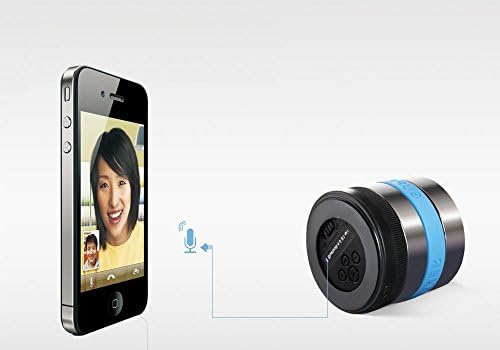
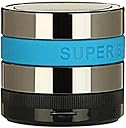
How to use it * Bluetooth Mode: 1. Press the on/off button to ON, click "M" button to "Enter to Bluetooth". That means the bluetooth function is working. 2. Turn on the Bluetooth function of your device, then find "BT SPEAKER" and click it to connected (input a code "0000" if needed). 3. Now enjoy your music with this wireless Bluetooth speaker, you can long press the "+"/"-" button to increase/down volumn, and short press them to play preview/next song. Also you can rotate the ring of the speaker to control the volumn. * Aux Mode: with 3.5mm audio cable 1. Connect your device(phone) to the speaker with the 3.5mm male to micro usb cable, click "M"button to "Enter Aux in play". That means it connect to your device successfully. 2. Then play music on your device(phone), Now enjoy your music or video with this speaker. * Micro-SD Card Mode: 1. Make sure your Micro-SD card have songs(MP3 format), then insert your Micro-SD card into the slot, click "M"button to "Enter TF Card in play". That means it it can read your card successfully. 2. Then the speaker will play the music automatacally. * FM Radio Mode: 1. Connect the speaker with the 3.5mm AUX Audio cable, the cable will be acted as the antenna. 2. Press the on/off button to ON, click "M" button to "Enter Radio in play". Then you can press "+"/"-" button to search. * Even more: When you insert a card in it , connect it to a PC/laptop with audio cable, and connect it to bluetooth device at the same time, you may switch the play audio source by press "M" button.
Trustpilot
Hace 5 días
Hace 2 meses