We remain fully operational. Our teams are working around the clock to ensure your deliveries continue safely.

Descargar la aplicación


Servicios al cliente
Sobre nosotros
Copyright © 2025 Desertcart Holdings Limited
Descargar la aplicación



Buy anything from 5,000+ international stores. One checkout price. No surprise fees. Join 2M+ shoppers on Desertcart.
Desertcart purchases this item on your behalf and handles shipping, customs, and support to Argentina.
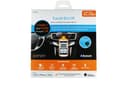
🚗 Upgrade your ride with hands-free freedom and flawless tunes!
The iSimple TranzIt BLU HF kit adds Bluetooth hands-free calling and music streaming to any vehicle with an FM radio or AUX input. Featuring a low-profile dash-mountable control button, it offers seamless integration with smartphones for call management and voice commands. Designed for professional installation behind the dash, it delivers clear, interference-free audio by connecting via a 3.5mm jack or FM antenna port, making it the perfect smart upgrade for drivers seeking convenience and connectivity on the go.
| ASIN | B00FRU5UNA |
| Additional Features | Bluetooth integration for vehicles, low-profile control button |
| AntennaDescription | The product has an external antenna for connecting to radio antennas in vehicles. |
| Audio Input | Bluetooth |
| Audio Output Mode | Stereo |
| Audio Output Type | auxiliary, FM radio |
| Battery Weight | 10 Grams |
| Best Sellers Rank | #103 in Bluetooth Car Kits |
| Bluetooth support? | Yes |
| Brand | iSimple |
| Built-In Media | product, manual |
| Color | Black |
| Compatibility Options | Bluetooth devices, vehicles with FM radio and aux audio input, iPhone and Android smartphones |
| Compatible Devices | iPhone and Android smartphones |
| Compatible with Vehicle Type | Various |
| Connectivity Technology | FM |
| Connector Type Used on Cable | Component |
| Control Method | Touch |
| Control Type | App Control, Voice Control |
| Controller Type | Hardware Button Controller |
| Customer Reviews | 4.3 4.3 out of 5 stars (534) |
| Enclosure Material | plastic or rubber |
| Global Trade Identification Number | 00609098812573 |
| Hardware Interface | Bluetooth |
| Human Interface Input | Buttons |
| Includes Remote | No |
| Installation Type | Dashboard Mount |
| Item Dimensions L x W x H | 4"L x 2"W x 1"H |
| Item Type Name | bluetooth interface |
| Item Weight | 0.65 Pounds |
| Manufacturer | isimple |
| Model Name | ISFM2351 |
| Mounting Type | Dashboard Mount |
| Number of Channels | 1 |
| Outer Material | Plastic |
| Power Source | Battery Powered |
| Rechargeable Battery Included | No |
| Supported Application | Popular music and calling apps on iPhone or Android devices |
| Supported Media Type | AudioStreaming |
| UPC | 609098812573 |
| Voltage | 12 Volts |
| Warranty Description | 1 year |
| Wireless Compability | Bluetooth |
J**N
Works great! Good sound quality, no interference
I am wavering between giving this 4 or 5 stars. I really do like it a lot! I installed it myself and it was not too difficult, although I have to admit I was more than a little nervous about taking my car apart. I bought antenna adapters but it turns out that they weren't needed as the stock AM/FM/CD radio in my 2006 Xterra has a standard antenna jack. Getting power and routing the microphone wire were intimidating, but ended up being easy after some research on line. The Tranzit BLU HF supports both phone audio and media audio bluetooth services. The audio is very clear as it disconnects the car antenna and sends the FM signal directly to the radio's antenna port. No interference from FM stations whatsoever. I can also listen to FM radio, and when a call comes in the radio goes silent and I can answer the call. The other option is to set it for media audio which allows me to listen to streaming audio from my phone. In this mode I can hear navigation directions and voice search prompts over the car radio which is great. The only complaint I have with the Tranzit BLU HF is that when it is set to allow me to listen to FM radio the media audio bluetooth service is still connected to my phone. As a result, when listening to FM I don't hear voice search prompts or nav directions. I would prefer that the media audio service would turn off in radio mode so I the phone would know to use its built in speaker for nav directions and voice search prompts. To get around this I sometimes listen to the live stream feed of my local radio station instead of listening via the FM tuner. That uses data, and I have to start and stop the audio streaming app when I get in and out of the car. But I really got this for long drives when I'm not listening to radio anyway. Overall I'm very happy with this device and am very glad that I bought it rather than a new radio.
H**.
Great bluetooth solution. FM modulator sounds superb.
I don't write reviews often but I felt I needed to write something for the people on the fence on buying this product. BUY IT. This thing works great. Sounds great. Fairly easy install if you have ever switched out a radio before. Its small enough to stuff behind your radio and forget about. The only visual part of this system is the little phone button and the mic, and thats all you need. I have a 2003 Chevrolet Suburban that has the Bose Audio System installed so I didn't want to spend hundreds of dollars on an aftermarket stereo that would cause me to lose functionality of my rear seat controls, amp, etc. This was the answer for seamless bluetooth for phone calls and streaming. The use of the RDS information display to show song names and caller ID is genius. Don't be worried about the FM modulator. It sounds superb. I just took a 3 hour trip each way from one metropolitan region to another, why streaming music the entire time, and there was no static whatsoever. Even if you have an AUX port, use the FM modulator so your song names and caller ID show up on your RDS enabled radio. You won't be disappointed. Don't forget to google your vehicle and find a 12v switched circuit to tap into behind your radio. My 2003 Suburban didn't have one, and I had to run to the auto parts store to pick up an mini fuse tap. No big deal, but wish I had looked it up before the install started so I wouldn't have had to waste a trip in the middle of the project.
H**G
Very Good but not Perfect
I would give this 5 stars based on how well it works and easy to install. Basically it's good enough I am going to buy a second one for another car. Call quality incoming and outgoing is very good. Streaming music is also very good although the volume requires turning your Bluetooth device pretty much all the way and then it's still only about 3/4 as loud as an FM station. But loud enough for us to use as is. The disconnect for the FM antenna so unwanted radio signals don't conflict with your BT input works flawlessly. However, loses a star for the following reasons: Install directions with user manual are at odds with the directions written on the back of the unit (friendly tech support told me to follow the directions in the user manual) There's supposed to be an app you can download onto your smart phone to access the device settings, such as changing to another FM station. The app is supposed to be available for iPhone, Android and Windows phone. I downloaded for my Windows Phone 8 and it comes down as a zip file. Well, you can't unzip files on a Windows Phone, it's not possible. So I downloaded on my wife's iPhone and was able to open the app but it only has functionality to adjust settings for a steering wheel switch kit, no way to make it work for the ISFM2351, it's not on the menu. So I tried downloading it on my PC, tried to unzip it and my Norton stopped it because of a virus. Didn't try an Android device. Was hoping with the app that maybe there was a setting to increase the volume (gain). So, it works well enough as is with no adjustments but maybe it could be better with some tweaking. I don't know of any other devices (I looked really hard) that do everything this one does in a single unit.
M**A
No sirve salio defectuoso uno de los 2 que compre
A**L
This thing is brilliant! Admittedly, I had a little issue with a broken wire, but I contacted the seller and they couldn't have been more helpful in supplying a replacement. It was easy to install, having watched a load of YouTube videos beforehand. The issue I thought I'd have was powering it and nowhere could I find any information about how to find "switched power". I popped to my local Halfords and asked if I could piggy-back off my radio's fuse, as I only want the iSimple device on when my radio is on. Indeed, you can! You can buy a piggy-back fuse that allows you not only to piggy-back off the power supply to my radio, in this case, but also allows another fuse to be used with the new power supply, the iSimple device, in this case. So, I have the original 20 amp fuse for the radio present and a 5 amp fuse for the iSimple connection. Then I drilled a hole in the middle of one of the dashboard's dummy switches using a stepper bit (10mm is the diameter of the phone button, just as an fyi, as I couldn't find that information anywhere), which snugly held the phone button without the use of glue or any other adhesive. Then fed the phone button wire through a small hole I drilled under the 10mm hole and fed the wire behind the radio and connected it to the iSimple device mounted behind the dashboard. To give a clean looking finish, I bought a packet of 2mm thick strong, black elastic bands 10mm in diameter to give the button a border and hide the hole drilling finish, which looked a little ugly. The elastic band was very tough to get round the button, but after several attempts and very painful fingers later, it finally popped on firmly! Phew! Pairing the device to the phone was very straight forward, following the instructions and, before I realised it was all done, it was all done! Now I just switch on the bluetooth on the phone when the car is switched on and it connects. A few helpful hints: Firstly, sometimes, when my wifi is searching, connecting can be interrupted, so turn wifi off. Secondly, if more than more bluetooth device is paired to your phone, even if one of them is not in range, I found this device won't automatically connect. However, pressing and holding the telephone button for 6 seconds helps to give it that extra nudge to connect. The app that you can download to change the frequency of the iSimple device is good, but if you're in an area that already uses the 98.1 radio frequency, I'm afraid there is a strong probability that you're going to have to drive somewhere where that radio station isn't received to change the frequency to a new station, because the app may well say it can't connect, due to the strength of the radio station over your phone's signal. I changed mine to 107.9, which is the maximum frequency it has. Sometimes there's little interference every now and then, but nothing dramatic and the sound quality is very good! I hope this helps!
E**Y
Excellent - many thanks
D**R
la calidad del audio para llamadas es buena, pero para reproducir música no es tan buena, se escucha con menor potencia.
Trustpilot
Hace 1 semana
Hace 2 semanas