We remain fully operational. Our teams are working around the clock to ensure your deliveries continue safely.

Descargar la aplicación


Servicios al cliente
Sobre nosotros
Copyright © 2025 Desertcart Holdings Limited
Descargar la aplicación
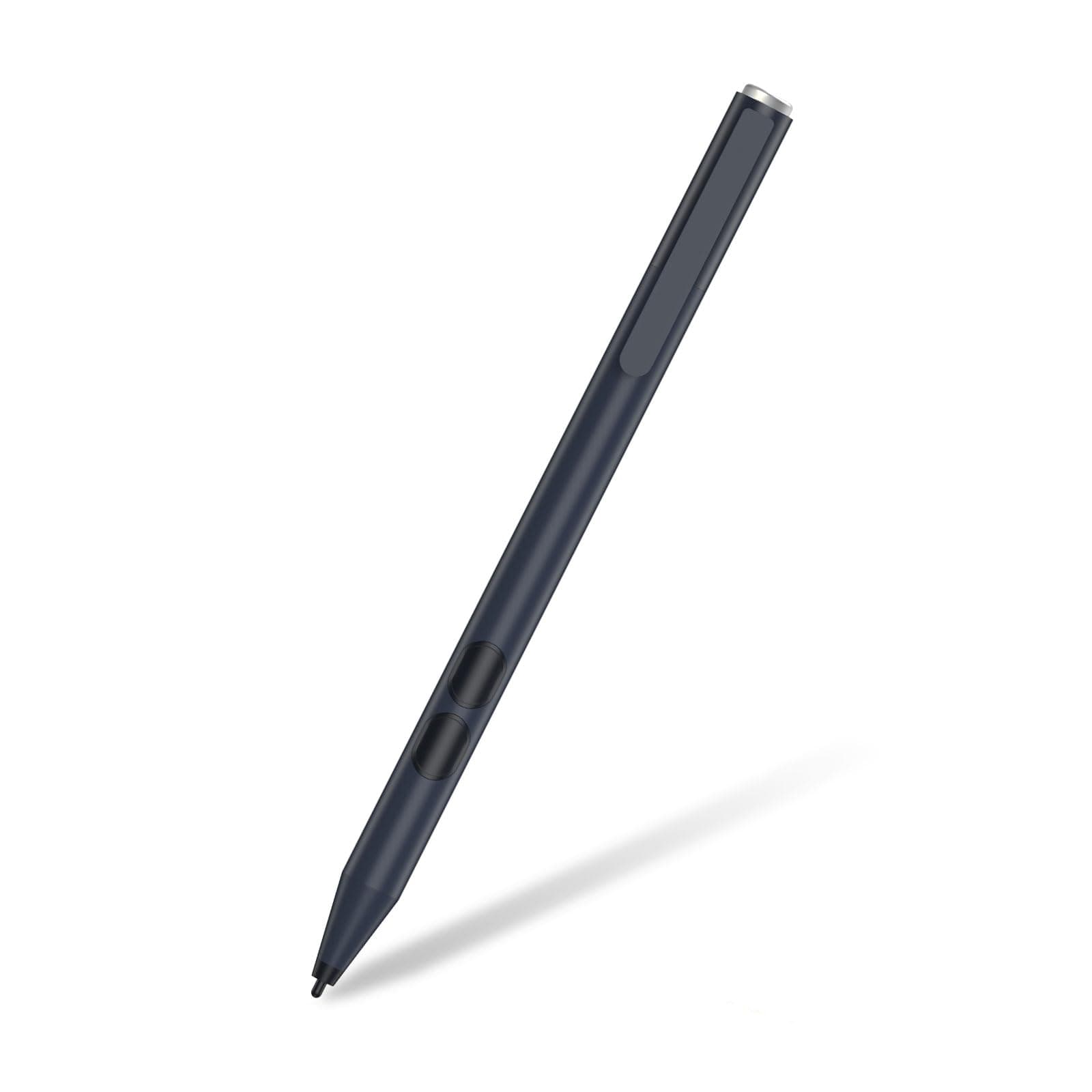
✍️ Elevate your ASUS touchscreen experience—precision meets power, no compromises!
This active stylus pen delivers professional-grade precision with 1024 pressure sensitivity and palm rejection, compatible with a broad range of ASUS touchscreen laptops. Featuring a durable aluminum build, a convenient clip, and a long-lasting AAAA battery with up to 417 days standby, it requires no Bluetooth pairing or charging. Ideal for managers and creatives seeking seamless, reliable digital writing and drawing on the go.










| ASIN | B07YJLKK6H |
| Are Batteries Included | No |
| Are Batteries Required | No |
| Battery Average Life Standby | 417 days |
| Battery Description | Alkaline |
| Best Sellers Rank | #17,013 in Cell Phones & Accessories ( See Top 100 in Cell Phones & Accessories ) #391 in Styluses |
| Brand | tesha |
| Charging Time | 2 Hours |
| Color | DarkBlack |
| Compatible Devices | ASUS Transformer MiniT102HA/T103HA ASUS Transformer Pro T303UA/T304ua/T305CA, ASUS VivoBook Flip 12 R211NA/14 R211NA/J202NA/TP203/TP401/J401MA/TP410/TP412/TP510ASUS VivoBook Pro X580VD, ASUS NoteBook Q325UA/Q326FA/Q405UA/Q406FA/Q427FL/Q505UA/Q506FA/Q525UA/Q526FA/Q535UD Q536FD/Q546FDX/Q547FD,ASUS ZenBook Duo UX481/UX581, ASUS ZenBook UX434/UX550/UX580GD, ASUS ZenBook Flip UX362/UX370/UX391/UX461UX4… |
| Customer Reviews | 4.3 4.3 out of 5 stars (1,256) |
| EU Spare Part Availability Duration | 1 Years |
| Enclosure Material | Aluminum |
| Item Dimensions | 5.6 x 0.37 x 0.37 inches |
| Item Weight | 20 Grams |
| Manufacturer | tesha |
| Mfr Part Number | K2-C |
| Minimum Required Operating System Version | Windows 10 |
| Model Number | ASUS PEN |
| Number of Batteries | 1 AAAA batteries required. |
| Unit Count | 4.0 Count |
| Warranty Description | 1 year |
R**S
works well and easy to use
works well and easy to use on my asus vivoflip. No need to download any software or connecting to bluetooth.
R**S
Absolutely Fantastic! I also have an asus pen
This pen immediatly worked with my Asus Proart 16inch. I have an asus pen I paid $99 for and it's great but it needs recharging. I like having an extra. I am often switching between the stylus and regular pens and running around and I sometimes misplace my pen because my desk and floor is dark it's hard to see... I have since put a white band on it. I figured I would try this one because it's silver and easier to find and has the clip on it. The clip is a Godsend. I just ordered clips for my asus pen and huion tablet pens also.the clip is necessary for me. I cannot believe it needed no pairing. I popped in the battery and it was ready. It does everything I need, draw, erase and selects For the price it is a fantastic deal and doesn't need charging. I will take this one when I travel. It is so worthe the price!
M**L
Works for Flow X13
Work well with my ROG Flow X13 and smooth too. Good responsoveness and battery life.
D**K
This pen also worked for my Q524UQ!!
I tend to see all my peers around me use a stylus pen for their iPads and laptops. My laptop is around 8 years old, so I never bothered to buy one, as I assumed it would not work. However, to my surprise, this pen works great with my laptop, even though it is not specifically stated to work for my model. The only downside is that it is a bit laggy sometimes. Overall though, great pen and saving of many many notebooks!!
E**E
Responsive
Worked smoothly on my ASUS MB14 Zenscreen monitor. Responsive and precise. Palm rejection is just average. Overall, very satisfied.
B**N
Stylus Digital Pen for ASUS Tablet
recently purchased the Stylus Digital Pen for my ASUS notebook Q405UA Q325UA, Q526, ASUS Vivobook UX560, J202n, ASUS Transformer Mini T102HA, and ASUS Zenbook UX580GD, hoping for a seamless and efficient writing and drawing experience. Unfortunately, my experience with this stylus fell short of expectations. While the pen was advertised as compatible with a wide range of ASUS touchscreen laptops, including the models I own, I found that its performance was inconsistent across devices. On some devices, it worked reasonably well, providing decent responsiveness and accuracy. However, on others, including my ASUS Vivobook UX560, the stylus frequently lagged behind, making precise tasks like note-taking and drawing frustrating and cumbersome. Additionally, the build quality of the stylus left much to be desired. The plastic construction felt cheap and flimsy, and the overall design lacked the ergonomic comfort I would expect from a stylus intended for prolonged use. Furthermore, the lack of pressure sensitivity was disappointing, especially considering the price of the stylus. Without this feature, it was challenging to achieve varying line thicknesses and shading effects in digital artwork. Overall, while the Stylus Digital Pen may work adequately for some ASUS touchscreen laptops, my experience with it was marred by inconsistency and subpar performance. For those seeking a reliable and high-quality stylus for their ASUS devices, I would recommend exploring alternative options.
V**R
A Great Tool
I purchased an ASUS ROG gaming 2 in 1 laptop from Woot. I wanted a stylus to go with it and found this. It was easy to use and highly precise. It is a great tool, and it was way more affordable than what ASUS wanted for their stylus. I almost bought it, but I woke up quick.
T**G
NOT ASUS PRODUCT - Compatibilty Claims Suspect - Palm Rejection is AWFUL
And before anyone jumps in and says 'palm rejection' is a function of the digitizer, in this case a 2021 ROG Flow X13, I had an exceedingly hard time as random apps on the taskbar would start up if I wrtoe too low - I had to side-dock the taskbar as it was unworkable otherwise. Palm Rejection is a function of BOTH the Stylus and the Digitizer, particulalrly an active stylus that should be "linked" via bluetooth to the tablet. It's not rocket science. The same company that has been makinbg standalone digitizer tablets for donkey's years are still providing the digitizer planar, drivers and all other related hardware - Wacom. Also, I found the 'active; to be less that so. Typically, one see's the hoverpoint, and there's a solid start to a mark, be it a word, line or curve, as the magnetic field is already strong enough to register a couple of millimeters above the 'touch screen'. That is also a function of the two devices 'takling ot each other' over the Bluetooth link. As this "active" stylus doesn't actually connect to the laptop, a line starts as a thin stutter before developing into a proper line. I've attached two marked up pages. One was with the "Active Stylus" on the Flow X13, and the other with a Lenovo X1 Yoga Gen 6. The difference is pretty clear, There's a reasons besides a battery that the term "active" implies for functionality and use. I also believe that the "manufacturer" is trying to pass this off as an OEM ASUS Active Stylus - the similarities in look, design, and even packaging are too much. Add that to the fact that the packaging does not say ASUS, only Active Stylus, NOR is the real manufacturer named. Screencap of the ASUS SA200H with a photo of this device aside one another. Also packaging photos show my points about "phantom manufacurer" & "Active Stylus" . Highly suspect, would not recommend untless you just want a stylus so you can use it occasionally, and are not that fussy about the results.
J**N
Won’t sync with laptop and arrived damaged has bits shaking on inside of pen
R**A
Works on my daughters Asus computer well
M**A
I have VivoBook TP412FA
A**O
First, the pen works beautifully. I think I'll like it even more than the pen that came with when I bought my asus laptop. Second, the pen was advertised as having TWO side buttons, but it actually has only ONE, which made me doubt if it's ASUS stylus pen. However, it still supports the erase and right-click functions and works with my laptop. I just need to press the very back or front of the button to activate these functions, respectively. Last, it has 2 included stylus tips and 2 AAAA batteries so that's make it 5 stars.
E**.
i like this stylus it, works fine. it cames with 2 nibs, it also works with all types tablet & e ink ereader that support stylus ex: kobo libra color , onyx boox & kindle scribe .. etc and laptop that support touchscreen ( u can write , highlight & erasing ).
Trustpilot
Hace 3 semanas
Hace 1 mes