We remain fully operational. Our teams are working around the clock to ensure your deliveries continue safely.

Descargar la aplicación


Servicios al cliente
Sobre nosotros
Copyright © 2025 Desertcart Holdings Limited
Descargar la aplicación
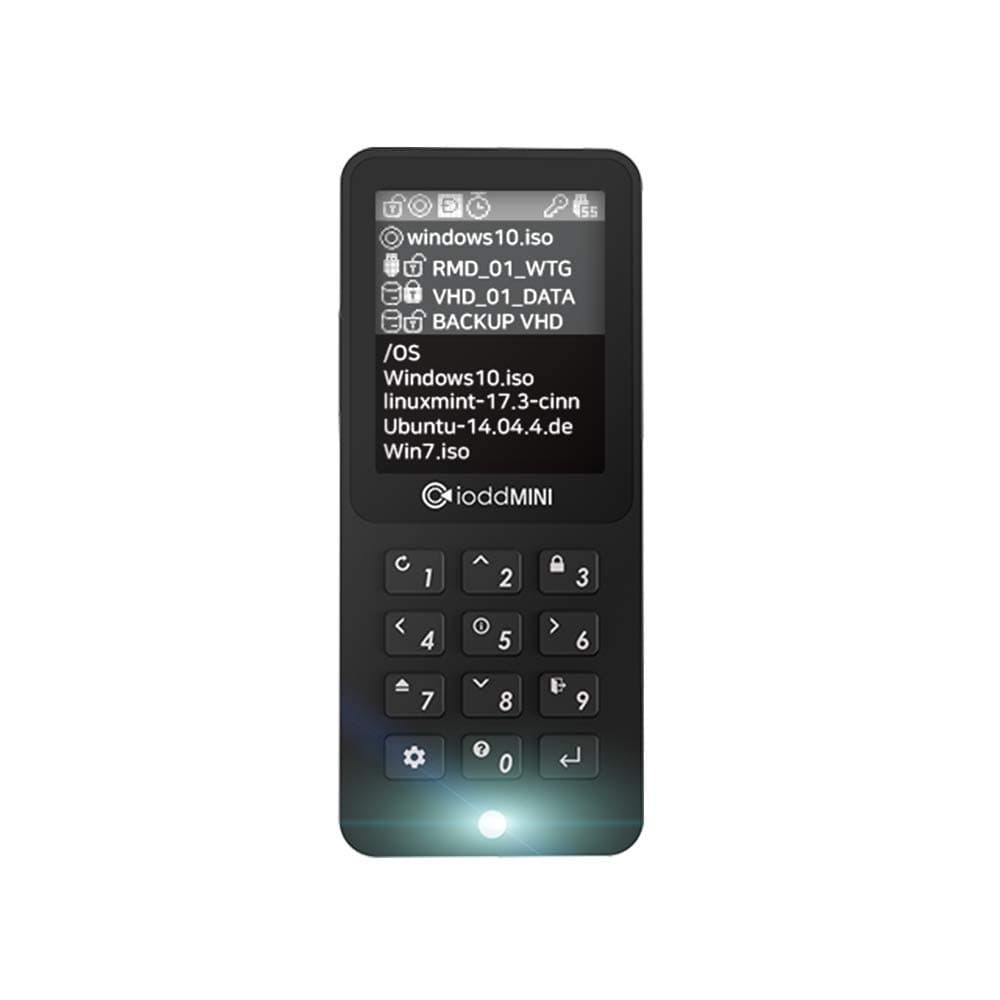
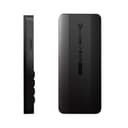
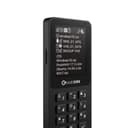
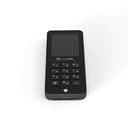
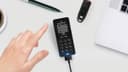
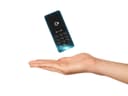
🔐 Unlock ultimate data freedom with the iodd Mini — your pocket-sized fortress of speed and security!
The iodd Mini USB 3.0 SSD Drive offers 256GB of encrypted storage with AES256-XTS hardware security, delivering up to 300MB/s read speeds. Its compact 1.8-inch design includes a color LCD screen and supports bootable virtual USB drives compatible across Windows, Linux, and Mac OS. Ideal for professionals needing secure, portable, and versatile storage with advanced features like write protection, auto sleep, and firmware updates—all plug-and-play with no driver installation required.


| ASIN | B07Y465VX1 |
| Additional Features | Portable |
| Best Sellers Rank | #2,079 in USB Flash Drives |
| Brand | iodd |
| Built-In Media | 1.8" TFT LCD screen |
| Cache Memory Installed Size | 256 |
| Compatible Devices | Desktop, Laptop, Tablet |
| Connectivity Technology | USB |
| Customer Reviews | 4.3 out of 5 stars 470 Reviews |
| Digital Storage Capacity | 256 GB |
| Form Factor | 1.8-inch |
| Hard Disk Description | Solid State Drive |
| Hard Disk Form Factor | 4.2 Centimeters |
| Hard Disk Interface | USB 3.0 |
| Hard-Drive Size | 256 GB |
| Hardware Connectivity | USB 3.0 |
| Installation Type | External Hard Drive |
| Item Dimensions L x W x Thickness | 3.54"L x 1.57"W x 0.35"Th |
| Item Weight | 85 Grams |
| Manufacturer | IODD co.,Ltd. |
| Media Speed | 300 Megabytes Per Second |
| Model Name | IODD Mini |
| Model Number | IODD_MINI |
| Read Speed | 300 Megabytes Per Second |
| Special Feature | Portable |
| Specific Uses For Product | Business, IT |
| UPC | 889641000026 |
| Unit Count | 1.0 Count |
| Warranty Description | manufacturer warranty for 365 days from date of purchase |
J**F
Excellent!
Excellent device. In the images show the contents of the package, the ssd inside and a couple of tests with ATTO disk benchmark from a usb 3.0 port, using the iodd mini it got read speeds of 258MB/s and 244MB/s write. The same SSD mounted on a Silverstone MS09 obtained speeds of 439MB/s read and 407MB/s write. Test mount a WD Blue SSD to the iodd mini and got 252MB/s read and 249MB/s write, which indicates that there is no difference in putting a higher performance ssd. If you require more capacity it is a good idea to look for a ssd as large as possible, the problem is that not many manufacturers have 2242 format. The iodd 2.5" case version for SSD / HDD would be a better option. Pros: -It is small and light, about the size of an ipod or mp3 player. -It is easy to use even without reading the instructions. -The buttons have a nice click when pressed. -It has 2 usb 3.0 cables with plated connectors. -Includes a soft case and a rigid protective case. -Color screen with adjustable brightness. -Quality packaging and well protected. -Excellent mounting of ISOs and VHD. -Very useful read-only mode against viruses and antivirus. -Hardware encryption that protects your data. - Medium quality preassembled SSD. -Its temperature in use is around 40 ° C. -Plug and play! It does not require installing drivers. Cons: -The usb cables are somewhat rigid. -It usually gets hot when running, the ssd always indicates 40 ° C. -The transfer speed of the device is less than the real speed of the ssd. -Only sold with ssd already pre-assembled. -It only allows ssd in 2242 format, putting a 2280 would be excellent, since relocating the m.2 port fits perfectly without increasing the dimensions. -The ssd heat gives direct to the back of the screen, not if it affects you over time. -TBW of mounted ssd is unknown.
M**.
14-year-old me is geeking out! A must-have for any computer nerd
I've been waiting for a gadget like this since I started tinkering with Linux and BSD and providing desktop support to friends and family in the early '90s. So long, endlessly-creeping collection of CD-R(W), DVD±R(W), and thumb drive installers and other images! In the brief time I've had my iODD Mini, I've installed Windows, macOS, and Linux (Arch, BTW) on a variety of machines—including VMware and Boot Camp; rescued a FreeBSD system; run memtest86 on a flaky fileserver; and even updated the firmware on a webOS-based smart TV (LG C9). It's an extremely flexible and capable device. * I had some trouble getting started with the Mini. If I remember correctly, I had to initialize it in Windows 10 before it would even show up in macOS. * I've been using the exFAT filesystem for the physical partition and have experienced a few instances of overly-fragmented (and hence non-bootable) image files. Unfortunately, exFAT is still the least-worst choice for a portable, universal filesystem, so we're all stuck with it for now. I don't have a great handle on the exact circumstances under which this issue arises, but rewriting the fragmented file(s) with `rsync --preallocate --whole-file` seems to fix it. * The UEFI bootloader that's built into the Intel Macs I frequently work with doesn't like the multiple LUN configuration that's presented when more than one (virtual) device is listed above the "---disabled---" line in the Mode Setting menu. The "solution" is to keep the desired one (and only one) above the line and move the rest down using the 3 and 9 keys, then press the gear key to apply the change(s). You might have to reboot the Mac for it to recognize the new single LUN configuration. * My favorite trick so far is to do something like `truncate -s 8G /path/to/iodd/mnt/foo.rmd' and then select foo.rmd on the Mini to get an instant, virtual, 8GiB "thumb" drive—which can be subsequently initialized with diskutil, diskpart, parted, etc. It's great for running the macOS createinstallmedia command, Windows 10 media creation tool, etc. This feature alone makes the Mini worth the extra cost over a "dumb" mSATA-based external SSD with Ventoy (or what have you) loaded up. * The key shortcuts take some getting used to, and the documentation is inconsistent in a few places (and just plain wrong in others), but—assuming you're the nerdy type who likes to tinker—it's not too steep of a learning curve. Overall, I am beyond happy and satisfied with this wonderful little gadget. My only regret is that I never bought one of the earlier models to help support the project (and save myself a ton of time and hassle over the years). I'd love to see a future version with a massive NVMe SSD and a 10 or 20Gbps USB Type-C port, but that's just me being greedy! UPDATE (10-Nov-2020): I've had so many issues with sparse files, fragmentation, and other weird exFAT issues that I've given up and started using NTFS instead. This means the volume isn't (easily) writable from macOS, which is frustrating, and the `truncate' trick I mentioned above won't work. So I've been managing the disk from Windows, and I've started using `fsutil' to create rmd files for instant thumb drives. Just FYI!
X**P
After two hours of use, I'm pretty impressed
I admit that I was very skeptical that this device would work well enough to merit a five-star rating. I mean, at the price ($255 for a 1TB SSD with encryption PLUS multi-LUN capability), I was expecting poor firmware and/or flaky operation (disconnecting randomly, losing data, etc.). So far - and I will be updating this review as I have more time to use more of what it can do - I'm amazed. First of all, you should know that I'm a Mac user, so I formatted the drive GPT with a single APFS container and volume. Naturally, the firmware doesn't know what an APFS container is, so it always displays "No appropriate partition" on the home screen. It would be absolutely wonderful if at some time in the future, Mac and Linux partitions were recognized, but it doesn't prevent me from using it as I intended. My intended use is as an encrypted clone for my Mac's disk. I already have encrypted clones on external SSD drives, but I specifically wanted to be able to access this disk from an iPhone or iPad, and, as of now (and for the foreseeable future), iOS devices can't access encrypted Apple file systems. So the only solution was a drive with hardware encryption that would be invisible to the device. There are quite a few hardware encrypted flash drives, but I needed an SSD, and iODD seems to be the only people making them. So I decided to take a chance. As I said, so far, it looks very good. I've noticed a couple of times when, on plugging the drive in, it wasn't recognized even though it powered up and had me enter the password. If I tried again, it was there fine. I'm not sure exactly why I'm seeing this behavior, but it's not a big problem as long as I can always get it to be seen on the second try. If it starts to be a problem, I'll update this review and contact support. So after thinking that this was going to be "too good to be true", it seems to work exactly as I hoped. The biggest problem for me is dealing with the complexity of a multi-LUN device. I certainly didn't need this sophistication, and I still haven't learned exactly how everything works, but it's a very impressive device at a surprisingly low price. There's one improvement I can think of at the moment that I'd like to see (in addition to recognizing Mac and Linux partitions): a metal enclosure. The plastic case is light and well-designed, but I carry this around in a pocket, and if I sit on it the wrong way, it could break and probably wouldn't be covered by the warranty. A metal case would be more durable.
A**S
Much improved over the 2531/2541 models
Really great review write-up by Phillip G! I'll only add a few points of my own. The hard drive appears to be replaceable as someone on Twitter received a pre-production unit, cracked it open and it had one of these in it: KingSpec 1TB 2242mm M.2 SSD NGFF Internal Solid State Drive SATA III and is sold on Amazon. The silicone key input on this thing is vastly improved over the 2531 (wheel)/2541(touch) models. If I'm being kind: the interactive input is very flaky on those models. This iodd Mini has REAL buttons and they work perfectly! This model is also a lot quicker to boot up, use, and respond over the 2541. In terms of the warranty: it doesn't really make sense to knock the 1-year warranty as you would have to do international shipping back to Korea and I doubt anyone is going through that hassle and cost unless it's truly defective out-of-the-box as you would have to pay to ship both ways. LED too bright? That's really, really picky! The light was just fine for me. Edit 7/10/22: iodd has now released a new product called the ST400 and some how I cannot just review that product, so I will append the my review here for it. The ST400 is a "marriage" of the iodd 2541 and iodd mini. It uses a regular SATA drive interface again, uses USB-C instead of the Micro-USB type 2 interface on previous models (includes USB-C to USB-A cable in the box) and it "steals" the LCD interface from the iodd mini. I really like the button interface: the buttons are bigger than the iodd mini. Only thing I wish is iodd would use aluminum or some type of metal enclosure for longevity purposes, even my iodd mini that I keep in a case: the plastic is chipping and breaking off of it, even though I treat it very gently.
C**L
Works as advertised, but overheating really kills this drive
I love this unit, I really do, but a couple things left me wanting more and for the $179+tax the small 512GB cost, and the $260 the 1TB was, I can't really keep it. I wanted to use this like I used my 2541 (which still is kicking) where I have about 70GB of miscellaenous ISO's, VHD, and frequent programs I install and tools I use. I liked creating a seperate folder for booting systems using Macrium and being able to dump the image straight back to the IODD. However, after using it for a few weeks, it doesn't quite live up to that purpose. I knew going into it that thermal throttling would probably be an issue and for me it was. It doesn't help the internal M.2 reports 40C at all times. The issue is I was only able to get about 10-12GB max before the speeds went from 200MB/s down to 15-20MB/s. It would stay there for a couple minutes, then recover when I assume it cooled down. When it did this, the mini was incredibly hot to the touch. That's just sort of the bane of M.2 drives of running incredibly hot and I'm sure the plastic case and size probably didn't help much. Other than that, the positives of the unit are a beautiful screen, the buttons are very well done (loud clack) and seem to inspire confidence vs the 2541. It's super tiny, think an iPod mini and since it's so light the cable itself will probably twist and turn it everywhere. I wish they'd put a coin battery in some of these so you can set up your ISO's offline instead of doing the PAUSE/BREAK song and dance before boot. I keep mine paired with a tiny battery bank and USB3 MicroB Y cable for that purpose. (Some BIOS tend to reset USB power when they reboot) The case that comes with it is pretty neat and perfectly sized, much better than the goofy PDA sleeve the 2541 comes with. The encryption screen is randomized on each boot so pay attention when entering your codes. I really like the IODD mini and may just wait for the next iteration if they have one. Ideally they replace the old microB connector with something like USB-C and offer options to sell it driveless (use something like an Intel 560p to keep space high and temps low) or at least maybe make it out of metal/aluminim - the plastic honestly feels like it'd snap in half if I left it in a pant pocket. If you use it primarily as a ODD/VHD I'd say go for it, but if you're like me and trying to use it as a ODD+Data Backup disk, you might be better off with a 2541 and a spare SSD. Overall though, I'd give it 4 stars. It does what it's supposed to, and the English this time around is a lot better than the 2531/2541.
E**F
Great concept. Needs improvement after multiple revisions
First, I love the idea of storing multiple drives in one device. However, after multiple iterations of the device and the addition of a larger screen- the drive still lacks functionality that would make it more useful. The main issue comes down it being a consumption device for premade disk images. The drive has no means of creating images, virtual partitions, etc. on its own. This means if you’re not downloading them from the internet; you need to take the extra step of creating an image. Fortunately, iodd supplies a utility, if you don’t already have a means of creating them yourself. The issue is its cumbersome. You cannot simply simulate a virtual drive and begin using it as you would an actual thumb drive. This means utilities, such as recovery media creators, that expect to write to a such a device require an extra step. You need to either use an actual thumb drive. Then image it and copy that image over. Or you need to premake an image of suitable size, store the buffer in your iodd drive and write to that. However, that complicates things. If you are on the go, you may not have access to utilities for creating images. And if you plan in advance and do nothing but keep, for example, 32GB images on your iodd drive you’ll waste free space and quickly fill your drive. Alternatively, since the drive supports multiple luns, you could image from the 32GB buffer and write the image to another lun. Then format the buffer image. However, that doesn’t attack the root of the issue. The drive doesn’t support dynamic or sparse images. Nor does it support compressed images. Even though it does delightfully have drive encryption. Its also missing the ability to duplicate, erase, move, take snapshots, etc. of its contents; although its perfectly functional without these perks. Absent these data management features the drive never fully reaches it potential for replacing multiple drives when productivity is a priority. There’s also a few minor complaints about the physical design of the device. It appears that size was prioritize when this device was produced. While I enjoy having the smallest external ssd; I don’t think it appropriate for this product. First, this isn’t a plug and play device. A level of interaction with the device is necessary. The small screen and buttons make using it more difficult. Furthermore, it resulted in the use of a smaller 2242 ssd instead of a 2280. This means storage options are not only more expensive, they are limited compared to a more typical sized drive. The physical design also continues to eschew an attached pigtail for a separate cable. I would have liked to see a detachable cable that would be stored on the body of the drive itself; instead of opting for a smaller device footprint. Since, there is little competition in this space I think the idodmini is a good device. However, after multiple iterations, it really needs a feature update. Hopefully, some of the aforementioned improvements will make it into their next product.
J**3
Absolutely Perfect once I figured out how to use on mac, needs USB C
Short answer is: I love it. Super handy and makes my life way easier. Don't know how I could accomplish my mission without it. Long answer: Setup was interesting on a Mac. Had to format exfat which was fine. AS FAR AS RIPPING .ISO FROM DVD ON MAC: I found disc utility would not create an ISO that I could boot from on a windows machine. Even after the terminal script to convert it. Instead get burn for Mac. It's free and lightweight. Download it, copy it to applications then open it, go to copy tab, drag your disc into the window, hit scan, and then hit save. Let it do its thing and you'll have an ISO that's a perfect copy of the disc instead of the BS apple's tool gives you. For the drive itself, it's SUPER FAST. Even on the crappy old computers I have to load images onto that only have USB 2.0 this is many times faster than trying to use an actual DVD. The only issue I had was with multiple different copies to the iodd going at the same time I ended up getting a defrag error. Wanted to defrag but windows doesn't allow a defrag of exfat and there's no way to do it in macos. I didn't want to buy or try to find some software to do it so I ended up wiping everything and then copied everything at once and now it works fine. So make sure you put a group of what you want to copy and do it at once or do each iso one at a time. Seriously though once I figured out the quirks, I freaking love this thing and I will never do my job without it. If you're the type of person that thinks this would be beneficial, STOP THINKING AND JUST BUY IT. With the amount of burned and then scratched discs on top of the time you're wasting it is wayyyyyy more than worth it. It's stupid not to buy an iodd, and having the SSD pre installed on the mini makes it even more no brainier. THANK YOU IODD YOU GUYS ROCK!!! MAKE A NEW VERSION WITH USB C AND OR THUNDERBOLT 3 SO I CAN BUY IT ALREADY!!!
C**G
A fantastic little device
Overall, a very well thought-out portable SSD drive with built-in color display and number key-pad and enhanced capabilities. Encryption works well. I like the feature that the key-pad scrambles the numbers on the screen (making it harder for someone watching you enter your password). I'm a lot more comfortable carrying sensitive data around (i.e. license keys for software or personal excel files). The ability to mount .ISO files as virtual DVD/Blu-ray drives is amazing. It's like having Ventoy built-in but only through hardware. The ability to mount virtual hard drives (.VHD) or virtual thumb drives (.RMD) is a really nice bonus. The only thing I couldn't get working was having a virtual thumb drive work with a Cisco 9300 switch. But, I don't believe it's totally the IoddMini's fault. Cisco switches notoriously only work with very few USB drives. I would definitely purchase this again if mine broke. I look forward to any new versions this company comes out with in the future.
Trustpilot
Hace 2 días
Hace 3 semanas