We remain fully operational. Our teams are working around the clock to ensure your deliveries continue safely.

Descargar la aplicación


Servicios al cliente
Sobre nosotros
Copyright © 2025 Desertcart Holdings Limited
Descargar la aplicación
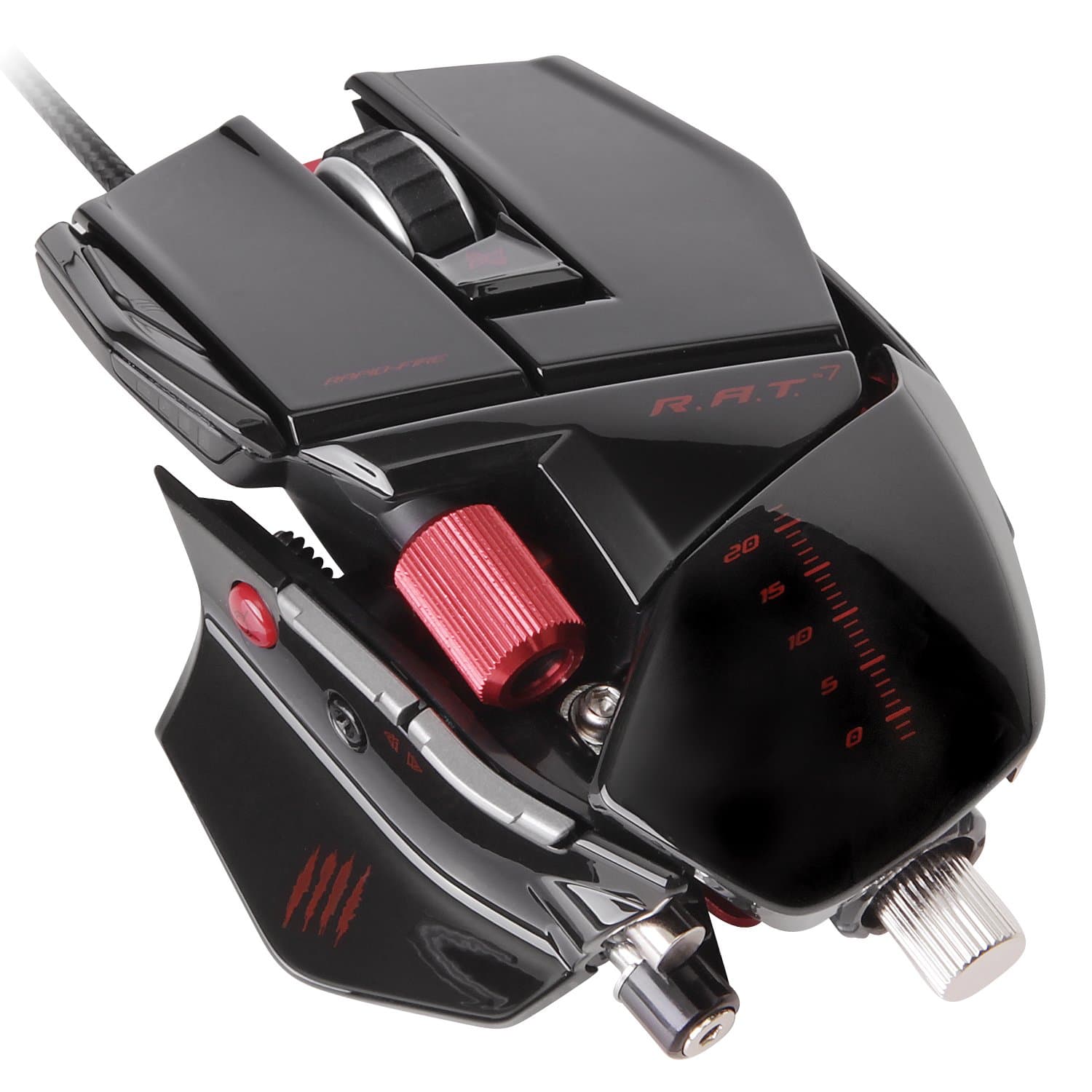
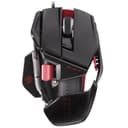
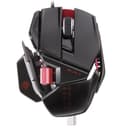
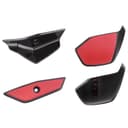
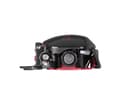
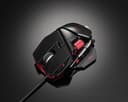
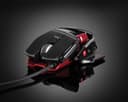
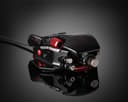
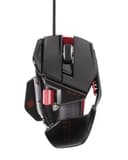
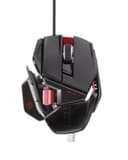
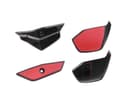
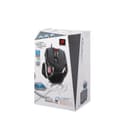
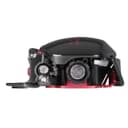
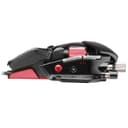
🎮 Own your game with precision, power, and style — the R.A.T.7 is your ultimate edge.
The Mad Catz R.A.T.7 Gaming Mouse is a high-performance, fully customizable mouse designed for PC and Mac users who demand precision and comfort. Featuring a 6400 DPI twin-eye laser sensor, adjustable ergonomics, 6 programmable buttons with 18 commands, and a custom weight system, it adapts perfectly to your gaming or professional needs. Its durable aluminum chassis ensures longevity, while on-the-fly DPI switching and macro software empower you to stay ahead in any scenario.
| ASIN | B00A72ZRFY |
| Additional Features | Ergonomic Design |
| Antenna Location | Gaming |
| Are Batteries Included | No |
| Are Batteries Required | No |
| Brand | Mad Catz |
| Button Quantity | 5 |
| Color | Gloss black |
| Compatible Devices | Personal Computer |
| Connectivity Technology | USB |
| Customer Reviews | 3.7 3.7 out of 5 stars (1,120) |
| Enclosure Material | Aluminum |
| Global Trade Identification Number | 00707223059388, 00728658034238 |
| Hand Orientation | Right |
| Hardware Platform | PC |
| Item Weight | 1.23 Pounds |
| Manufacturer | Mad Catz |
| Model Number | MCB4370800C2/04/1 |
| Mouse Maximum Sensitivity | 6400 Dots per Inch |
| Movement Detection | Laser |
| Operating System | Windows, macOS |
| Range | feet |
| UPC | 182682404694 132017599694 021111396394 168141333736 728658034238 707223059388 724627300380 045556020249 300359975418 801200962590 |
S**N
Bought a replacement for my RAT 5
Let me begin to say this: I love my RAT5. It was a great mice. Bought it at a discount, and it is the most comfortable gaming mouse that I have ever used. The quality is great in terms of innovation and comfortability. However, Yes, the quality of the material or the way it is built makes this mouse one of the worst I have ever seen. It occasionally crap out on me due to software issue. If the mouse laser or the track pad is dirty, the mouse tracking system will not work well. After two years of gaming, the mouse died. Now, I have tried a range of mouse. None of them are as comfortable/customization as this. Therefore, i gave RAT7 a chance. The pinky rest is fantastic, so is the additional customization compared to RAT5. It is indeed a better version. Just hope that it will last. If it doesnt, i will not be buying Mad Catz mouse again. Simple summary: - Great comfort - Great customization - Great tracking - Worst build - Might crap out occasionally - Usually dies in 2 years ---Update--- Still loving this. I have tried other gaming mouses, and i guess i'm spoiled by this mouse. NONE of the other mouse just feel the same or comfortable. We need some real competition against Mad Catz please. Gamers/coders/pc users use mouse every day. Comfortability is the key. I have upgraded from 4 stars to 5 stars. ----Update2--- Just to confirm that this mouse is still working with no issues. It has been almost 2 years now. The only times that the sensor acts up is when dust or hair got into the laser part. That usually means I need to clean my desk. So far, I am very happy with the result. Prob. will buy another white one soon since I'm sick of other cheap chinese mouse.
S**R
One of the best gaming mice on the market.
This is my 2nd RAT gaming mouse in 5 years. The first R.A.T. mouse I purchased was a R.A.T. 5 for a gaming rig I built in 2010. It lasted nearly 5 years of gaming while surviving drops, spilled drinks, heavy gaming use, and a few rage moments; but started to fail little by little during its 5th year of use. At first the thumb Mouse 4/5 buttons stopped working, then the right and left mouse buttons started to stick and/or double click. But after 5 years I was happy enough to say I got my money's worth. After those 5 years I'm building another new rig, and thought I would go with another R.A.T. mouse and decided to try out the RAT 7. This is the first RAT 7 I've owned, but not the first I've held, seen, or used. It would seem since 2010 at some point Mad Catz kept the model names but changed certain aspects of the mice. Whether they are simply aesthetic changes or both aesthetic and hardware I'm unsure of; all I know is there is a difference between the mouse I bought last month from a mouse of this brand 5 years ago. Older R.A.T. mice have a Black/White cybernetic-type face on the thumb rest and as the icon to change profiles, whereas newer RAT mice have 4 scratch marks instead of the face. I've also noticed weight differences between identical RAT 7s. I've had two RAT 7s side by side before, both with all 5 removable weights installed. One was too heavy needing 3 weights removed, while the other felt just fine with all weights kept in. I don't know if build quality has changed over the years or what the case was. Pros/Cons from my experience with RAT mice: Pros: - I've had good luck with build quality, which also translated to longevity. As stated earlier my first RAT 5 lasted nearly 5 years. I know Mad Catz has a reputation with older gamers as "that" company that sold the cheap knock-off controllers for cheap at the store. And some people seem to have complaints about this mouse breaking after very short periods of use. But to me it would seem they actually put some real effort into this mouse, and I've gotten great use. - Usable on pretty much any surface you can think of aside from glass. - 6400 max DPI means the mouse can be as sensitive as can be, or DPI can be dropped down so low it takes 20 full swipes to move across the screen. Sensitive enough to recognize quick twitch movements and fast high-speed snaps. Some mice boast DPIs far above 6400 DPI, but I can only think of a handful of games or applications I even need to come close to using the max 6400 DPI, and even then it's only for certain situations. - Precision aim button. Some may think it sounds like a stupid option only thrown in to justify a higher price, but being able to hold a button down and cut your DPI for quick, extremely precise movements can come in very handy. - Sturdy construction. Most all mice are pure plastic, and even if they are $100 just feel cheap in your hand. The RAT has a metal undercarriage which gives it a good solid frame, and gives you a good solid feeling while holding it. It also helps the mouse withstand an accidental drop or two that would crack or otherwise destroy another mouse. - Removable weights. Every person is different, some like heavier mice, some like lighter. A person may even prefer a heavier mouse for one game or program and a lighter mouse for another. This is where the removable weights come in handy with the RAT. You can go from near feather-light to hefty and anywhere in-between. Personally I like knowing I have a mouse in my hand, and being able to feel the mouse move, thus keeping in all the weights is my preference. - Pretty much every part of the RAT 7 bends side to side or extends front to back any way you could want, or has different pieces to screw on to fit your preference. It will accommodate a child's hand just as well as a grown man with large hands. I personally use the thumb buttons in games for often-used actions such as melee attacks, grenade throws, use keys, zooms, etc. Having a mouse where I can change how my thumb sits on the mouse not only adds a level of personal comfort, it makes hitting those buttons that much easier, and the response that much faster. Having an extended pinky rest as an option also makes this mouse feel that much more comfortable as half your hand isn't hanging off the side or your fingers dragging along the mouse pad. It also speaks to how well the buttons hold up being pressed as often as they are. - Buttons. There are just enough buttons to be useful without covering the mouse with tons of useless buttons to be accidentally pressed, get in the way, or just make the mouse feel uncomfortable in your hand. The left/right click are firm enough to prevent accidental presses, yet light enough that quick presses are easy. The DPI settings can be changed on the fly, something that can save you quiet some time fooling with mouse speeds in option menus. The mouse supports 3 profiles which are swapped with the press of a button. Each profile can support 4 separate DPI settings and each profile can have each button on the mouse customized to any keyboard button. DPI settings are changed with the press of a button. While playing a game if your mouse is too sensitive or not sensitive enough it can be fixed on the fly in a matter of seconds without pausing or getting into an options menu. For some reason I see some people complaining about the software used, but I can't see why. It's simple enough a toddler could use it. The software isn't even required unless you plan on programming buttons. - Braided USB line is tough, extends from the USB plug to the base of the mouse. Cons: - The USB cable may be a bit short for a small percentage of people. However unless your tower/laptop is on the other side of the desk from where you are sitting, there should be plenty of cable. - Cost. Although the mouse has a lot of features $100 dollars is quiet a pricetag for a mouse. - Left/Right Thumb Scroll is virtually useless. After 5 years of use of a RAT 5, and current use of a RAT 7 I have yet to ever use it, and don't think it's got native support by anything. It's really only put into use if assigned a button/macro in the software's profile editor. The button usually assigned to it is up/down scroll, to scroll through weapons on a FPS for example. Something easily done by the scroll wheel without the need to create custom buttons. - The RAT 5 was a sturdy build, but did not have the flexibility of the RAT 7. I can see the mouse having more weak points than a solid mouse, yet still stronger than a piece of plastic.
G**T
Great mouse.Just not that great for the price.
Well it is a lot more accurate and precise than my $10 mouse and I really like the way it looks and feels. Just not $40+ more than my $10 mouse. And it has annoying habit of every once in a blue moon, so far only while typing, to stop moving up and down and diagonally out of the blue. The only thing that fixes this is a computer reboot. If it happens while writing a long e-mail or PM, this can be VERY annoying. Luckily I never disconnected my old wireless mouse out of pure laziness and it actually still works even while this mouse is connected. Well, I have had this mouse for awhile now and it is the best and at the same time the worst mouse I have ever owned. When it works, it is very responsive and a joy to use. It looks really cool too. But thats when it works. For long periods of time, the mouse will work perfectly. Them inexplicably for no reason, it just stops tracking. Usually by not being able to track to the left and right and diagonal. Whether I am typing or not. It is only fixable by rebooting the computer but even sometimes that dosn't work like now. It will act this way for a week or more while occasionally working fine. Then it will just start working properly again until the next time. No way could I possibly recommend buying this mouse. The only reason I still use it is because of the amount of money I paid for it Update. The last week or so the mouse started acting up again after a very long period of working really well. As of this morning the mouse completely refuses to track. The buttons continue to work. Rebooting does nothing at all any more. I have had enough and ordered a new mouse. Something not named MadKatz. I am sure this one will start working again before the new one arrives but once it does, this will be nothing more than a paper weight.
C**E
exceptional mouse! bought this to replace the roccat kova+ because the scroll wheel began to loosen and wobble, thus the scroll wheel became more difficult to carry out the action of scrolling up and down whilst browsing internet pages. the mad catz RAT7 looks, feels and responds amazingly and would go as far as to say its the best mouse i have ever owned. extra weight components can replace parts of the mouse to make it heavier and therefore tailored more to your liking. the components can have grips, logos or smooth aesthetics and even has an extra pinkie rest on the right hand side if desired! mouse wheel feels very sturdy and robust, extra button next to the main left hand side finger button also. there is a handy little pin in the back of the mouse which can be detached or left in place which is used to screw/unscrew the other components and help customise the mouse to suit your needs. everything about the mouse feels extremely sturdy and solid build quality. the dpi sensor is (for me personally) very strategically placed and all in all i cannot fault this mouse one iota and would definitely recommend buying this mouse hands down! excellent product!
N**K
Bought a RAT 7 3+ years ago. Has worked perfectly until the thumb thing finally broke off. Lots of abuse. Basically it still works, as there's a piece of metal that you can slide it into to keep it together, but I'm buying another one now anyways. The customization is awesome. The mouse lasted long enough that I had to replace the pads on the bottom, got some special ones on Ebay. Overall great mouse. Very reliable for 3+ years.
�**�
Sono ormai 2 mesi che ho acquistato il mio primo mouse da gioco: Cyborg RAT 7. La ricerca iniziale è stata lunga soprattutto perchè con tutte le tipologie di mouse gaming in commercio c'è da diventar matti; il mio ragionamento è stato trovare un mouse per tutte le situazioni possibili: palmgrip, fingergrip, dpi alti, vari profili, personalizzazione, ecc. Rispetto alla concorrenza il rapporto qualità/prezzo è un pò elevato ma poi mi sono reso conto che di meglio non credo si possa fare. 6400 Dpi, 4 Profili DPI personalizzabili con il programma ""Mad Catz Smart Tecnology", 6 pulsanti programmabili, tasto per il sniper di precisione, ma soprattutto il cofanetto con i inserti e pesi da poter sostituire per adattare al meglio il mouse al proprio stile di gioco. A differenza del fratello RAT 9 questo non dispone di batterie e connessione wireless, a mio parere è stata una scelta azzeccata perchè il filo di ottima qualità non dà nessun intralcio. Non dimentichiamoci poi della chiave a brugola inserita nel mouse per smontare e customizzare le varie parti. In conclusione un ottimo mouse per gli amanti del gaming, alta personalizzazione e prestazioni elevate. Il prezzo è un pò elevato ma c'è un motivo ben ponderato. Consiglio l'utilizzo su tappetino apposito. Spedizione e consegna ottime come sempre!
G**V
Hi, I purchased this product from amazon.first of all in india amazon is the genuine seller for mad catz and secondly after using it for about month i assure u this mouse is awesome in performance wise(due to 6400 dpi) and the option of decreasing and increasing weights on the bottom side where palm rests has made this mouse extremely usefull.lastly this is a genuine product
S**A
Excellent investissement, mis a part le gaming, cette souris convient parfaitement a un usage professionnel (CAO) telle la modélisation 3D sur sketchup ou les dessins d'architectures sur autocad. Les 3 modes réglables sont très utiles vu qu'on peut attribuer des raccourcis clavier compliqués a chacun des boutons de la souris. Précision, vitesse et ergonomie sont au rdv. la qualité des matériaux et de la finition justifient largement le prix !
Trustpilot
Hace 5 días
Hace 1 mes