
Descargar la aplicación


Servicios al cliente
Sobre nosotros
Copyright © 2025 Desertcart Holdings Limited
Descargar la aplicación

🖥️ Elevate Your Control Game!
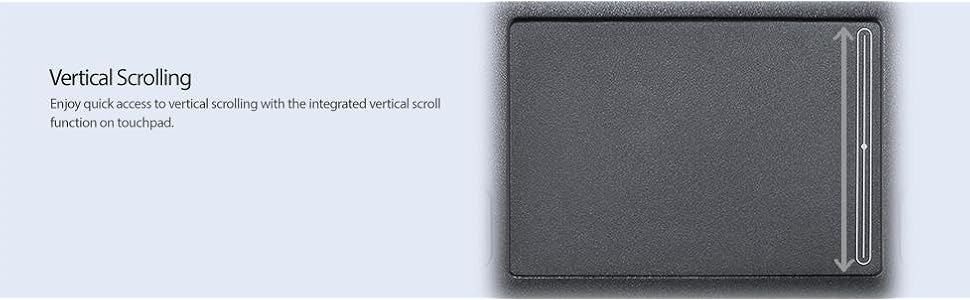
The Adesso Smart Cat GP-410UB is a high-performance USB touchpad featuring an extra-large touch surface, four mechanical buttons, and a durable design that withstands spills. It offers intuitive scrolling and zooming capabilities, making it an ideal choice for professionals seeking comfort and efficiency in their computing experience.


P**P
Bad quality , worst customer service
I had high hopes for this product but the buttons are noticeably cheap quality and the left click button stopped working after 8 weeks, just stays flat and does not pop back up. I contacted the company filled out the RMA form and have not heard from them for 3 weeks. No one answers the RMA extension or gets back to you. Then they want you to prove you returned it. You can quickly tell the company is Chinese owned as when someone finally answered they said R&D department and could not speak english and just wanted to switch the call without helping. They said to hold and when I got switched to the supposed RMA department I got a message that there was no one there to answer the phone, to leave a message. The company does not know the meaning of customer service and obviously the warranty is not something they take seriously. If the product fails dont count on the mentality that seems to pervade the company to stand behind the product. You are basically taking a gamble. If I had another problem I would not even try to return the product which is what I believe they are counting on. The amount of work, the amount of calls and time wasted makes this a very expensive product. Do yourself and favor and find a reputable company and dont bother with Adesso. Call the RMA department if you have any doubts you wont get anyone on the line. The product quality is substandard and the customer service non existent.
S**H
Not A Bad Product!
Okay, so this touchpad might not be made out of the finest material known to man, but it does the job a touchpad should do. I like the fact that it has a spacious touch area (approximately 3 x 2 inches [W x H]) and can be stationary so it doesn't take up too much space on your desk. At first, I bought this pad because of the 4 buttons that can be programmable. I browse quite frequently on the Internet and thought if I could program one of the buttons to perform a 'Back' function, then I was good to go. The only problem is that it doesn't offer this feature and that the left and right buttons can't be programmed individually. I was relieved though, when I read the instruction manual (Duh) and learned that you can do a 'Back' and 'Forward' function by swiping on the very top of the pad (Yay), it takes a little getting use to though. I really don't use any of the buttons much, so it's really not that big a deal to me. Scrolling is not too bad, though it lacks hyper scrolling which I love about my Logitech Mouse. I just use the scroll lock feature which is the default for the left and right buttons. On the high end, very basic touchpad with basic controls and ease of use, and on the low end, yeah, it might be a little over-priced. Overall, this touchpad gets an B+ from me. I don't like anything wired on my desk, so if they ever make a wireless version of this touchpad, it's a done deal...I'm getting mine!
M**E
Completely flat design not conducive for drag & drop
I got this type of mouse when I started getting repetitive motion problems in my arm. One of my co-workers had one of these touchpads and raved about it. I've had it on my home machine for about four months and I have formed some definite opinions.1) It is not good for actions which require simultaneously holding down a button while dragging. The flat design makes this type of action ergonomically difficult. Simple, everyday actions like selecting lines of text to copy, choosing from drop-down boxes, resizing online maps, panning from side to side on photographs, etc., become cumbersome. I have to do these things by placing both my right and left hands on the unit. A finger from my left hand holds down a button while a finger from my right hand drags. If you need to use graphics software like Photoshop, I would suggest you not even consider this type of mouse. You just cannot get the level of fine control you need.2) Because the mouse is flat and less than a half inch in height, you will need some kind of wrist rest which is pretty tall. My coworker uses a special bean bag to support her wrist.3) Regarding the tapping motion on the touchpad -- it is really not so much how hard you tap that matters, but to let up quickly. It does require some learning and adjustment. If you share your computer with anyone else who is not as motivated as you are to learn the tapping motion, you will probably really annoy them.4) Other types of mice have a more diverse list of options for programming mouse buttons than this one. For example, this mouse does not let you assign a button to be the "Back" button in a browser. As you shop for mice, pay special attention to the programmability of buttons and choose the one that offers what's important to YOU.5) As you are on the internet, your hand will likely hover over the touchpad because you will be poised to click on the next thing. Since it's flat, you cannot really rest your hand on it as you would a conventional mouse. So your hand has to remain dangling in the air, even if your wrist is supported. If your hand droops and you brush against the mouse ever so slightly, you will risk accidently clicking on something you didn't intend.If you are still intent on trying out this kind of mouse, I strongly suggest you borrow a friend's for a couple of weeks, or buy one from a store that has an excellent return policy. Good luck.
Trustpilot
Hace 1 mes
Hace 3 semanas