We remain fully operational. Our teams are working around the clock to ensure your deliveries continue safely.

Descargar la aplicación


Servicios al cliente
Sobre nosotros
Copyright © 2025 Desertcart Holdings Limited
Descargar la aplicación
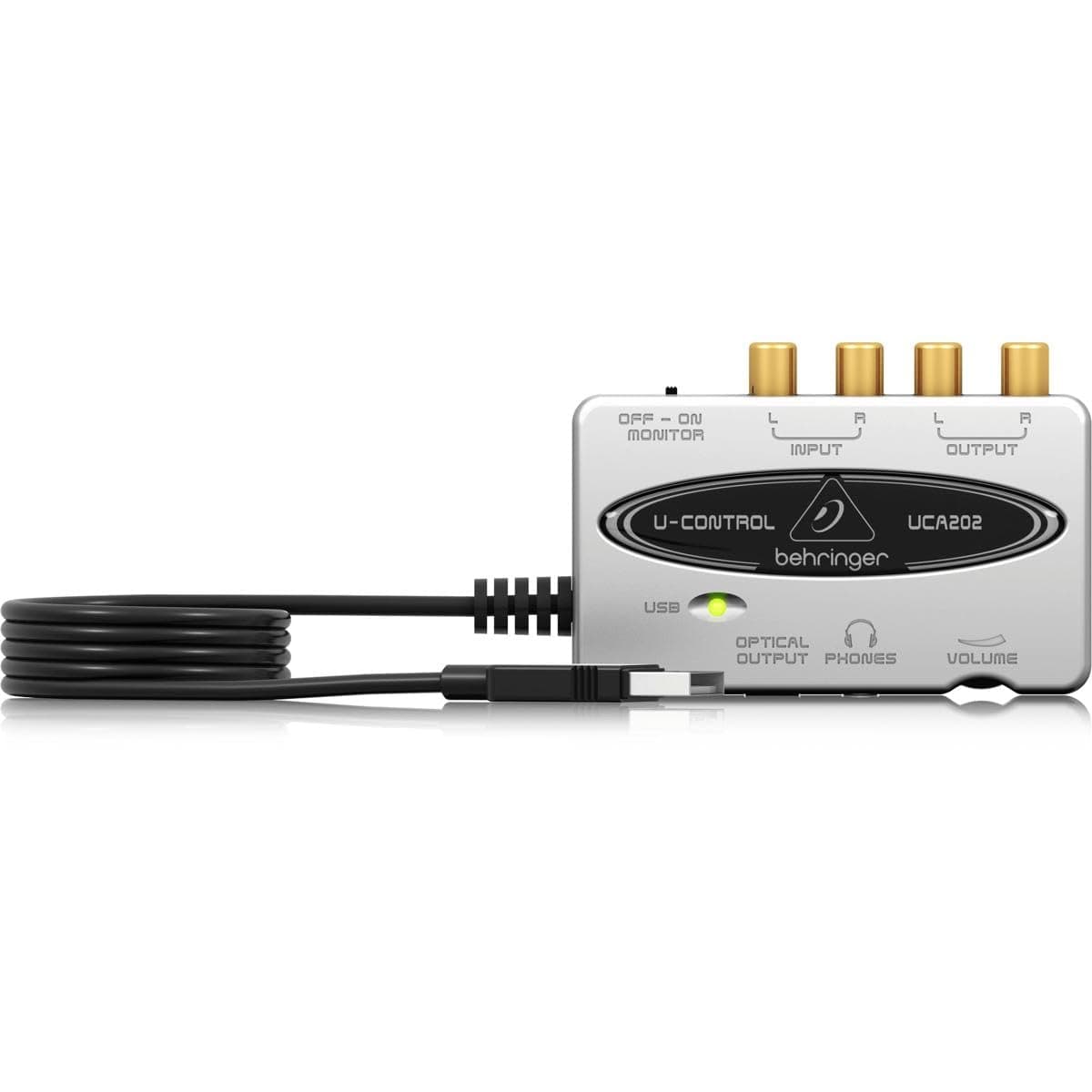
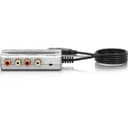
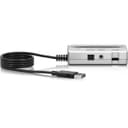
🎶 Elevate your sound game—pro audio quality without the pro price tag!
The Behringer U-CONTROL UCA202 is a compact, USB-powered 2 In/2 Out audio interface featuring ultra-low latency 48 kHz digital converters, plug-and-play compatibility with PC and Mac, and versatile connectivity including RCA and S/PDIF outputs. Designed for musicians, podcasters, and audio pros seeking hassle-free, high-quality recording and playback, it includes a stereo headphone output with dedicated level control and comes bundled with free professional-grade audio software.
| ASIN | B000KW2YEI |
| Best Sellers Rank | #25,058 in Musical Instruments ( See Top 100 in Musical Instruments ) #183 in Computer Recording Audio Interfaces |
| Body Material | Composite |
| Color Name | Original Version |
| Color Screen | No |
| Compatible Devices | Personal Computer |
| Connector Type | 2 x RCA phono |
| Customer Reviews | 4.5 4.5 out of 5 stars (3,953) |
| Date First Available | October 2, 2001 |
| Hardware Interface | USB 2.0 |
| Is Discontinued By Manufacturer | No |
| Item Weight | 3.52 ounces |
| Item model number | UCA202 |
| Material Type | Composite |
| Operating System | Mac OS X, Windows XP or later |
| Product Dimensions | 7.17 x 5.47 x 1.38 inches |
| Standing screen display size | 2 Inches |
| Supported Software | ASIO |
J**F
Excellent audio interface for computer to stereo & vice versa
This is my second device. I bought one ~ 7 or 8 years ago at the recommendation of an Audacity sound engineer on their forums. I wanted to record my college team's games from my stereo to listen to later. It worked perfectly for that. I am also able to stream videos or songs from my computer over my stereo system... much nicer than my computer audio. I can also plug in my headphones to the 3.5 mm jack on the Behringer unit to listen without disturbing my family. This unit is being used to stream audio for a small Church service & is working well. The RCA jack inputs and outputs are geared more to consumer level audio systems and works very well for that functionality. I have had my 1st unit for a long time & although it is made of plastic, and has been bounced around a bit from home to office to other places it has never failed me. It is plug & play so there is no need to install any software, though I highly recommend Audacity for doing the recording, mixing & perfecting the sound quality... eg digitally boosting recordings that were made at low volume level up to the maximum without clipping. The one thing to be aware of is the audio setup. You will probably need to click on that to switch the audio input &/or output to the USB device. Otherwise your computer may still want to output the audio to it's own speaker system, or to use the computer microphone rather than the stereo audio feed. Not a big deal, but it won't work without telling it which audio stream to use or which playback device to use. For a big commercial setup with balanced cables you would be better off getting a different audio interface with TRS 1/4" &/or XLR connectors, though you could use this unit with adapters.
D**N
Does what it says it does
I really can't complain about this item. The build quality is fine. It is all plastic, the cord is not detachable. The jacks on the back side of it are gold plated, the headphone jack is not. As other reviewers have said, there is no software in the box, you get to go download it. I haven't used any of it, it's not what I bought it for. What I wanted to do was have a real mic and a real mixer and two separate sound cards to separate game audio and Skype audio. Yes, I know I can change this in the Windows sound manager, but I like having my analog mixer! As far as my uses go, this was perfect. I plugged it in, set it as my default communications device, plugged the main line out on my mixer into the input. It works perfectly, and people on Skype have noted that it sounds great. Out of curiosity, I unplugged my normal SoundBlaster X-Fi Pro card and plugged my headphones into output on this interface. It seems to have no troubles with my Sony MRD-V6 headphones, and it sounded every bit as good as my SoundBlaster. Now, it sounds DIFFERENT, but it's still good. The SoundBlaster's output seems to have more low end response where the Behringer interface focuses more on the high end. Now, the Sony MRD-V6 headphones are pretty low impedance, so high impedance headphones may make a difference here. But really, plug the line output into a stereo channel on your mixer and use your mixer's headphone amp. If you're looking for something you can plug your matching Behringer mixer into and record stuff or have a crazy setup for Skype, this thing is great. I could see this being used for some small recording, but it really doesn't seem like an overly professional device, having just unbalanced line inputs and outputs. For a professional recording, you might want an interface with XLR inputs. But, if you're in a small band and want to do some quick recordings, this can run from an aux send on your board. You may want to buy a couple Hosa Cable CPR201 Dual 1/4 Inch To RCA Cable - 3.25 Foot to plug this into your mixer.
H**H
Great Product, Great Price, Perfect Sound
I received this product yesterday at the office, took it home as soon as I could and stayed up playing with it. Wow. Amazing. The relevant specs: Keyboard: Yamaha P90 Computer: Sony laptop running on Windows 7 Recording Software: Audacity My keyboard sounds great on the headphones, and I wanted to be able to record my playings on a computer. Basically, I cannot notice any loss of sound quality when I listen to a recording I make on my laptop from the keyboard using this product. I can listen to what I'm recording by plugging my headphones directly into the product, and when I play, there is absolutely no lag in sound, both in terms of speed and quality. Amazing. When you play nothing, you can hear some sort of quiet rhythmic static, but that noise is so quiet that you cannot hear it once you begin to play. This is my very first time doing any kind of sound recording, and it works great. I had actually ordered the "M-Audio Fast Track US44010 USB Audio Interface with GT-Player Express Software" concurrently with this product, to test them both and see if Fast Track was worth the price difference. But the Behringer was so good when I tried it, I felt no need to even touch the Fast Track and just returned it. All I wanted to do was record my keyboard sound as I heard it through my headphones, and that is exactly what I get with the Behringer. Done deal. I downloaded the drivers from [...]. The manual says you don't need to install any drivers, but I did it anyway based on some comments posted here. Also, if you use Audacity, make sure you set the correct recording channel. It should be stereo, not mono, which is the default. I freaked out at first because of this error. I will definitely be spending a lot of time over the next couple of weeks exploring what this little guy can do, but I am totally satisfied with what it showed me in the first 20 minutes.
B**Y
I had this item in my wishlist for a long time and finally bought it. Totally worth its price. I use it with Audio Technica M20x monitor headphones and it's a very good combination.
J**G
I bought this to act as an external sound card/digital-to-analogue-converter (DAC) to improve the sound output from a laptop. I have found it to be absolutely excellent and remarkable value for money! Without this device sound output from laptops tends to be very flat with no dynamic range (e.g. an audible difference between quiet and loud sounds). Music lacks depth and feeling. However, as soon as you plug in this device the sound output from the computer is transformed: it goes from being 2D to 3D; from car stereo to hi-fi: the difference in quality is remarkable! The device is about the size of a cassette, and has both RCA outputs (to connect to a hi-fi) and a headphone output. You simply plug it into the USB port on you computer... plug some output cables into the device.... and it just works! There is no annoying software to install, and it works on PCs and Macs (I use both) Sometimes you may need to go into control panel/audio devices and select the 'USB Audio Codec' to activate it, but it really is straightforward. (The device also has audio inputs for recording instruments, but I haven't used it in that function so can't comment on performance.) For the price it's performance is fantastic. I even gave one to my boss as a present and he absolutely loves it too! Compared to more expensive devices I expect a 90/10 rule applies - this device gives you 90% of the performance for 10% of the price. If you listen to music through your laptop/computer through headphones or a hi-fi and value good sound quality, I highly recommend this device! Advantages: - Excellent performance for the price - Transforms sound quality from laptops - Small size - Easy to use - No annoying software - Works on Macs and PCs Disadvantages: - Low price won't impress hi-fi snob friends
L**Y
review: Ultra-Low Latency 2 In/2 Out USB/Audio Interface with Digital Output Got this to do a quick and simple job recording vinyls to my laptop. Stereo L/R recording works. sample rate 48khz at 16bit res. Auto detected driver from win10. Matched it with free software Audacity. Initially had trouble recording stereo -- kept recording in mono. Ended up being windows not audacity . The trick for me was to CLOSE software (audacity) then open windows Sound manager -> Recording -> Mic properties -> Advanced -> pick a TWO CHANNEL recording format mode. For some strange reason when the driver auto installed, it picked ONE CHANNEL MONO recording only. And no matter what i did in Audacity, it would only record MONO. This trick allowed me to record in independent L / R channels. I was about to return this product as a defect until i realised this wasnt setup properly by default. Anyway, a few things about this product 1. nice clean simply recording -- i have no complaints. I wouldnt call this the most cleaning audio interface (like my steinberg box) but for the size and portability, its darn good. 2. headphone direct monitoring with no latency -- nice that it has this switch. very handy when youre trying to monitor the recording. 3. Also used as a DAC so you can OUtPUT to the audio interface to send the audio to external amp (via output RCA ) or just headphones from the unit 4. Headphone DAC has a small dial to control volume of headphone monitoring (nice!) for the price, portability, and function, this cannot be beat.
C**K
It's a great little unit, sounds good and does the job it's designed for real well. It you are using it on windows, just check you sound settings for the device as microsoft seems to have decided that a stereo device should be set to mono as it's default, which is real weird as windows knows & tells you it's a stereo microphone but still decides to remix it down to mono if you don't change you sound settings. Other than the windows issues, I've had no problem with the hardware, it's been plugged and unplugged lots of times without an issues. I would happy by any of the Behringer 202 range again.
D**E
mit diesem audio interface können audiosignale ohne Verluste der Qualität und ohne Störungen über den USB-Anschluss auf den PC gebracht werden, der nicht über einen Audioeingang verfügt. Erkennung und Installation des Gerätes verlaufen problemlos und schnell im Hintergrund. Die Nutzung ist selbsterklärend. Alle Anschlüsse wirken hochwertig und verhalten sich auch so. absolute Kaufempfehlung
Trustpilot
Hace 1 mes
Hace 3 semanas