We remain fully operational. Our teams are working around the clock to ensure your deliveries continue safely.

Descargar la aplicación


Servicios al cliente
Sobre nosotros
Copyright © 2025 Desertcart Holdings Limited
Descargar la aplicación
🚀 Elevate your DIY game with the ultimate Raspberry Pi 4 PRO Kit—because your projects deserve the best!
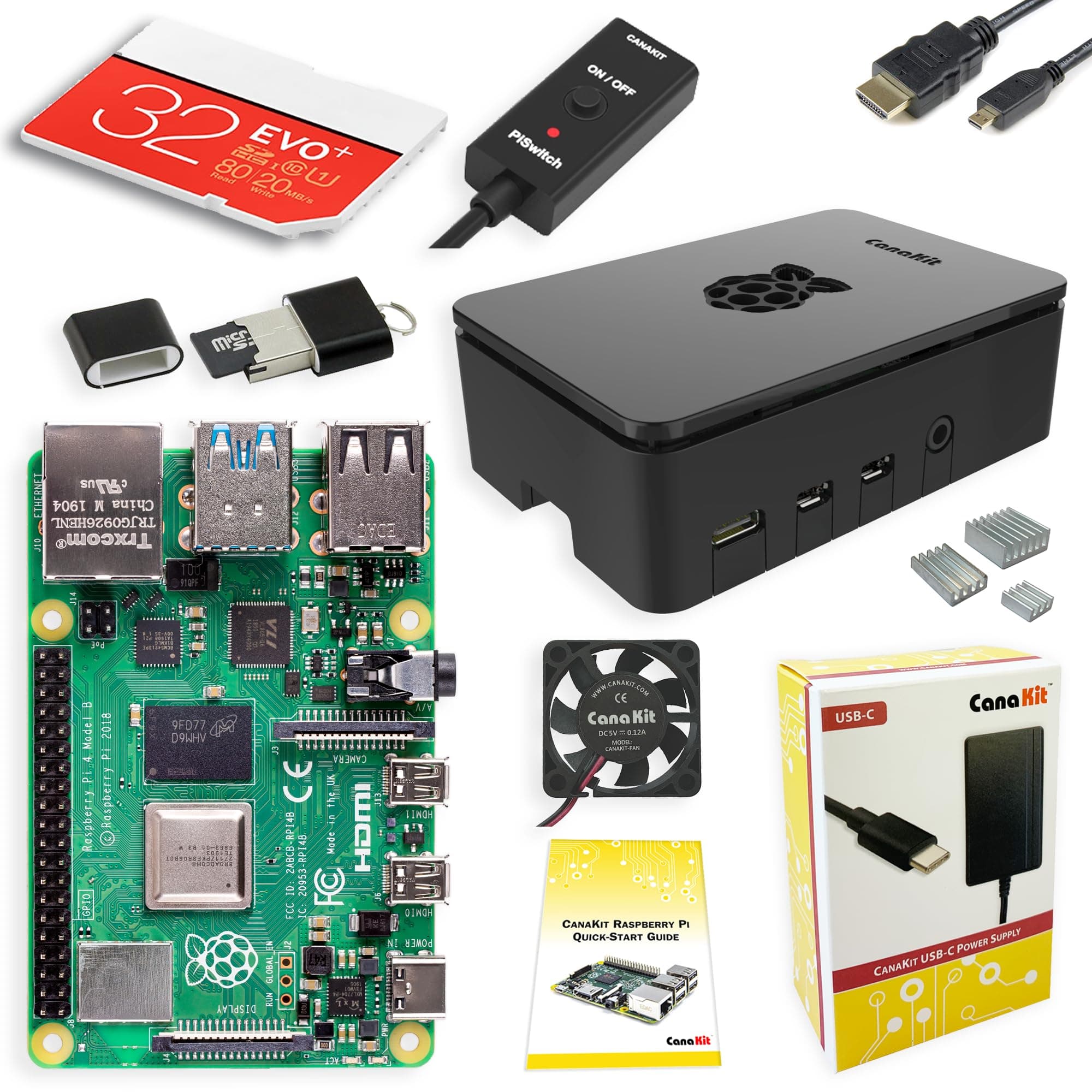
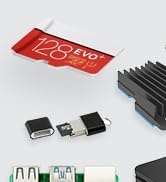
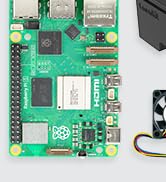
The CanaKit Raspberry Pi 4 4GB Starter PRO Kit bundles a powerful 1.5GHz 64-bit quad-core Raspberry Pi 4 with 4GB LPDDR4 RAM, a pre-loaded 32GB Class 10 MicroSD card, and a premium cooling solution featuring a low-noise fan and heat sinks. It includes a 3.5A USB-C power supply with noise filtering, a PiSwitch for easy power management, and a 6-foot HDMI cable supporting up to 4K60p output. Designed for quick assembly and professional use, this kit is perfect for developers, media center enthusiasts, and tech-savvy millennials seeking a reliable, all-in-one computing platform.



| ASIN | B07V5JTMV9 |
| Best Sellers Rank | #11 in Single Board Computers (Computers & Accessories) |
| Brand | CanaKit |
| Built-In Media | Raspberry Pi 4 4GB, CanaKit Case, 3.5A Power Supply, 32GB Memory Card, Micro HDMI Cable, CanaKit Fan, Heat Sinks, CanaKit PiSwitch, Guide |
| CPU Model | Tegra |
| Compatible Devices | Displays with HDMI input, USB-C power banks/chargers, USB-enabled devices with MicroSD card slots, Raspberry Pi models, Arduino, keyboards, mice, speakers, cameras, printers, and other general-purpose devices with compatible ports and protocols. |
| Connectivity Technology | GPIO |
| Customer Reviews | 4.7 4.7 out of 5 stars (6,543) |
| Item Dimensions L x W x H | 8.27"L x 6.61"W x 1.81"H |
| Item Weight | 1.1 Pounds |
| Manufacturer | CanaKit |
| Memory Storage Capacity | 32 GB |
| Mfr Part Number | 99295 |
| Model Name | CanaKit Raspberry Pi 4 Starter Kit |
| Model Number | 99295 |
| Operating System | Raspbian (or a similar lightweight Linux distribution) |
| Processor Brand | Broadcom |
| Processor Count | 4 |
| Processor Speed | 1.5 GHz |
| RAM Memory Installed | 4 GB |
| RAM Memory Technology | LPDDR4 |
| Total Usb Ports | 4 |
| UPC | 682710992952 |
| Wireless Compability | Bluetooth |
F**R
Nice starter kit for my first Pi
Got me up and running quickly. The price varies but was a good value when I bought it for sure. I think the logo in the top is cool for ventilation but could be more efficient if the logo was either bigger or eliminated in favor of better flow for the fan attached to the case. It is working well for my ADSB feeder for the network. The WiFi and Ethernet seem sufficient. The board fits together nicely. Documentation is lacking a little bit but it wasn’t hard to figure it out but there is some helpful information if you have never set up a Pi before.
L**Z
GREAT starter kit for dev and non dev
Been using this bad boy for six months now to automatically shut down my server when it's not in use, and let me tell you, my electricity bill is thanking me. If you're looking for a smart way to save some cash and automate stuff, this is it. What's killer about this kit is that it literally comes with everything you need. No hunting around for extra bits and bobs. And the power adapter? Huge win. Trust me, you don't wanna be stuck trying to find the right one. The parts themselves feel solid, not like some cheap plastic junk. You can tell they put some thought into this. Whether you're a hardcore developer or just someone who likes to tinker (like me!), this kit is super easy to get up and running. The assembly was a breeze, no complicated steps or anything. Honestly, if you're even thinking about getting a Raspberry Pi, just grab this kit.
M**D
Update & Upgrade from Bridger General (1 Star) to General of the Army (5 Star)!
An update and upgrade from Bridger General (1 Star) to General of the Army (5 Star): Shortly after posting my review I was contacted by CanaKit. I went over the product review with them in addition to the only two options I can think of that I didn’t do were changing out the micro HDMI to standard HDMI cable that came with it, and a different make/model TV/monitor. At that point I thought maybe there wasn’t enough power coming out of the micro HDMI connector to the stand HDMI connector from the Pi 4 B to display an image blaming fault on the power supply as state in my review. After going through all the troubleshooting steps described in my Amazon review, and in addition to the ones just explained I felt that there wasn’t anything a technical support technician could do that I didn’t already do but willing to make another “go of it” because there has been a lot of exciting projects on YouTube about the Raspberry Pi 4 4GB. They sent me a new Raspberry Pi 4 4GB Starter Kit - 4GB RAM for me to try out. I received the kit Monday morning on the 4th. Again I followed the instructions to the letter supplied in the kit, putting the Pi together and setting it up correctly and taking my time. The basic same problem as before! No activity and nothing was displayed on the screen (monitor/TV)! I didn’t brother going through the standard troubleshooting steps again because I felt it had to be something entirely different. I decided to try using an old VIZO monitor/TV I had laying around the house instead of my newer Seiki 24-inch TV/monitor I had been using before contacting CanaKit. This time it worked flawlessly! As it turned I did a careful examination on both connectors on each monitor and notice that when I connected the HDMI cable to the newer Seiki 24-inch TV/monitor it wouldn’t fully seat like all the other HDMI cables would, including the one that came with my old Pi 3 B+. I would suggest to anyone having similar issues to first check your connectors on the TV/monitor you will be using before returning the device for a refund. Thanks CanaKit, very thoughtful and kind of you to go out of your way to do this, and much appreciated in helping me getting this amazing device up and running! I will be looking forward to the next upgrade soon! Very Disappointed, My Heart is Broken! Was looking forward to using this amazing device as a second desktop PC. Problem: the red power light illuminated on the board, but there is was no other activity and nothing was displayed on my screen (monitor/TV). I checked to ensure that the Micro-SD card was fully seated all the way in the Micro-SD card slot of the Raspberry Pi 4 B board itself, ensured that the Micro-SD card is properly formatted with compatible software, Raspbian Buster the official operating system (OS) for all models of the Raspberry Pi by downloading it and installing it on a Micro-SD card or use the NOOBS Micro-SD card that came with the kit which is the easy installer for the Raspbian OS. I tried booting first from the Micro-SD card with NOOBS installed on it and then using a 32GB Micro-SD card with the the new Raspbian Buster OS for the Raspberry Pi 4 B the new standard version of Raspbian OS, and for all earlier Raspberry Pi models too. Both with no success but both of these Micro-SD cards will work on my old Raspberry Pi 3 B+ that I purchased from Amazon April 1, 2018 and is working great so far! Finally, I checked to see if the device’s EEPROM had become corrupted (rare but possible) by following the recovery instructions on the Raspberry Pi 4 B’s website by removing the Micro-SD card, disconnecting the device from power, then reconnect it. If the green LED does not flash then the EEPROM will need to be reprogramed but the green LED was flashing. Returned the item for full refund. Maybe i'll purchased another one again but not sure when. Might wait until they come out with a Raspberry Pi 4+ next year. I suspect it might be the power supply that comes with the kit and is not enough to power the device. What else could it be?
A**R
Great for making a media center
Excellent product and kit. Very easy to put together. I flashed LibreELEC to the Micro SD card that comes with the kit and made a media center.
D**.
Good starter Pi kit
Overall, this is a pretty good kit for the Pi 4. It includes all that you need, plus a few nice to have extras like the in-line power button. As you may expect from the listing, you'll need your own keyboard, mouse, and monitor. The big brand-name stuff (PI and SD card) in the kit are excellent, and works as you'd expect. The case is a glossy plastic, easy to take apart, has good airflow, and a little gap at the top so anything connected to the GIPO can easily exit the case. The case fits together snug and secure, but doesn't actually latch or click in place. The other CanaKit branded stuff was a little hit-or-miss though. There aren't any instructions included in the box about how to fit the Pi into the included case, which components the heat-sinks should go on, recommended fan mounting direction, or where to plug the fan on the Pi itself. I've set up Pi's before, and worked with airflow in PC chassis', so I was able to figure it out, but a beginner might have to do some careful trial-and-error. The HDMI cable worked as expected. My only gripes is that the mini-HDMI connector feels a little bulky, and I'm just not a fan of single-use-case cables like this one (HDMI->Mini-HDMI). An adapter dongle would have been better, but this is fine and gets the job done. The USB SD card reader was completely non-functional for me, so I had to resort to another reader I was able to dig out storage. Also, the slot in the reader grips the SD card a much tighter than I'd like, making it extremely difficult to remove my hard, and I needed to use an extra tool to get the card out. Not a fan of this since if you use a little too much force by accident, you can damage the card. Overall, a good kit to get started, and includes all the essentials to run a Pi plus a couple nice extras. Just be careful of the SD card reader!
Trustpilot
Hace 1 mes
Hace 2 semanas